Home
Home

 Creators
 Search
 Recent
 Random
 Posts
Posts
 DMs
DMs
 Tags
Tags
 Random
 Importer
 Import
 FAQ
FAQ
 Account
 Register
 Login
Login
 Favorites
 Keys
Keys
 Logout
 Telegram

Goldie BTS Stuff (Patreon)
Content
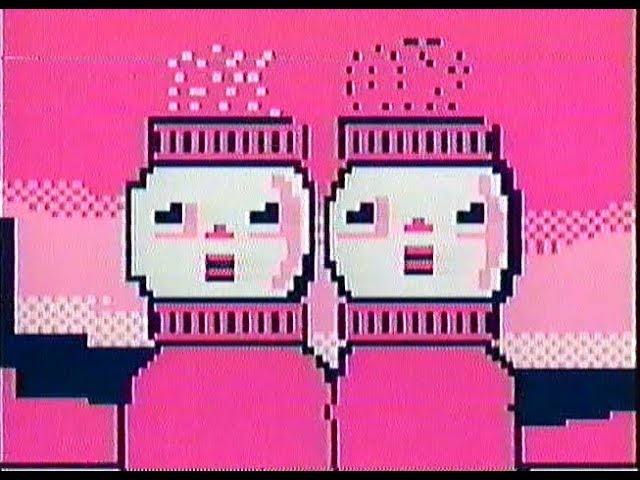
Hey guys. I've wanted to animate in a pixel-art style for a long time, but finally pushed to try it yesterday. It was as much fun as I always thought it'd be. I had a blast making this. It is NOT going to be a new consistent art style by any means, but definitely a nice thing to have when needed. I definitely foresee this style reappearing when I need to include a computer screen/cell phone, etc.
this video had nearly 400 frames, and they were all made in MS paint in 87 x 66 pixels. I hadn't thought about how this would make for a lot of issues in resizing, as most video editors will use different resizing elements for retaining soft edges like "bicubic smoother"
I hardhand my way through a lot of things, typically, and I ended up stuck when I couldn't animate all of these frames without them looking like this:
I went and learned how to use something in photoshop called "Batch" that allows you to transfer multiple photos through a function you create called an "action"Photoshop actions are like a saved set of steps in photoshop that allow you to streamline a multi-part process into a single button/tool.Its genius.Anyways, I ran these ~400 frames through my "action" I made to resize them using a "nearest neighbor" resizing preference which is what people use who make video game sprites and various 8-bit/16-bit art. took a few failed attempts, but resulted in the frames I used in the final video!I was amazed by that batch thing, and how handy it was/almost definitely will be. Wanted to share with those of you who, like me, weren't aware it was out there.Have a great day, everybody.