Home Creators Posts Import Register Favorites Logout

Videos

  • 463956805.mp4
  • 464014914.mp4

Downloads

Content

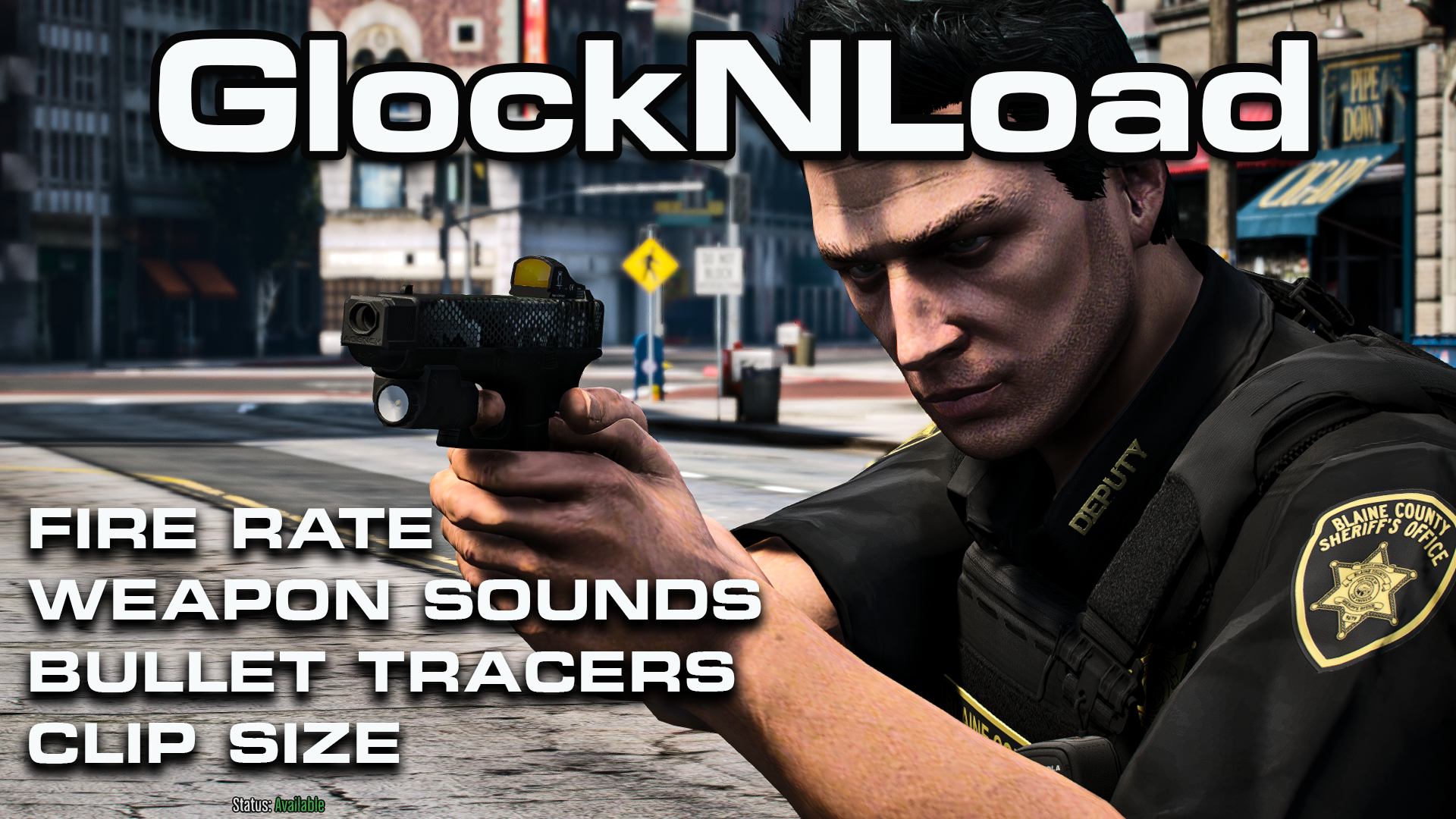
Mod PISTOL / COMBAT PISTOL / MK2 PISTOL - Sounds + Fire Rate + No Tracers + No Reticule + Clip Size + Free Meta Files + Weapon Skins

Want a completely different experience with your Patrol Pistol in GTA V? Then you HAVE to see this! We're going all out, modifying everything from the fire rate, no reticule and clip size to the weapon sounds and even removing those pesky bullet tracers. And the best part? My Patreon members are getting the hookup with the exact metafiles I used! I am including my new pistol sounds + 3 TLS Glock custom skins. This mod compliments the BlueLine Flashlight Realism very nicely for your pistols if you want a realistic flashlight beam.This will modify your PISTOL / COMBAT PISTOL / MK2 PISTOLFiles attached belowImportant Disclaimer: This mod focuses exclusively on fire rates, weapon sounds, and meta modifications. Please note that weapon skins are designed specifically for the TLS Glock mod, which is sold via ThinLineSanctuary.com. This weapon is not included in the shop front or your Patreon membership and must be purchased separately from TLS. Please review these details carefully before completing your purchase on shop front.IMPORTANT NOTES:

IF YOU ARE PLANNING TO INSTALL THE BLUELINE FLASHLIGHT REALISM MOD - LINKED HERE - INSTALL THIS MOD FIRST, BEFORE YOU INSTALL THE FLASHLIGHT MOD. IF YOU DO IT THE OTHER WAY AROUND, IT WILL OVERWRITE YOUR FLASHLIGHT MOD AND MAKE IT LOOK LIKE THE VANILLA SETTINGS.Disclaimer: This is a digital product. Please ensure compatibility with your system, Prerequisites and software prior to purchase. All sales are final; no refunds will be issued for shop front. Thank you for your understanding.

Files
Comments

ICEWRLD

THE GOAT!!! 🙏 I appreciate the time and effort to bring the community this video!!

George Joanethis

As soon as i get home from work im throwing that it !!! 👌

CJ Tampir

What are the chances of a thin green line flag for the glock, in honor of the military. I as a veteran would love to rock that... just an idea

BlueLine Vibes

Possibly yes. If you can show any pics perhaps to give some ideas, you can tag me in the #patreon-only chat in discord if you like.

GTA FANATIC

Any chance you would be willing to do a vc with me to see why this didnt work ?

WillaimThe_ThirdAdolf

Hey could you make a tutorial on how to make the TLS Lbv vest work with cop holster I would really appreciate it. And nice video btw

Nel l

Thank you.

BlueLine Vibes

I can look into that and see if I can get that to work.

aletl

Any new for the gore mod sounds? thanks!

BlueLine Vibes

I am still trying to get this to work, haven't given up on it just yet. Pain in the ass though.

.mysecret

Could you do one for the DDM4V7?

BlueLine Vibes

Aye, I am working on one for that. It would feed off the carbine rifle sound and that one is a bit tricky to manipulate, but I have managed to do that a bit. You can hear it in today's video for the Flashlight Realism mod coming out today. It's not quite ready yet, but almost there.

fih

What is that glock that you have at the beginning of the video I love it

BlueLine Vibes

Getting close, however I have been running into issues with ScriptHookVDotNet lately or possibly More Gore script itself. Keeps crashing after about 15 minutes or less of gameplay.

Bloxbender

hey, just wondering why my guns dont sound like the ones at the start of the video?? i put in all the files??

BlueLine Vibes

Haven't heard that question being asked before. Have you installed any other weapon sound mod in the past? Maybe there are a few files that is still being used from a weapon sound pack. For example, the echo effect from a weapon gun fire, is usually left as default. If for any reason, you have installed a weapon sound pack in the past (besides the one provided) you might consider dragging your original weapon. awc out to desktop and then drag it into the mods folder pathway and overwrite and start the install again.

Bloxbender

saved me brother, thank you so much

Nguyễn Johnny

The funny when I Used your meta file it help my compat pistol the sight get straight again ! Due to i mod it to be USP now I am just need repair meta file for straight sight my Glock !

Kartoffelmaster Hoch10

Am i the only one that doesnt seem to be able to replace the skin for the mk 2 pistol

BlueLine Vibes

Yes, you would be the only one to mention that. You need to double check that you are in the correct space. Go back and double check the exact location of your MK2 and make sure that it is installed in the correct pathway. Also, make sure that the game is 100% closed when applying changes to OpenIV. That has happened to me several times, as you may not get an error message on the screen, it simply will not take effect. Read the Readme included and make sure you are in the correct pathway again for the gun install. It is easy to install in the wrong place.

BlueLine Vibes

Sounds like it could be a weaponcomponent issue. Do you have an optic on there? Double check your install pathway for the weaponcomponent again, that happened to me since they changed the pathway for the MK2 on the metas back in January this year.

Peyton Henderson

i have a problem for some reason the glock is see through like the texture

BlueLine Vibes

Yes, that is because you are putting the gun model in the wrong place. You are probably installing the gun model to an old pathway. There is a new pathway that was updated in the past year. I had the same problem. Rewind the video a bit to see where the gun install pathway is. \mods\update\update.rpf\dlc_patch\mpgunrunning\x64\models\cdimages\weapons.rpf\ If you need further help, drop by the discord.

Sean Pauls

I ran into this same problem last night. TLS didnt add all the texture files inside of the Colors-Finishes folder. if you look there is 4 YDR files at Glock 19 & Safariland 7378 [TLS]\Glock 19 & Safariland 7378 [TLS]\Singleplayer\Realistic Branding\Glock 19 Gen4 drag those 4 files with the files you dragged from the Color-Finishes folder into OpenIV problem solved.

Sean Pauls

Just to clarify you put them all in the same mapping inside of OpenIV as you did the other 2 files in the Color-Finishes folder

That Chickasaw Guy Gaming

Any chance you could do a video on TLS glock attachments, I went through the read me but still can't get them to show on game.

Adam

Im having a issue after this install where i cant shoot in first person?

BlueLine Vibes

Do you have any other scripts installed? Haven't had anyone report an issue like this.

Adam

Not sure what it was but once I reverted all my files to the original it fixed the issue. So not sure if something interferes with it or what 🤷🏻‍♂️

BlueLine Vibes

Do you have a certain gun model that you are using currently? Or are you using GTA 5 gun model defaults? This is the first time I have heard of anyone having an issue like this.

Dominic Jenkins

You have most likely installed it wrong!

CookZ Customs

Hey i am having as issue where the gun sounds aren't working? They don't sound the same i have installed all of it but the "weapons.meta" because its already edited to my liking. Do i ned that for the gun sound to work, and if so how does that edit the gun audio?

BlueLine Vibes

Which guns are you using? If you installed both awc files, you should notice a good change. Weapons meta does influence the pistol as it directs the audio to the combat pistol.

totally not jacob

Hey I was wondering if install this can I add a weapon sound mod later? for the rest of the weapons

Hui Dong

I'm curious about this too.

BlueLine Vibes

Good question, but the quick answer is no. However, where there is a will, there is way right? Depending on what type of weapon sound you are looking for, you can potentially add extra weapon sounds into the weapons.awc by extracting the files first by exporting into a OAC for example. Then look at the weapons folder of sounds and you will see a list of all of the weapon sounds for the game. If you are importing another weapon sound, you may be able to rename it to weapons_1.awc for example and then extract those sounds and see which weapon sound was changed. Once you establish that, you can drag those few weapon sounds into your main weapons folder and let it overwrite your other weapon sounds. I know, I know this is very confusing to read. If you are interested in a video explaining in more detail, let me know and I can perhaps add it into another video idea over here on patron.

Occifer Cody

Would love this.. cause I saw where you put RGS on your mods list.. these two I would like to combine!

caleb gallegos

thank u for making this but when i was trying to install the wraps it was not working but idc that much but if u can help that would be great

BlueLine Vibes

Do you mean the gun textures? They should be working. Demensions are the same as the originals.

BlueLine Vibes

I will assume you got this working. Have not heard back in 1 month

BlueLine Vibes

I will assume you got this working. Have not heard back.

Xavian Silva

Hey Mike, I was working on your installation and have come across an issue. I am unable to see the WEAPONS_PLAYER.rpf folder in my SFX. This is my pathway on OIV: GTA V, Mods, x64, audio, SFX. I only see RESIDENT.RPF in my sfx folder. Please help me out, thanks! UPDATE- Hey Mike, I used ChatGPT; and I got it figured out. Thanks!

Xavian Silva

Mike, this is totally random but this is the only way I could get to you, quick question about EUP Law & Order. This is a fresh install of GTA 5 and LSPDFR, and I’ve been testing everything clean. GTA loads into Story Mode fine, but I get ERR_GEN_ZLIB_2 / failed ZLIB call when loading LSPDFR, usually right when it’s changing character. I’ve also seen it during character creation (hair/eyebrows). If I remove EUP, LSPDFR loads perfectly, so it really seems like Law & Order is the trigger. EUP Menu by itself loads fine. I tried deleting eup_componentpeds.rpf and reinstalling Law & Order. Today I also noticed my HeapAdjuster was set to 750, so I changed it to 2000 (I have 16GB RAM) and I’m going to try installing EUP again tomorrow. Have you seen this before or know if Law & Order needs an update or specific heap/packfile setup on newer GTA builds? Also, I have been looking in the comments of other tutorials and they are having the same issue, let me know, thanks!

BlueLine Vibes

Have you tried to Verify the Integrity of game files? Might be missing a few resources like Visual Studios C++ etc. It will usually download certain things through the verified process if you need it. It won't mess with your mods folder. You can also make a short cut of your GTAVLauncher.exe and send to desktop, right click and go to properties > Compatibility and check launch as administrator. You can click the shortcut now and start GTA in story mode and as it is launching and trying to login to Social Club, then click RagePluginHook Last but not least, do you have any addon weapons installed? If so, get the Weapon Limits Adjuster. Paste this URL into your browser. https://www.gta5-mods.com/tools/cweaponinfoblob-limit-adjuster

ADAM-23

Dude, your subscription is so affordable and you do such amazing stuff. Legend.

Sergent RED

How do i install TLS glock attachments?

BlueLine Vibes

Same place for the weapon itself. Do you have the weapon installed in the right location? If so, attachments go in that same area if I am not mistaken. Now getting them to attached to the weapon is a different setup, but you didn't ask that part ;)

Sergent RED

Thanks, I got it to work. I was having trouble at first but Now i got it.

Dead Pool

Where is the TLS glock?

hung nguyen

Hi bro, how can i install the glock attachment, my 2x scope not on the rear of the gun like you, it in font of the gun,

BlueLine Vibes

If you have the same Glock 19 from ThinLineSanctuary.com site, the attachments should go into the same location as the gun itself. You might consider reinstalling all attachments at that location. mods\update\update.rpf\dlc_patch\mpgunrunning\x64\models\cdimages\weapons.rpf\

hung nguyen

Every Attachment as Flashlight is working fine, just only the Scope not in the same location of it, i don't know why

Raxifu

I’m having trouble downloading the gun skin I basically replaced all of the things you could replace but it’s still the mk2

BlueLine Vibes

Check to make sure that you have replaced all YTD file gun textures within the proper pathway. I can't remember right now if the TLS Glock model has 2 YTD files.

Op4

loving all of these mods you put out

Jonas

hey mike I tried to do the tan ghost skin in the ytd file of the mk2 and i couldnt see which file you replaced when you did it and when i went to look on the drawable one it showed the mk2 with the skin and not the glock version. so i replaced every thing in there like an idiot and it crashed my game and i didnt make a backup of it so i had to delete it is there any way you can send me your ytd file i know its a crazy ask if not its fine it was my fault.

BlueLine Vibes

Can you describe again what you need? Are you asking for the original MK2 pistol skin by Rockstar? If so, you have those already outside of mods folder. If your asking for the original skins by TLS, you have those already in your download from TLS. If you are asking for my skins you have those already as well. So not sure what you would need that you don't already have in other words.

Jonas

I deleted the original ytd file you used to install the the Glock 19 skin.

BlueLine Vibes

Well, that might be an issue. Those are the original files from Thin Line Sanctuary. Do you not have access to your download from TLS? I can't really help all that much as that was a purchase that you made. My files are the textures within the YTD. If you have access to your purchased Glock, you would just reinstall the weapon model again into that location and it would replace those files you need. If you go to timeline 34:30 on the video it explains it.

Jonas

I don’t have TLS I bought the Glock skin pack with all 3 different skins but I don’t have the w_pi_pistolmk2.ytd file I can’t install the skin pack without the ytd.

BlueLine Vibes

Jonas, not sure if you read the description of this video. Important Disclaimer: This mod focuses exclusively on fire rates, weapon sounds, and meta modifications. Please note that weapon skins are designed specifically for the TLS Glock mod, which is sold via ThinLineSanctuary.com. This weapon is not included in the shop front or your Patreon membership and must be purchased separately from TLS. Please review these details carefully before completing your purchase on shop front.

Jay (edited)

Comment edits

2026-09-05 22:00 do one for rifle?
2026-06-12 23:24

Juicxz

can i use this for fivem

BlueLine Vibes

I am not 100% on that. I know that it might be possible for the weapon sounds, but the meta data might be server sided based instead of client.

LGC Gaming

Amazing! Thank you so much for this.

Dominik Mandl

Hi! My Crosshair is gone since installing! Any Ideas? Thx!

BlueLine Vibes

If you installed that NVE hide cross hairs, just use the uninstaller

Dominik Mandl

Thanks man, btw i love your content and mods!