Home Creators Posts Import Register Favorites Logout

Downloads

Content

First of all, I apologize for such a long delay. It’s silly, but I wasted three weeks working on a new way to animate wipers. Had to rewrite it a couple of times, but for most time I was working on creating a helpful tool which would allow to animate wipers easily.

Regular approach with letting car creators write an INI config could work, but setting those pivots and axis in there with nothing but trial and error is a bit too counterproductive. Plus, tool allows to animate meshes without separating pieces apart, so car creator would need a way to somehow assign different roles to different parts of a mesh. All of that is much easier to do with some UI.

Shame about time, but I think it was worth it, after all, it’s one of most noticeable parts in a rainy race. And, in my opinion, new system actually works better than the one we had before. Not only it’s much easier to set, but resulting animation is smoother and works better with RainFX. Also, wiper automatically snaps to windscreen surface, and tool has various options for more complicated constructions (like wipers of Abarth 595 with that fixed bit in-between, or this subtle rotation of wiper arm for Stradale).

In other major changes: new colored shadowing mode adds colorized shadows and ambient lighting for car interiors (only for car interiors to avoid a performance hit). Also, driver model will get a bit of fake ambient shadow in closed cars similar to Shadowed Wheels module, hopefully that would help with those glowing drivers heads. Reflections masking for interiors is also updated, now applied properly and more than to just a focused car. And default WeatherFX script got a small update as well, fixing few brightness values and improving clouds shape.

AMD FidelityFX Super Resolution is also available now, although in non-VR modes you would need to enable postprocessing and FXAA (in AC video settings) for it to work. In VR any combination should work. Might help with performance, its Quality and Ultra Quality presets look surprisingly good.

There are quite a few other changes for people creating configs. For example, track conditions now can use expressions to combine several inputs or other conditions together. And cars now can have fully scriptable interactive textures — a neat new way to create digital instruments.

As for RainFX, now whole thing should be more stable, I finally tracked down one particularly nasty bug causing a rare but unescapable crash. Thermal parameters for new rain tyres should work correctly (at least not as broken as before), and a few other annoying bugs were fixed, like cars not getting wet properly. Tyres now take into account rubberness of the surface as well as painted lines on a track. Next on the TODO-list is to finally integrate drying/wettening racing line, try to get AI to work and work more on particles and other visual aspects. Oh, also, patched acServer now can alter conditions dynamically, including weather type and rain-related parameters. I’m still working on a system which would allow to get dynamic conditions to work with original acServer too.

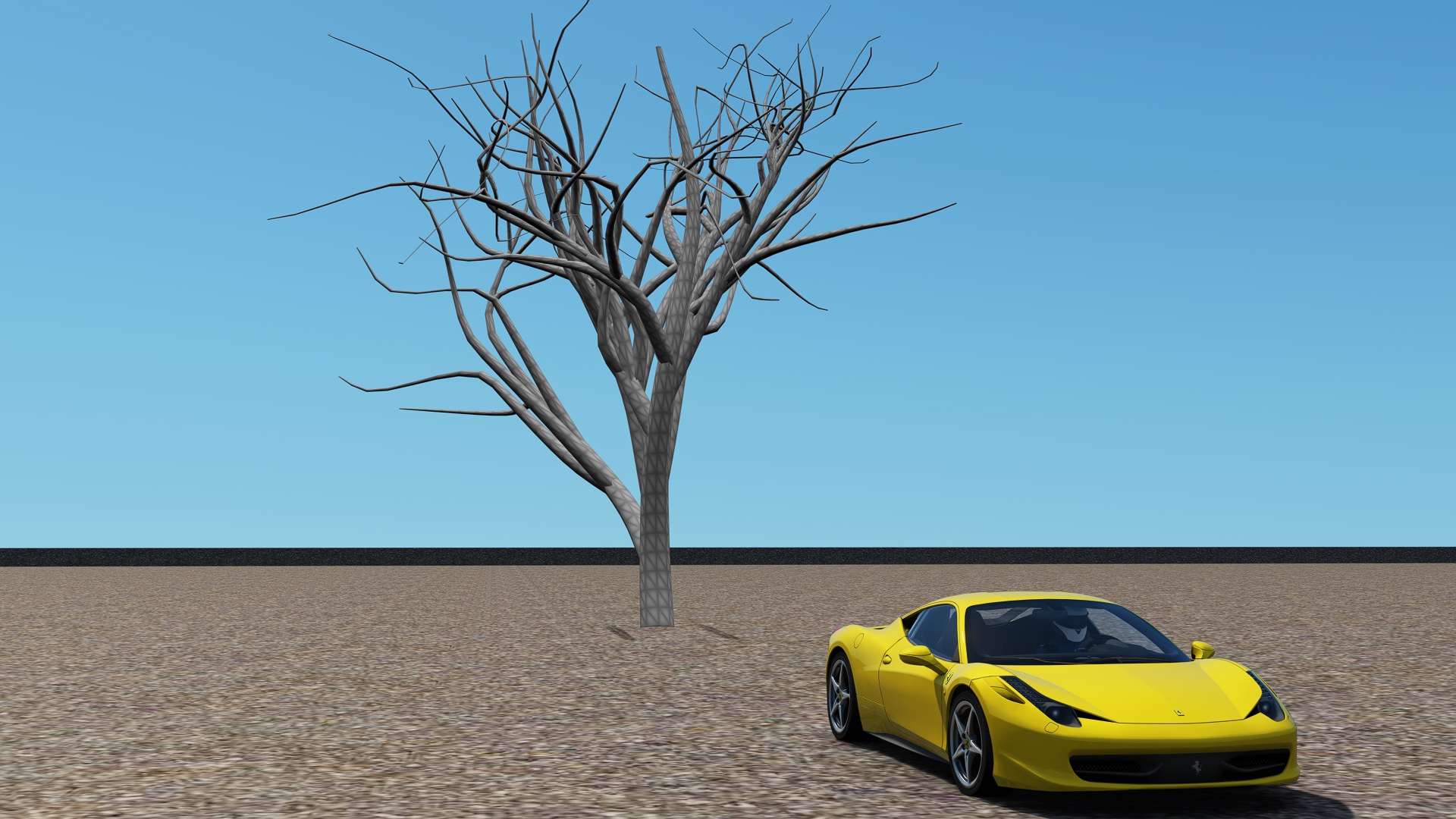
In other plans: I’m working on a fix for Content Manager, that last update broke some things. Also, I finally started working on TreesFX! Can’t guarantee any acceptable results yet, but at least my initial idea of generating trees with Lua scripts seems to be promising so far (it looks nasty, but it’s just something to measure performance, and it took 0.2 ms to generate, so that’s a relief).

As always, thank you so much for all the incredible support! Again, I’m very sorry for such a long delay, I’ll try to do my best to post updates more frequently. I really wanted to finish new wipers and release them in one piece though, to make sure car creators wouldn’t be turned off by a system which would be broken or too complicated to use.

Files

Comments

szmyta

you need to go to setting custom shaders patch and particles fx and enable them

Damir Osmanov

парни крашит на этом патче, что делать ?

Paintbox

Thanks again, some great improvements with this update.

Milan Kort

Take your time mate! I had the feeling that the next update was very big. And it is! :D Lovely work :)

Sandro Gth

Uhh treesFx. Nice man!!!

Jonattan Croda

Nice Update... Still nothing to activate and deactivate rain on online races manually? At least for visual purpose only?

Emanuele Di Stefano

Great man and big mind, without you AC would have been dead for a long time, I think when AC2 comes out your version of AC will be a thousand times better. Thanks to us VR users, if fxfedelity works it will truly be a breakthrough for us. Thank you very much again

Riho Pütsep

TreesFX does look promising indeed. Happy to see you back and at least mod creators shouldn't now have a excuse to not animate the bloody wipers.

Jachaussloef

I told my friend this afternoon it's been nearly two months since last csp update, it felt like there's gonna be something big coming, but didn't thought could be as big as FSR...

Fyne.Ty

We will always appreciate the effort into all of this hard work ☺️

Ilja Jusupov aka x4fab

Hmm, not sure if that would ever work, I think it’s better to keep things in sync with remote server… but I’ll try to add RainFX sliders to scene settings in that new photo mode app, available in replays

Ilja Jusupov aka x4fab

Thank you! Also, that Graphics Adjustments FXAA replacement now works in VR as well, although it’s still either MSAA or FXAA there. Maybe I’ll work on that too so both can be used in VR just in case

Rennfahrer Bieberle

Thank you so much ... but the Windscreen dosn´t broke anymore

David skupski

For some reason when i activate FSR it messes up the view in VR, it looks streched and head movement is messed up. im using a Nvidia GPU so not sure if that has anything to do with it. Do Nvidia uses need to download anything for AMD for it to work? Cheers

Vitlam

Where can I post a bug report? since version 0.174, CM refuse to launch a race, it breaks instantly saying "failed to initialize directx". 0.173 and before works fine... I tried the discord channel, but it looks like I'm alone in this case. TEsted on 2 different computers, fgresh AC install, nothing. Where can I upload my error report?

Gunnar333

Great work! Is [GARAGE_DOORS_...] feature already included in this release?

DRAKGO

Same here, far as i tested i think its only working trough OpenVR and not over OculusRift under CM-settings-video

Amazezinger

This version just stutters my game and crashes it bro. reverted to 1.75 and works like a charm. Dunno whats wrong. happens 10 secs into driving.

David skupski

yeh oculus for me too, also do Nvidia users need any special download from AMD for Fidelity FX to work?

Gunnar333

Great! I will use this for my next Sachsenring release!

Max Jast

Whenever I use this new build, the graphics looks very blurry, as if all of those Post-Processing sharpening effects do not work and if I go back by one build, the graphics looks sharp again. Odd.

Amby

Great thanks. Any plans for DLSS?

ChampionJoe

Hey Ilja! Great work as always. But can you explain a little more in detail how you can activate fidelityFX? I did find the checkbox under Graphic Adjustment but I'm unsure if i need to set anything else. Thanks!

Emmanuel Krouch

Hello Ilija ! nice work ! i have the same question than Champion Joe about FidelityFX. merci beaucoup ;)

JIm

Where is this Graphic Adjustment setting Joe?

CoreFX

Привет, я не проверял это раньше, и только сейчас решил включить FXAA чтобы посмотреть на FSR... Так вот, после того как я включил FXAA, захожу в гонку и оперативка начинает очень сильно забиваться вплоть до моих 16 гигов и спустя секунд 20-30 начинается лагодром с 0 фпс. Есть какое-то решение?

JIm

Just a simple clear instruction on how to activate this AMD feature would be appreciated.

Ilja Jusupov aka x4fab

That should be it, yes, just make sure to either run in OpenVR mode (Oculus is broken now, it seems, fixing it), or activate post-processing with FXAA in AC video settings

Paul Bailey

I'm trying to figure out whether my 2070 should be able to use FidelityFX. I play in VR and all I see is a 2D heavily cropped image in both eyes, so I assume it doesn't. Edit: it gets less cropped when I increase the FidelityFX quality and it is actually 3D, but either the FOV is off or the head rotation is affected somehow. Unless I could make it sharper it's also too blurry on Ultra quality. Still, worth having for 2D players no doubt.

JIm

Found it. CONTENT MANAGER-CUSTOM SHADERS PATCH-GRAPHIC ADJUSTMENTS-AMD FIDELITYFX SUPER RESOLUTION

Ilja Jusupov aka x4fab

Thanks! I applied to DLSS beta program, although I doubt they would let me have it, seems like it’s oriented on more serious developers at the moment. But let’s hope for the best​, would be great to compare different solutions :)

Ilja Jusupov aka x4fab

What post-processing AA method do you use? Or maybe it’s FFX CAS that broke, I’ll check, thank you

Ilja Jusupov aka x4fab

Oh, sorry, I misunderstood at first, I was going to send it to you directly when you’d be back :D

Ilja Jusupov aka x4fab

Оу, можно ли ссылку на настройки видео и CSP? В CM снизу справа есть кнопка Share link

Ilja Jusupov aka x4fab

If it’s in Oculus mode, there is something not quite right about it, working on a fix now. Might be related to pixel density setting

Max Jast

I usually use AMD Fidelity FX to 100%, I tried disabling it and just relying on AMD Super Resolution but this did not change anything.

CoreFX

Спасибо за ответ, я уже заметил, что на это влияет SMAA из Post-Processing Anti Aliasing в Graphics Adjustments. Когда я меняю это на другую любую опцию - утечка памяти пропадает Но вот настройки https://acstuff.ru/s/gFSTSC

Michael Kitchens

Great to see you back, Ilja Thank you for the amazing progress as always. I look forward to seeing rain FX fully implemented. Keep up the good work.

Michael Kitchens

Oh that's brilliant! I definitely will implement this!

Daniel Oliveira

Will these cleaner nodes improvements come in the next update? Will this make the non-kunos car wipers work? There are a lot of cool cars that the wipers don't work on, as well as a lot of tracks that just don't get wet in the rain.

Ilja Jusupov aka x4fab

Yes, already out there, I’ll try to record a video demonstrating how to set those wipers

Daniel Oliveira

in relation to slopes without a wet aspect, is there still no correction?

Mauleous Gaming

Hi Ilja, really nice update! I do have some questions about AMD FidelityFX Super Resolution. Is this something that's automatically available when I run Assetto Corsa in VR? For Nvidia user, is there anything that I need to install? Update: Oh, I found the option under "Graphic Adjustments". Thank you :)

brianjai

It's mindblowing that a 3rd party modder can add fidelityfx super resolution to a game! It drastically improves my fps with my intel integrated graphics (it's painful to wait for new gpu with reasonable price)

Drive4evr

Great work. Is the car handling now effected by rain?

Callum McGurk

Holy, holy crap. What an epic update. I've been fighting for MONTHS with animating wipers on the C30 mod I've been fiddling with, so to be able to do this all in-engine, live, is amazing. Thankyou so much. And the coloured shadows are incredible... what an update. Don't even get me started on the FSR. Thankyou so much for this amazing update!

Leandro Demerov

Ilja is there any way to turn off automatic high beams when in offline practice mode + AI?

Rennfahrer Bieberle

i replaced the file ... works again ... thx m8 BTW i got my FPS push up from 38 to close 60 about the new AMD FidelityFX Super Resolution ... works great whit GTX 1060 6GB

Carl Bycroft

Anyone else noticed a serious reduction in FPS since installing this update? Any map I enter into struggles to get past 20fps and stutters badly. I have a pretty good spec PC, had no issues on the previous preview - 1.75.

JIm

This AMD FSR is fantastic for VR. I have cranked the majority of the settings up to max and it runs amazingly. I honestly thought we were a couple of GPU generations away from getting this sort of performance and quality. Great job. Looks like AC may become my go to sim! Thanks very much.

Callum McGurk

Where is this new editor? I can’t see it in any of the apps

Callum McGurk

I'm getting a simple black screen with FSR switched on - can see the ingame pit UI and pause menu etc but no video. Postprocessing and FXAA enabled in AC Video menu. RTX3070 Also I can't find that windscreen wiper editor anywhere. I'm going mad, I think. Closest I can find is wiper_base etc in weatherfx debug but that just says 'camera not set' Otherwise it seems a perfectly stable release, I did have some weird issue initially with purple text and flashing headlight glow going everywhere but I realised it was because I'd left my mining software running LOL

Sebastian

hey, id like to report brake disc FX rear not working, it will rear the values of brake disc FX front which is unfortunate for cars with differently sized rotors. thank you

Jacopo Di Giuli

And for DLSS?? It's impossible to add in the future?

BassGaming

Hey, first of all thanks for your continued amazing work. Ac really feels like a recent game. Also as a track builder you are saving me sooo much time, which is awesome. The only question I have concerns this part: "patched acServer now can alter conditions dynamically" Do I understand it correctly as in "log into the server as an admin and you can change the weather dynamically through the Sol planner" or is it a case of "you can now create dynamic weather plans"? Also where can I find the patched acServer.exe as this is your first post mentioning a patched server file? Thanks a lot! Your work is sooo much appreciated.

lagbitch

When I enable AMD FSR, it's as if the game is being rendered at a higher resolution but I only get to see the top left side of it. Using single monitor fullscreen (5120 x 1440) with FXAA and PP on. Nice update regardless!

Tiago Sousa Guedes

same cant find that amd fidelity fx now!!! also, cant fin ds the app for wipers!!!!

Robert Lunatic

ok. this is pretty much a fucked up update.. first of all, the AMD fsr thing does not work with rift s VR. whole picture is just very zoomed in and does not act like vr at all! secound is i cant start track with 80% of my cars,, i can hear sounds but im sitting up in the sky! i could start on SPA, but no other tracks

ktulu77

TreesFX! Wow! I was dreaming for this! For me, the 2d trees are very ugly sometimes and breaks immersion (compared to the rest of the magnificent graphics provided by CSP). I am curious, could we be able to replace 2d trees on existing tracks by 3d trees with only the csp config file? And what about leaves? Could them be generated like 3d grass? Thanks for the update!

Tiago Sousa Guedes

Hi Ilja! I just cant seem to dfind the animated wipers app! could you clarify it for us??? thankss!! great work!

Boost

Thank you Ilja. I would like to ask if the rain physic and the rain tires work for all cars now. An issue I've found is that this build seems always reset the PP filter to NONE or BLANK so causing launch crash so i need to select a pp filter each time I start a race . I know that support here are rare but I still keep hope.

Jon DeCima

Feedback: AMD FSR makes HUGE performance gains but does have a couple of notable issues I ran into. The biggest is it seems incompatible with the Oculus Renderer and only with with the Open VR setting. If you try the oculus renderer it will load (and seemingly work) but it creates this weird 2d/3d hybrid world, very hard to describe, either way it's unplayable. I can confirm it's working fine with the Open VR render method on a Quest 2 via link cable though. The second issue is every now and again the game will encounter some massive stumble and run @ 20fps for seemingly no reason. It does go away after a short while (maybe 3 minutes or so?) and doesn't come back for a while. Happened on Shutoko more than any other map. Oh yeah, and GREAT work my man, I can't believe we get to enjoy FSR on assetto so soon after release and how freaking great it works/looks/performs. Insane update!

Callum McGurk

I can see the car in triple screen mode, although of course it's trying to render 3 screens. Doesn't work in single screen mode. BTW Loading screen and sound works, just black screen.

Leo Gr

Thanks for the update. FidelityFX is really working great in VR on my system (Pimax 5k+), big performance improvement with better visuals!!

Callum

Hi Iija, amazing work as always. Two things I noticed was a black screen while using the AMD fidelity effects with DXGI/ HDR. Also, I noticed crazy performance drops/ stutters while using the 'true borderless mode'. I am using an RTX GPU if it helps. Can't wait to see how the trees will go! Amazing work!

Callum McGurk

Have a go at setting it to triple rendering mode. That made mine work, the UI in pits just sits in the middle of the screen but otherwise I think it's perfectly playable as a workaround for now

G. Yam

Crazy bird. You build FXR into AC faster than Kunos into ACC ... and then you dare to excuse? No way! A thousand thanks Ilja .... no even two thousand .... We love you man!

BassGaming

While I'm here might as well give some feedback: Consistent benchmark, exactly same scene, no Reshade, track LAC VIP by day, clear SOL weather, M3 E30, 5570x1080p tripple screen, different FSR Modes: Vanilla: 107fps Quality: 138fps, slight blurry but it's ok, worth for Reshade RT over 60fps Ultra Quality: 120fps no visual difference to native noticable RTX 3070, Ryzen 5 3600, 16gb 3200mhz Basically it allows me to run Screenspace RT and SMAA via Reshade at 60fps which is pretty neat! Or 130-200fps depending on track for racing.

Sahin

Yes please do something on the trees because they're very ugly in assetto corsa

Lightningfighter

Open the App Objects Inspector then click on Tools then click on Animated Wipers

Lightningfighter

Open the App Objects Inspector then click on Tools then click on Animated Wipers

MrJr

I still have one question. What parameters are needed to let CSP make rain tires for cars?

keith asboth

You're a wizard! thankyou for sharing your magic

zesty

Where is the app to animate the wipers at?

Dean Kabasa

Amazing, the FPS gain from Fidelity FSR is astonishing! Now im running on triples with all the candy turned up and fps above 75 always. Thanks!

Amby

This sounds great. Keep my fingers crossed 😊

Amby

So... Tested it and it really looks great. Fidelity FSR is awesone, gives a decent FPS boost and looks fantastic in ultra quality mode. The only bug I found so far is that AI cars won't turn on wipers on rain. Again... Great update... Thank you mate.

G. Yam

Okay i use the OpenVr with my Oculus1.....and now i can drive Night and Rain with the full 72 Frames. Yes its little (little) blurry but i got double Frames because Asw or Osw dont kick in.... Spechless.... I am only Spechless! 👍

Shane Padwick

Hi currently working on a car myself and I was onto the wiper animations! You're an absolute legend for bringing something like this out! But where can I find the animation app to do so :) Keep up the work brotha!!!!

Callum McGurk

Object inspector app > Tools > Animated Wipers

Huskehn

FSR is AMAZING for VR, thank you so much, the performance improvement in balanced mode is insane (-4ms frametime at 120hz 100% res on an Index!!!) and it still looks great. I can play this game at 150% res @90hz no problem even with the rain shader with FSR. this is awesome

Fazani Mods Assetto Corsa Street Cars

нажимаешь на объект инструментов сверху есть "TOOLS" и там все написано. Там появится конфиг, его вставляешь в ext_config, далее потыкай поймешь

Александр Козырев

Спасибо, я уже нашел и наполовину разобрался. Вот только терь не могу понять как сделать чтоб дворник "примагничивался" к стеклу, как указано в описании. И как его сделать "подпружининным" в месте изгиба. ;) )))

Emmanuel Krouch

same problem, but if you disable FXAA, it works

Sun Kin

For AMD super fidelity to work we need FXAA on in AC video settings......and this is intercepted by Post Processing Anti Aliasing in CSP Graphic Adjustments....this is set to FXAA 3.11......does it work with this or do we need to set this to 'original'

G. Yam

I use 3.11. & Post on. (In Vr you must use OpenVr)

G. Yam

For FXR use OpenVR! The Oculus Mode is broken atm.

Sun Kin

cheers dude

Sun Kin

wow, looks so smooth and crisp, and i got so many FPS's i've turned my resolution up :-)

WeStErEq

I love you man You really helped me by adding the AMD Resolution thingy. I can finally use my VR Headset to play Assetto <3

Robert Lunatic

Well.. nope.. using OPENvr and not oculus rift made my graphics look like 1990 amiga car game.. dropping my frames down to 40 from 80fps…

Robert Lunatic

Nope.. oculus mode actually works.. OPEN VR gave me the digital quality of duke nukem!

Robert Lunatic

And i found out that game crashes so im up in the sky if i turn off the post prosessing section..

Robert Lunatic

Yeah entering the amd fsr gives you a pretty much fucked up zoomed in vision.. but in OPENVR, graphics quality is like playing videogame from 1990

Accuracy Gaming

can someone tell me i drop the 76 previw1 but is not coming up on my cm still showeing 75

MgiraX

I have this Problem on all Modes! One Screen, Oculus and OpenVR. FXAA and Post-Processing activated. Only help with this weird aslant zoom is deactivating AMDFSR.

Alex Zuotoski

Great release, as usual! Do you have plans to make snow like rain but with snow flakes instead? Also a fix (I mean, I think it is a bug) so we can use numpad + and - keys with the Photo APP. It only works when the app is minimized. Cheers! :)

lowercase

does not work with Oculus rendering, looks like im looking through a fishbowl with a telescope :(

MgiraX

I found for me the Solution to use AMDFSR without this Bug Deactivating FXAA in Assetto Corsa Video Settings Tab and still activate FXAA 3.11 Standard on CSP Graphic Settings Tab. !!!

Dannie Skate

Whatt sol version are people using? i cant get the weather fx to work. everything else works fine....

Martin Kryger

It's 2 files, inside the yellow map....maybe You just dropped the yellow map, inside CM ?

Martin Kryger

Did You change it, in CM settings-Wheather FX at the top....controller scripts ?....using 2.13 I think

MgiraX

Try OpenVRor disabling fxaa in assetto corsa video settings

MgiraX

disabling FXAA in assetto corsa video settings was my solution.

Samuel CUBIO

Really good work. still a very good evolution, continued on your launch Ilja

lowercase

if i turn off FXAA it wont work. and open VR does work but is laggy so it defeats the purpouse. cheers for the suggestions though!!

James

Same here and Im not getting TreeFX

dion hargrove

I am having an issue with triple screen, when i load into the game it is only using the 2 right screens. Leaves the far left screen with nothing on it besides my wallpaper. Any help would be greatly appreciated.

BassGaming

Also on an RTX Gpu, I use tripple screen rendering, true borderless, FSR on ultra quality and it works flawlessly. Gives me about 20fps more so from 100 to 120fps. No issues. Could be a random setting somewhere making it buggy for you.

BassGaming

You can always use SMAA through Reshade if everything else fails to still get your Anti Aliasing.

BassGaming

Dragging and dropping the zip into CM worked for me as always. I had to restart CM though otherwise it threw me an error.

BassGaming

Is the window just moved to the side? You can choose which screen the main one is in the CM settings. Try playing around there to get it centered on all your screens again.

BassGaming

No problems here and FSR gives me another 20fps on the Ultra Quality preset.

BassGaming

Object inspector app > Tools > Animated Wipers

Conrado S.B.

Absolutely unbelievable! What an amazing work you're doing... mindblowing! I really wasn't expecting FidelityFX to come to AC... What a great surprise. Massive FPS improvements! And I'm really excited to see that TreesFX too. Seems quite promising. The tracks backgrounds in AC are the only thing that still looks quite... bad. Those flat 2D trees, objects/peoples really breaks the immersion sometimes and looks horrible on photos (I always try to hide/mask them).

Callum McGurk

I found the app but after pasting the code into documents/Assetto Corsa/etc etc etc/volvo_c30_t5_r_design.ini (and deleting the double instance of [BASIC] ksanim wiper animation bit), nothing happened ingame. I just can't get the wipers to work at all.

David skupski

I have also noticed that when you click benchmark in CM it just throws and error relating to CSP.

jinxad

Thanks for the update and keep up your amazing work. I have noticed only one bug in this update so far :) I have to select post processing filter every time I start a race. It switches back to default. I did also try and choose processing filter in the menu and saved my settings, but that option is empty when I quit the race. But track day seems to work again so thats great :)

Robert Lunatic

Hey can someone tell me what MAIN_T is on the stats? I have 12ms/ frame but main t is on 97% .. usually its down to 20%

James

It's showing as 0.1.75 here too

Brian Paterson

Superb performance improvement in VR with my system AMD Ryzen 7 3700x / 5700XT with a Reverb G1. 45FPS with 70-80% GPU usage up to 90FPS with 80-90% usage @ 100% resolution in SteamVR. My only “concern” is that it’s quite blurry even at maximum sharpening, particularly after using a lower resolution and ReShade. Is there anything that can improve the sharpness which I’ve missed?

Volodymyr Kazantsev

I am not aware of any other VR title to support AMD Super Resolution yet! I think you might be the first to add it! Super well done - will test it now.

Alexander

Спасибо большое за работу! По моему, Default Weather Script выглядит просто прекрасно, надеюсь, ты и дальше будешь над ним работать. Цветовая гамма вечером и на закате создаёт очень крутую атмосферу без каких-либо пп-фильтров. Облака стали выглядеть намного лучше, и лично для меня, так играть намного приятнее. Жаль только, что нет звука дождя.

John Hoang

I checked the Weather FX under Controller script and weather script. both says Defult controller by 4xfab, v1.0 Sets conditions from face parameters, nothing dynamic. I don't see Sol in there. Sol weather is not showing in app.

DYNANiK

BEAUTIFUL <3

Jeno Galatz

i cannot see any wet tyremarks anymore , no puddle splash, no rain dripping from car , maybe some problem with custom cars have inside parts wet, otherwise is so interesting this new version , i have to check the wiper animation

Hugo Silva

Firstly let me congratulate you for the FSR implementation. Running on Ultra-Quality with Auto sharpness nearly doubled my FPS. But now the issues: - Experimental Physics now makes some cars unable to move, they just skid in place, disabling it for that car solves the problem. - The game constantly resets the PP Filter to "default" (Now this is a real pain in the ass) As for RainFX issues, so far everything is fine on my end.

Polish Player

I cannot make the wipers work for some reason :(

Zipppy

Objects inspector>Tools>Animated wipers

Jon DeCima

I didn't have this issue, maybe you were using the "performance" setting in FSR?

Zipppy

FSR seems to work pretty well although I noticed some jagged edges with some fuzziness, may just be my settings, will test that further. however.. I got a bit bummed that i couldn't adjust anything on the pivots/points in the wiper editor, after the wiper object got separated. amazing implementation.

Monz

Thank you for your great work with CSP 1.76 loved 1.75 can only get better - keep the good work going

James Pendry

Hi, idk if this is remotely possible with how the physics engine is, is it possible to implement a 5-point tyre model? this is more of a yes (within reason) or no question. brilliant work on getting FSR working, having a blast running ac at 4k 100-120fps.

G. Yam

Look at your Sampling Rate in SteamVr.....

Callum McGurk

Main CPU thread, if it maxes everything will go slowmo as the processor can’t calculate everything in real time

Boost

" The game constantly resets the PP Filter to "default" (Now this is a real pain in the ass) yes it's terrible

Robert Lunatic

For me it worked in open vr, and turned off the fxaa .. but there is no point. Graphic is no different ecxept my cpu is killing it self at 98% ! Without im still running full graphics and PPD at 1.8 locked to 80fps

david ormsby

Can someone please explain how to get the wipers to work? or at least how to get to the wiper tool? Thanks

Vinko

Yeah I'd really like to know too. Strange that he didn't post on how to access that.

Cam Newton

How do i get the window banners to become translucent? No light passes through using the same model quattro as pictured

david ormsby

Im staring to get it figured out lol. Go to Settings/custom shaders patch/GUI and make sure "Point-and-click objects inspector" is checked. Then start a Race and find "Objects inspector" in the right menu bar. Then go to tools/Animated Wipers

joe

iv got a 6700xt and ryzen 5 3600 cpu, since downloading this patch i cant get more than 40 fps any reason?

Marcel

Will there be a hotfix that removes the bug that is resetting the ppfilter to nothing after each restart of a race? It's really driving me mad and I don't think I'm the only one with that bug. Otherwise, great update!

Polish Player

I really don't get how to make the wipers work in this new version. Could you make some small tutorial about that to enable, or where ? Thank you very much !

Yannick Morand

When I turn fidelity FX in VR (on my rift S) my POV turns out weird, It's like if I'm in a bowl or something. Any idea what it could be? Thank you

Sérgio Chaves

stupid question, what should put in filter? sol?

jelly

use open vr

jelly

use openVR

Jason Halls

In which class were you at Hogwarts?

Jonas B

Pretty sure you need at least 120-130% res. Scale. I run the old Oculus Rift at 140% + FSR Quality and it looks really good. (at 100% it looks blurry, even without FSR) Maybe you can get 10-20% res. more out of your 5700xt, but you are really stretching the 5700XT with that enormous pixel count of the reverb :D

Crash Sim Dummy

Just need openxr support now, easy task for a wizard like you I'm sure 👍🙏

David Yi

Ilia, Great update and really liking the fps bump with the added FSR. Could be a game changer for some people.

David Yi

Btw, bug I noticed with new update is I'm getting "setup validating, please wait". Happens for instance on the Ferrari 488 GT3 EVO mod by Masterkey. Only happens with new 176 update.

Simon Renand

Great update, thanks you. I've noticed in few cars wipers are now totally bugged in VR (oculus rift s) Like they are separated in 2 parts and are over the windshield, even on oponnent cars. Hope you can find an easy fix for this, I will try to take a picture but the bug doesn't appear in the mirror on my tv. Also is it possible to make FSR works with oculus? steamVr is getting me crazy I prefer to not use it!!

Julia Chaim

sounds like a mod issue. what other cars does it happen with?

David Yi

Fortunately that's the only mod so far but had little seat time with new update. 1st time I've seen this error and it's on setup screen after track loads. I googled the error and happens when setup is outside if restrictions such as ride height too low but all the settings looks fine. Honestly not a biggie of bug but wanted to throw it out there in case this happens for other folks as well.

Brian Paterson

Yeah, High Quality pushes me into reprojection at 100% res of the G1 and still looks worse than I can achieve at the same res with ReShade on its own. Whilst the performance benefits are marked for me they are not worth the compromise on visual quality, I’m switching it off meantime, sticking with what I have until I can improve my gfx card.

Anthony Guiry

OpenVR runs terribly on Oculus headsets, you lose so much performance there's basically no point turning on FSR in the first place.

Anthony Guiry

Update is amazing as always, thanks! One issue that others have mentioned, FSR won';t run in Oculus mode. It runs fine in OpenVR/SteamVR mode but on the Oculus Quest 2 OpenVR performs really really badly... kinda makes FSR pointless at the moment. If you could fix this you would be a hero to many! or just CAS that works with Oculus mode! Thanks!

David Ramírez

It's not making any diference, not working :(

SP

Is there an update with Oculus VR fixed for AMD FidelityFX yet? Think there's many of us keen to see that!

SP

Did this work using Oculus VR @MgiraX

F3 Classic Tracks

thanks for work so far. i am mostly a offline racer, there is any chance to make AI get random mech failure, i mostly race vintage cars and miss the "GPL half field dnq" !!

allensakura

Disable AC's original motion blur(not CSP motion blur) will fix it.

Diego Gomes

hi , some cars the lights not work in game , but work in showroom , is a bug?

theo j

my vr gets very distorted with this build for some reason. with other builds it works fine, maybe a setting i have wrong?

G. P.

Excellent work ! Thank you !!!

Gary Bloxsom

i agree with theo the vr is completely unusable with that extension on.any advice? cheers

Lightningfighter

Great update using OpenVR on my HTC Vive Pro. I have an FPS increase allowing for higher graphics settings. I do have one bug which has been present since CSP 1.75 preview 1. AI wipers don't work. I tested the wipers on multiple Kunos cars and they work fine until I turn on the AI. I reverted back to CSP 1.74 and the AI wipers work again. Perhaps there is a new setting I am missing?

Peter Smith

I have a strange bug with 1.76. When I select option 0 for 2d clouds the game crashes. Roll back to 1.75 all works fine. Am I missing something??

Sahin

Me After I installed this every mods has a bug Setup validation, please wait bug, before each race with each cars

The wheelest BeamNG drifter

View in VR is flat for some reason- 1.75 was fine- havent changed any settings either from what i was using in 1.75

Pedro Calceteiro

Anyone knows where can i change the values of the backfire and flames ratio, i really like how it is on "1.74 preview3", but on the newer patches most of the cars dont make pops and flames anymore.

Crash Sim Dummy

If you are on new flames try the old ones, worked for me anyway

Pedro Calceteiro

I will try it for sure, but really wanted to keep the new ones visual.

jelly

use openVR

Martin Kryger

Sol maybe needs activating in mods

MultiCOOLFRESH

My game always crashes, due to CPU overload and I have no idea why

Con

Same here. Boots up with normal fps then few seconds in it drops to single digits then crashes. What's you PC specs?

Andre Warringa

Ok so.. I'm not technical savvy. I read AMD and I thought it wouldn't be interesting to me because I have a 2080 Super. I race in VR using a G2 Reverb. I have my supersampling in SteamVR at 60% for AC, using Reshade to make thing sharp again. Even with that low resolution, Bremgarten was giving me fps issues. Did a test with the latest CSP, in a full race with 20 AI I got 72fps. Then I put that new option on, set it to Quality and Sharpening to Very High. It gave me 90fps at the same race. Then I increased my Supersampling to 80%.. it STILL gave me 90fps.. What is this black magic? :D With this new option, does it still have any use that I'm running Reshade or is it better to uninstall it?

Andre Warringa

With reshade it does look sharper, but the performance boost is so huge for me that I'm very happy with this update. I could increase my SS from 60% to 100%, increase graphic options and still get 90fps during a full race, without reprojection. It's such a huge boost that I gladly offer the Reshade sharpness for it :)

Andre Warringa

Small bug - when I run the Benchmark with this CSP version, I get an 'illegal track configuration' error.

david ormsby

I was getting 99% CPU issue when i turned up my FFB gain for testing. Unlikely your issue if its only occurred since the update, but you could try running less gain

MrJr

How do I run the Wipers app so I can add some wipers to my favorite cars?

E Mach

Hello, bit of a newb here! I have rain working fine but in the mirrors the track is dry. I am lost :(

Kürşat ERDOĞAN

I'm getting a race canceled crash while taking pictures :(

jelly

the rain will NOT show the wet track in the mirrors

jelly

i am running a oculus rift s and it works fine , have you tried open vr in CM

jelly

have you tried openVR in CM

Paul Clark

Brilliant work Ilja - can I ask is it possible for you to Dev so reshade works in open vr - that would be a graphic masterstroke - thanks for your continued wizardry 😵‍💫👍🏼 - updated - thanks Andre- been reading more on this today -id like to use it for color and contrast adaption

Lightningfighter

No I haven't. I think it is actually SOL that controls the wipers but that there is some SOL compatibility issue with the last 2 versions of CSP so guessing that Ilja would have to fix this issue....hopefully sooner rather than later as it lowers immersion when none of the AI wipers are working.

Andre Warringa

I think your comment was meant for somebody else?

Andre Warringa

When I restart a race in rainy weather, the wipers stay off even though I set them to automatic in Sol. I'm not sure if this is a Sol or a CSP issue? And I posted this yesterday but have to post this again - the AMD option is godlike for my G2. I could increase the resolution and graphic options massively while maintaining 90fps in a full race. Really incredible.

G. Yam

Use openvr atm..

Diego Gomes

I think i found a issue, in some cars the new flames not appear , thanks for your work ilja

Jon DeCima

In content manager, in the video settings there is "Oculus Renderer" and "OpenVR" as display options.

Simon Renand

So here the wiper issue I've noticed on few cars, it is only in the right hand eye of my vr headset, if I close my right eye it is fine but I'd prefer a better fix!! https://ibb.co/FJssfWS

Simon Renand

Ouch! nope, looking good for me, you can actually count all your pixel one by one like this! You can try fresh install of sol and csp and check video setting.

Jeroen Feelders

That looks hardware related. Does it go away by disabling CSP?

Thomas Marshall

hello i know that this probably isn't the right post to ask this on but I've bee trying to find a way to activate EXT_Config files within cm showroom for screenshots etc. so I thought maybe someone here would know how. if not might it be something that would be added in futures updates? Thanks and have a nice day

Arvin Sanchez

i hope the hp reverb g2 will have its own config and optimization because it lags when theres a car smoke drifting

Heath

i dont think the smart mirrors are working anymore? unless i have somehow turned a settings off

Feint Studio

I would try turning the sharpening from ReShade on and off and see if you like it better on or off. Then if you don't need it, don't use it. In my experience, ReShade barely has -1 fps effect. So I would guess personal preference.

Feint Studio

Ilja, I wonder if there's a shader way to trigger dirt/mud buildup on car bodies based on rain and mud interactions that are realistic. I feel like the structure is in place in vanilla AC, but a lot of cars don't have dirt textures or they have ridiculous unrealistic dirt textures like some of the red F40s that turn pink once you go off track. I figure if you can get 3D-looking raindrops to stick to cars, you can create 3D mud and dirt to also stick to cars.

Andre Warringa

Hi Feint, I love using Reshade, I could drop my supersampling a lot to free up resourses for more graphic options, while Reshade still made the picture look sharp despite the lower SS. But using the AMD Fidelity option I don't think Reshade actually works anymore, since you choose the sharpness with the AMD fidelity option.. even with reshade installed it looked less sharp than with the AMD option off, but the increase in fps is SO huge with the Fidelity option that I prefer that over the sharpness of Reshade. So basically I wonder if this fidelty option and Reshade even work together?

philippe Aime

Hello, maybe you can give me some information I use the last soil and the Patreon Ilja version, I noticed that I did not have a spray of water behind the cars in rainy weather and on a wet track and no matter how hard I tried everything I couldn't solve the problem .

Miguel

AC crashes with 0.1.76 on my rig with a message stating GPU can’t cope with it… weird. Yes it’s a quite dated Vega64 nitro+ but still

Flavio Vandelli

Ilja a big thank you for the work you are doing, be calm and take your time to do the right things.

Flavio Vandelli

Can someone help me to solve a small problem: I made the exhaust pipe of a car that only has it on the right side glowing. With the set parameters, the light point also appears on the left side where there is no exhaust pipe. How should I do to remove the light on the left?

Flavio Vandelli

Problem solved. I added the string "VAR_4 = ExhaustMirror, 0" in the instructions contained in the "ext_confing.ini" file and I inverted the coordinates on the "x" axis of the light point. now only the exhaust on the right of the car lights up.

Matthew

Hello Ilja and thank you for the updates! I've noticed there's a weird reflection area that moves along with the wipers, as they move. Captured it here: https://youtu.be/uY7ucbTiz-k Also, would it be possible to prevent the rain reverb to kick in until it will be fixed? I find that it kills immersion. A minor thing, but also linked to immersion: tire skid sounds in the rain are the same as in the dry. Is it possible to inject a wet skid sound, replacing the dry one, just like brake squeal is injected by csp? Thank you for your time and work!

DRAKGO

happened to me too, just set it up on single mode with miata and drift track from kunos, never failed, and it will be saved for overall settings, have good day!

Franck Modding Passion

Hi, How do you activate the module to animate the windshield wipers, I can't find it in game ... Regards,

Jachaussloef

This version (0.1.75 and 0.1.76preview) is not compatible with Linux

Miguel

Following up on this, where could I find list of supported GPUs? Thank you!

Chris Salvatore

Awesome work once again. Unfortunately when i'm using my Rift S I am having weird motions with the wiper don't know if anyone else is having the same issue. Hard to explain but weird animation. As others have experienced Oculus and Fidelity FX is broken.

Владимир Сафонов

Кстати, автор, ты ведь русский? Нет ли русскоязычного чата или чего-то подобного у тебя?

Simon Dowdles

I was thinking the same, I was getting 120+ fps before, now capped at 60fps, but the odd thing is that it is a constant 60fps, almost as if it is locked to 60fps

Simon Dowdles

I am going to test with a quest 2 today and will report back here

Jeno Galatz

there is many cars with wrong offset positioning the wipers in VR in the right eye view :(

Jeno Galatz

otherwise is so extremely good would be nice job again ilja

Alexandru Caragia

Also I noticed this bug with the Honda/Acura NSX Pack that is on the RaceDepartment. Had to downgrade back to 1.75 preview sadly :(

Fuegoman

That's not the Kunos simulator anymore, that's your simulator. Insane work mate!

Michael Weimer

Great job, unfortunately I have with fidelityfx in combination with my Oculus Rift the problem that I get a picture like 200% zoomed. Would be great if that would work

Gre3ney

Thank you for your good work. Minor thing is broken for me, smart mirrors. Tryed with older csp, smart mirrors works fine.

G. Yam

Use OpenVr

Ramazan Aslan

my game crashes when taking nice screenshot

Bruno Peña

Even regular screen playing get the screen zoomed... and out of driver position, a bit weird

BentWizard

First time trying RainFX, and I am super impressed. I can finally drift in the rain, and it looks absolutely amazing. Thanks for your hard work.

Amby

after testing FSR for a few days I deactivated it in my TAA-preset because it's too blurry even in Ultra Quality mode. But it's still fine when driving without TAA. Would be nice to see how it compares to DLSS.

Mammoth_ FF

I was having crashing problems when changing weather. I made sure it wasn't a bad Sol or anything so I uploaded a previous version, game still crashed. I then installed the newest sol alpha and preview Csp 1.75 and crashing stopped.

Boost

This version needs quick fixes, the PP filter reset makes it painful to use.

Shane Parkes

Haven playedcin a while....pc problem, i know fsr only meant to work on rx5xx possibly rx4xx and above, is this limited by AMD and cannot be overriden and gave it or could getvit working on GCN (ie r9 290)?

Chanuda Munasinghe

Hi, some settings are missing in the latest version such as the settings in New Ai behaviour. Hope they'll come back

鶴千 張

Is anyone experiencing FOV problems? My steering wheel is shifted to the right side of the monitor as I use a single screen set up. I have to use a triple screen setup with other monitor settings to 0%, but the FOV is still a little off. It's like the driver is continuing to look towards the left mirror.

Bruno Peña

Im in single monitor and the camera looks weird too, and the onboard setting didnt correct it.

Arturo Kayser

DLSS SDK just got released to the public (I’m sure you already knew that 😊)! Anxiously awaiting what you can do with it.

dahil

same problem for me, (RX 6800 and Rift S)

Howard W Motz

I fixed it in the settings. But not sure which it was. Getting Old. But try Custom Shaders Patch settings. Graphic Settings- turn off/ uncheck vhs style filter and overlay. Hope that is what it was.

Javier Suárez

Hi! I have some issue with AI. Before 1.76 AI was unable to manage wet conditions, they went of track on every corner, now they are not affected by rain, being impossible to follow on rain. Any clue? By the way, AI wipers on 1.76 don´t work for me either.

Javier Suárez

AMD Fidelity works with RTX graphic cards?

Boost

Agree for the ppfilter, it's a pain, but I'm afraid that only monthly or bi-monthly builds without any support are released here. We have hundreds of unanswered questions here.

Javier Suárez

If you disable "experimental physics" your car behaviour it´s the same than in dry condition, right?

Javier Suárez

Triple screen rendering mode for a HMD? Does it works? :O

at41man

do you mind to share step by step to enable the wiper? all I got just notification to add some line of code to car configuration (is this car.ini) ? then after I added it, when I load the car , only black screen is showed.

Sérgio Chaves

today ive had that issue, just reinstall all again and is fixed.. i dont know what was the option that i needed disable but now its all ok.

鶴千 張

I didn't activate vhs style filter so that wasn't the issue, but thanks. I deactivated AMD FSR which solved the issue!! Thx! But my FOV is still a little towards the right side. Any idea what the problem is? I'll try more setting changes to fix it.

鶴千 張

An update to my previous FOV issue. I didn't activate vhs style filter so that wasn't the issue, but thanks. I deactivated AMD FSR which solved the issue!! Thx! But my FOV is still a little towards the right side, it's quite obvious when driving an open-top vehicle. Any idea what the problem might be? I'll try more setting changes to fix it.

鶴千 張

After trying a few things out, the problem seems to be Neck FX. I deactivated it and the FOV problem is fixed. I love the Neck FX, any idea how I can get it to work properly? It's aligned 1cm to the right of the screen.

鶴千 張

Now, it might be the Neck FX's effect itself causing the misunderstanding as the view changes according to the surface of the track. In more flattened parts of the track, it seems that everything is normal and aligned. I do more tests.

Hugo Silva

Experimental Physics works only on cars that are set-up on their ini files to enable physics parameters that go beyond Kunos stock physics, so you should notice a difference only on those cars, but i don't know if the Rain physics are already present or not, from what i know, they all still behave like dry condition in regards to grip and such.

david ormsby

@at41man. yea sorry I can't help further. This is as far as I managed to get also before I ran out of time. If you make any further progress, be sure to comment :)

at41man

Finally!! I can get the wipers to work! AMAZING AS USUAL ILJA! for anyone need some info; if from object inspector --> animated wipers ask to copy scripts, create new folder named extension and create new file named ext_config.ini at your content/car folder. then add these lines. [ANIMATED_WIPER_0] DEBUG = 1 MESHES = "insert meshes name here" [MESH_ADJUSTMENT_...] MESHES = MOVE_TO = modelRoot:y [BASIC] DISABLE_WIPER_KSANIM = 1 just remember object inspector is our friend, you can find meshes name using alt + left click mouse After that you can load the car and circuit, practice maybe. after all loaded, open object inspector --> tools --> animated wipers start from there you can make group for which wiper blade and it's parts. 1 wiper blade for 1 group is better i think. just select add meshes to group, and highlight with mouse which object is the wiper. Most tricky parts just set-up the pivot and end lines, little frustating when trying to find the best location

_595_harry

I drive the Porsche 911 RSR 2020 mod, since I installed the new patch my car does not reach the top speed. I think it is related to car setup for rain. Where can I reset this?

Sérgio Chaves

and my FOV today happen the same again, suddenly the camera is not center, seems looking to left. rrrrrrr ive try neck fx off on, etc. yesterday was ok, today i did not change anything... wtf

Sérgio Chaves

this is unplayable... how solve the fov problem that camera seems looking left

Sérgio Chaves

yes, 鶴千 張 the same, just disabled now the super fidelity and fixed... lol

SubZera

Man, its kinda bugged for me, after all settings, when the wipers moving there is big delay of water after the wipers. I tried everything. Maybe someone could make a good tutorial how to use this option better ?

Bruno Peña

I've solved it dropping the zip in cm and clicking on the installation tab select "clear shaders config" and problem solved.

at41man

Needed to tuning that base and main part angle, and positioning that axis tough. Like Ilja said in his post, it's counterproductive to trial and error with axis in INI file. So this happened also and we just need to trial and error too with this tool. I spent almost 3 hours to tuning it to my liking from view inside cockpit, when I saw the animation from chase camera, that wiper is floating when worked.

SubZera

Man, can you provide me a picture or a video with your settings on every option in this wiper debug stuff. I tried to move the x,y,z to more high, more left, more right and its getting worse and worse :D

at41man

Nah, I think it's difference with other type of car. The pivot and axis location is also difference. I tried setting with Free Camera, and it helped. Here is my settings to Lancer Evo 3 (ffd_mitsubishi_lancer_evo3) --> just search at google, some japanese site [ANIMATED_WIPER_0] DEBUG = 1 MESHES = LANCER_EVO3_BODY_SUB2 UNDERLYING_SURFACE = LANCER_EVO3_BODY_SUB10 GROUP_0 = 'LANCER_EVO3_BODY_SUB2@A=15' GROUP_0_ANGLE_FROM = 360 GROUP_0_ANGLE_TO = 271.5 GROUP_0_AXIS = -0.064359, 0.321916, 0.944578 GROUP_0_AXIS_OFFSET_0 = 0.000000, 0.707107, 0.707107 GROUP_0_AXIS_OFFSET_1 = 0.000000, 0.707107, 0.707107 GROUP_0_BENDING_FROM = 0 GROUP_0_BENDING_TO = 0 GROUP_0_END = -0.151398, 1.007188, 0.904839 GROUP_0_PIVOT = 0.485809, 1.020873, 0.890030 GROUP_0_RUBBER_FROM = 0.491441, 1.000760, 0.884907 GROUP_0_RUBBER_OFFSET_AMOUNT = 0.0322 GROUP_0_RUBBER_OFFSET_EXP = 2.183 GROUP_0_RUBBER_OFFSET_POS = 0.401 GROUP_0_RUBBER_TO = -0.147064, 1.007096, 0.898178 GROUP_0_BASE = 'LANCER_EVO3_BODY_SUB2@A=14' GROUP_0_BASE_AXIS = -0.064359, 0.321916, 0.944578 GROUP_0_BASE_PIVOT = 0.485809, 1.020873, 0.890030 GROUP_1 = 'LANCER_EVO3_BODY_SUB2@A=12' GROUP_1_ANGLE_TO = -89.1 GROUP_1_AXIS = 0.000000, 0.707107, 0.707107 GROUP_1_AXIS_OFFSET_0 = 0.000000, 0.707107, 0.707107 GROUP_1_AXIS_OFFSET_1 = 0.000000, 0.707107, 0.707107 GROUP_1_END = -0.614014, 0.906312, 0.894955 GROUP_1_PIVOT = -0.015717, 1.054091, 0.895702 GROUP_1_RUBBER_FROM = 0.012024, 1.054079, 0.895721 GROUP_1_RUBBER_OFFSET_AMOUNT = 0.0238 GROUP_1_RUBBER_OFFSET_EXP = 1.9 GROUP_1_RUBBER_OFFSET_POS = 0.647 GROUP_1_RUBBER_TO = -0.588562, 0.906680, 0.894970 GROUP_1_BASE = 'LANCER_EVO3_BODY_SUB2@A=13' GROUP_1_BASE_AXIS = 0.000000, 0.707107, 0.707107 GROUP_1_BASE_PIVOT = -0.015717, 1.054091, 0.895702 Still not perfect, but better

Joseph Castro

Can we get a proper tutorial on adding a wipers animation using your tool?

john cobb

Yes I agree that would be a great help. I have tried but not yet been successful.

Cristiano Ribeiro

when I enable FSR in 4k mode my screen is cutting some of the image.

Acrain7

Yeah, and constant freezing issues after the update...

Hillclimber 96

Hi, has anyone managed to solve the annoying problem that Sergio also encountered? I also have the same problem activating the FidelityFx, that is, all the cameras tend to decentralize and point to the left. It's pretty annoying as a thing ..

YasinH05

it might just be me but ever since i intalled this for the first time my pp filter keeps being unselected

Ukaszszukasz

Maybe someone have that issue too, and can help me somehow. When I use photomode and trying to get image, after some rendering i get error with "race canceled". It happened with some cars, and some tracks too. My settings are mostly the same from previous versions.

YasinH05

what rain mod do i use to get best results

Bruno Ventura

It got away after rebooting. Looks like it was something with Oculus software because other problems were occurring at the same time outside the game.

Bruno Ventura

Solved thank god, without needing to reinstall. Just restarted the pc. Pc things you know.

Dave

Thanks for AMD FSR! Works great. Playing with 3440x1440p and 144Hz are possible with FSR Quality for me. Very nice :D

Juan Pablo MGI

Hello! first of all, thank you very much for your work with AC. I installed everything and it went well but today I tried AC with rain and I dont know why puddles are not showing in the road surface...I debug it and when I click on Disable Puddles nothing happen. This morning I max video settings and I am not sure if I touched something I shouldnt. Please help me. I cant find an answer in google. THANKS!!! I installed version 1.76

Moonsung Jung

The chase cam is too close... how do i back up little?

AshhhK5

Same here

Miguel

Awesome job! I can enjoy RainFX on latest csp on pancake mode, however, as soon as I switch to OpenVR boom, game crashes while loading any track

Eugene Rubinstein

For some reason 1.76 broke the ability to run the built in benchmark? I get: "can't launch the race: invalid race configuration" Actual races work fine.

TonyTurbo78

Will you ever make the Extra FX section and all it's options work on a triple screen setup Ilja? Reall need those gorgeous extra effects on triple monitors 7680x1440p

Miguel

Turned off all AA options in-game and got it working. Truly Mesmerizing!

Michael Fernandez

i have the exact same issue, i went back to 1.75 and it went back to normal. i tried turning off amd fsr in 1.76 and my fov was shifted to the right still.

Aizat Che Man

There is no car reflection on wet road and building reflection on water for triple screen monitor. Please fix ASAP.

SubZera

I tried to disable all the options which are for the motion blur. Even after that when its rain and when i press the gas there is still motion blur on the windows inside. How to remove this effect compltely ??

Storm1388

How to troubleshoot the fact that i don't have car reflection on puddles, both motion blur settings are OFF, and SSLR in ON? Thx!

Michael Murphy

Everything is running great. However, I'm trying extended physics for wet weather and whilst I have the wet tyres available for the cars, the driving physics don't feel any different. Does the car config still need to be edited and if so, is there a list of cars where the config is already set up or updated via CM?

Gabracer

No drops visible on Extern camera!

Diego

Thanks a lot for this, I noticed that if I use AMD FidelityFX Super Resolution with Oculus Rift there is a big warping effect on the image. This doesn´t happen if I use SteamVR and OpenVR option in assetto.

Jp Tremblay

RTX2060 - AMD FSR enable | It seems the onboard camera "aim" is too much on the left side. Hard to describe. The vanishing point isn't centered in the screen. Any idea to correct this ?

Yusuf Subhan

its not showing the slider for the rain debug please help

Michal Lezo

Hi guys can you please help me. I just tried install light patch and i can´t install it. I running 0.1.75 and i don´t know how to fix it and how to have rain in my game. And when I tried install 0.1.76 content manager write not available to install.

Dr. Mayer

Something on your side, works correctly for me in RainFX debug. Be sure to check the "linked" box. I am using CSP 1.76p and Sol 2.1.3

KingStriker Assetto Corsa Mods

ไปบังคับเปิดในตัวเกมส์น่ะครับ ลง SOL และ CSP เวอร์ชั่นเก่าก่อนแล้วลงเวอร์ชั่นใหม่ครับ

พร ฮอนด้า

SOLกับCSPนี่ของตัวเกมเดิมๆเลยใช่ไหมครับ

KingStriker Assetto Corsa Mods

ยินดีครับ หรือตั้งใน CM ก่อนเข้าเล่นก็ได้ครับ หรือใช้ App Rain debug ได้ครับ ส่วนข้อมูลอื่นๆ ทักดิสคอสสอบถามได้ครับ ชื่อดิส Connecting...#2976

ifso

wut?

Atip Jansombat

ของผมฝนตกแต่รถมันไม่สะท้อนอะครับ มีวืธีแก้มั้ยครับ

Atip Jansombat

ของผมฝนตกแต่รถมันไม่สะท้อนอะครับ มีวืธีแก้มั้ยครับ

Евгений Верхозин

Will there be a video on how to adjust the wipers? Or can anyone have it, discard the link, please? I'm from Russia, I'm trying to translate, I don't understand anything.

Grady Ewaldo

Hi, thanks for the update.. But i'm having a problem, so few weeks ago the walking_out feature works fine, but i just realized today it's not working anymore. I have changed the ini files from 0 to 1 and back but nothing changes.. Is there anything i missed? any help would be appreciated, thanks guys..

Peter Kingsland

What you are doing to AC is truly amazing - thank you so much! Is it possible to create an option to mix internal/external audio? Even better would be some kind of double channel, then I could have internal sound via VR headset and then external sounds through speakers.

Davz

yes... very good option mix-sound!! ;-)

Peter Kingsland

Similar to the mirrors app, you could open the windows to blend the external sound with the internal sound. Great for tunnels!

Martin Kryger

Look at the left side, it says currently active . The light patch , consists of 2 files, You just drag and drop into the root folder, then it should update ini and extension...I think.

Yamy

For some reason I can't get manual wiper control. I have everything mapped and the wipers on manual mode in the sol apps but whenever I turn on rain they go on automatically and I can't control the speed of them.

Jye van Grootel

Great work! Would you be able to work on the encryption however? There have been a few mods where the encryption has been bypassed, bringing a halt to a lot of mod releases recently with the fear of their mods being stolen too. Thanks for the update too!

steven

When I turn on FSR the camera in every view is tilted, off center, and turned slightly to the left and I can't figure out why or if there's even settings to control that...

E Mach

I don't know a lot about this stuff so hopefully someone can help. Every once and a while I get what appears to be "bubbles" on the screen when I get on track. It seems to happen more often with certain cars. Sometimes it's just one, other times it's several. I am lost! Thanks for any help

Sacco Belmonte

I managed to install everything, rain works but I have no idea how to access the FSR options. They're definitely not in the Video options for AC. In game I checked all apps but there's nothing that says AMD, or FSR, or FidelityFX Found it thanks to others...Jesus Christ that was buried in the settings. Look for GRAPHIC ADJUSTMENTS in the CUSTOM SHADERS PATCH section.

Zekkai

go to GRAPHICS ADJUSTMENT, there should be FSR...

Flavio Vandelli

hi guys i need help. I downloaded a MOD GTE that was not set to get the SPL rain wheels so I proceeded to perform the implementation foreseen in the "car.ini" file. Now the rain wheels are manifested but the sculpted tread is the one expected for F1 and non-GT tires. Depends on what? What else do I need to change or add?

Flavio Vandelli

Ok, I did some tests with original Kunos cars, and I think I understand that the rain tire pattern is a little random. I would like to point out that the rear wheels of the original Kunos BMW M3 GT2 are also sculpted on the shoulders.

Brandon

Is it possible to get the unlocked content manager also?

Sacco Belmonte

Can I make a little request?: I would like if there were two audio device boxes to select, so audio can fall back to your default PC audio device after playing VR. It would look like this: - PC Audio device: DeviceXYZ - VR Audio device: DeviceXYZ So what that does internally is to set default audio device and default communication devices in windows automatically each time you race and come back to your PC. Currently I have my Quest 2 headset as audio device in CM and after playing VR I need to manually set my PC audio device. BTW: I can confirm benchmarking is not working in this build.

otaq

Yeah, would be really great. Have the same problem.

Russell Harris

any chance of adding udp support... so the new sf1000 works with assetta corsa.??

G. Yam

This is really a brilliant idea. There could be problems with Simhub & the bass shakers. But still ... Brilliant!

Nemu_iDesu

Somehow when I updated to this, I am not able to get screenshots anymore, it just force closes the game, not a crash, this happens when it's done rendering the image.

wayne francis

Wondering if anyone can help i have a fresh install of windows and ac and when i start content manager it says issue with slimdll i download and install manually but i get lots of issues anyone here now how i can fix this

Cam

I get the slimdll problem everytime I load up too #edit. FIXED by updating drivers on my graphics card

Cam

I was told to change the starter in settings from Steam to Original but it still did not work for me

Tigo95

Hi, this mod is awesome, all stock cars have rain wheels, but no mod car has them, how can I create a model of wheels for these cars?

Gaël Salmon

hi, where is the animated wiper menu ?

Simon Skretta

Not able to install shaders patch. The installer says it can't install two things at once.

Koleka Pim

how do we even animate our wipers? i'm sorry if this is asked before but i am pretty new here

Smokin-SimRacer

check the options in CSM under -settings-Assetto Corsa-controls-patch,then assign your key to the wiper- remember not all modded cars have the wiper animation!!

Koleka Pim

worked for me! thanks man!

Carlos Cenea Fernandez

One question, Can i get the track wet if it is a mod? ex: hungaroring

Heath

make one boss. is very easy stuff

Heath

any ideas or solutions to why the smart mirrors no longer work?

Miguel

Look for a drop down menu in the CM install window which gives you the option to install over old/existing version

SkyKing RP

How do I get to the wiper animation tool? Looks like several Kunos cars (e.g., Lamborghini Countach, Porsche 911 Turbo S, Lotus Evora at least) have messed up wipers now, especially in VR. Some parts don't show up in both eyes...

Cam

So i checked my graphics car and I had to update the drivers, did that and now I am no longer getting that slimdl error!

Никита Панов

Guys please help, every time i want to take a screenshot the race just get canceled

Никита Панов

Did you solve this? I can't even take photo on not preview version after instaling this

xZeusly

i cant get the rain to work at all help

Brandon

I can help you

Jamie Goldin

i need help please if you can help my discord is GoldinJamie#4291

wayne francis

Hi can anyone help me when i load up content manager it says could not load file or assembly ‘slimdx.dll or one of its dependencies this is on a fresh install od windows too

math 103v

hi everyone i have a small prob the lightning effect dont come off and i have no rain sound plz help

math 103v

where do find it

Brandon

What happened to my csp its not working anymore

Brandon

It says this System.Reflection.TargetInvocationException: Exception has been thrown by the target of an invocation. ---> System.NullReferenceException: Object reference not set to an instance of an object. at AcManager.Pages.Settings.SettingsShadersPatch..ctor() --- End of inner exception stack trace --- at System.RuntimeTypeHandle.CreateInstance(RuntimeType type, Boolean publicOnly, Boolean noCheck, Boolean& canBeCached, RuntimeMethodHandleInternal& ctor, Boolean& bNeedSecurityCheck) at System.RuntimeType.CreateInstanceSlow(Boolean publicOnly, Boolean skipCheckThis, Boolean fillCache, StackCrawlMark& stackMark) at System.RuntimeType.CreateInstanceDefaultCtor(Boolean publicOnly, Boolean skipCheckThis, Boolean fillCache, StackCrawlMark& stackMark) at System.Activator.CreateInstance(Type type, Boolean nonPublic) at System.RuntimeType.CreateInstanceImpl(BindingFlags bindingAttr, Binder binder, Object[] args, CultureInfo culture, Object[] activationAttributes, StackCrawlMark& stackMark) at System.Activator.CreateInstance(Type type, BindingFlags bindingAttr, Binder binder, Object[] args, CultureInfo culture, Object[] activationAttributes) at System.Activator.CreateInstance(Type type, Object[] args) at System.Xaml.Schema.SafeReflectionInvoker.CreateInstanceCritical(Type type, Object[] arguments) at System.Xaml.Schema.SafeReflectionInvoker.CreateInstance(Type type, Object[] arguments) at System.Xaml.Schema.XamlTypeInvoker.CreateInstance(Object[] arguments) at MS.Internal.Xaml.Runtime.ClrObjectRuntime.CreateInstanceWithCtor(XamlType xamlType, Object[] args) at MS.Internal.Xaml.Runtime.ClrObjectRuntime.CreateInstance(XamlType xamlType, Object[] args) at MS.Internal.Xaml.Runtime.PartialTrustTolerantRuntime.CreateInstance(XamlType xamlType, Object[] args) at System.Xaml.XamlObjectWriter.Logic_CreateAndAssignToParentStart(ObjectWriterContext ctx) at System.Xaml.XamlObjectWriter.WriteStartMember(XamlMember property) at System.Xaml.XamlWriter.WriteNode(XamlReader reader) at System.Windows.Markup.WpfXamlLoader.TransformNodes(XamlReader xamlReader, XamlObjectWriter xamlWriter, Boolean onlyLoadOneNode, Boolean skipJournaledProperties, Boolean shouldPassLineNumberInfo, IXamlLineInfo xamlLineInfo, IXamlLineInfoConsumer xamlLineInfoConsumer, XamlContextStack`1 stack, IStyleConnector styleConnector) at System.Windows.Markup.WpfXamlLoader.Load(XamlReader xamlReader, IXamlObjectWriterFactory writerFactory, Boolean skipJournaledProperties, Object rootObject, XamlObjectWriterSettings settings, Uri baseUri) at System.Windows.Markup.WpfXamlLoader.LoadBaml(XamlReader xamlReader, Boolean skipJournaledProperties, Object rootObject, XamlAccessLevel accessLevel, Uri baseUri) at System.Windows.Markup.XamlReader.LoadBaml(Stream stream, ParserContext parserContext, Object parent, Boolean closeStream) at System.Windows.Application.LoadBamlStreamWithSyncInfo(Stream stream, ParserContext pc) at System.Windows.Application.LoadComponent(Uri resourceLocator, Boolean bSkipJournaledProperties) at System.Windows.Application.LoadComponent(Uri resourceLocator) at FirstFloor.ModernUI.Windows.DefaultContentLoader.d__0.MoveNext()

Brandon

i think im been hacked that the guy stole my csp

Eliseo Lopez

i have this minor bug where the windshield wipers are active all the time and when i bind a key to stop it only slows down to the lowest speed and speeds up to the highest

sebyzz

I need help. My wipers keep turning off. No matter what I select. Auto, manual, specific wiper speed, they wipe once and thats it. What can I do? I cant find any help.

Jeroen Feelders

PLay with the automatic wiper setting in Sol Weather app settings (not ingame app).

felix

Hello, I'm new to content manager and csp, when i drag lights-patch i can't install it. Content manager say " Can't install two things at once" please help me

Leblanc

Hello, I have a issue with the "wetness". In fact, the road is a bit more "darker" but i don't have any puddle or reflexion. I try debug mod to check the issue. I don't undertsand why all is ok except the "weteness". NB. Is there a particular physics on wet ground? I have not noticed any change Thank for your help !

Leblanc

Uninstall CSP : sttings => CSP => about & update => delete patch Rename the directory "extensions" in the C:\Users\YOU\Documents\Assetto Corsa\cfg\ as OLD to keep a backup. Reinstall by drag and drop archive file to CM

Dero89

I've been trying to make it work for hours now but still no rain drops, not even on the windshield. I only got like the water trail behind the cars which look like sand instead of water :/

Vince ME

There’s no rain if you look in rear view mirror

Dero89

Weather FX's "controller script" and "weather script" were not set correctly. Now it works and it's amazing ! :D

Morten Eriksen

Is it possible to increase the intensity/density off the water spray behind the car?

Bazzite

I don't even have a spray effect, do you know how to apply it?

Morten Eriksen

I just think it’s part of Rain.fx so you do not activate it separately.

Bazzite

I had the same problem and I solved it by updating Sol, and regarding the wet physics I think that a configuration has to be changed for each car, there are some youtube videos that explain how to do it

Sun Kin

be sure there are puddles, if you start the weather in game, it takes a while for puddles to build up to cause spray, if i start a night race at the nords, and select heavy rain in game, i will leave it a few mins before starting the race, so the puddles build up for nice reflections and spray

Imauni Macalalad

is there a line that needs to be written in the car's data in order to enable the rain physics? currently not noticing any differences in driving ability aside from different thermals

Imauni Macalalad

also noticing that with rain enabled, my tire temps start skyrocketing in static position and explode edit: @Sun Kin the checkbox in CM settings fixed my exploding tires issue, thanks

Sun Kin

go to content manager settings....goto content manager tab and go into the DRIVE section.....near the bottom you can activate a checkbox for Use Patch cars data to activate extended physics.....gets real slippy, so you may have to tweak the AI's ability to slow them down to your level

Dxrk Avi

hi! i wanted to ask how you can leave you car or is that even available? (in this mod)

Sun Kin

Enabling AMD Super resolution thingy in Content Manager gives me 20+ frames for some reason?.....i don't think my card and drivers even have this feature.....i'm on a r9 380x with 21.3.1 drivers......i'm leaving it checked, Assetto has never ran so good and looked so good, i can't believe i saw 60 fps in a night time thundertorm full rain nordschiefe 6 car race amazing :-)

G. Yam

Each card can use FXR but the frame gain is different. DLSS from Nvidea only works with their cards but is not yet supported in CSP.

Martin Kryger

Amazing...I just went from 44 to 55fps , with my gtx1050TI......Nordschleife 31 AI +ai flood and normal weather.

Atom

3090 + g2 reverb, can finally have pp filter on & race at night in the rain! Fantastic! Prior to fidelityfx AMD I always had pp filter off & never raced in the rain, in order to maintain 90fps in VR.

Jeno Galatz

i noticed some bugs , i dont know if its just in this version or olders has the same but

Jeno Galatz

the Extra D button assigned to a button dont working , just from keyboard ! The Hold /toggle mode from controls menu not working in Hold mode and is jumping back to toggle after a while

Miro Pärtty

Hi. New member here. Thanks for all your hard work! Regarding Content Manager bugs. I don't know if this is the thing you mention but I have come across this issue multiple times: When choosing car and track in Drive, I select a car/track and click OK. The menu closes but main window shows "no Car/track selected". Usually works when trying a second time but a small annoyance.

Alexander Watts

I get the amazing rain effects on the window, but the floor does not get wet?

swagierxdd

Hi, Im new. Can Anyone help me with installing lights patch?

jelly

just drag and drop it in content manager, top right corner, the 3 lines

G. Yam

it takes time to get wet enough. or you must use more water amount in the rain settings. check weatherFx app Ingame/ Rain debug

lust

Can someone tell me why I can't move when I load into the game? I'm using this one and I can't drive at all.

Sam Sobey

BRENT please tell me how you installed this masterpiece

Marko Novak

Hi Ilja, just wanna ask what's the update on oculus and amd fxsr? Really hate to use SteamVR since really downgrades my image for unknown reason.

Martin Kryger

You can change the control input....Wheel- gamepad or mouse+keyboard. ....with keyboard its arrows and space+L-ctrl

Paulius Ragauskas

FidelityFX is giving me a headache. For some reason when enabled it off centers the display, for example the car in 3rd person isnt in the center, but more towards right side. First person is the same, the whole game is off center. Do you know how to fix it? (using 4k 40'' display)

Eriberto hernandez

anyone already try the fidelityfx AMD in a 1080ti with and without VR?

Tommy Cullotty

Is there a tutorial or quick video anywhere for animating the wipers?

G. Yam

Works great with a 2060S.... (PS: use OpenVR with an Oculus System)

Martin Kryger

No, but tried it on a 1050ti running 1080p

Eriberto hernandez

I don't know why but when I activate fidelityfx AMD in settings also turned on postprocessing and FXAA I see no improvement at all 😕

Martin Kryger

I shifted from cmaa to fxaa 2015 , and gained 10-15 fps, in a typical game

ShimakazeBAKA

Hi , how to close the overtake run?

Mr.Souza

depending on the track you may need to configure (daikoku parking, shutoko and others) it is an extension file. For reflexes you need to go to SETTINGS > ASSETO CORSA > motion blur = 0 CONFIG > CSP > EXTRA FX > 50% (example value, you can choose whatever value you want) for the wather fx settings add me to the discord I send you my id is Haruki#4875

CCG Team

Windshield wipers are working, but not pushing rain off the windshield. Any thoughts?

Mikblues_14

Have you tested it in another car? sometimes it's the car itself that only has the animation but somehow it doesn't push out the water

Luciano Lourenço

No words, incredible work! I would like to be more generous in the donation, but the Brazilian Money is worth 5x less than the Dollar.... Rain FX is absolutely amazing, send a proposal to Iracing and show how it's done! Hehehe

William O'Gorman

Hi, CSP 01.76 has bugged out on me, it's dissapeared from my list on CM and when I try and download again and install it keeps telling me ''cannot install two files at once''. I am a Patreon and also using full key version of CM. Please advise. It was working fine previsouly and has just bugged out on me today after not having used the PC for about a month. Any help?

CallSignNitro

this is happening to me too. it says "cannot install two files at once"

Martin Kryger

1. What does it say , left side: currently active? 2 . maybe just delete psp patch, and then reinstal?

Heven_HC

Actually is also happening to me and even another weird thing, when I tried to revert it back, the Rain FX dissapeared. Now with the previous version 1.75 it is not available anymore. :(

Gabracer

I have no Drops on screen now. revert fixed nothing. Just rain drops in coockpit bur no drops external cameras

CallSignNitro

found a solution: just manually install it through your files

Heven_HC

I just kind of solved the issue. I downloaded again the 1.75 from this page and reinstalled it. Then the Rain FX showed up again and seems to be working normally ,that is, smashing my VGA, hehe.

Klopstick Sandalwood

I just updated to 0.1.76, installed the latest SOL, etc. No rain! I hear thunder, I get the clouds, but no drops, not wet pavement. It was all working nicely before. Suggestions?

Sasha Elgen

hi, im a new patreon and am trying to get the rain FX on my game. i installed a previous version, and both sent it to the direct root of AC files, and through content manager. I have SOL 2 installed. Whenever i turn rain on, clouds go dark but no rain at all. nothing. Can someone please help me?

Sasha Elgen

update. Rain now works, but sky is totally black in a glitched way, can someone help please

TriggoNz

Just installed this and i got rain and sound but i don't have puddles or wet track... Any help ? Thanks

Trippi3

Have you solved it ?

Trippi3

Hello, how did you get your rain to work ? I’ve been trying everything and nothing works for me. I have latest Sol and everything.

Klopstick Sandalwood

I think so. Not sure exactly what I did, but I restarted Steam and now it's working. Not sure if that wa what actually solved the issue though.

Sasha Elgen

Legit idk. I nearly gave up, and boom it just started working. But now my sky is completely black no matter what. Try putting files into base file of AC

พร ฮอนด้า

แอดเพื่อนในดิสแล้วครับชื่อดูดวงชะตา รู้วันดีวันร้าย

Ultra Instinct

mine is currently doing this with both being set to sol 2.1.3. what was the actual solution.

Steve Bird

Hi, I'm trying to install by dragging and dropping the file into CM like I always used to do but for some reason it's giving me a no access kind of symbol. I then try and use the 'install from file' system in CM and it's telling me I can't install two files at once. I've also dragged the files in the zip to my AC folder and then gone to the CSP About and Updates page within CM and it says that 0,1,76-preview1 is not available for install and is grayed out. Any ideas?

Steve Bird

Try and set the level of rain higher once in game.

TriggoNz

FOR ANYONE HAVING PROBLEMS WITH NO PUDDLES OR WET ROAD BUT STILL HAS RAIN------- GO TO SETTINGS>COSTUM SHADERS PATCH>TRACK CONFIGS>3 DOTS ON THE TOP RIGHT CORNER>CLICK INSTALL ALL.

Nick

If you're having issues with the CSP patch, try installing through CM by dragging and dropping the preview .zip file onto the CM window, click the 3 horizontal lines top right, and make sure you select "Clean old configs and shaders first". Also, if you get the "cannot install two files at once" issue, just restart your CM. Worked for me. When installed, under SETTINGS > CUSTOM SHADERS PATCH > ABOUT & UPDATES, Shaders Patch version under Currently Active should show 0.1.76-preview1, ID 1617 and 0.1.76 will be selected, greyed out and show "Not available to install" under Available Versions. Try using the Sol Plan Seletor app in-game to mess around with weather settings in single player, you should be able to control the rain easily through that. If you're running a server and want rain, under the SERVER > MAIN tab, there's a button labeled "Extra Options". Click that and add the following to enable rain on the server (Note you will need to remove this text and restart server to disable rain again): [RAIN_PREVIEW] INTENSITY = 0.5

ReRo9297

Thx worked for me <3

X_x

u should add snow!

Siriki Carter

hi having an issue with these new patch it's auto start a counter to be up than 80km/h or its closed single mode sessions also with the .75 patch but work great with .74

Bruno Peña

Thoso who had the proble "cant instal two thing at twice" Delete de csp and isntall the stabel 1.6xx version, then drag and drop the latest preview, and thta´s all

Emanuele Di Stefano

Someone is already talking about version 0.1.77 do you know anything about it

dent

youre a life saver

Taylor Thurlow

Looks like AMD super resolution breaks the "HDR support" setting under the DXGI section. Enabling both "HDR support" and super resolution causes the game to be a black screen. Would really love to be able to use both!

Shane Pitkin

Just downloaded 0.1.76. I dropped the files into CM and installed them as well as the extension. For some reason this version is grayed out. I jumped into a race to see if the rain worked and it didn't. I then clicked on the lastest free version and now I cant go back to the premium version cause its grayed out and says "Not aval to install" Anyone know what I did wrong? Thanks

ACTK Mod for Assetto Corsa

it is normal that the version appears in gray, it is a preview that is not available via CM, but it does not prevent from working

Martin Kryger

Even though, it is grey'ed out, You can see ,in the left side, which csp is currently active.

David Keenan

Hi all, So I subscribed to patreon and got my key for content manager, which I also purchased earlier in the year separate to the patreon version .. It's unreal I love it! The thing is, I have followed all the tutorials and installs, but yet still don't see rainfx in content manager? It not even grayed out it doesn't exist. So I uninstalled content manager and reinstalled it, and I'm running the latest 1.75v and latest shaders from ilja's website but still no joy? I'm thinking is my content manager corrupt? Is it a conflict of activation codes? When I install a fresh version of content manager it doesn't ask for the key.. It's like it's registered already? I'm at a loss. When i try to upgrade 1.76 it auto downgrades content manager to 0.1.71 Hope you can help. Thanks

Paulius Ragauskas

Anyone solved the FOV issue with FidelityFX enabled

Robert Lunatic

yeah, but its really no point using it if you have VR:. you are killing your cpu and gpu %... im driving without.. same grapics, full ultra setup and still manage to spend 20% less then with it

Robert Lunatic

LOCK TO HORIZON HELP! is there anyone else here driving in VR and use this feature? I dont feel it so much anymore.. dont know if its my head or updates.. but on 1.68 i could really feel the forceds specially on nordschleife with some fast cars.. now only on the mini SPA franchorps.. rolercoaster ride for sure... is there any setting in NECK fx i can adjust to make this forces appear stronger??

Robert Lunatic

you might have gained.. fps or not.. but you have for SURE overloaded your gps and cpu with way more % , and not so much better graphics

Robert Lunatic

you need to drive for a while to get puddles... just like in real life.. rain must be there for a while

Chris Salvatore

Anyone having issues with loading a race and it sets the ppf to default? I have been running horizon and it seems even with rolling back CSP versions it still does it.

Paulius Ragauskas

I'm not using vr tho, it would really help me at 4k.

Shane Pitkin

So how do I use it then? Does dragging the file over to CM not work?

Chris Salvatore

I had to totally delete CSP and install older version and now it's working.

Flavio Vandelli

I think it is necessary to solve this problem: with the front lights on, at any time of day or night, when it rains abundantly, visibility becomes difficult as the rain becomes, in my opinion, too "bright".

Sergio Méndez

I’ve edited default ppfilter, pasting the filter lines I want to use as default, cause I’ve got the same issue

Sun Kin

yes i agree about the rain being too bright, i think it's the specular that needs to be toned down, a few releases ago the rian looked great, but now it looks a bit unreal when it's heavy. Also i have a problem seeing the brake lights of cars in front of me at night, my headlights glare them out, if we could put a 50% alpha layer over the brake lights to occlude them from headlights i'd be able to see em, maybe there's another way around this, maybe a setting i can't find, maybe the specular of the brakelight cover or something

Danilo Volpi

Hi x4fab, thanks for your amazing work, about this release I would inform you about an issue in VR when AMD Fidelity FX Super Resolution is enabled. It's not possible to play correctly with "Oculus" VR mode due to a strange screen where the screen is not real VR/3D but something like a "fisheye" let me say. It's difficult to explain, but basically every settings of Super Resolution with "Oculus" video mode it's broken. "OpenVR" mode works very good instead, but for Oculus user (Quest 2 with Link in my case) "Oculus" mode runs smooth. I don't know if it's something related to Oculus itself or you can do something to fix this.

dum slejer

same goes for me pal, would like to hear some info from x4fab about that, I'm using a Rift S and would like to benefit from AMD FX. Steam VR mode is unstable :(

Ramazan Aslan

when is the new version coming ?

CPL Kevan Patel

Hi does anyone know where i can find an installation guid that is up to date

Lucas Pietranera

hi can someone telling me why the drops rain in the windwscreen looks like black?

Flavio Vandelli

I also noticed this detail, perhaps it is related to the shadow that shouldn't be there. Also I noticed one other thing: I created a wiper animation for my car. The wiper in 3D is positioned at about 13 o'clock so with the offset setting I animated the wiper so that it starts and stops in the same position: in that point there remains a strange shadow that appears only when it rains. What could it depend on? Perhaps from the same shadow that in some cases colors the rain gray when it is "spread" on the windshield?

Keystr0ke

Hello, my snow isn't working. Snowflakes don't fall from the sky when the weather is set to snow. Is it not out yet or am I doing something wrong?

CK73

Since version 0.1.74 I have the problem that I no longer have the new back fier. Is the problem known .. With version 0.1.73 the baking is possible.

raikou711

I'm having an issue installing the patch. It keeps saying can't install 2 things at once.

Bean Man

did you ever find a fix?

Bennet van Risswyck

Hi, I dont't have sunrays. Do you know how i can activate it? (I activated the sunrays in acc v settings)

Steven

did you find a fix for this? im getting the same thing

Gigih Pratama

hi everyone. I dont what happened, but i dont have rain drop on my screen? I just actived the drop on screen but nothing show up .. please help, I need it for my video content

Gigih Pratama

did you fix it already? I have same issue

Fyase

Hi guys, Hi don't understand where can I create the setting for the animated wipers. I have a Car mod, and there the wipers are not working. Thanks

JIm

How do I open ‘Animated wipers’ screen please?

JIm

Settings-Assetto Corsa-Video-tick Sunrays box

Robert Yates

Is animated wipers only for AMD cards?

Oliver Färber

nope, animated wipers work on all cards

JIm

Thanks, I’m looking for the box as seen in IIla’s image above.

Pixel Performance

I get only wipers working! Rain is not working...Not clear installation process. Hours spent for nothing

cozy

Hello just started getting into sim racing, my wheels coming in tomorrow and i want to have everything running perfect beforehand. I'm just confused on what to download, Is this the only version of CSP that supports amd FSR?

DK_JDM77

did u get it working i have the same thing

scrowex

yep me too :(