Home
Home

 Creators
 Search
 Recent
 Random
 Posts
Posts
 DMs
DMs
 Tags
Tags
 Random
 Importer
 Import
 FAQ
FAQ
 Account
 Register
 Login
Login
 Favorites
 Keys
Keys
 Logout
 Telegram

Art Process Walkthrough (Patreon)
Content
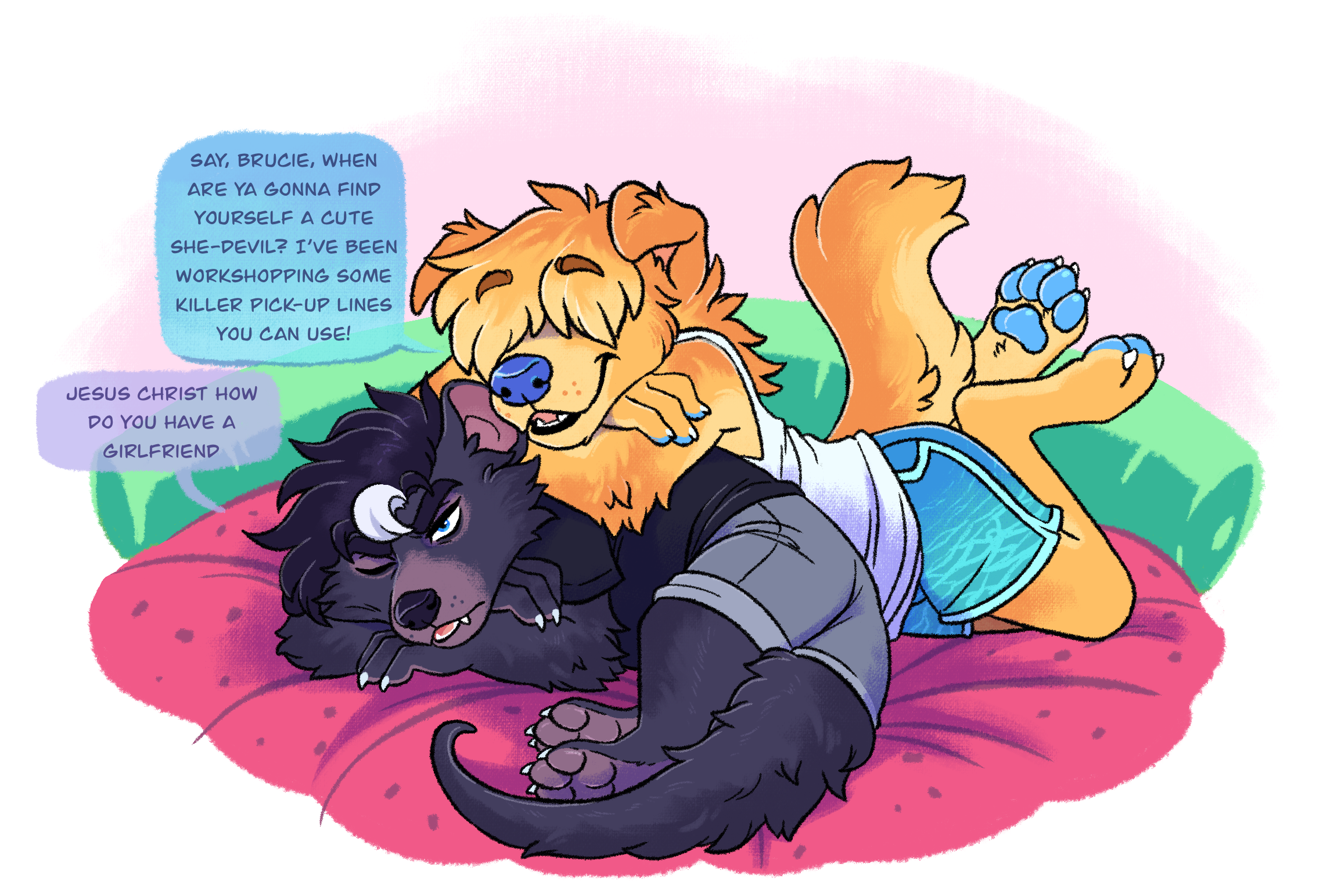
A patron requested I show and explain my usual art-making process, so here we go! This is how I made “Guy Talk”.
Step 1: Thumbnails
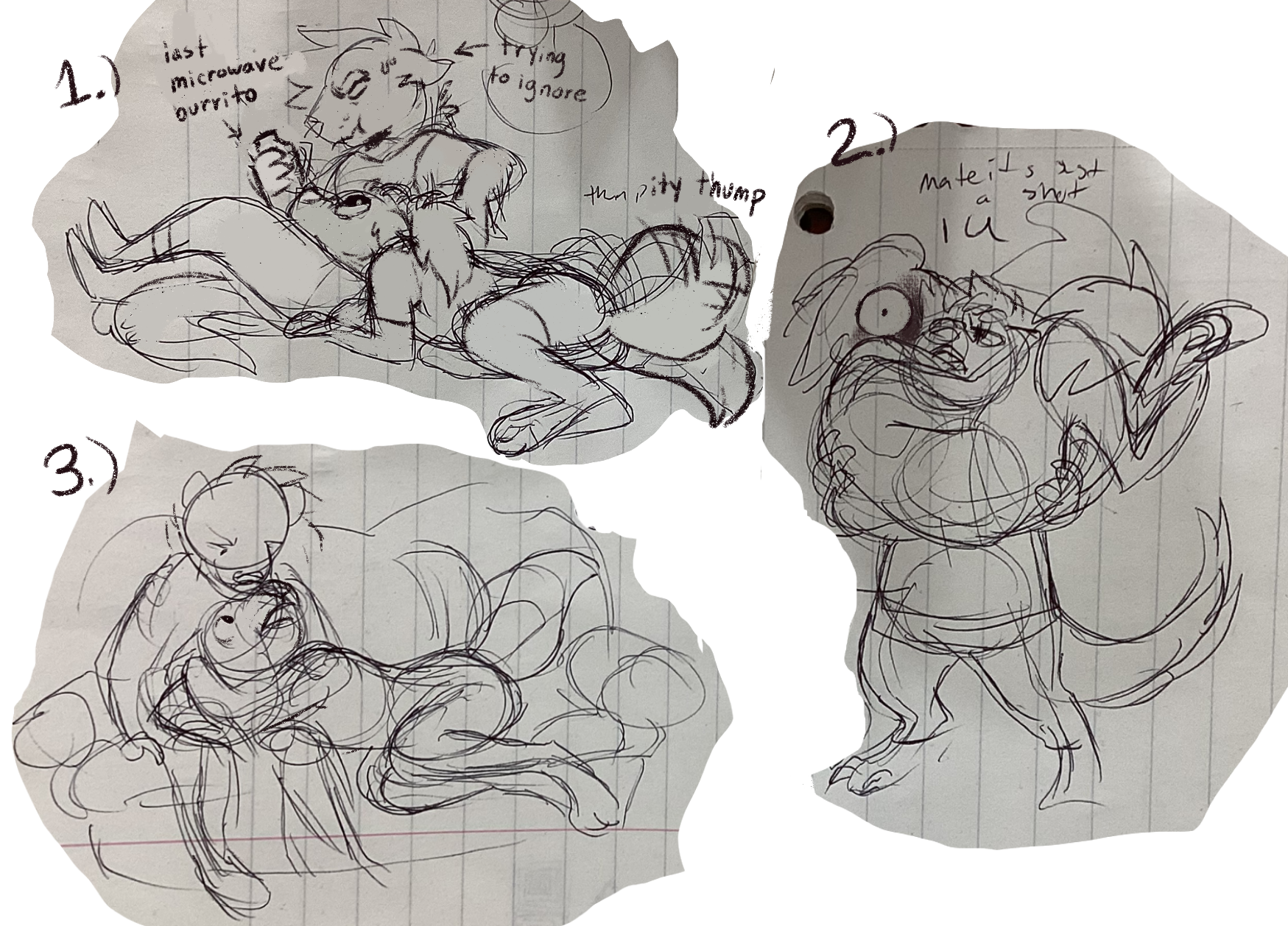
Most of my drawings begin as tiny thumbnail scribbles in my notebook. This lets me explore many variations on an idea and pick the one I like best. With this piece I wanted to give quick easy insight into Bruce and Sunny’s dynamic as roommates/friends, so we can see 1.) Sunny begging for a bite of Bruce’s lunch, Bruce accompanying Sunny to get a routine vaccination, and 3.) Sunny relentlessly asking Bruce questions during a movie (which would be better answered if he’d just shut up and watch the movie).
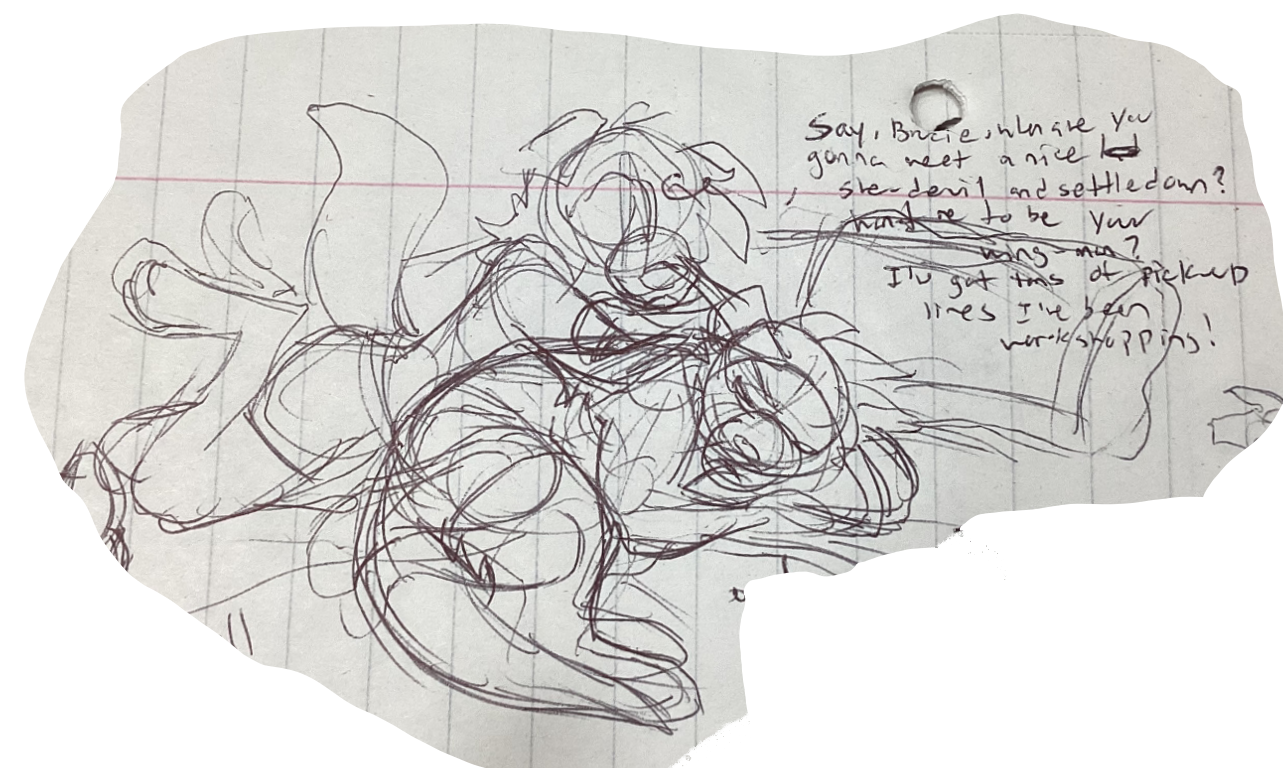
There’s no wrong way to do thumbnails, so I try to push poses and use body language to convey characters’ mood and personality. In the end I chose this thumbnail, cuz it feels the coziest. Bruce and Sunny have a curiously domestic, intimate friendship, so seeing them sharing a bed felt like a good choice.
Step 2: Sketching
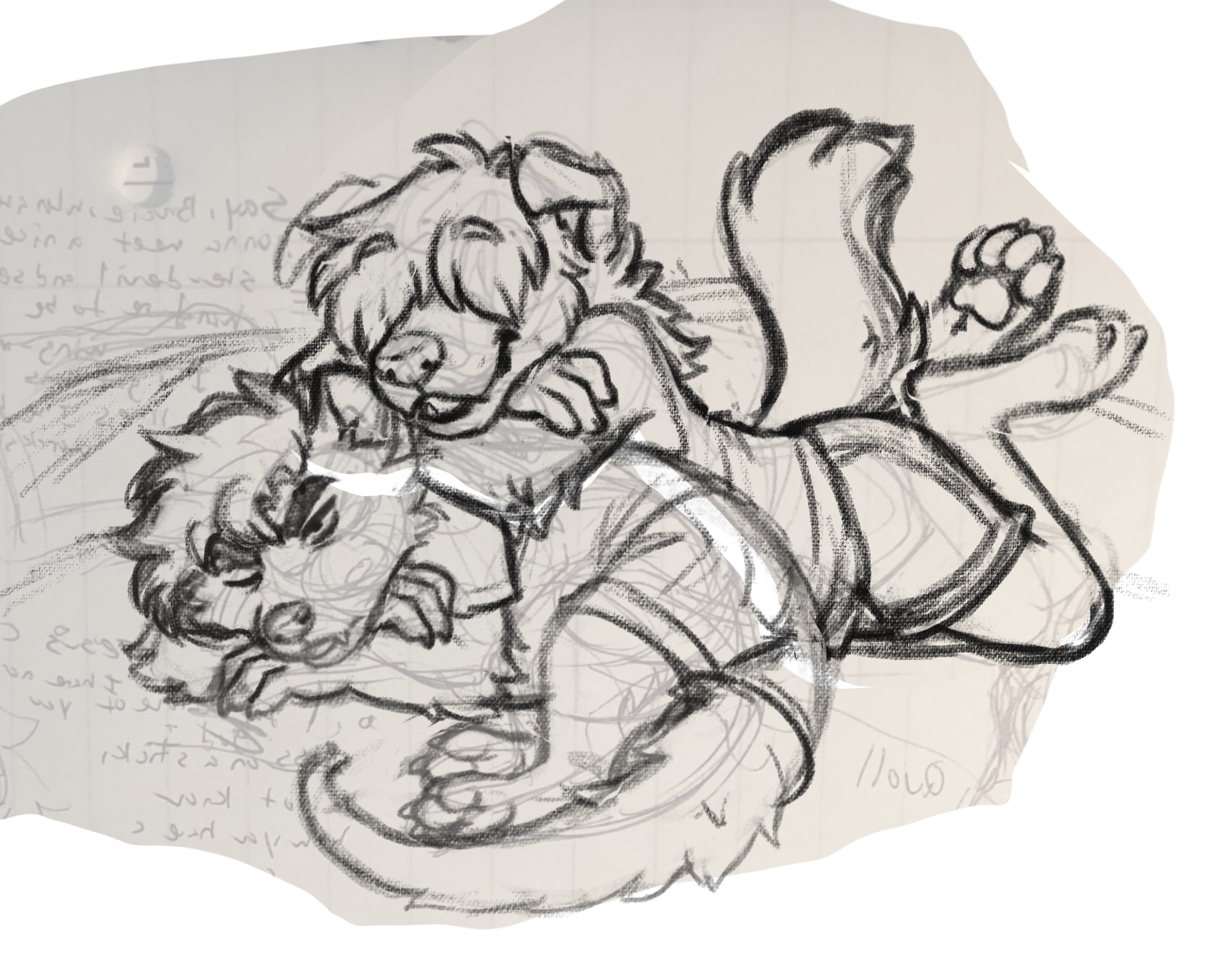
Now we switch from pen and paper to digital media. I use Procreate paired with a gen 1 Apple Pencil, but I want to emphasize that it isn’t necessary to spend a lot of money to be a digital artist. Firealpaca was the art program I used for years and I can’t recommend it enough, it’s a free clone of paint tool sai. Amazon has plenty of solid PC plugin drawing tablets available for $30-70. Newbie artists, never feel like you must spend a lot of money to make good art! >:3
Anyway, I like to snap a pic of my thumbnail and sketch right on top of it. It’s not necessary, but some part of my brain likes having a solid “foundation” to build on top of. I usually use the “plimsoll” brush for sketching, as it feels very loose and charcoal-like. I use TONS of reference pictures, both animal and human. Bruce’s body language is partly relaxed, yet his back is to Sunny and he’s curled in around himself. He is trying to distance himself from Sunny. But Sunny has plopped right on top of his back to speak into his ear, breaking through the barrier Bruce has made of himself.
Step 3: Lineart
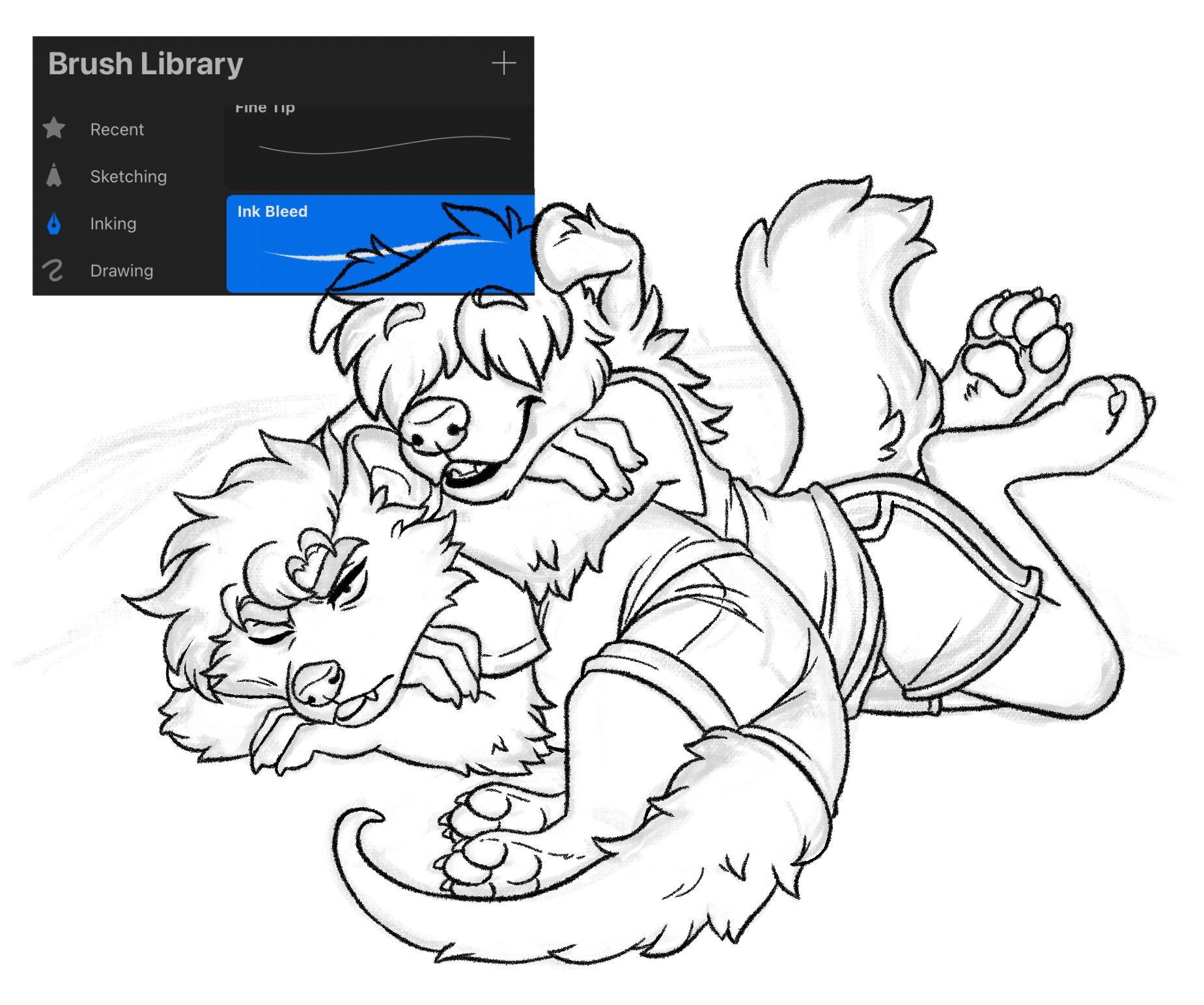
Lineart time! Some artists hate lineart and simply color atop their sketches, and that’s fine, I do it myself sometimes. But sometimes I feel a work can just benefit from neat tidy lines. I like to experiment with different brushes for Lineart, but for this piece I used Ink Bleed. I keep the stabilization settings around 20%, but crank it as high as 50% when I need to do big steady curved lines, such as the ones for Bruce’s spine and tail. Mess around with stabilizers to find your own preferences, but know that keeping the stabilizer low lets you work faster, and keeps your lines looking organic. :3
Step 4: Flat Colors
Procreate sucks big time for selecting and filling areas of color. The auto selection tool is basically a crapshoot. :/ I use layer masks as a workaround, following this video tutorial.
Step 5: Details ’n such
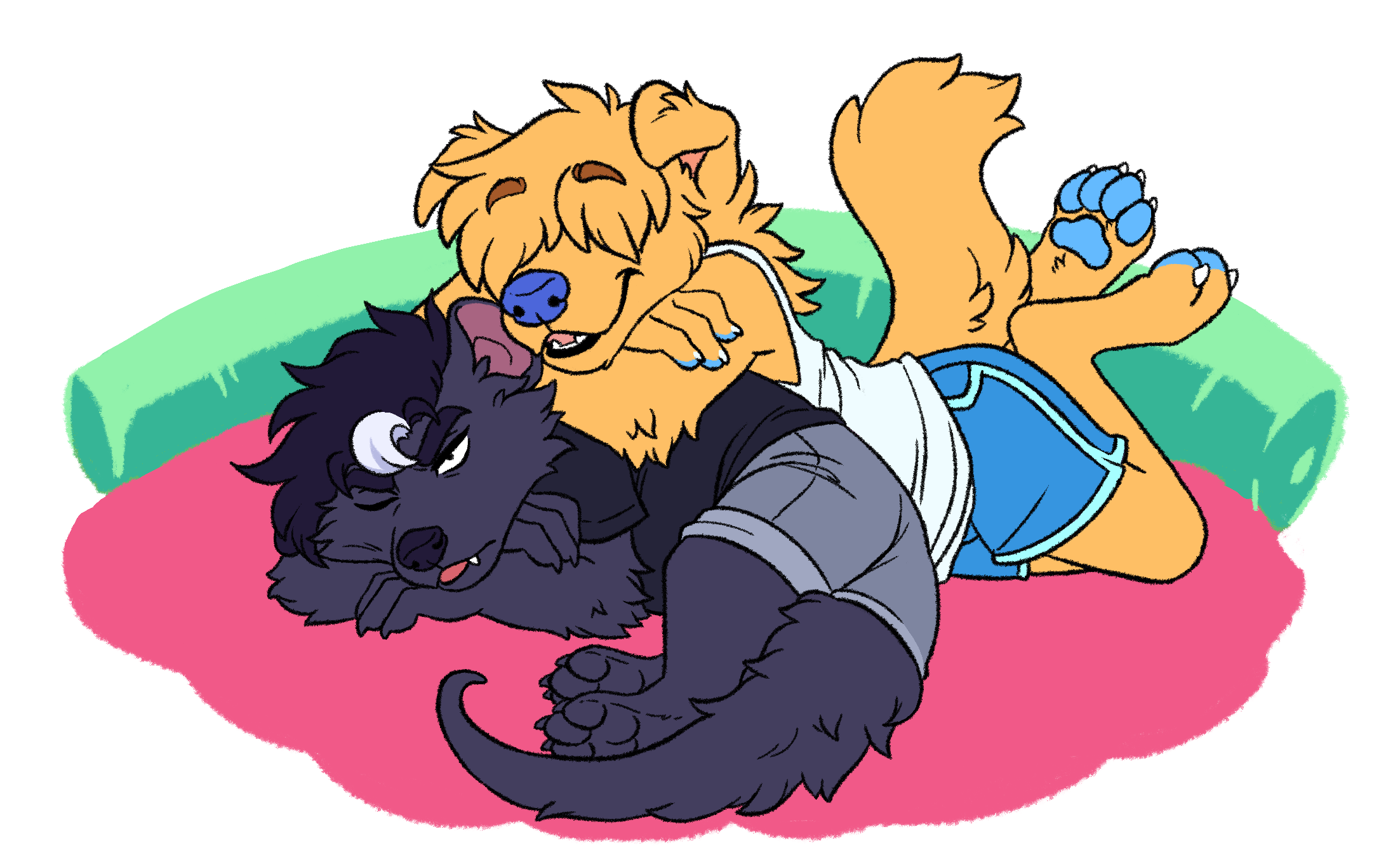
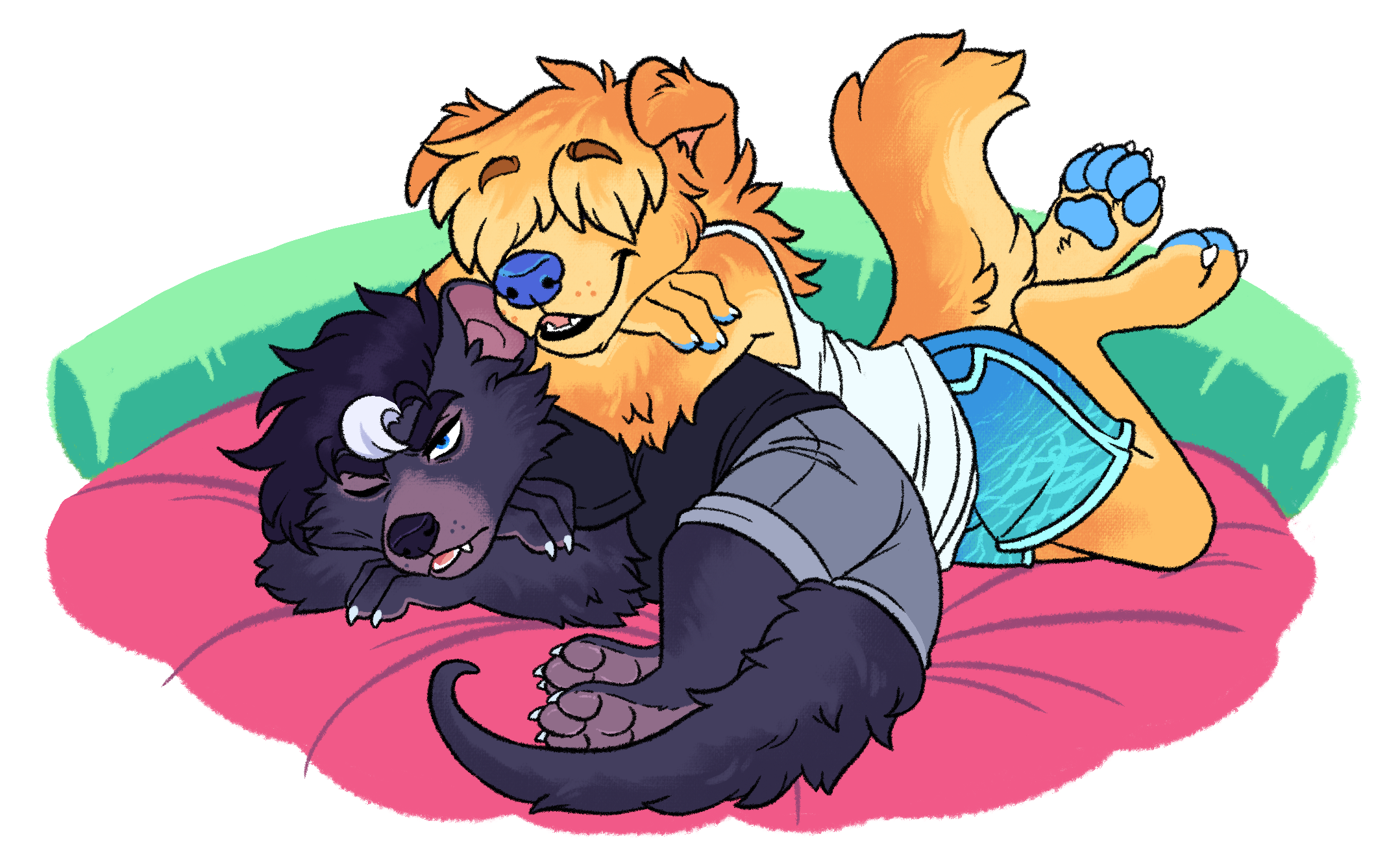
Time for detail! Bruce and Sunny (and many animals, really) have paler fur on their underbellies and faces, then darker fur along their backs. I also draw the soft cushioning of Sunny’s melon bed. Be careful with where you put your details, because those areas tend to draw the eye to them. I think I put a bit too much detail in Sunny’s shorts, the eye goes right to them.
Step 6: Light and Shadow
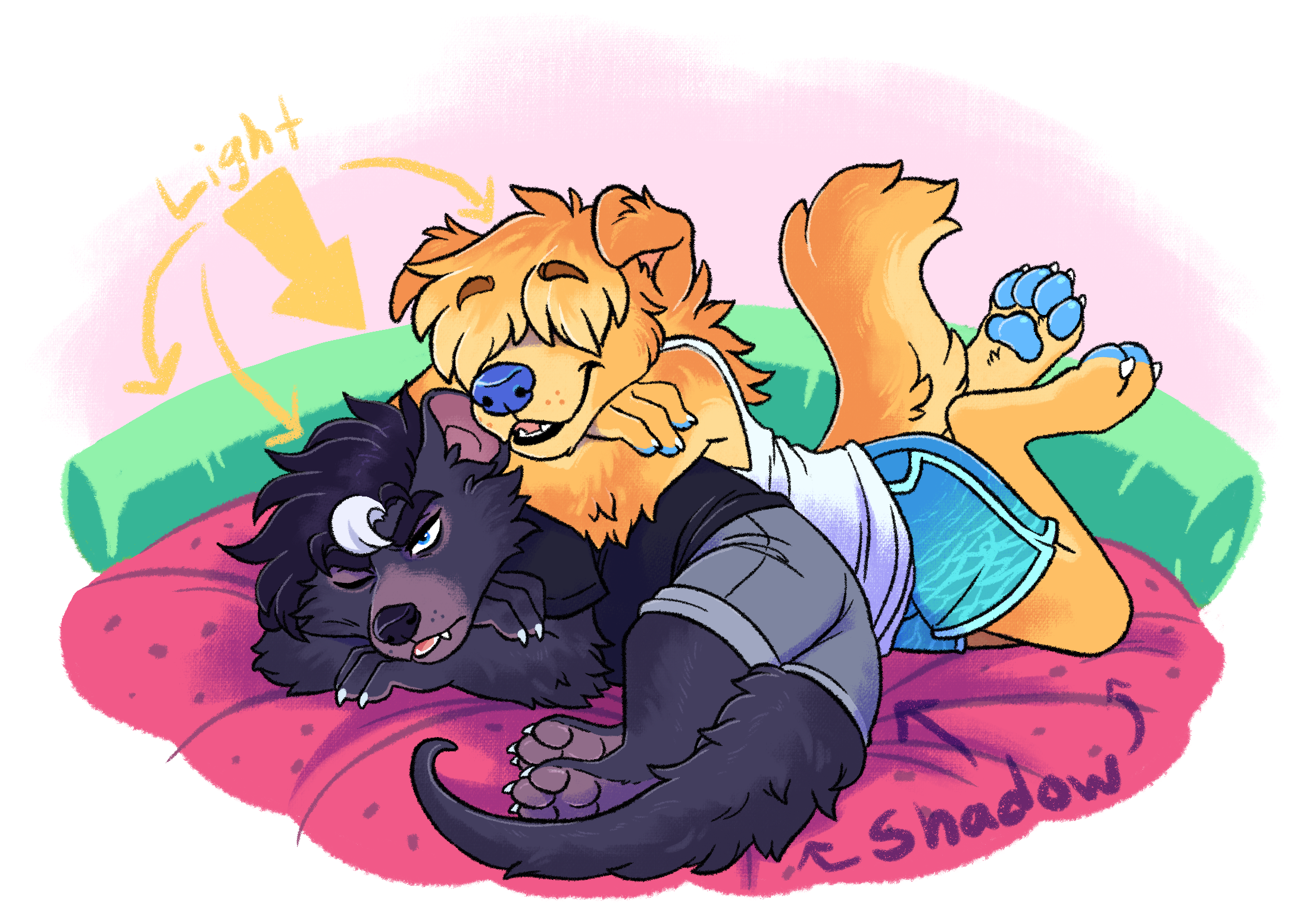
I really recommend reading up on light and shadow if you wish to improve your art. I choose a pale sunshiney color for the light source and add just a bit of it directly hitting the leftmost areas of their bodies. Warm light sources tend to create cool hue shadows, so I use a mild purple for the shadows, adding them wherever the light gets blocked (such as under Sunny’s bangs). I add a bit of shine to their noses and paws, a glint of light to Bruce’s eye to help him look more alive. For my simpler pieces I like to be sparing with my shading, just enough to help sell the weight and dimensionality of the characters. Again I recommend y’all study light and shadow, they’re fantastic tools to convey mood and atmosphere. I could, for example, use deep cool blue shadows and dim light to turn this piece more somber, or warm reds to hint at something saucy.
Finished!
Done~ Dear reader, although I explain my process here, please know that it’s up to you to discover your own process. Don’t like lineart? Don’t do it! Feel thumbnails are a waste of time? Then jump right in! Heck, even my process isn’t consistent from one piece to the next.
Eg. Sometimes, with my very quick and simple doodles, I don’t bother with a sketch. I do my lineart right on top of the thumbnail, making tweaks as needed.
Eg. Sometimes I just color a sketch, no lineart necessary. Sketches can often feel “softer”, and translating them into rigid black lines sometimes makes what was a lively drawing feel stiff and inorganic. It’s up to you to choose your process! There’s no wrong way to make art! :D
Happy drawing~
Files