Home
Home

 Creators
 Search
 Recent
 Random
 Posts
Posts
 DMs
DMs
 Tags
Tags
 Random
 Importer
 Import
 FAQ
FAQ
 Account
 Register
 Login
Login
 Favorites
 Keys
Keys
 Logout
 Telegram

New 'keep links' setting, and more efficient image processing (Patreon)
Content
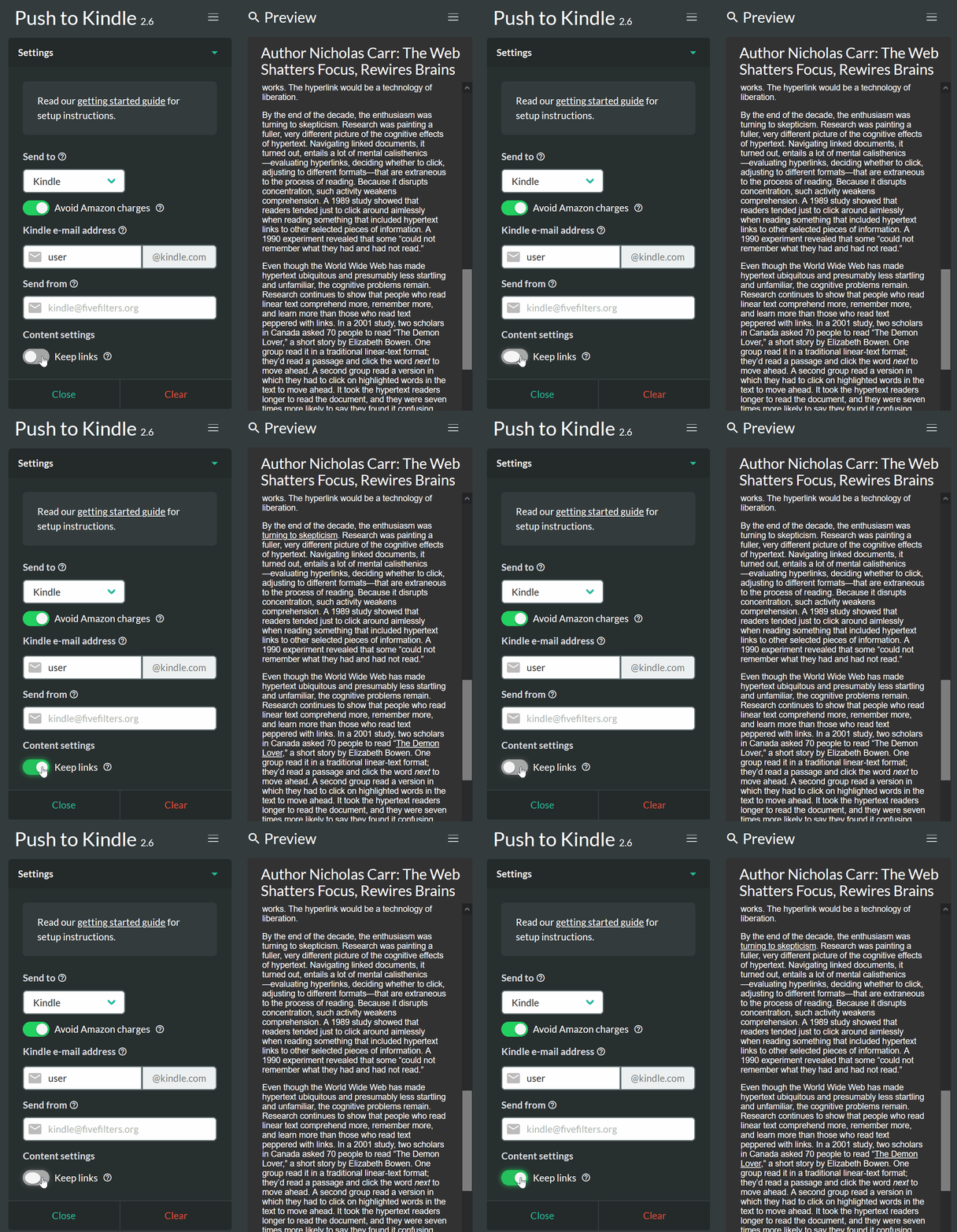
If you use the beta extension of Push to Kindle, you'll notice a new 'Keep links' switch in the settings panel. It's off by default, but you can enable it if you'd like to have links preserved in your Kindle documents.
Push to Kindle has always removed links to improve the reading experience. But we've also received requests over the years for an option to preserve links, for articles where they're important.
After some prompting from a few patrons recently, we've gone ahead and implemented a new toggle in settings to allow you to have links preserved in your documents.
Please try it out and let us know what you think. Feedback always appreciated.
If you don't have the beta extension installed (it can be installed alongside the main extension), you can use the following links to install it:
More efficient image processing
We've also improved image handling so that articles with images (especially those with many images) should be processed a little faster and produce smaller file sizes.
If you've encountered long delays (or even sending failures) while Push to Kindle does its processing, this change should improve things.
If you notice any problems, please do let us know.
Finally, we very much appreciate your support here, so thank you for continuing to support our work on Push to Kindle. As always, please do let us know if you encounter any article extraction problems (e.g. partial extraction, missing images, missing author/date information) and we'll do our best to improve things.
Files