Home
Home

 Creators
 Search
 Recent
 Random
 Posts
Posts
 DMs
DMs
 Tags
Tags
 Random
 Importer
 Import
 FAQ
FAQ
 Account
 Register
 Login
Login
 Favorites
 Keys
Keys
 Logout
 Telegram

🎁 Rig Mirror Add-on for Blender 4 and 5 🎁 (Patreon)
Downloads
Content
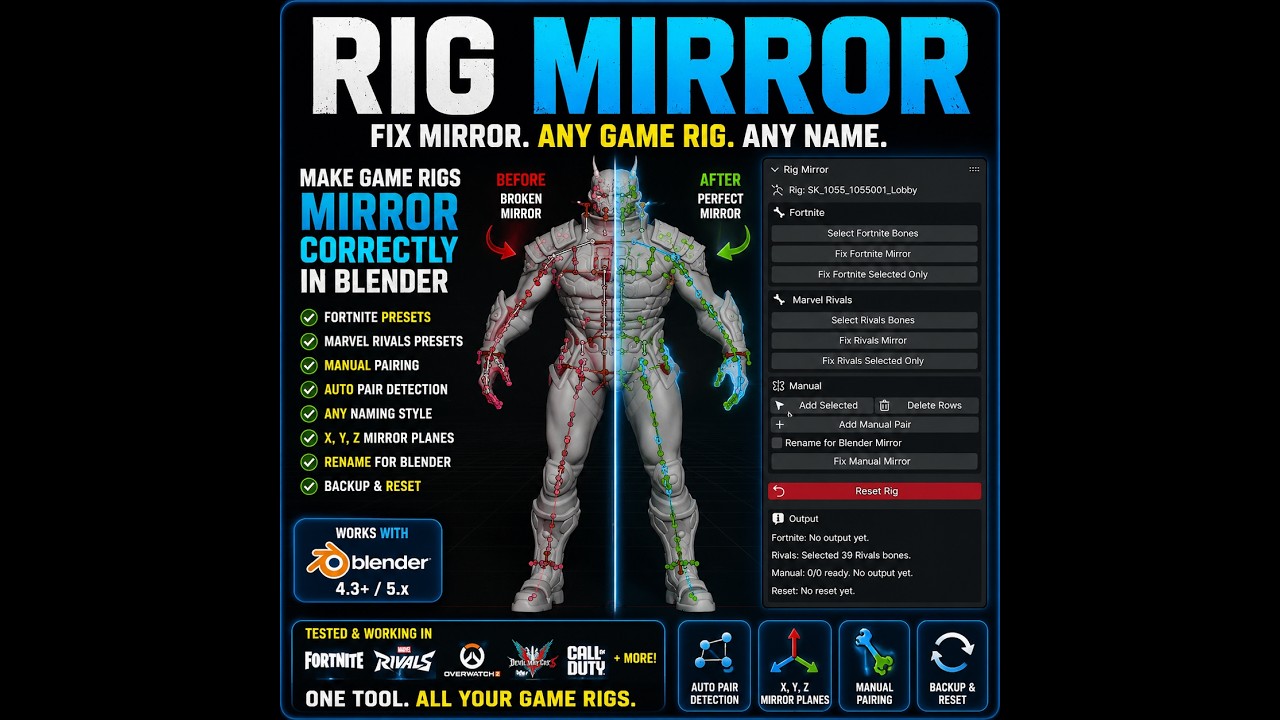
🪞 Rig Mirror Add-on for Blender 🪞
🎁 Public Freebie Release
After months of testing across game rips from multiple franchises, Rig Mirror is finally ready to leave the workshop.
What started as a solution for a handful of troublesome rigs quickly turned into a much larger project. Many imported game rigs look mirrored at first glance, but underneath the hood their bone rolls, axes, tails, or naming conventions are not set up the way Blender expects.
The result is often broken mirrored posing, strange X-Axis Mirror behavior, or editing issues that should not exist in the first place.
Rig Mirror was built to help solve that problem.
✨ Features
• Built for Blender 4.3 and Blender 5.x
• Preset support for Fortnite rigs
• Preset support for Marvel Rivals rigs
• Manual pairing mode for unsupported game rigs
• Optional bone renaming for Blender mirror compatibility
• Searchable bone selection fields
• Eyedropper bone assignment tools
• Auto Add tools for supported rigs
• Reset Rig support for same-session testing
🧪 Tested On
• Fortnite
• Marvel Rivals
• Street Fighter 6
• The First Descendant
• Devil May Cry 5
• Overwatch 2
• Marvel Future Fight
• Call of Duty
• Raid Shadow Legends
• Ghost of Yotei
📝 Basic Use
Install and enable the add-on
Open the 3D Viewport
Press N to open the sidebar
Open the Rig Mirror tab
Select your armature
Use the Fortnite, Marvel Rivals, or Manual section
Run the fix and test Blender's mirror tools
⚠️ Important Notes
• Use on a duplicate save or duplicate rig whenever possible
• Reset Rig is intended for same-session testing
• Rename for Blender Mirror changes bone names for Blender compatibility
• Thousands of game rig formats exist, so full compatibility with every rig cannot be guaranteed
• If Auto Add fails, try Manual mode
• If both fail, please provide the source rip or blend file along with the exact bones and buttons used during testing
Thanks again for all the support around the recent DAZ releases, game rips, and tools.
If you'd like to help support future add-ons, conversions, and community freebies, consider joining the crew on Patreon 💙
#Blender #BlenderAddon #RigMirror #GameRips #Fortnite #MarvelRivals #StreetFighter6 #TheFirstDescendant #b3d #Dw3D