Home Creators Posts Import Register Favorites Logout

Content

Howdy Patrons!

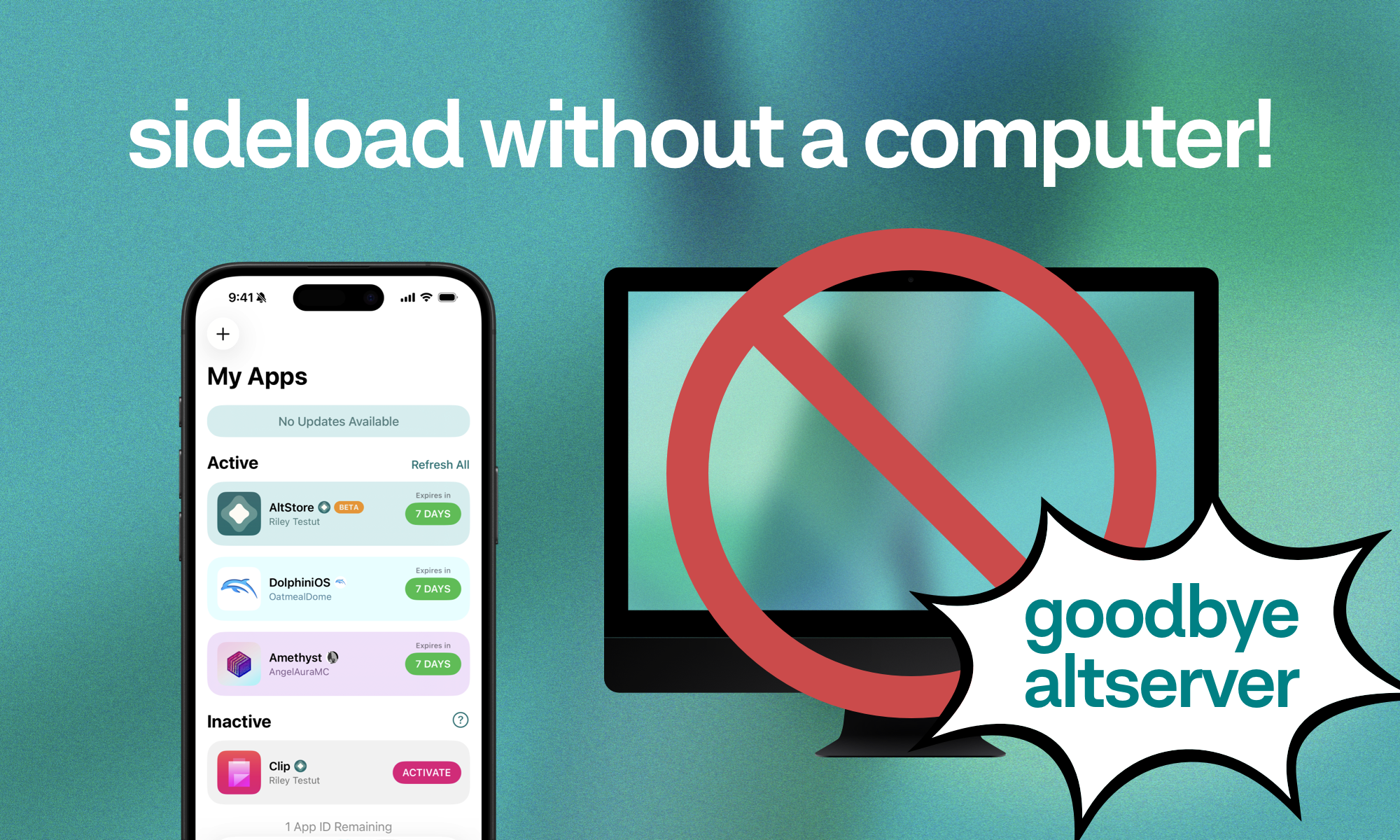
Today we’ve got something many of y’all have been asking us for since the beginning. You can now use AltStore Classic to sideload apps without a computer!! Yes, you heard that right—this beta introduces fully on-device sideloading, letting you install, refresh, and swap your apps from anywhere 🤯

What that actually means: once AltStore is installed, you can use it with total freedom. You now just need a Wi-Fi connection instead of needing to ever make sure your computer is on and running AltServer. Refreshing your apps becomes seamless, and worrying about the 3-app limit becomes a thing of the past. No AltServer, no problem.

For this version to work, you’ll need to connect to something called an “anisette server”. If you’ve never heard of an anisette server, don’t worry! All you need to know is that it’s a way for AltStore to connect to Apple’s servers without AltServer. From AltStore’s settings page, you can now add any anisette server by URL. If you’re unsure of where to find one, several community-run servers are easily found with a quick google search (e.g “anisette server URL”).

This would not be possible without the incredible work of Jackson Coxson and the entire SideStore team, so HUGE shoutout to them 💜 They’ve done a lot of great engineering with minimuxer & remote anisette servers, which are key components to making this all work. If you’d like to support their work, please consider joining their Patreon: https://www.patreon.com/SideStoreIO

That’s not all though! As promised, we've ported over the Liquid Glass 🫧 updates we made for AltStore PAL. Finally the bubbly and sleek UI feel that you know and love in AltStore PAL has made its way over to AltStore Classic to give it that modern feel – AltStore Modern??

We wanted to get this beta to you as soon as possible, so beta 1 requires some manual setup before you can sideload apps without AltServer. Future releases will refine the experience to make it seamless, but for now, we’ve written detailed instructions to help you get set up. For complete instructions on setting up on-device sideloading, please check out our FAQ: https://faq.altstore.io/altstore-classic/no-computer-instructions

To our AltStore Classic fans: thanks for your patience as we’ve been heads-down on other projects—we hope this was worth the wait! We're planning a final release for everyone as soon as we've polished things up, so please send us suggestions while we get back into Classic mode.

We'll be back shortly with another update. Stay tuned!

— Riley + Shane

Release Notes

New

On-Device Sideloading

Supports sideloading apps without AltServer

Install, refresh, and (de-)activate apps from anywhere with a WiFi connection

For complete instructions, check out https://altstore.io/altserverless

Thanks Jackson Coxson and the entire SideStore team for making this possible!

Liquid Glass UI

Updated design to fit at home on iOS 26

Misc.

Includes `ALT_CLASSIC_VER` header with current build version when fetching sources

Improved

Uses app's tint color as background color when loading app icon

Raises minimum iOS version to 17.4

Fixed

Fixed unreadable text in light mode for some news alerts (thanks @partyknightsdev!)

Fixed showing empty text view for updates with no description

Fixed extra space above version description for app updates

Fixed category cells not being accessible with VoiceOver

Fixed My Apps tab badge count showing incorrect number of app updates

Fixed memory leak due to strong-reference cycle in news tab

Install InstructionsIf you're already using the AltStore Classic beta, it will appear as a regular update in the My Apps tab. If you have never previously installed an AltStore Classic beta, it will appear as its own app in the Browse tab of AltStore Classic just like the beta versions of Delta and Clip. Make sure to first connect your Patreon account in AltStore's settings and you can download it as you would any other app.

Files
Comments

Aaron Carson

Now that’s worth the wait 😍 This is awesome, nice work - and huge props to the Sidestore team too, their intimate knowledge of Apple’s weird and wonderful systems is mind blowing 🤯 Sorry that I’ve maybe been a “bit much” in the past - clearly you had some awesome stuff in the pipeline 😁

Enki

FAQ link is not working.

Riley + Shane

Apologies for incorrect FAQ link, just updated it!

Daniël

Hello, I decided to become patreon for the new altstore beta, but before I had the gold app icon because I bought access early. Now it's gone. Does someone know how to get it back? Thanks

Daniël

I cant install the altstore beta. When I click install nothing happens

Yuki

Is there any way to install AltStore Classic Beta from AltStore PAL?

Justin

How do u do the server url part, the instructions make it seem like u just copy the github urls but that doesnt so anything. Also it says no computer but u still need to use a computer 😭 edit: i got it work now. I used https://ani.sidestore.io/ as the server url

Arbitrage

Will the .plist change with iOS updates?

Nico Hempel

Remote-Server ist in den Einstellungen nicht zu finden

Iu To

Hey guys, joined your Patreon, but still asked to repay to installe it. How much time it take to get enrolled? Thanks for your work, you’re great guys 🫶

David Gomes

I’m not sure why, but I’m unable to link altstore with my Patreon, when I try and use google to sign in to Patreon, all I get is a white screen

Daniel Lantigua

Can I replace AltStore Classic , with AltStore Beta anyone?

Nicalion

On AltStore PAL you can’t install AltStore Classic Beta only AltStore Classic. When will be an update there? This would benice because AltStore Classic don’t need 2 AppIDs anymore and never an renew. It’s best for have more space for other apps in AltStore Classic Beta now with the everywhere renew.

Gentle Sartori

This is amazing! AltStore just improved 100%. So fast and easy. Thank you!!

Vincenzo Barone

hi guys, how can I get the anisette server URL fron Github Link?

Matt G

The new design and the computer-less access are both very nice!

Drew V

it’s not letting me connect my patreon account it just stays on a white screen after i log in

Eduardo Flamenco

Guys I can’t link my Patreon account to altstore when logging in it gets stuck on a white screen 😭

DrGonzo143

This is so cool! I got it all set it up now 😀

Art Wayne

Will it ever be fully no computer ?

HighlandStorm01

Do you still just install altstore classic with the regular altserver to start with? Nevermind I genuinely can't read.

Berkay Fettah (edited)

Comment edits

2026-09-06 06:00 Why is "worrying about the 3-app limit becomes a thing of the past"? When trying to install another app I get the message saying "Cannot Activate More than 3 Apps". Am I doing something wrong to be able to install more than 3?
2026-05-24 02:30

Mike Bentzen

How do you use AltStore on 2 or 3 devices? Have paid Developer account but get message that account will be revoked if try to install AltStore on second device.

Mike Bentzen

How do you use AltStore on 2 or 3 devices? Have paid Developer account but get message that account will be revoked if try to install AltStore on second device.

Jonathan Martinez

it doesn’t work. when I try to install the beta altstore it just gives me an error. I can’t add the pairing file wither because it doesn’t even give me that option.

Wil Cardwell

Any idea what miniuxer 31 "Failed to refresh app. UserDeniedPairing." means? I've never seen this error before

Hector Ruiz

Is there somewhere to get the ipa for the beta? I’m on Linux , so using iloader

DrGonzo143

Hey Riley and Shane, can you speak more about this part, “worrying about the 3-app limit becomes a thing of the past. No AltServer, no problem”?

Ed

I had this working for about a week but today it's saying it can't connect to local vpn. iPhone was connected to LocalDevVPN just as it has been the past week (same wifi as well). I removed the device pairing file and server URL and am going back to altserver on mac until this all becomes a bit more streamlined. The remote server stuff was a bit over my head anyways lol.

Psychonator17

I don’t know if I even have AltStore Classic, because I don’t see any “Import Device Pairing File” in settings. What am I missing?

Stephan Knotek

For anyone having issues with it saying “can’t connect to local VPN” try turning your phone off and back on. That’s what’s been working for me. I’ve tried force restarting AltStore, disconnecting and reconnecting to the VPN, turning airplane mode on and off again, and no matter what I do I get that error message unless I reboot my device. It immediately works perfectly after rebooting and starting up the VPN again.

kazer ex

i still have the “3-app” limit. how do i remove it, or am i read the “worrying about the 3 app limit becomes a thing of the past”

Gentle Sartori

Am I right that I still need AltServer classic to keep AltStoreBeta activated? I had Beta working and could refresh my apps OTA, but after more than a week, Beta expired, but I could still refresh other apps. Eventually, Beta went to '-4 days remaining' and then none of my AltServer apps would work. If I have to keep Beta refreshed using Classic, doesn't that defeat the purpose? Am I missing something?

Ilias Georgiou

I’m having an issue when trying to refresh apps, it asks for an Apple ID so I enter mine and it says it’s supposed to deliver a 6 digit code to my Apple devices signed in to the same Apple ID, I haven’t seen any code arrive.

Duif

> Improvements: Raises minimum iOS version to 17.4 Not really an improvement for me since this means I can't use it on my iPhone X...

Jefrey

idk what the heck I'm doing. most I was able to do was setup the idevicepair and I'm not even sure I did that right. I can't set up the omnisette server at all. completely lost.

Muazareiaovitch

I’m still getting the 3 app limit. And I’m having two AltStore apps.

alli13

I love putting in a Patreon support request right before solving the problem

Nathan Sousa

I got everything connected, vpn, validates it connects with my phone, patreon connected. Still says VPN can’t connect to local network. Normal non beta altstore still works via wifi

Antonio Alaimo

I need help, i dont have the setting to change server url. How do i proceed?

Andredesignz

Do I need to delete the current AltStore and install the beta version?

Gentle Sartori

Unfortunately, I had to abandon this approach. It worked one time, but never again. That is in spite of many days of extensive fiddling. Whereas Alt Server was very fiddly and took 2 or 3 attempts to refresh my apps, Alt Store Beat take many more steps and ultimately doesn't work. The dream is still alive though. I hope the process becomes more stable in the future. For now, it's AltStore Classic for me. Thank you for your efforts though.

Bubbaloo

Can someone help? I’m trying to follow this process but because I already have AltStore for PC installed, I cannot install the AltStore Beta in order to activate the no computer needed side store. This is so confusing.

Bubbaloo

Am I doing something wrong? I can’t get this beta to work because I already have AltStore for windows installed on my phone and it’s linked to my Apple ID.

Bubbaloo

Such support.

theozpilot

Same as a few people here, followed all instructions and all I am getting when trying to refresh is "AltStore couldn't connect to local VPN".

Elias Gabr

will this update get notarized?

salio

hii, i wonder if livecontainer is compatible with this “altserverless” version?

Icbdjxmsm

Hi can u fix iOS 27 machine id bug appreciate it !

Downright Suspicious

Can’t install the beta because it requires uninstalling Altstore PAL, but the only way to install it is through Altstore PAL, which can’t be installed

Miguel Cremonese

Hi, I'm with alstore beta, but I can't install ipa

iPhone XS

テストフライトない

Tomas Ruscelli

I’m getting AltStore.OperationError 1500, or AltStore couldn’t connect to local VPN. Make sure you’re connected to Wi-Fi and a local VPN, then try again. I suspect is the same problem as side store, on iOS 26+ after a couples of days the internal vpn settings change and you can not refresh until you reboot the telephone

dovlow123

the .plist step has me all messed up. i edit the text and move the file to my phone but i cant use that file in the altstore device pairing file.

dovlow123

the .plist step has me all messed up and i cant get it... i copy the new text into the file,move it to my phone but the altstore pairing file wont use it?

Aiden

How do I sideload without a computer? I paid and the way to side load “without a computer” still requires a computer

Semih YÜCEL

Hello, I’m having trouble with the « Configure Remote AltServer… » issue. I followed the instructions and installed the AltServer beta. I’ve tried various solutions including VPN and DNS both with and without them but nothing seems to work.

Biggs

I am also getting an error whenever I try to Configure Remote Altserver..., reading "Unable to configure Remote AltServer" and "AltServer does not support this request". On Windows, I have tried uninstalling and re-installing AltServer (including fresh installs of iTunes, iCloud, and Apple Devices) and uninstalling both the standard and classic beta AltStores and re-installing via Altserver, but nothing seems to fix the error.

Kumichozz

So my AltStore on my iPhone does not have the settings listed in the installation section. Tap "Configure Remote AltServer..." in the Remote AltServer section Any thoughts?

Simon Blades

I’m having issues on my iPad where it says my pledge has expired. When I go to login and choose ‘Continue with Apple’ it doesn’t go any further?

Muazareiaovitch

I connected my PATREON already paid but i can’t update apps directly. Other app is outdated because of this and even when I try to update with the downloaded bundle, it fails.

FingerMove

Probably should've only pledged for one month. I don't really give a fuck about the emulator, but what AltStore PAL suggests (no altserver for AltStore classic needed anymore) is just false advertising at this point. Apple may do malicious compliance with all the 3rd party store shenanigans, but at this point I feel like paying for a developer account would give me actual peace.

Ricardo Santa

How do you refresh the altstore beta app without a computer?

Deangulbairy

I’m getting this error code when trying to refresh the apps NSCocoaErrorDomain 3840

DP

I am having the issue where its says false format. NSCocoaErrorDomain 3840 The data couldn't be read because it isn't in the correct format.

Andrés Zamora

I’m having issues when I try to install de app from my Mac to my IPad, a login issue, anyone knows about it ?

Yash Sandhu

Keep getting the couldn’t refresh because the data isnt in correct format. Any fix?