Home Creators Posts Import Register Favorites Logout

Content

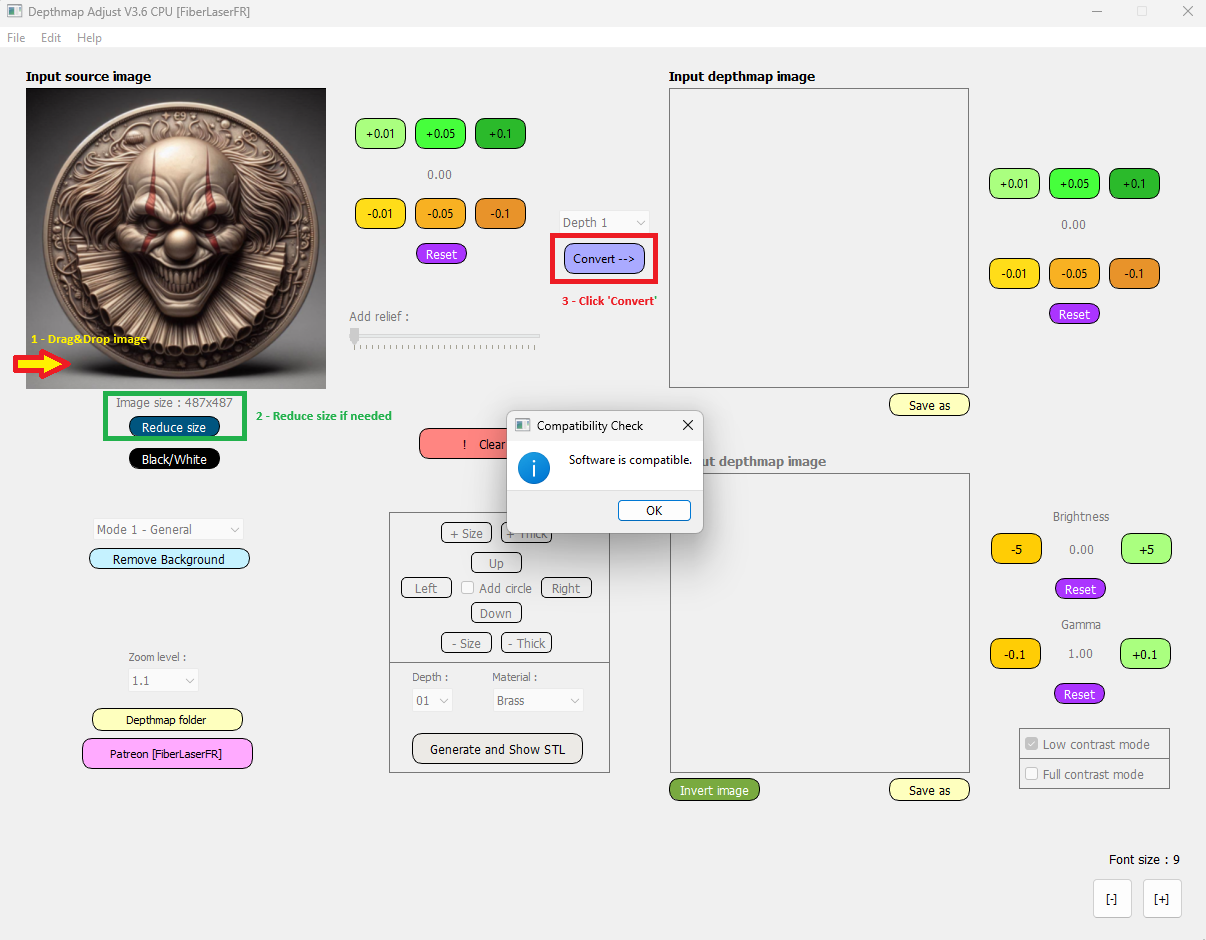
You asked for it, so I made it: CPU Version!

Image to depth map conversion is now possible on all computers (Windows only).

I've made a test version to check your computer's compatibility.

The conversion time is much slower than with a graphics card and depends on your CPU power. To give you an idea, I tried it on old laptops and recent PCs:

Image size: 923 x 953

CPU: Intel Pentium N3530 2.16 GHz

RAM: 8 GB

Generation time: 10 min

Image size: 672 x 693

CPU: Intel Pentium N3530 2.16 GHz

RAM: 8 GB

Generation time: 6 min

Image size: 1024 x 1024

CPU: AMD Ryzen 5600X 3.7 GHz

RAM: 32 GB

Generation time: 45 sec

Image size: 670 x 670

CPU: Intel Core i5-13450HX 3.4 GHz

RAM: 16 GB

Generation Time: 2.5 minutes

Please don't hesitate to contact us if you have any questions.

Link to test : https://mega.nz/file/a8BFXbSZ#aRfyIrEky5LQNljuC3NSZwXEHhnggyTJbOkCvAoQ64I

Link to buy : https://www.patreon.com/FiberLaserFR/shop/cpu-version-depthmap-generator-v3-6-1961871?utm_medium=clipboard_copy&utm_source=copyLink&utm_campaign=productshare_creator&utm_content=join_link

Files

Comments

Dave

Is there instructions for the software?

Dave

What type of image is required to start the process?

FiberLaserFR

Any image but it's better if there is a relief effect

Jérémy Juv

Bonjour, j'ai un souci au démarrage du programme, ce dernier ne ce lance pas et m'affiche un long message d'erreur . "Traceback (most recent call last): File "Main.py", line 25, in File "", line 1178, in _find_and_load File "", line 1149, in _find_and_load_unlocked File "", line 690, in _load_unlocked File "PyInstaller\loader\pyimod02_importers.py", line 457, in exec_module exec(bytecode, module.__dict__) File "DepthToObj.py", line 8, in File "", line 1178, in _find_and_load File "", line 1149, in _find_and_load_unlocked File "", line 690, in _load_unlocked File "PyInstaller\loader\pyimod02_importers.py", line 457, in exec_module exec(bytecode, module.__dict__) File "Main.py", line 36, in File "", line 1178, in _find_and_load File "", line 1149, in _find_and_load_unlocked File "", line 690, in _load_unlocked File "PyInstaller\loader\pyimod02_importers.py", line 457, in exec_module exec(bytecode, module.__dict__) File "ARWR.py", line 23, in File "torch\hub.py", line 566, in load model = _load_local(repo_or_dir, model, *args, **kwargs) ^^^^^^^^^^^^^^^^^^^^^^^^^^^^^^^^^^^^^^^^^^^^^^^^ File "torch\hub.py", line 595, in _load_local model = entry(*args, **kwargs) ^^^^^^^^^^^^^^^^^^^^^^ File "C:\Users\raxep/.cache\torch\hub\intel-isl_MiDaS_master\hubconf.py", line 234, in DPT_Large state_dict = torch.hub.load_state_dict_from_url( ^^^^^^^^^^^^^^^^^^^^^^^^^^^^^^^^^^^ File "torch\hub.py", line 770, in load_state_dict_from_url return torch.load(cached_file, map_location=map_location, weights_only=weights_only) ^^^^^^^^^^^^^^^^^^^^^^^^^^^^^^^^^^^^^^^^^^^^^^^^^^^^^^^^^^^^^^^^^^^^^^^^^^^^^ File "torch\serialization.py", line 993, in load with _open_zipfile_reader(opened_file) as opened_zipfile: ^^^^^^^^^^^^^^^^^^^^^^^^^^^^^^^^^ File "torch\serialization.py", line 447, in __init__ super().__init__(torch._C.PyTorchFileReader(name_or_buffer)) ^^^^^^^^^^^^^^^^^^^^^^^^^^^^^^^^^^^^^^^^^^ RuntimeError: PytorchStreamReader failed reading zip archive: failed finding central directory ", en vous remerciant par avance cordialement

FiberLaserFR

Bonjour Jérémy, il faut bien extraire tout le dossier avec '_internal' sur le bureau, ça ressemble à un problème de fichier mal dezippé, écris moi sur Facebook Messenger ça sera plus simple : Pierrot Tosaure

Jérémy Juv

D'accord, message envoyer en vous remerciant encore