Home Creators Posts Import Register Favorites Logout

Content

26.3 update

Changed potions (added 3D model)

Last updated: 11/05/2026

1024x1024 textures are experimental and may not work due to a limitation within the game itself! Try the other resolutions if you have issues and read our FAQ for more information.

Here you can find the FAQ and how to install it correctly: https://www.designio.graphics/help

Addons:
Denser Grass
Glowing Ores

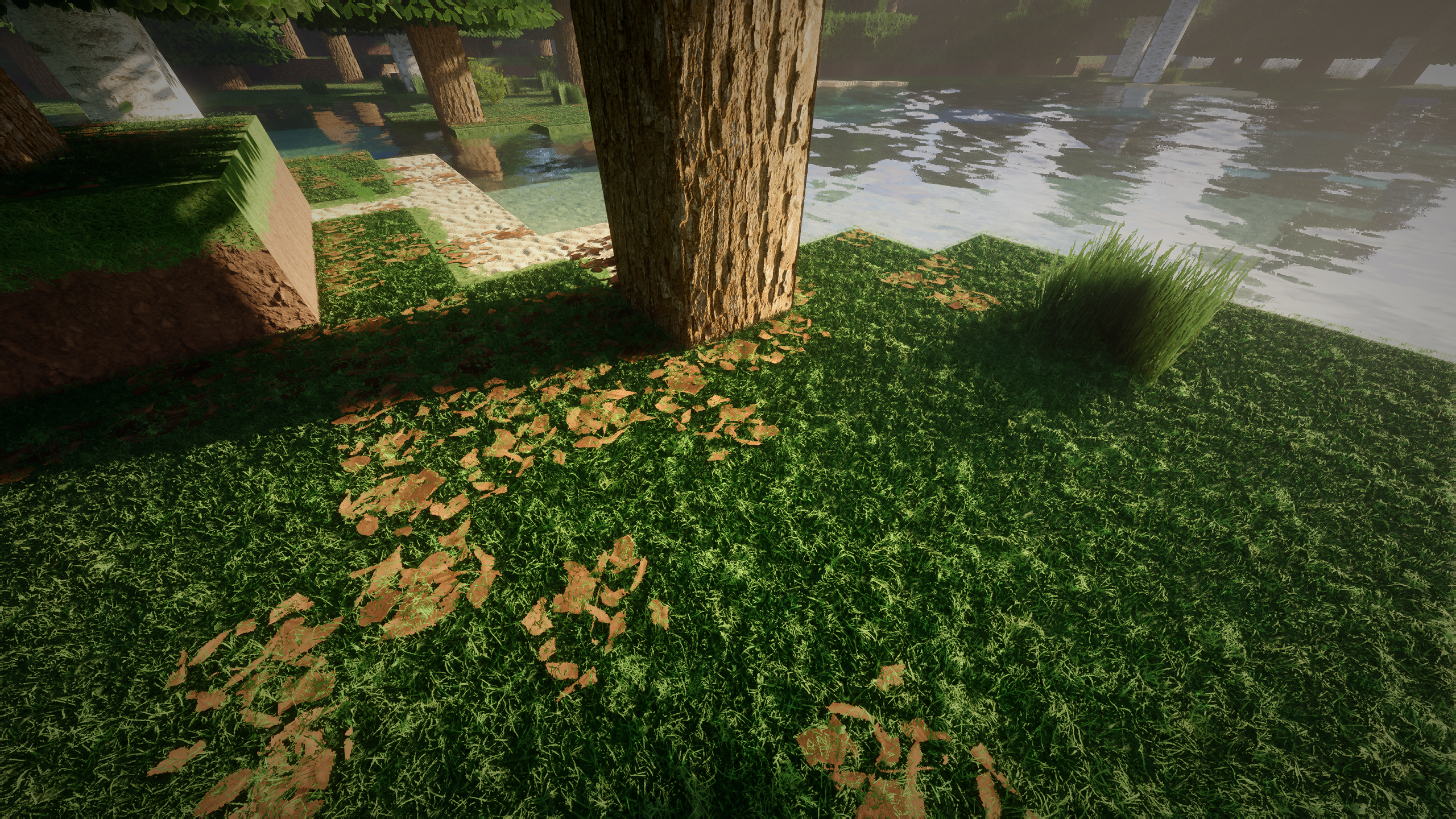
Recommended shaders: Bliss (used in the screenshots) - my configuration file), Nostalgia, Complementary, Photon, SEUS PTGI HRR (used in older screenshots)

Continuity, EMF and ETF mods are recommended for a better experience.

DOWNLOAD NOW!

Files

Comments

YoungStoney420 #420

ya i have the same issue with this to 3090 13700k ddr5 5600 mhz fail to re load resource pack

designio

Use Sodium and Iris instead of Optifine, this should fix this :)

designio

You can use shaders with Sodium, you will only need another mod called Iris

designio

In that case you can use Rubidium (Sodium but compatible with Forge) and Oculus (Iris but compatible with Forge).

Elma Riachi

so i wait to buy incomplete textures? the jobs tables are relased on 2020 and they no have textures?

designio

As previously described on our website and Patreon homepage, the resource pack is still under development and receives weekly updates with new content.

rayyan

i am having troubles loading the pack on minecraft

Pizza

I am using an RTX 4070 paired with a 5800x3D processor. No matter what I do I cannot enable the texture pack and PTGI at the same time, the game just crashes after several minutes of being stuck on a frozen screen. I have tried Optifine and IrisSodioum, niehter work. Any settings I need to enable to get Minecraft to actually run it? Edit: after doing some testing, I discovered that this is likely a VRAM issue. I loaded up the 512x pack and it almost maxed out the 12GB of VRAM on the 4070. I'm sure you need like 24GB to run the 1028x pack haha

designio

That's exactly what I was going to say. I have a 3080 with 10 GB of dedicated memory but I can still load at 1024x normally. I have 19 GB of RAM allocated in the launcher, maybe that's why it works? I'm not sure, Minecraft can be kind of weird sometimes when it comes to resource packs with such high resolutions xd. Anyway, I recommend that you keep using 512x for normal gameplay, 1024x is recommended for pre-rendered cinematics and screenshots – cases where frame rate is not important, for example.

Hudson Henderer-Pena

this looks really cool and I cant wait to try it but it wont let me access in from inside Minecraft. It says :"Resource pack failed" you know how to fix that?

Đăng Lâm

Can gtx 1650 use this 🥵

designio

Yes, however I recommend a lower resource pack resolution for this graphics card.

MosleyGaming23

it says that i cant run it on 1.19.4 says not compatible

designio

You can ignore this message and use the pack normally, it is fully compatible with version 1.19.4 of the game. This message is shown because of the way Minecraft recognizes the version of resource packs.

designio

Try using a lower resolution of the pack.

designio

This is a known Minecraft java problem with high resolution textures.

Josh Stanfield

this is bullshit that you make us subscribe if it doesnt work. im genuinely upset.

Cody Mason

why does the other hd texture pack work but not this one?

designio

What error are you getting exactly? Try a lower resolution of the pack, this usually helps.

designio

No, it does work, but not in every computer. We cannot guess whether it will work or not, it depends on each computer and many variables. For the same reason that system requirements cannot be specified.

Cody Mason

First let me say 10/10 on answering your Patreons so quick! much appreciated, and i keep getting resource reload failed, and ya i tested the lower one works fine but the other pack works just fine at 1024x and its a big noticeable difference from 512x to 1024 and i reeeaaaaly want to stick to atleast 1024x

designio

This is a game bug because of the way Minecraft transforms the resource pack into a texture atlas, and if it exceeds a specific size this can happen. Considering that this pack has more textures than the others, this is more to be expected. Unfortunately the trick is to use the lower resolutions of the pack while Mojang doesn't try to find a way to deal with it.

Cody Mason

well pooooo lol i really want to use this one it looks so nice lol

BOMB-DROPER 1000

It's a shame you have to pay for these, but I guess 5$ isn't a lot to ask for the work that goes into making them.

designio

We offer 128x resolution for free too. This is only for people who really want to support our work, like you. I am immensely grateful =)

Leo Zagaruyka

It is 1000% worth it to pay for the higher resolutions- the difference between even 128x and 256x is astounding.

T L

@Elma Riachi if you're looking for a COMPLETE 1024x *realistic* texture pack with PBR/POM, you won't find one. There isn't a single resource pack of this type that has everything. You'd have to buy 3-4 resource packs then compile them together to fill in the missing blocks, then probably still end up having to take lower resolution blocks from Patrix, since that's the most complete "realistic" pack available right now.

ka no

Takes up a lot of memory I always got Out of memory

designio

Hello! This is a known issue in Minecraft Java. As can be seen in our FAQ (https://www.designio.graphics/help) it is most common on AMD graphics cards. You can use a lower resolution like 512x512 or use Sodium instead of Optifine, assuming that's what you're using. This usually resolves this issue.

Nuxx 07

strange. I have now switched from the Modern Arch R194 1024x Texture Pack to the R238 and my quartz stones steps are no longer snow white but original again. Can this be?

designio

This is strange, these textures were supposed to work normally. I'll take a look to understand what could have caused this and make sure there's no problem with the quartz textures.

Kaia Edwards

I have a 4070ti and 32 gigs DDR5, with half my RAM (16 gigs) of it allocated to Minecraft, and yet, even with 2 chunks loaded, i get a shocking 3fps before shaders. The second i activate shaders, it stops responding and crashes. Any ideas on how to fix? Archaic 1024x runs well 72 fps 10 chunks w shaders, so i don’t know what’s wrong.

designio

Minecraft java can act weird sometimes. Unfortunately I don't know what could be causing this. I recommend you use a lower resolution for now, like 512x512 or 256x256.

designio

I will implement some new things in future updates that might at least lessen the amount of issues with 1024x1024 resolution.

karu

So I have a question, about the shaders, I can only use HRR 2.1 for SEUS, I have HRR 3.0 and it brings up a bunch of composite errors, is this because of the supported graphics drivers, and the shader isn't compatible with my GPU?

Adrian

The pack for x1024 is also for absolute high-end systems. I myself have "only" 30 to 40 FPS with RTX shaders on my RTX 4090, but that's exactly what's so cool about it. Fact: ModernArch Pack x1024 = min. RTX 4090. Everything below that is pointless.

Adrian

The pack for x1024 is also for absolute high-end systems. I myself have "only" 30 to 40 FPS with RTX shaders on my RTX 4090, but that's exactly what's so cool about it. Fact: ModernArch Pack x1024 = min. RTX 4090. Everything below that is pointless.

Andrew Kuper

there are some weird lines outlining most blocks how do i fix (this happens with all of the packs)

designio

You need to put the resolution of the pack you are using in the shader settings.

nova

Texture-packs.com mentions this is 1.20.2 compatible, but its clearly not. Will there be an update?

designio

You can ignore this message saying that it is incompatible. This is because with each version of the game, it is necessary to change a number in the pack's JSON file but, in practice, they are all the same =)

Strad Gav

when i use this pack it will crash when loading it with the shaders on or when loading the shaders after it will also crash even though ill use 14 gb of memory for minecraft (i have 16 gb in total) is there any other way to load this pack with shaders without having to use 512x?

designio

This is a problem caused by the way Minecraft loads the game's textures and is more common on AMD graphics cards. Unfortunately there is nothing to do other than use a lower resolution from the resource pack. Anyway, I wouldn't recommend you use this resolution if you just intend to play normally. You can read more about it here: https://www.designio.graphics/help

Strad Gav

okay thanks for the help i plan to get some more ram by christmas

designio

We don't have plans on making such a high resolution for now due to performance limitations in the game =/

Guilherme Galli

Hi, my game settings its not showing this Options... > Video Settings... > Quality... > Emissive Textures to ON how can i fix?

designio

This setting is only available with Optifine. If you are using Sodium, you will need the Continuity mod, which also supports the same emissive textures format.

Guilherme Galli

ok got it thanks, im not using optifine or sodium, im running only in forge, its possible to run this with forge + optifine or sodium? im at a modded server with some friends

designio

Yes, Optifine is made for Forge, you can use it. It also allows to use shaders with the pack.

Guilherme Galli

Thanks for the help! im running at 1.20.4 and optfine is at 1.20.2 =/ i have to go back to this version to use?

designio

Unfortunately AMD cards may have problems loading textures at such high resolutions. I recommend trying lower resolutions like 512x and 256x.

Ibim Kuhl

same issue with 512x and 256x is to less for me thats the reason why i paid here to get higher resulution. is there any workaround to fix this Problem :) ?

designio

Unfortunately no, this is a problem that is directly linked to the method that Minecraft uses to load textures and, as I said, it is much more common on AMD cards. If you want, you can downgrade to tier 1 and use 256x and we will refund you the difference in value (or the full value if you prefer to cancel the subcsription).

Ibim Kuhl

a refund would be great, its very sad that it doesent work for me :(

designio

Yeah, this is really unfortunate. You will be refunded (it may take up to 7 business days). Make sure to cancel your subscription to avoid being charged again next month.

Pinchingo CIHM

same problem for me could I be refunded too? :(

Anders Wallin

Hi. I tried to use the 1024x version of the ModernArch R265 but it does not want to load. Is it because my RTX2070 super is not strong enough? Or is it something else? I can use the lover res verions just fine.

designio

Hello! The game may present some problems in the higher resolution of this pack due to the amount of textures it has. Anyway, if you just intend to play normally, 1024x is not ideal as the lower resolutions do not have significant differences in terms of quality when compared to it and still have better performance overall. The 1024x resolution is recommended mainly for screenshots and things like that.

Anders Wallin

Ok. Good to know. I did get it to work tho when i downloaded Iris and used that instead of Optifine. But it does lag with most of the shaders.

beefman

None of these packs work for me. I have 16 gb ram, rtx 3060, 11th gen core i5, with the textures failed to load error. I have sodium and iris installed for 1.20.4.

designio

Have you tried lower resolutions like 256x256? Textures at resolutions as high as 1024x1024 are not recommended for gameplay due to the impact on performance.

Orion Rodriguez

i have the 1.20.4 and that's one i downloaded but when i export it to Minecraft it says "package might not work because its outdated

Nuxx 07

This pack version is defective. Massive frame drops. Unplayable despite experimenting with the settings. Back to version R238. Please optimize.

designio

Are you using the 1024x resolution? Unfortunately it has some performance problems for a long time now due to the way the game loads textures. I recommend a lower resolution for casual gameplay. Thanks.

Juan Martinez

Is there any way I can get the link for R238? This version wont work even on my rtx3080

designio

Unfortunately it has some performance problems for a long time now due to the way the game loads textures. I recommend a lower resolution for casual gameplay while we try to find a solution. Thanks and sorry for the inconvenience.

oom

Rx 7900 xtx 24gb and still can't make these 1024 packs even load up. idk what the point was of even trying to load em.

designio

This started to happen after a certain amount of textures were added to the pack. Unfortunately, it is a matter of luck whether it will load or not and it is caused by the method the game uses to load textures, which makes a solution impossible, at least on our part.

NoobGaming

rtx 4060ti 32 gb lowest settings absolutly lagging

designio

This happens because of the way the game loads textures. Use a lower resolution for casual gameplay. I recommend the 256x for a good balance between visuals and performance.

Nuxx 07

Now I finally got the updated pack running and loaded an old save. To my astonishment, I discovered that they had probably reworked the sandstone blocks in the meantime, even though they had already treated them in advance! Why? Now my buildings look completely different with the sandstone texture! Your work is really good, no question about it. But why do they redo the work they've already done instead of taking care of the original blocks?

Nuxx 07

Depending on whether you load via Optifine or Forge, you have to increase the allocated RAM. There are instructions on Google.

designio

Some old textures were changed because they were not at the same level of quality as the current textures, as they were very old. Sorry for the inconvenience!

Paranoid Android

Just wanted to congratulate you on your fine work! I've seen some negative comments here before which I find difficult to understand. Personally, I think you are producing some breathtaking work which utterly changes the Minecraft experience. I'm using the 512x pack which runs superbly on my RTX3090 including using the best shaders available. Thanks and keep up the great work!

designio

Thank you very much for your support and kind words! I'm glad you liked our work =)

Daniel Villaflor

just a question.. did you change the glass block? i remember i've been using your resource pack since 1.19 and i remember looking it like its completely transparent but now it has grid lines

designio

No, the glass block is exactly the same. Make sure you have enabled Optifine's Connected Textures or are using the Continuity mod for Fabric.

Daniel Villaflor

ah so its an optifine thing, thanks for clarifying it ^_^ atm since optifine hasn't release a new version im currently using iris as an alternate at the moment so i guess its iris doing the grids on glass. also i've downloaded and tried the highest res and the latest version of this... correct me if im wrong but i remember before for example the oak log. the texture before, you can somewhat still see it as if it has 3d edges as a log would have but now its just plain flat even if you look at the side, is this something different that you guys did or its an iris thing?

designio

You need to enable POM (parallax occlusion mapping) in the shader settings to get the 3D effect on the textures.

Chr Werner

Tried to run this on my new computer but the game crashes when i Join a server i think i have specs that are good enough but not sure i run 4090 invieia gpu and 64 gb ram and next to last gen of i 9 prossesor. Do i do annything wrong?

designio

Your computer is more than enough to run this pack, but you will probably have to use a lower resolution, like 512x512. Unfortunately, Minecraft has had problems loading so many 1024x resolution textures into the atlas and this can cause the game to crash, which is entirely due to the way the game loads textures.

MagaZne

I'm having problems with this pack at night time - all blocks have a yellow border, anyone knows a fix?

designio

Can you upload a screenshot to Imgur showing the bug, please?

DogOnUnicycleTTV (edited)

Comment edits

2026-09-14 11:00 When I try and load the pack, it tells me the resources could not be loaded. Current version of minecraft, seus ptgi and iris
2024-07-06 06:21

OMT (edited)

Comment edits

2026-09-14 11:00 still gettin 130 fps with 4090 ti super
2024-07-06 08:04

orangy

it dosent work

SlavKrab

Hi, where is the 1.20.1 version?

designio

Hi, you can use the second download link for the 1.20.1 version

Kamil Kierdejko

1024x won’t work on my 4070ti 7600x 32gb pc. It worked one time and it was extremely laggy

designio

This is a known "problem": not with the pack itself, but with the game, which has a limit on how many textures of such a high resolution can be loaded at once. You can read more about it here: https://www.designio.graphics/help

Daniel Rummel

ich habe 24gbram in Verwendung und es Funktioniert nicht laut Chatgpt 1. Ram erhöhen auf 8-16gb 2. Fehlerhaftes Texturen pack, aber davon gehe ich nicht aus was kann ich den noch Thun ??? (32gb ram, Rx7900xtx24gb, Ryzen 9 32x)

Oakley Barham

Is this pack compatible with 1.21.1 and that version of optifine or will I have to use 1.21

designio

It's compatible with the latest version

Oakley Barham

Sweet, just ran the 512x version on 1.21.1 with bliss / 1.21.1 Optifine. Works great on the i-9 14900k/ RTX 4090 setup. I'll try this soon!

gfrgrgr

Is this a bedrock version? Because it said on the site that you did have bedrock versions but I can't find them anywhere, and if I download these they are just for java

blue

what shader are you using because its very good

Ben Martin

how do i get version r308, only one that's compatible with the game I'm currently playing

designio

The latest version is backwards compatible. The exclusive pack for 1.20.3 and 1.20.4 will return in the next update, they were removed due to changes made by Mojang in the path of some textures.

Ben Martin

im on version 1.21.1

designio

It's also compatible with 1.21.1

Riley Olson

wheres the download for 1.16.5?

designio

The oldest supported version is 1.19

Riley Olson

interesting.... resourcepacks.net says 1.21.x - 1.14.x if you're a patron. so i became one. that needs to be changed. very misleading and frustrating.

designio

Sorry about that, but resourcepack.net and any website other than PMC or Designio Graphics are not affiliated with us, so we have no control over the information available there.

CANAL VACA111

fiz a assinatura só para ter o prazer de jogar com a textura ModernArch R312 [1024x] mais para meu azar da essa mensagem quando vou carrega lá falha ao carregar recursos alguém pode me explicar o erro

FJMFish IS BACK

i turned on POM but most blocks are still flat like the furnace

Paweł Kubica

Hello, the game freezes terribly, I mean, I have 10 fps on average after starting the package and now I don't know if it's a matter of some settings or the computer simply can't handle it, I will add that, for example, in packages such as bettermc where there are over 300 mods, even with shaders I have 100 fps easily

designio

Hi 👋 Trying using a lower resolution of this pack, 1024x is really hard to run

cash

when i attempt to load the resource pack on java it states that the resource reload fails. any way i can get some assistance?

cash

I did and it still didn't work. I'd think that ryzen 7 9800x3d and the RX 7900xtx could run it on 1920×1080 but I guess not :(

cash

Yes I tried iris and optfine and sodium

designio

It could be because of your AMD card. If you still have problems, we can refund you. Send us a DM if you would like a refund.

Jemarc Sabino

Would it be possible for you to also add a file with your bliss shader settings that we could import. or even just pics to copy it from

designio

I will provide the configuration file for Bliss in the posts of this pack. This is the configuration file for the Bliss unstable-development branch on GitHub.

designio

Find a shader that supports it and enable it in its settings. Usually called POM or Parallax Occlusion Mapping.

designio

Thanks for the support. Glad you liked it man. =)

20NEB09

how do you get HRR to work on Optifine? i keep getting a black screen and errors in the chat.

20NEB09

my comment disipered! anyway how do you get HRR to run on Optifine? i keep getting a black screen.

20NEB09

is there a way to make my pc load the 1024x? i really want to know what it looks like. ive been trying to load in the main menu and still fails.

designio

Make sure your video drivers are updated.

20NEB09

ok i will check

20NEB09

it is up to date from what i can tell. is an 6800xt just not supported?

Jaysen Stricker

I keep getting "Resource Reload Failed" when trying to load the resource pack

Lerdec

I am not loaded with 1024 textures, I do not understand the reason

Christopher Steele

hey question is everything re textured or only some stuff? im using 1024x and things like string,feathers,rotten flesh, coal, copper and many many more are completely vanilla texture on ground and in inventory. also you mention bliss shader as well as SEUS, but SEUS is not updated for 1.25.1 so does that mean use bliss instead?

designio

The pack does not have all the textures as it is still under development. New content is added every week through updates. SEUS is not updated to 1.21.5, but there are several alternatives, such as Bliss, Nostalgia, Kappa, Photon and more...

Christopher Steele

Ok I’m using your 1024x and bliss shader but yours in video still looks better then mine your blocks are a lot more 3 D am I missing something?

designio

You need to enable Parallax Occlusion Mapping (POM) in the shader settings to get the 3D visual effect on the textures.

Christopher Steele

ok im not sure whats going on but i got bliss shader and used your CONFIG file, running 1024x and i turned on POM but i still dont have 3D textures i dont notice a difference in turning it on or off like my furnace for example, looks completely flat regardless

designio

I found out that Iris for 1.21.5 suffers from a bug and does not support PBR. We will have to wait for an update to fix it.

Christopher Steele

Oh noooo I was so looking forward to it :( so it’s a bug with IRIS itself, so they will probably get it fixed pretty soon I’d imagine since they are always working on it

Percival Galicia

im on 1.21.4 and its stuck on loading and the pack says its made for newer versions

spike

1 star, pc exploded

Justin Nixon

this is not for 1.21.4, because i put it in the folder and load the game it says this is for an older version of the game.

designio

You can ignore this warning, the pack is 100% compatible with 1.21.4 and you won't have ant problems

Lc Games

hi Designio i buyed the permanent version but it keeps on infinite loading screen.. is that normal? im playing on a RTX 3080 thanks for help

Farawaygaming

i have a 4080 yet i still get resource reload failed :(

ピンク woo

あの鉱石は、集合体恐怖症には向いてない

Logan Turner

What makes it the blocks kinda combine? Like the sand and the grass mesh together?

Justin Nixon

i guess optifine is no longer, what are the other ones beside optifine

designio

You can use Sodium and Iris for better perfomance and shaders, Continuity for more Optifine features like connected textures.

Aynix

Hello, I have problem with 512 and 1024 textures. Both of them just wont work, I have "Failed to reaload resource" error with both of them. I use optifine with BSL shaders, can this be a reason? Seen some posts that people use Sodium/Iris over Optifine now

designio

Hi! Try using Sodium and Iris instead of Optifine. If you prefer, you can use the Fabulously Optimized modpack, which contains several optimization mods. It's available on CurseForge and Modrinth.

Aynix

512 started working with Iris and Sodium. I guess my PC just cant handle 1024 ones even with extra help (I assume bottleneck is 8GB VRAM on GPU)

Scott Zielinski

Looks nothing like advertised, even the 1024 textures.

designio

Are you using the same shaders? All the screenshots and videos are taken in-game without any editing.

Scott Zielinski

Installed and using everything you noted. Issue im having is Bliss unstable doesnt have anything to load. And the stable version freezes the game

designio

This doesn't mean the pack isn't behaving as it should, but rather that you're experiencing technical issues with the shader. You likely have an outdated video driver and/or an incompatible graphics card. Update the driver if possible and try again. Note that if your card isn't Nvidia or AMD, there's a good chance this shader won't work on it.

Jonas

unzip or not? becaused pack is very big, i also hav the probem with failed to reload resource, is ist because I use an 8gig vram graphics card? i use sodium in my modpack so this shouldn't be the problem

Johnny

i also tried unzipped, still nothing, it shows up in shaders, i click apply, no change at all

Johnny

update: even with 512x shaders wont apply at all, absolute 0 change, im uninstalling mc, i cant find a solution to anything

designio

ModernArch isn't a shader. It's a resource pack and needs to be dragged into the resourcepacks folder to load. Then, use one of the shaders recommended in this post or your favorite.

Johnny

i feel stupid lol i figured this out earlier sorry, 512x works but for some reason like others the 1024x doesnt work as a resource pack for me “loading error occurs”

Willo King

Are there any mods like Text Placeholder API, Entity Model Features, Continuity ect. that need to be installed for this work properly? Could you please compile every mod you have in order for this to look like it does in the pictures?

designio

Hi! I recommend using the Fabulously Optimized modpack (available on CurseForge and Modrinth), which already contains all the essential and optimization mods. For the shaders, you can use IterationRP, Bliss, or SEUS PTGI GFME.

Ryken Shallenburger

when i apply the pack to my game (1.21.4 version) it looks like the default minecraft textures. anything youknow to do?

Gutz

trying to get version 1.16.5 but all i see is 1.19-1.21....

designio

This pack isn't available for 1.16.5, unfortunately.

Abiel Lujan

So im trying to run the 1024 modernarch im running fabulously optimized and have a 4090 pc to run it (without bottlenecks) and its saying resource reload failed i tried running on 1.21.8 and 1.21.9 cause the one i downloaded says its 1.21.9-1.21.3 also only mods i have are fabulously optimized and ik u guys said that sometimes it still wont work but is there any way the main reason i bought the subscription is because i want to play with the 1024x modernarch pack

designio

Hi! It's a shame you couldn't. 1024x resolution may not work due to a game limitation, and unfortunately, it's not something we can control. This happens with any resource pack with such high resolutions; you'll have to use 512x.

Abiel Lujan

unfortunate but the 512 looks good so ima just work with that for now thank you!

Diego

it doesn't work, it says unable to load

designio

Try using a lower resolution of this pack.

Juan Ortiz

Hi. First off, the resource pack looks amazing and I've gotten everything to run just fine except for one thing. The textures on the chest when its close flicker a lot. When the chest is open its fine but once it closes, the seams where it opens begin to flicker. Any idea why that might be? Im using Iris with continuity and 512x version.

designio

Hi, I'm glad you liked our pack, thanks for your support! This is a known Z-fighting issue, and unfortunately, there's no fix. This doesn't happen with vanilla textures because they use the same texture for both faces, and I can't do that on mine.

Juan Ortiz

Ah, that's unfortunate. Well lucky it doesn't really bother me but figured I'd ask in case there was a fix to it.

Allisen Miller

Was there ever a post comparing what a block looks like across the different resolutions? I thought I remembered seeing something like that, but maybe I'm thinking of a different pack

Maxime Ritter

hello i have the problem that it says reloading failed. i have updated everything, whether with iris sodium or optifine it does not work

designio

Hello! I believe you're experiencing the Resource Reload Failed issue. This issue is described at the beginning of our FAQ: https://www.designio.graphics/help Unfortunately, it's not a problem we can fix. It's simply a consequence of the way the game handles high-resolution textures. We'll have to wait for a solution from the community or Mojang itself. In the meantime, you can use a lower resolution like 512x or 256x. Thank you for your understanding!

Ιωάννης Σουγλέρης

Latest Windows Latest Java Latest Game Version + Sodium + Iris 9950X3D RTX 5090 64GB DDR5 Unable to load the 1024x pack at all the error I am getting is: "Resource Reload Fail" Any idea when this will be ironed out?

German V

Hello Designio, I hope you're doing well. I wanted to let you know about an issue I encountered while trying to use ModernArch R414 [1024x] on Minecraft 1.21.10 with Fabric, Iris, and Sodium. When I enable the resource pack, Minecraft tries to reload textures, but then it removes the pack and resets back to default resources. I checked the log to understand what happened, and I found the exact error. Problem Minecraft fails during the texture stitching process because some 1024×1024 textures in the pack do not fit into the block texture atlas. Here is the specific line from the log: Unable to fit: minecraft:block/wheat_stage4 - size: 1024x1024 - Maybe try a lower resolution resourcepack? (From my latest.log) latest This means that the atlas becomes too large, and Minecraft cannot complete the stitching stage. As a result, the whole resource pack is rejected. This happens even on very powerful hardware, so it appears to be a limitation of the current Minecraft 1.21.10 engine and the way Fabric + Iris handle atlases. Why It Happens Minecraft 1.21 has stricter limits on: maximum atlas size how textures are stitched together how Fabric/Iris handle high-resolution resource packs Some textures in the 1024× version (especially wheat growth stages and other 1024× block textures) are too large to fit in the atlas, causing a failure. Suggested Solutions Here are a few ideas that might help: Reduce specific block textures Lowering the resolution of large textures like the wheat stages from 1024× to 512× could fix the atlas overflow. Provide an official 512× version for Minecraft 1.21.x This would let players use the pack without hitting atlas limits while still keeping high visual quality. Optimize or reorganize the block textures Splitting certain textures or rebalancing how they are placed in the atlas could help avoid overflow. Summary ModernArch R414 [1024x] currently cannot load on Minecraft 1.21.10 (Fabric + Iris) because one or more high-resolution block textures exceed the maximum atlas size. Reducing or optimizing those specific textures should resolve the issue. If needed, I can provide the full log or run tests for you. Thank you for your continued work — your texture packs are outstanding, and I appreciate all the care you put into them. Best regards.

German V

where is the 1.20.1 vers by th way?

designio

Hello! Thanks for the detailed explanation. This is a known bug (https://www.designio.graphics/help) and currently, the only way to avoid it is by using a lower resolution in the pack. Sorry for the inconvenience.

designio

Version 1.20.1 has been discontinued.

German V

how can i install the older versions of modern arch?

designio

Older versions are deleted to free up space in our cloud storage.

Joshua Stockford

you should reupload the 1.20.1 version as allot of people like to play on that version using mods

designio

We are considering bringing this version back, thank you for the feedback

Maxime Ritter

Hallo ich habe immer wieder die meldung Neuladen der Ressourcen Fehlgeschlagen egal ob mit optifine mit Iris oder andere programme woran könnte das liegen Grüße

designio

Hallo! Sie haben das Problem, das in unseren FAQs beschrieben wird: https://www.designio.graphics/help Um dieses Problem zu beheben, müssen Sie eine niedrigere Auflösung aus diesem Paket verwenden. Das ist momentan die einzige Lösung. Vielen Dank für Ihr Verständnis.

Hasan ?

Fühl ich funktioniert einfach garnicht

Hasan ?

halllo ist normal das 1024 grade nicht funktioniert

designio

Ja, die 1024x-Auflösung ist rein experimentell, und es ist normal, dass Sie sie nicht nutzen können.

Χρηστος Ζουμπουλης

hello for me the 1.21.10 version doesnt work as i have 2 pc 1 with amd graphics card and 1 with nvidia and its the same fault with resource load failed

designio

This resolution is experimental and isn't guaranteed to work. Use a lower resolution.

designio

Hi, try using a lower resolution of this pack, thank you.

Jonas

I wanna load it on 26.1.2 but idk the download won't start from the drive

designio

Clear your browser cache and try again.

1plyer

Subject: Question About 1024x Texture Pack GPU Requirements Hello Designio Team, first of all, I want to thank you for your amazing work. Your texture packs are truly impressive, and I really appreciate the quality and dedication you put into them. I have a quick question regarding hardware requirements: Would a GeForce RTX 3080 Ti 12GB be powerful enough to run your 1024x texture pack smoothly, especially in combination with shaders? Thank you again for your outstanding creations and for taking the time to help. Have a great day! Best regards, Florian

Jeremy Welch

Does this still work, I just saw last comment was 5 years ago and I just bought it! The install guide lost me and I need help running this!

Cieran Lightfoot

wont load i wish i could upload my logs but chat gpt said this Unable to fit: minecraft:block/respawn_anchor_side4 - size: 1024x1024 - Maybe try a lower resolution resourcepack? i tried the lowere one and it worked

designio

1024x is experimental and may not work. Use a lower resolution.

salie

Hey the pack is failing to load, like It says “resource pack failed to reload” how do I fix this? I’m on version 1.26.2 and that’s the version of the pack I got. I’m using lunar client but other clients won’t work either, it has Iris and sodium etc and I allocated 12g of ram to the launcher. I’m on a 4080 super gpu and 7800x3d cpu with 32g ram so I’m unsure why it’s not working for me. Any help? The 512 pack loads fine though

mk

It says resource reload failed!!!

designio

Try using a lower resolution

Liam Henahan

hello, does this work for 1.20.1?

designio

Hello, yes, but there might be errors since this version is no longer officially supported.

Liam Henahan

in the google drive it says the earlierst available is

louis montier

Hi, I can't activate the pack; it gives me a "resource reload failed" error.

Gabe

I tried using but it keeps saying recourse pack failed (I'm using 1.20.4 - 1.21.1)

Gabe

me too

designio

Try using a lower resolution.

Dylan Bia

Hello, when I load the 1024 pack, I get an error saying it couldn't be loaded.

Cryfux

Hey i will Copy your Bliss config but i find nothing ;-) can you help me and 1024x says failed to load 512 256 128 is okey

Meine Ex isses

ModernArch 1024x issue on Minecraft Java 26.3 Hi, I'm using ModernArch v4.5.0 [26.3] [1024x] on Minecraft Java 26.3 with an RTX 4080. The resource pack fails to reload. The log shows: StitcherException: Unable to fit: minecraft:block/bed/pink_n - size: 4096x4096 - Maybe try a lower resolution resourcepack? I tested the 512x version and it loads successfully. The 1024x version fails even with plenty of allocated RAM. Is this a known issue with the 26.3 1024x version?

xyxs

The recource pack wont reload i already added 32gigs of ram to mc

xyxs

pls help for fix

xyxs

i have 4070ti super 1024x should be finde no? and using sodium with iris

designio

It's a issue with the game, unfortunately.

Victo Lioni

ola queria deixar uma sujeistao por que vc nao muda as armaduras de ouro e diamante nas prossimas atualisazoes

Victo Lioni

alias queria dizer que seu pack de textura foi o melhor que encontrei parabens pelo trabalho

designio

Muito obrigado, fico feliz que você tenha gostado. Agradeço pela sugestão, com certeza vou adicionar nas próximas atualizações.

Angel Garcia

Wow man, just wow. I honestly was unsure about paying for a texture pack for a while but its just 5 bucks and its absolutely beautiful, amazing work man.

Jauchlander

Wow! Amazing! So realistic!

Hazel D

That is exactly what I thought. I was skeptical but it's only $5 and it looks amazing. Keep up the great work!

designio

Optifine is still in development for 1.15, I will only be able to see if there is a possibility to do it for 1.15 when there is a stable version, thanks :)

designio

Hello, what shader are you using?

Alessandro Paulus

SEUS Renewed....Is it the PTGI that you are using? I heard its not complete yet

designio

Yes, I use SEUS PTGI for all the screenshots. It's under development but you can still get it in Sonic Ether's Patreon.

Sniknib

Hey, I love your work! I stop in every few months to see how things are coming along and DL the newest files. Love the progress!

MeThePig

WOW, this is awesome!!! I just joined ur 10 dollars per month thingy and I Luv this! <3 also, can u plz update this to other versions like 1.6. Thx

Kamii

amazing work

Anya

How do I add this to my game?

demo_sphere

When I apply the texture pack it reloads and then freezes. It freezes after "mod setup/Freezing data".

designio

Hello, how many RAM have you allocated for Minecraft?

designio

I mean, how much did you allocate for Minecraft?

demo_sphere

I believe I allocated 8gb of ram by changing the bit of text "-Xmx#G" in the launcher

demo_sphere

I think I just got it to work, thanks!

designio

You can allocate up to 16 to get a better result in game

Noel Hauke

i have the same problem. Minecraft got 20Gb of ram but uses 30... then the game crashes

Noel Hauke

I tried it out with more ram. Now it needs 60gb but it works

designio

Ok, in case you find another problem related to the resource pack, just talk here, thanks.

Justice Bell

Any chance that this project will be continued? It feels like months with small or no changes

Tari

is my armor and some other stuff not fully loading like the pictures because im playing on 1.16.2?

designio

Hello, what do you mean by not fully loading?

Jim Smith

I'm having the same issue. Items are just black. The bookshelf is a black box.

Tari

like the armor in the pictures has this geometry to it that looks amazing, but while playing its just really dull looking, along with some blocks and diamond pick axe being the regular vanilla set. ive used the shader you recommended to others on here. Everything else looks amazing though. Just want the whole experience

Enrique Castillo

im testing your source packs and everything it shows great, even the armors new texture has an amazing quality. thanks for doing this source packs. Keep the excellent work! +10

designio

I'm glad you liked it! We are trying to bring the best quality content possible with each update, your opinion is very important, thank you.

Declan Smith

same, did I download the wrong files?

Bartosz Wisniewski

Do I smell a scam? 0 replies to the buggy and shitty looking graphics be it here or Discord. Refund it is. 2/10 would not recommend

designio

No, this is not a scam. You can get the same graphics shown in the images within the game, as long as you use the correct shader. Patreon does not notify all comments, so it is a little difficult to answer here, and in Discord I answer ALL questions, exactly for this reason I created a Discord, as it is much easier for me to answer.

designio

Hello, this must be related to version 1.16.2, but I'm not sure. If you want, you can enter our Discord and send a screenshot so I can see exactly what the problem is, thanks.

Enrique Castillo

Bartosz Wisniewski Its working for me, im using shader PTGI E11 with this texture pack and works great. Maybe your hardware cant manage too many resourcepacks with high resolution textures, try to change all your resourcepacks to x512.

Tribelcraft LP

my armor is not so nice like on the photo

Tribelcraft LP

My armor and swords aren`t so nice like on the photo

designio

Hello, what shader are you using? You need to use SEUS PTGI E12 to have the same results.

designio

Hello, you can use this version in 1.16.2

Lorax_ Gaming

Can i use maximum graphics Sildurs shaders instead to get similar results?

designio

Hello, the results will not be so similar since SEUS is the only one with path tracing.

Jason Comet

Pls pls pls 1.16.3 <3 it doesnt show up/work in 1.16.3

Sarah Roberts (Scar)

I'm getting a network error when i try to download it but i don't get it downloading things from any other websites DX

designio

This is related to Google Drive. Wait a moment and try again, if the problem persists please contact me again and I will upload it to another website.

Mayron Panambi

can you tell me the minimum config to run this?

Mayron Panambi

Ok, i saw. My config is an i7 950, 16gb ram and rx 570 4gb, what do you have that can be beaty and run clean in this config?

Sniknib

What's the difference - technically - between the 1.14 and 1.15+ version? Did Minecraft change something with how they generate/use textures?

designio

Basically the only difference is the way textures are organized and their names.

Sir_Positive

I have seus PTGI E12 and my armor and nothing looks like the pictures, Help.

designio

Make sure you have "Full ray-traced reflections" enabled in the shader settings.

CamCam

i got it and my textures look like the free version ones what the heck dude

Jonah

I have sues renewed and the armor has lack of detail and is super bright or in other words looks nothing like the pictures. How can I fix this?

designio

In these screenshots we used the SEUS PTGI shader, you can't have the same results with SEUS Renewed.

Sho-bo

Looks amazing! just wish my game didnt crash whenever I try to use it with shaders. I tried using the lightest shaders I could find, game used just over 13GB of ram, it lasts for about 10 seconds before crashing.(Edit: I have done some further testing, and it works when my render distance is set to 2 chunks, I am going to try to re-seat my ram sticks and see if there is a mounting issue of some sorts)

designio

Glad you liked it! The cause of the crashes may be related to the amount of RAM allocated to the game and the driver version of your graphics card.

Marthin Andersen

Mine dosen 't have that good detail, anyone who can help troubleshooting

designio

You can use this version at 1.16.3, it should work fine.

daniel

is it will work good on version 1.16.4? because i got few errors every time i enter worlds!.

designio

It should work fine in 1.16.4. What exactly are the errors you are getting?

daniel

nevermind its from shaders i have fixed it! btw great work on the resource pack!!

designio

Thank you, glad you liked it :)

designio

The texture is still in development, so it is expected that some textures are not yet done. The shader you are using probably does not support any resource packs above 512x, I recommend that you try to use another one if you want to play at 1024x.

Arne Hansen

some block look stanard and i have the seus ptgi with pom and full ray strace. armor looks not standard but not like in the pics here and some blocks look like regular mc texture. and paintings are vanilla

designio

The texture is still in development, so it is expected that some textures are not yet done. Can you send me a screenshot of the armor? My Discord is mn3#1337

Henrik

Hi, I would love to have a setups guide for the pack, if possible. With all on max I get around 30FPS with SEUS and this pack - But I didnt find any good settings to reduce to get it higher (rtx 3090, i9 10900k). A general guide would probably be appreciated :)

designio

Hello, I understand what you mean. An RTX 3090 should have a better performance, what is the render distance you are using? With this 1024x resolution resource pack, render distance becomes more impactful in performance than anything.

MrNoFun10

hey, when are you guys updating to 1.16.4?

designio

We're going to update it to 1.16.4 soon

Henrik

i just tried changing the distance. 2 chunks is around 60-70 fps with all settings to the max. however the fps drastically decrease, 4 chunks is around 50, 6 is 35-40. 12 is still around 30 so I will use that setting. Thanks for the help Do you think these values fit the performance? my field of view is set to 80, screen res is 2k.

designio

Yes, resolution also impacts performance. I recommend using FHD (1080p) for this. FOV actually doesn't matter that much, so 80 is fine.

Henrik

Thanks for the fast reaction and tips ;) Have a nice day - and btw Great job with these packs, keep on going :D

designio

Thank you, have a nice day too :)

Eddy

Hey, how much ram, both graphics card ram and system ram, is needed to run this texture pack? I have a overclocked rtx 3070 with 8gb of ram and 16gb of system ram.

designio

Your GPU is more than sufficient to be honest, and 16 of RAM is enough too. If you have the right settings you can get 60 FPS for sure.

mike davis

hey, so i just recently joined and half got it to work, trying to get the pack to work but can not find the actual mod .jar please help

Gabriel

i downloaded the 1024x one and so far its working alright. however im only getting the details on some blocks such as leaves, glass, door but the rest are the defaault version. aany fix? im running this on 1.16.1 along with seus ptgi e12

designio

The resource pack is still in development, we try to make updates almost every week, so not all textures have been done yet.

VeryCIever

these are the texture packs how do I get the shaders?

designio

You need to download them separately.

VeryCIever

What shaders do you recomend?

designio

SEUS PTGI HRR or SEUS Renewed

Lepia Desu

Hello, wonderful work you have here! Will this be supporting v1.16.5 ?

designio

Hello, thank you! Yes, we're going to update it for 1.16.5 :)

Quinn Kinney

can I run this on 1.16.3 or would it not load?

Quinn Kinney

Okay figured it would, thank you!!

Quinn Kinney

Also, would a RTX 2070 SUPER run this at 60 fps? Also have 32G of ram

Xicesu

im not gonna cap. i got these because they looked nice. and i didnt get what i expected. so im wondering if i can get a refund and cancel my subscription and ill be on my way. thank you.

designio

Depending on the shader you use and other graphic settings of the game, yes.

Xicesu

yes. I would like that refund asap(also how long would the process be?). I was expecting the blocks to shine like they did in the montage video. that's more of the reason I bought it. also the rocks looked 3 Dimensional but turned out to just be more of a 2D type of thing. lastly, I was expecting the wood to be a bit shiny.(Yes i am using SEUS PTGI).

Vade

i decided to buy this cause it looked absolutely beautiful, but I'm a little disappointed because it doesn't have every block redone, is there any time soon they'll be fully complete, if not is there a way I could get a refund? love the pack though, amazing work

designio

The resource pack is still in development, we try to make this very clear before purchase. I'm glad you liked it :) If you want we can still make a refund.

Vade

i would appreciate the refund, but when its close to completion or completed ill be very happy to repurchase

designio

Ok, I refunded the last payment, thank you. Once a refund is issued it can take up to 5 - 7 business days to process.

Destiny Bond

Im sorry that you get so many of these, but would it be possible for a refund? It's not what I expected

Arne Hansen

really love this pack for building but just a question how often do u update it and how do i know when i can download the new ones :D cant wait to see all the block btw like paintings and flowers and such so my city is more detailed :D

Subhaan Rashid

I love this pack soooo much, but is there ever going to be a retexturing of flowers and ores,, because rn they stick out

designio

Glad you liked it! You will be notified whenever this post receives an update, either by email or in Patreon itself. We update the resource pack every 1-2 weeks :)

designio

Yes, we will make all the flowers and the ores too. Glad to know that you liked our work :)

George

rlly rlly good pack, only thing id add is maybe retexturizing the bookshelf and the ores.apart from that im rlly impressed

designio

Thank you, glad you liked it :) We're going to make textures for the bookshelf and ores too.

Marius Krauter

hey dude - is it normal that so many texures are not yet available? or do i have to pay more to have it completely?

designio

The resource pack is still in development and receives updates, so it is not complete.

Marius Krauter

appreciate the fast answer - so its normal, that dirt or a stone pick axe are notavailable?

designio

Yes, the dirt for example already has texture.

Jesse

Good to see a well made texture pack!! Excited to see the future of this pack! keep up the good work.

designio

Thank you, glad you liked it!

S5 Graphics (edited)

Comment edits

2026-09-14 11:00 wow the logs look very realistic
2021-03-04 01:17

designio

Hello, what texture is that shown in the image?

SidTheFridge

You are working on polished blocks right?

designio

Yes, we will make it too, polished diorite for example.

Kenyanna Dyer

Would it be possible for a refund? It's not what I expected...

designio

Hello, we can refund you. What wasn’t as you expected?

Guill Aume

Hello, thank you for your work but I would like a refund because there is still too much unworked texture missing for me, I prefer to wait until the pack is finished. Thank you

designio

Hello, we try to make it clear that the resource pack is in development before purchase. I will refund you, once a refund is issued it can take up to 5 – 7 business days to process.

Ben Salem

Hello I just want to say nice job. I just installed it on my new gaming PC and it looks great! Looking forward to the complete pack

designio

Oh thank you, glad you liked it! :)

Майк Ск

Hello how I can enable 3D textures I using SEUS PTGI E11 shader and its don´t working

designio

If you are referring to POM, SEUS PTGI E11 does not support it. If you want POM support and path tracing, use SEUS PTGI HRR 2.1.

Майк Ск

It can be repaired when I'm with a 3d block so there is a 2d texture around it like iron

designio

Some textures don't have POM because it makes no difference.

emeagher

I tried loading this on with SEUS Renewed v1 on 16.4 and it is really glitchy...am I doing something wrong?

designio

What do you mean "glitchy"? I need more details to know what the problem is exactly and to be able to help you. Take a screenshot of the game and upload it to a website like Imgur.

iWisd0M

it it normal that my game crash when i add this pack im wondering?

designio

If there is not enough memory to load all the textures, the game may crash, this is common. Follow these installation instructions and also allocate more memory for the game, as shown at this page: https://www.designio.graphics/help

Cosmic_Mustard

Is It possible to use this on 1.12.2?

designio

You can use it on 1.12.2, but it may not work properly.

Matthias Patz

Hello, even though I gave Minecraft 8GB RAM, the game crashes when the 1024x resource pack is loaded. Minecraft runs without problems with the 256x ResourcePack. Minecraft 1.16.5 with ModPack Valhelsia3

designio

Hello, if the game crashes when the resource pack is being loaded it is probably because there is a lack of memory, so on the 1024x page we recommend that you have 32GB of RAM, to allocate at least 16GB. Try to allocate more memory if possible and follow these instructions to load the resource pack: https://www.designio.graphics/help

Anonymous

I paid for it, an now I can't dowload !!! If I want to start the Download the following text came up: This file cannot be viewed or downloaded at the moment. Too many users viewed or downloaded this file recently. Please try to access the file again later. If the file is large or has a large number of people access to it, it can take up to 24 hours before you can view or download it. If you still cannot access the file after 24 hours, contact your domain administrator.

designio

Hello, I just tried to download and it worked correctly. This never happened before with Google Drive, nor did I know there was a download limit, I'm sorry. Try downloading again now to see if the problem still exists.

Adrian Rampangilei

will the modern arch mod be updated to 1.16.5 or 1.17?

designio

Unfortunately the ModernArch mod will not receive any update anymore.

Joshua Cartlidge

*Last Update: Everything works on 512x, so my problem seems to be localized with the 1024x dandelion texture causing failure for resource pack to be loaded. *Update: I manually transferred the dandelion over to the previous 1024x file and it loaded fine with the model, but failed at the texture. *Just downloaded the 1024x with dandelions on 5/7 and it fails to load the resource pack. It still loads the version just before this. Am I doing something wrong?

designio

Problems with loading the resource pack may be caused by low memory. How much memory do you have allocated for Minecraft?

Joshua Cartlidge

I have 6 GB allocated. The 1024x without the dandelion texture, but with the dandelion model loads without a problem. I am running a Ryzen 5600x and a 6800 xt.

designio

Oh so the version with dandelion loads?

Joshua Cartlidge

The 512x loads perfectly. The 1024x will not load. I have narrowed it down to the dandelion textures. It will load on the 1024x with the dandelion models installed, but crashed with the textures loaded.

designio

It's probably because of the memory allocated, 6GB isn't enough for the 1024x, you should use at least 8.

EVEN

hi will all textures will be replaced?

designio

Yes, we plan to make all the textures.

KingBreakerTK

how long does it take to make a couple blocks? :o

designio

One block takes 2 days or more, it depends on the block. We're only 2 people working on it and we also have a website.

Death-Mara

Hello, i have a little problem with ModernArch 1.16.5 1024x. I have 0 fps with this pack and shader PTGI E12 and PTGI HRR test 2.1 :( My config : 32 GB 3200MHz, RTX 2070 Super and i5 8600K OC. Can you help me ? I would really like the 3D effect. Thank you ! :D

designio

Hello, what do you mean 0 FPS? The game doesn't open or is it freezing a lot? 1024x is a high resolution, so to play with it using 12 or higher render distance and shaders, you need a high-end computer. Also don't forget to allocate more RAM to the game, as for 1024x at least 16 GB is needed. Thank you :)

David Way

Just found you guys today and I'm looking forward to see the hard work you have put into these mods. Gladly paying the $10 a month for your skills, time, and efforts.

David Way

Well bummer... the resource pack fails to load every time. Did I possibly download the wrong pack? I am running Forge 1.16.5

designio

Hello, how much memory have you allocated for the game? The 1024x in particular needs at least 16GB allocated to work properly. You can find how to allocate more memory to the game on this page: https://www.designio.graphics/help

David Way

Oh LOL hahahahahahah Daaaaaang 16GB... is that all. Ok that explains why the lower res pack worked just fine. Well I do have 32GB of RAM available but for now I don't think I'm going to use the resource pack. I love how detailed the plants and earth looks but the very modern look of everything else isn't what I'm going for. But hey good job anyways. You two are very skilled at this. Cheers and God Bless 👍 PS. For your hard work I will keep the subscription going for a couple months. But will delete the files off of my computer so that there is no worry about my computer getting hacked and your files and hard work gets taken.

designio

No problem, thank you for the support and for trying out our resource pack :)

Adrian Rampangilei

yeah I found them at least five months ago and they've done much, I'm just appreciative that they updated the mod

Toxicmcnugget

When will the updated pack for 1.17 be coming out?

PeanutYT

the texture pack ait working

Keviin olvera

What if some textures appear the same as in the vanilla?

designio

As stated on the resource pack page on our website and on Planet Minecraft, the resource pack is not complete and therefore does not have all textures. We do weekly updates adding new textures.

designio

Not yet, maybe we will do one in the future :)

Keviin olvera

Excellent, then we would have to download the new updates, right?

Keviin olvera

Do you recommend using it with a specific shader? :D

designio

I recommend SEUS PTGI HRR (the same used in the screenshots), but can use any of your preference.

Miksen964

where to find the mod

eMusician

My computer won't load both shaders and this texture pack together. Is it because it's just a high resolution?

designio

It's on the Patreon posts page, in the same place as this resource pack.

Angel Pizano

I was unable to load this resourcepack, I allocated 16 GB of RAM of 32, my graphics card has 8GB and I use a ryzen 5 3600x

designio

What version of the game are you playing? The 1024x resolution of this pack needs a lot of memory to load. We use 19 GB allocated to load this resolution.

designio

There are several, you can use whichever you like. For this resource pack I recommend SEUS PTGI HRR or SEUS Renewed.

Keviin olvera

When will a new upgrade come out

q7frkz

I don't understand what I do wrong, "Resource reload failed", my minecraft is in 1.17 (not 1.17.1), I use 1.17-Optifine_HD_U_G9_pre26 and impossible to load your texture pack. With OptiFine_1.17.1_HD_U_G9_pre31, I always cannot load your texture pack, with this optifine I can launch the game with 1.17 (but not HD_U...) and there your resource pack works but menu shaders not appears in options and so I cannot load SEUS PTGI HRR. What's wrong with my installation (I ever encreased RAM to 10Gb ram), any idea ?

designio

Optifine for 1.17 is still in the preview version, it is not stable and may have problems like this (Resource reload failed). To use shaders it is necessary to have Optifine installed. I recommend you play an older version of the game like 1.16.5 until Optifine releases a more stable version for 1.17. You can also try loading a lower resolution like 512x on 1.17 with Optifine, it might work.

Jjwetworth

i installed it and the shader isnt working for me but other shaders are

designio

What do you mean? SEUS PTGI is not working?

Andy Byford

Hi, I have downloaded and tried the 1024 / 512 and I'm having some issues with the floor rendering. I'm using the recommended shaders SEUS. The water is working good for me, some blocks are rendering but I have some that are missing when moving in the distance or the floor close to me. Any ideas?

designio

Hello, which version of the game are you playing?

Andy Byford

Hi, I managed to sort this in the end by disabling the Anisotropic Filtering. Keep up the good work.

designio

Oh ok. Thank you, I'm glad you liked it :)

jiraya

hello, I install the pack but the texture is not as beautiful as the image :(

jiraya

nothing is in 3D

designio

Hello, you need to use shaders and enable POM. The shader we used in the screenshots is SEUS PTGI HRR 2.1.

designio

You need to use shaders for the 3D effect in the textures.

jiraya

I find not please

jiraya

no its does nothing :/

designio

You need to enable POM (Parallax Occlusion Mapping) in the shader settings.

Alan Shuru

What shader do you recommend for textures?

Ares

Hey, good day! I'm having trouble loading the x1024 resourcepack. I have allocated 24GB of RAM into minecraft out of my 32GB. I have a ryzen 7 5800x and a AMD Radeon RX 6800XT what could i do? i have tried loading it into both 1.16.5 and 1.16.4 and neither worked. It loads one time, then blacks out for a second, loads again and returns an error message, i'm going to try x512 now, but i'd really like to use the x1024 one. Thanks for everything!

designio

Hello! There are some issues related to loading the ModernArch 1024x, I'm not sure why. I have 19GB allocated to the game and it loads perfectly, but for some people, even with a better computer and more memory allocated, it doesn't work. This is probably caused by Optifine, if you try without it I'm pretty sure it will load. I've already looked for a problem within the resource pack, but there's no indication that it's causing it. I can recommend you something that might work; try using the latest version of Optifine. Thank you for your support :)

Ares

Yep! Once i tried a version without optifine it worked perfectly, may i ask tho, what shaders can i use with an AMD graphics card in order to have 3D textures? and how may i turn the settings necessary for it on?

Ares

oh i may add, i am trying out with a shader called complementary shaders, it looks great, but i don't know how to turn on any option that will make the textures 3D

designio

You need to enable POM (Parallax Occlusion Mapping) in the shader settings. Some shaders do not support this, I'm not sure about Complementary as I've never used it. Some that have POM: SEUS Renewed, SEUS PTGI HRR, Kappa.

PandaMoon11

Hey! I’m having trouble using the 1024, whenever I try to load it it just says error loading the texture pack, please help, I’m using a amd ryzen 5 5600x and a amd Radeon ry 6600xt gpu and 64 gigabytes of ram

designio

Hi! How much memory did you allocate to the game through the launcher? Which version of the game are you on? Optifine for 1.17 still has some issues related to high resolution resource packs.

designio

Hi! How much memory did you allocate to the game through the launcher? Which version of the game are you on? Optifine for 1.17 still has some issues related to high resolution resource packs.

PandaMoon11

Hey, How can you put how much ram you need?

PandaMoon11

yeah, I tried it with 32 but it still said texture reload failed?

designio

Are you trying on version 1.17 of the game? As I said, Optifine for this version still has some issues related to high resolution resource packs. Try loading the resource pack on an older version of the game, like 1.16.5 for example. Also decrease the Render Distance to 2. You can increase it after the resource pack is loaded.

Ryan Coker

loaded on optifine 1.17.1 with sues shaders and the vegetation mods has black and purple boxes along with the 1024x recourse pack failing to reload

designio

Hello, how much memory did you allocate to the game through the launcher? Optifine for this version still has some issues related to high resolution resource packs. Try loading the resource pack on an older version of the game, like 1.16.5 for example. Also decrease the Render Distance to 2. You can increase it after the resource pack is loaded. I'm going to check the Vegetation pack to see if there are any issues related to version 1.17.

designio

This block will be added soon :)

designio

Hello, are you referring to POM (Parallax Occlusion Mapping)? You can enable it in the shader settings, on the surface tab. The shader used in the screenshots is SEUS PTGI HRR 2.1.

Lochan

So for some reason the blocks are loading in 3D just fine, but there are lines in the middle making it look like 4 mini blocks or something. Also, I was wondering what block the one with the netherrack background is.

designio

You need to set the resolution of the resource pack in the shader settings, otherwise the POM will not work correctly.

designio

The block with the netherrack background is the Warped Stem.

Lochan

Thanks for the help!

sk

i installed this with seuss shaders and its not 3d

designio

You need to enable POM (Parallax Occlusion Mapping) in the shader settings for the 3D effect.

bradley heatlie

can you make this a MCPack for minecraft on windows?

designio

Unfortunately no, we only make resource packs for the java version of the game.

I Am Ra

So i have a problem where the texture pack just isn't loading. I know my computer specs are more than good enough to handle it. I have 40G of RAM allocated. I went step by step from the very beginning with the Designio Graphics help and still it's not working.

designio

Try a lower resource pack resolution like 512x512. If you want to use 1024x1024, this issue is not resource pack related and is quite rare, so it's hard to find a solution, but you can try using a newer version of Optifine (if available).

Micah Ivey

how do i get the forge mod

designio

1. Download Minecraft Forge at the official website (https://files.minecraftforge.net/net/minecraftforge/forge/). Make sure you double check your version, so you download the correct one. The list of versions can be found along the left hand side. 2. Open the downloaded installer, which will bring up the installation process. Be sure to confirm with ‘Install Client’ still selected and click ‘OK’. 3. Open the Minecraft Launcher and change the profile to ‘forge’. When the game loads, you’ll see a new ‘Mods’ menu available at the start. Now, you’ll be able to access the ‘Mods’ folder.

Adam Davies

What block is the main picture of?

designio

It's the cobblestone block.

Maitoholic

can i run the 1024x one with a ryzen 5 5600x and 1060 6gb 16gb ram

designio

You can, but the performance will be pretty bad. I recommend you use the 512x512.

designio

You need to enable Parallax Occlusion Mapping in the shader's Surface settings.

SkeletonBowl687

thanks but when i put the 3d the max is 512, what shader do i put to get 1024?

designio

You need to use SEUS PTGI HRR for higher POM resolutions. You can find it for free in the Sonic Ether's Patreon.

SkeletonBowl687

what black block is on the wall on the cake photo?

Bonk

it does work on 1.18.1 right? or is it only 1.18?

designio

Hello, yes it works on 1.18.1 as well.

Oscar Ahumada

are there specific shaders to run with this

designio

You can use any shader, but I recommend SEUS PTGI HRR.

Javan Deal

why cant i get it to download

designio

What problem are you having to download it?

Jérémy Brunaud

hello I have version 1024x and it is compatible 1.18.1 because it gives me loading error when I apply it

Nes-Ali (Avali)

I doubt it as it hasn’t worked with other high res texture pack but is this or the 512x texture pack compatible with 1.12-1.12.2

designio

Unfortunately not, it's only compatible with 1.17 and 1.18 for now.

Zeeshan Ghalib

Hello, I am unable to load this resourcepack with OptiFine 1.18. It works fine with minecraft 1.18,1 but not with OptiFine 1.18. Same problem with 1.17.1 It says "Resource reload failed!"

designio

This is an Optifine related issue. What you can try is: allocate more RAM to the game (how to allocate memory: https://www.designio.graphics/help) and if you are using 1024x1024, use a lower resolution like 512x512.

The Bill-E

Hello, It seems that when I try to run the texture pack with shaders it only gets around 20-30 fps, Is there any way to increase fps? I am currently running a 3080 ti and 5950x with 24 gb of ram.

designio

Hi, 1024x1024 resolution is very computer demanding. I recommend that you use the 512x512 as it has almost the same level of detail and significantly better performance. Also, try to set the render distance to a maximum of 12 as this also affects the FPS a lot.

Vsh skii

can i use this in minecraft 1.7.10?

designio

The resource pack was made for versions 1.17 and 1.18 of the game, so it won't work as expected in version 1.7.10 as it is quite old.

Shaka de Virgo

me marca error en la 1.18 la de 1024x1024 necesito ayuda ya que pague los 5eur ya no obtuve lo que queria ;´C F

designio

It could be a problem with Google Drive or your network. Wait a while and try again.

LesionST

How much RAM do you recommend for the 1024x1024(with seus ptgi) package? I've got 16gb and i cant play, i've assigned 9gb and its crashing when im trying to play with ptgi seus.

designio

Specifically for 1024x1024 I recommend at least 16GB. If you just want normal gameplay with the resource pack — don't intend to do a cinematic or anything like that — 512x512 is the ideal resolution, as it's effectively very similar.

/Gheryx /

how do i download the mod???

Toàn Nguyễn Vũ

I use i5 11th, rx 6600, 32gb ram but i get the error "resource reload failed", is there any way to fix it?

designio

Hi, are you using the latest version of Optifine? Also, you can try a lower resolution of the pack like 512x512.

Michael Q

Why did I get error of this, my MC version is 1.18.2 and 1.18.2 as well, do I have to update somethings?

HalfBlind (edited)

Comment edits

2026-09-14 11:00 when is 1.19 ver comingout
2022-06-17 15:08

designio

Really soon, we are just waiting for the Optifine to come out :)

Derek Dougherty

This pack will most likely not run if you have an AMD GPU. This is recommended for NVIDIA GPU Architecture. I have a 6900 XT and am unable to start this resource pack. Logs indicate it is too large to be loaded. I recommend using the 1024 Archaic or 512 ModernArch instead! Both are working for me with no issues.

designio

Hello! This is a problem that can happen, and unfortunately I can't do anything about it. It's related to the way the game loads textures so no changes I make to the resource pack (which basically consists of a folder full of images) could solve this problem. It's kind of random too, on most AMD cards it works, there are only a few specific cases that this occurs. For now I recommend you stick to 512x512 anyway, the visual difference is not that big and the performance is much better when compared to 1024x1024 :)

StinkWithTheInk

what does it mean a stable forge version cuz my textures dont look like the image

designio

Are you using SEUS PTGI to achieve the same results as shown in the images?

leo loria

when i try to use this pack i keep telling me that i ran out of memory why is that?

designio

What resource pack resolutions have you tried? Try a lower resolution like 512x512 or 256x256. I recommend that you allocate more memory to the game, as shown here (bottom of page): https://www.designio.graphics/help

leo loria

im using the x512 and it works perfect but when i try thee x1024 it dont work. i have a RTX 3070 8GB and 16GB of ram

Chromanical

The textures seem to all be flat. I have all the requested things like the SEUS shaders and it doesn't seem to work

designio

You must enable Parallax Occlusion Mapping in shader settings to have depth effect on textures.

designio

Did you allocate more memory to the game? This may resolve the issue.

Chalo

Hi, dont know ii tis me or the pack but the pumpkin its not working I just get a black block, and when in my inventory i dont see anything, just the number of pumpkins i have

designio

Hello, this is probably being caused by the fact that emissive textures are not enabled in Optifine's settings. You need to enable Options... > Video Settings... > Quality... > Emissive Textures

Chalo

Hi, i have turned on that option since the beginning I have tried to change resource pack and installed again, turned off and then on again but nothing works

JSpar777

whew..lol. reading these was more like a complaint log so I will break the ice here. Thanks a ton for creating this awesome resource to use. I initially got the 256 and 512x tier, but upgraded moments later for the full 1024x experience. It's nice to have a resource pack this incredible and it's probably the best paid for pack to date for me. <3 keep up the good work homie

designio

Glad you liked our resource pack! We are trying to improve every day, and this is only possible thanks to people like you. Thank you very much for your support :)

designio

That's weird. Are you using the latest version of Optifine?

Chalo

No. At the moment, i´m using Iris/Sodium since optifine its not available for 1.19

André Borchert

I get the error "Resource reload failed" when I change the texture pack from 512 to 1024 (removing 512, adding 1024). I use Mac Mini M1 8GB. Is that related to not having enough RAM on the Mac ?

designio

Since you are using a notebook I recommend sticking with the 512x512 resolution of the resource pack. The visual difference isn't that big and the performance cost at 1024x1024 is much higher. What you can try to solve this problem is to allocate more memory to the game as shown here: https://www.designio.graphics/help Remembering that this may not always solve the problem, as it is related to your hardware and/or Minecraft — which is very unstable with resource packs with such large resolution.

Shane Farmer

Hi, I am trying to use this resource pack with an RX 6900 XT on Linux with the latest drivers and keep getting the resource load error with an exception in the logs: Unable to fit: minecraft:block/light_blue_wool, size: 1024x1024, atlas: 16384x16384, atlasMax: 16384x16384 - Maybe try a lower resolution resourcepack? I assumed a 6900 XT would support this? It looks like the 512x512 resource pack uses about half my video RAM, how much would you expect the 1024x1024 to use? Or is there some other metric/resource I should be checking. Perhaps this is a Linux only issue with loading textures?

designio

Hello, this problem is related to Minecraft itself, which does not handle textures with resolutions as high as 1024x1024. Your graphics card is good enough to run this resource pack with shaders, but AMD cards tend to have more problems in this regard. What you can try to solve this is to use Sodium + Iris or use the 512x512 resolution instead. It's a problem with the game, so there's not much we can do about it. I never particularly had this problem with resource packs of 1024x1024 resolution, I don't know if this is luck or if there is some specific configuration that I am using that prevents this from happening.

Ernesto Estrada

Hi Designio! Quick question, I see the person above me has some issues with the 6900XT - same as I'm having I load 1024x MDRN with no success -- But, Archaic 1024x loads perfectly! I'm running hybrid Arch / MDRN (256x) Does Arc load 1024x because there is less textures? Just looking to understand more on how MC does this stuff :)