Home
Home

 Creators
 Search
 Recent
 Random
 Posts
Posts
 DMs
DMs
 Tags
Tags
 Random
 Importer
 Import
 FAQ
FAQ
 Account
 Register
 Login
Login
 Favorites
 Keys
Keys
 Logout
 Telegram

How I Do Backgrounds (Patreon)
Content
A somewhat tutorial on how I do backgrounds, at least for the moment. :)
Got the urge to work on the exclusive when I should be sleeping, and had the idea that I haven't really shared how I do this stuff, so decided to document each step this time and then make a bit of a tutorial on it! It's not a super in-depth one, just covering the basics, skipping the more complicated stuff and specifics used in the program. So while not an amazing guide, does give an idea of how I'm doing it, at least for the moment. But anyways, on to the show! Starting with...
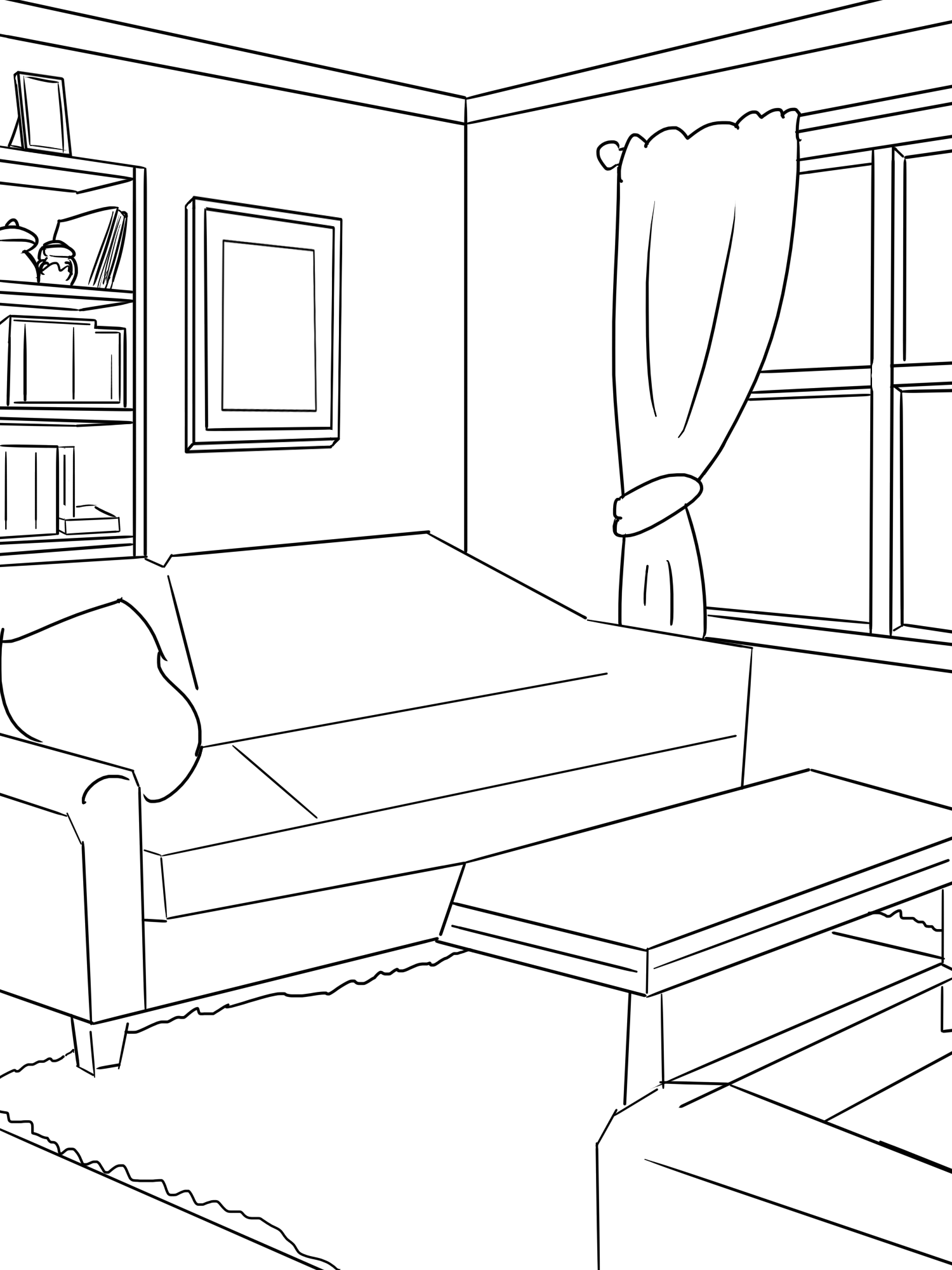
Step 1: The Lineart
I do a mostly semi detailed drawing of what I want the BG to be. In this case, a living room looking area. Lot of line tool stuff, some sketching in. A bit wonky looking since a lot of it is getting covered up anyways, but anything that I think could use a bit more detail I add it in. From here I make a COPY of the original lineart, so if I ever need to, I have a way to step back do fix things. But also because of...
Step 2: Color Splitting
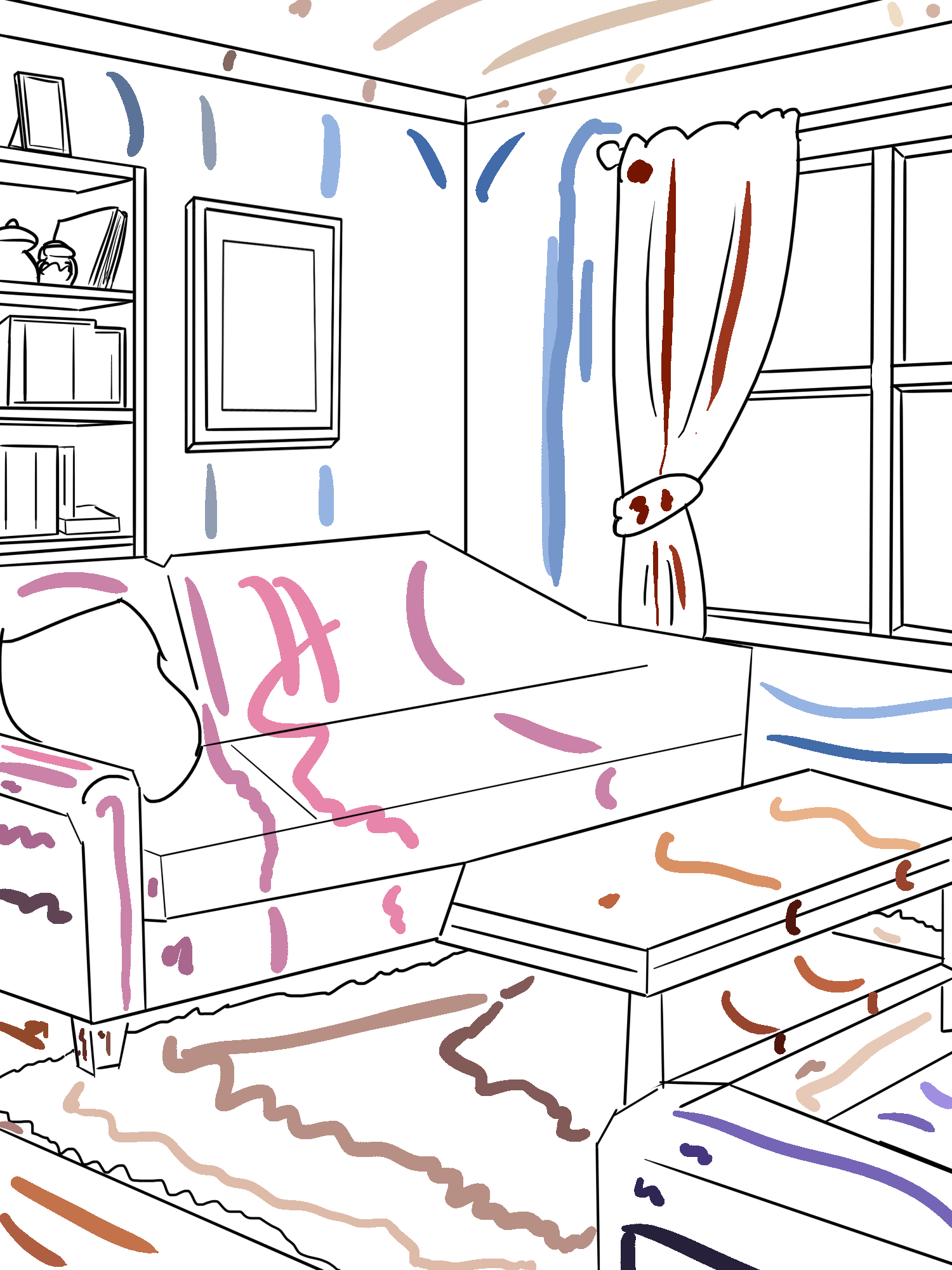
On the copy of the lineart, that I also just merge into a single layer if need be, I go over the open areas where I need colors to 'fade' into each other, and add a guideline. This is neeeded because the way I color is using kritas color mask, which can semi smart fill in areas with color, but in cases where I need the color to go from light to dark like backgrounds with 'fake' lighting it doesn't quite do it right. Which leads to...
Step 3: Color Masking
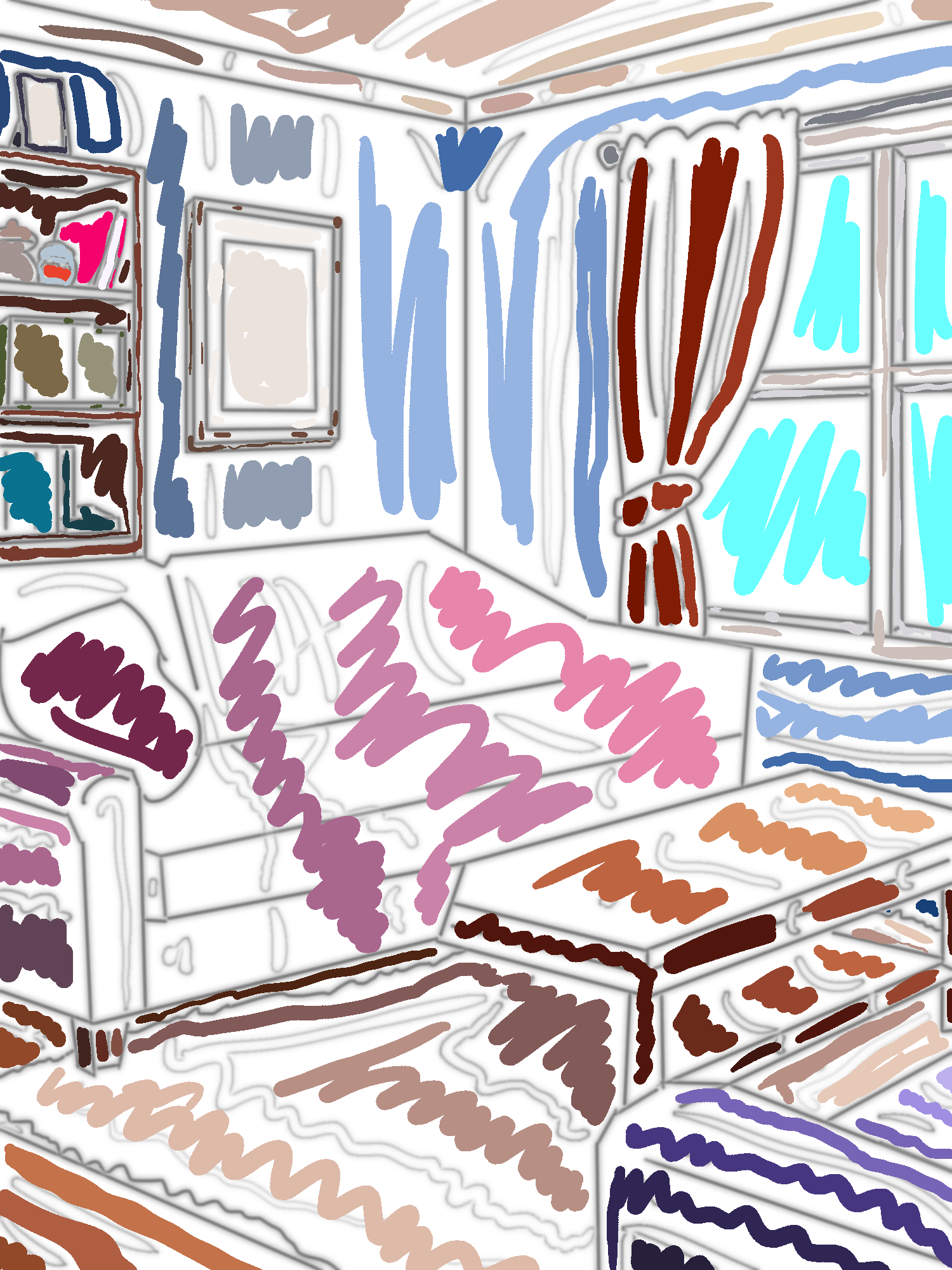
I add a color mask to the edited lineart and start filling in areas, semi roughly, but staying within the lines. This is what a color mask looks like when it's all drawn in and...
Step 4: Smart Fill
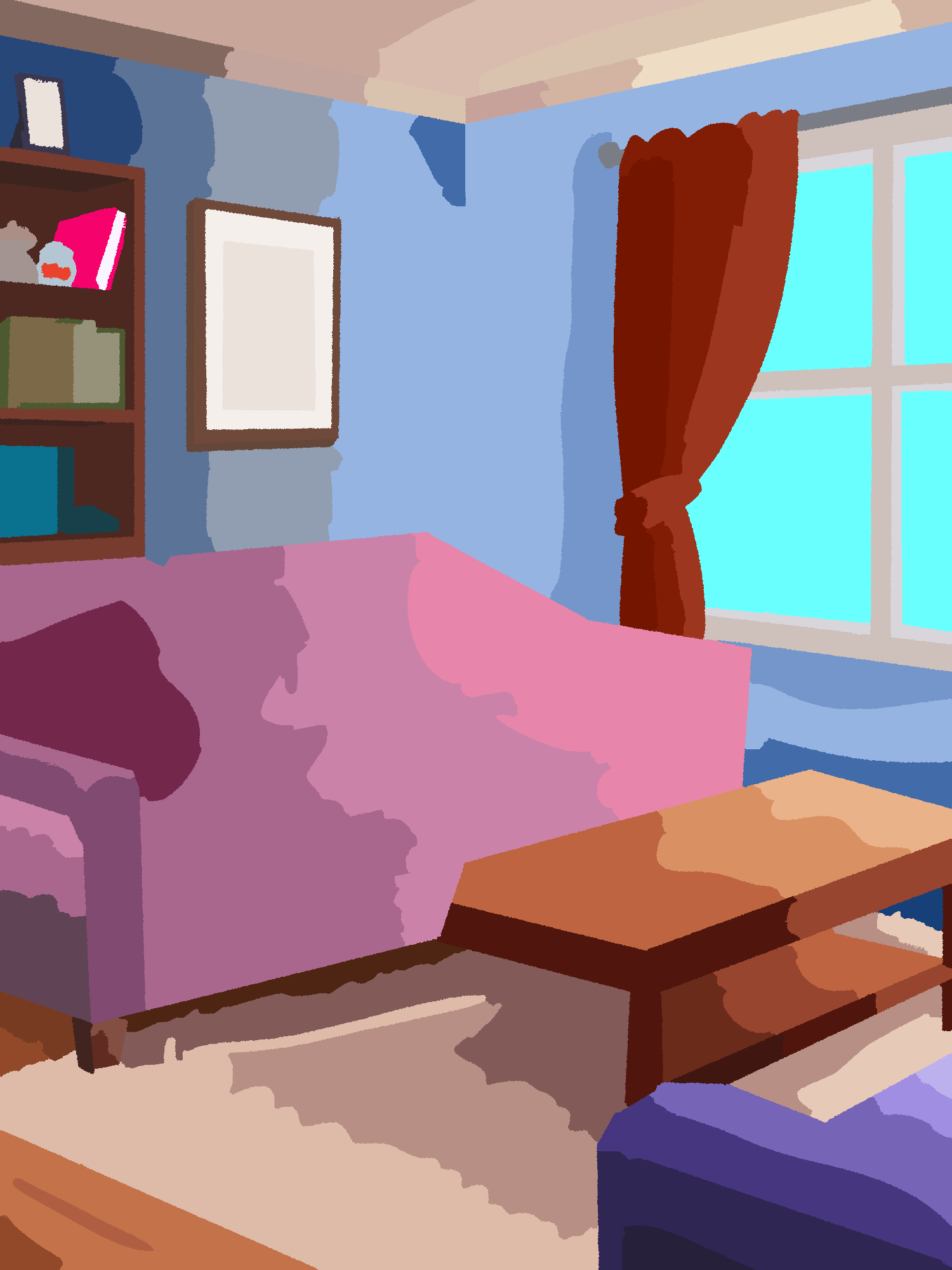
This is what it looks like when I get it to do the smart fill. I can preview this a few times, see what I missed and then go back in and add in whatever colors I want or if need be, add more color mess onto the lineart copy and then preview again to guide the colors better. Once I'm happy with it, I go on to...
Step 5: Fixing Up
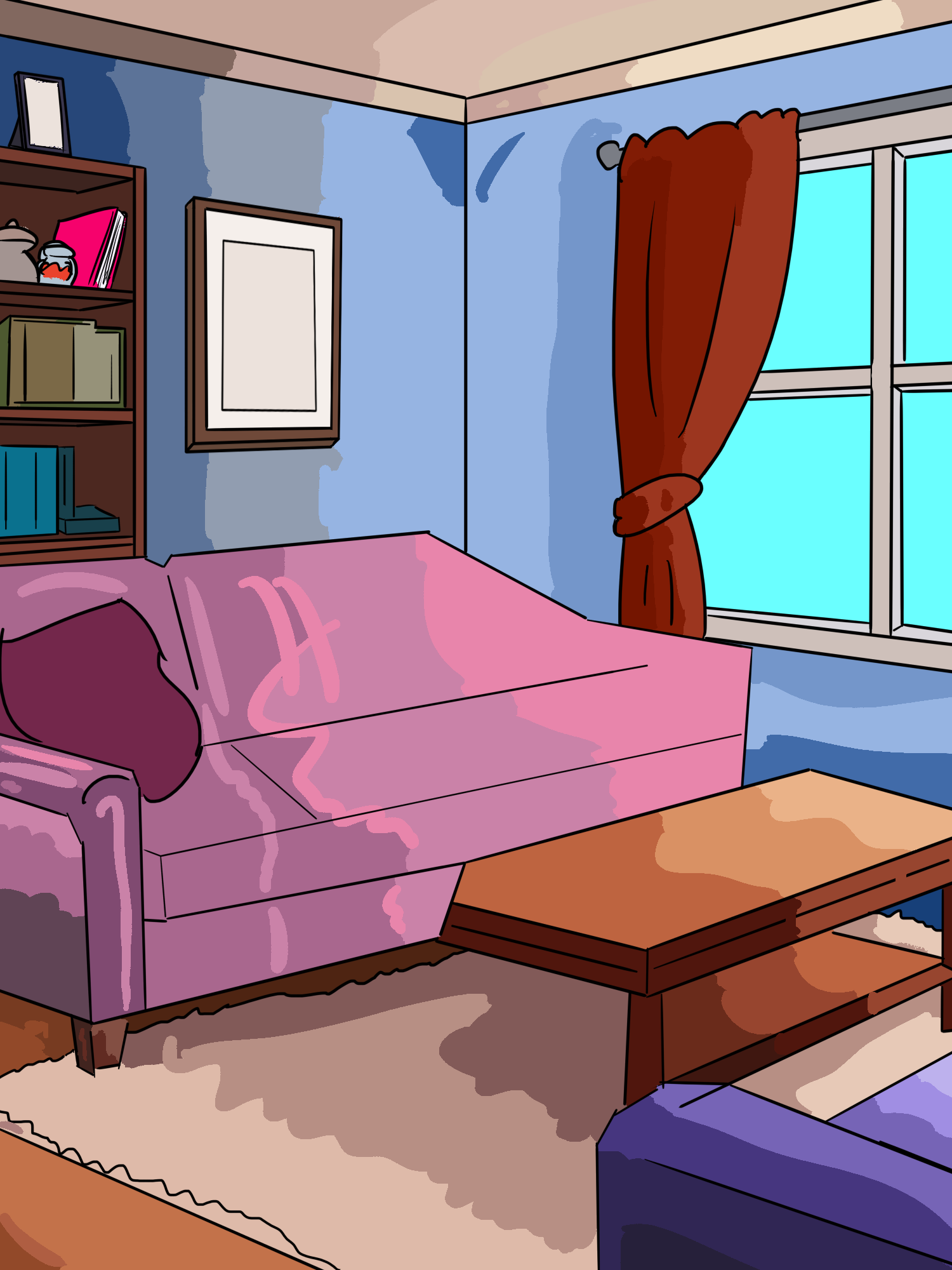
First of all, I render the color mask as a paint layer and then I disable the lineart layer with all the color scribbles, giving this very neat looking color image. From there I make another copy of the original lineart and place it over top like so:
I then take the lineart and the color layers and group them together to separate them from anything else, then make two extra copys of both the lineart and color layers, and disable the originals in case I need to redo any of the next steps. Now for the more odd part...
Step 6: Vibes Based Adjustments(?)
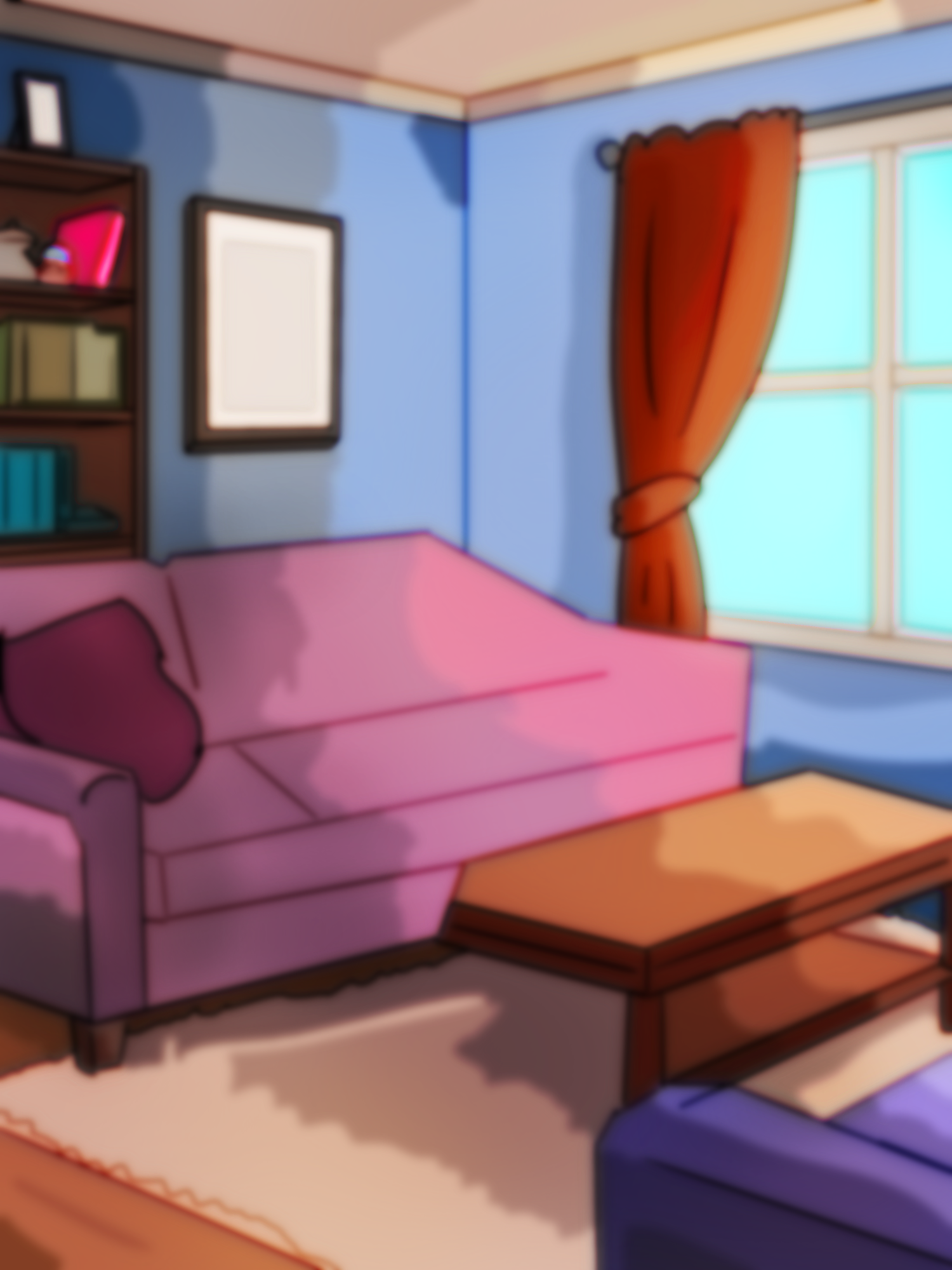
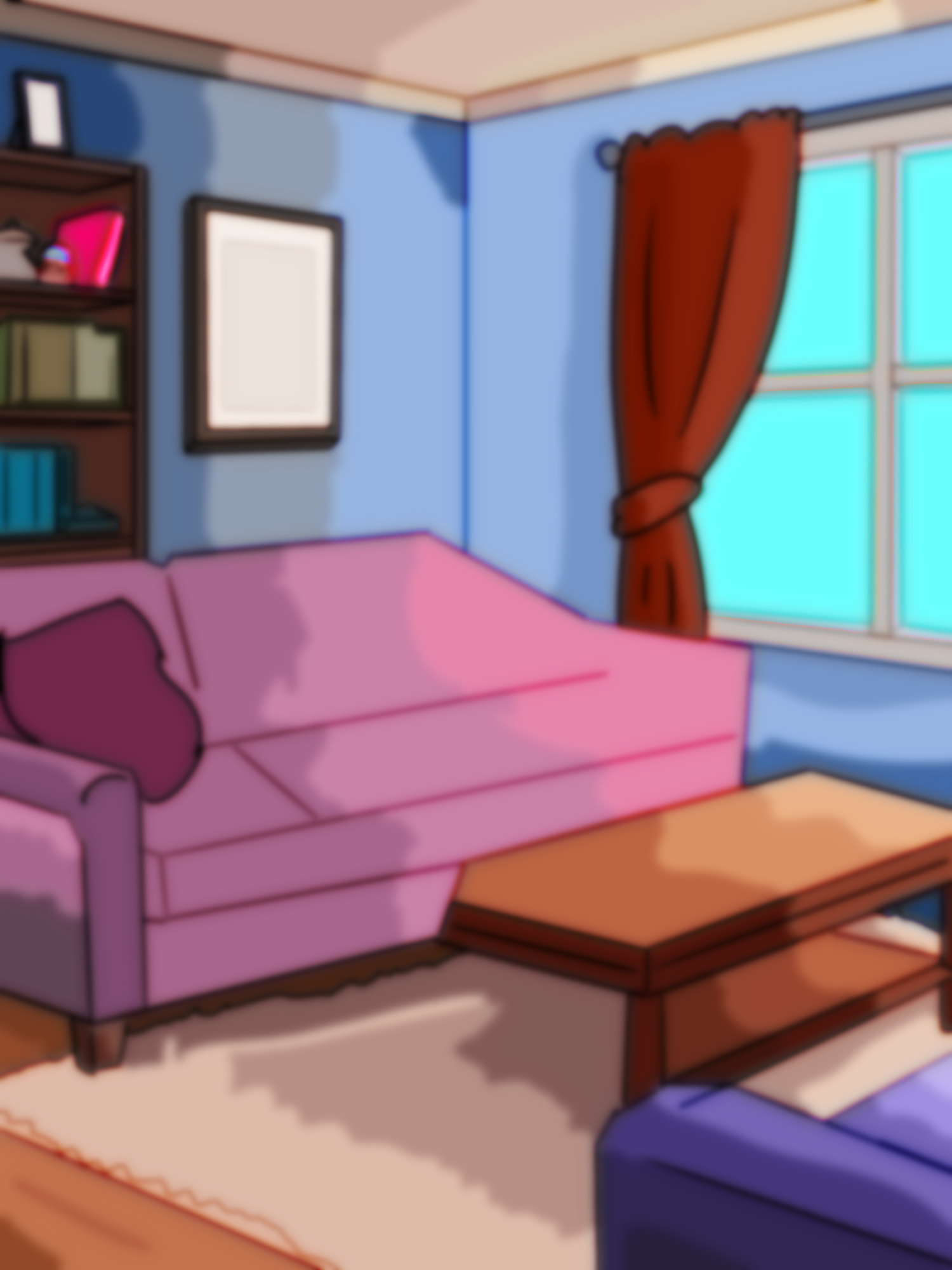
First of all, for most BGs I take the lineart layers, gaussian blur one by about '15' and the other to about '35' and change both layers to render as 'overlay', which adds a nice glowy look with the blur. I might also just choose to make one of them be 'saturation' or various other render styles depending on what I like more, but overlay is the basics.
I then take the two color layers and gaussian blur the upper most one by '35-45' and the one under that by about '20-25'. This is the most vibes based decision, where I take the top layer and change the render to something else that looks good. Usually something that doesn't change too much of the colors and mostly just adds highlights and such. Very vibes based, just have to try things at this point and see what sticks. When I get something I want, I move on to the 'final' part...
Step 7: Lighting + Detailing
Here I add, at the top of the group with all the background stuff, extra 'lighting', which is to say various brushes and just add a bit more depth to things. Like in this case, overlay layers to add a bit of dark areas with a dark blue blurry brush as well as a bit of orange near the lighter areas to add a bit of sun. This is very much where I just try things and go, 'yea thats good' and keep it or 'nope that's bad' and undo it. Depends completely on the background and setting. There's still going to be some more detailing later on, but this is about where it's 'done'. And as mentioned...
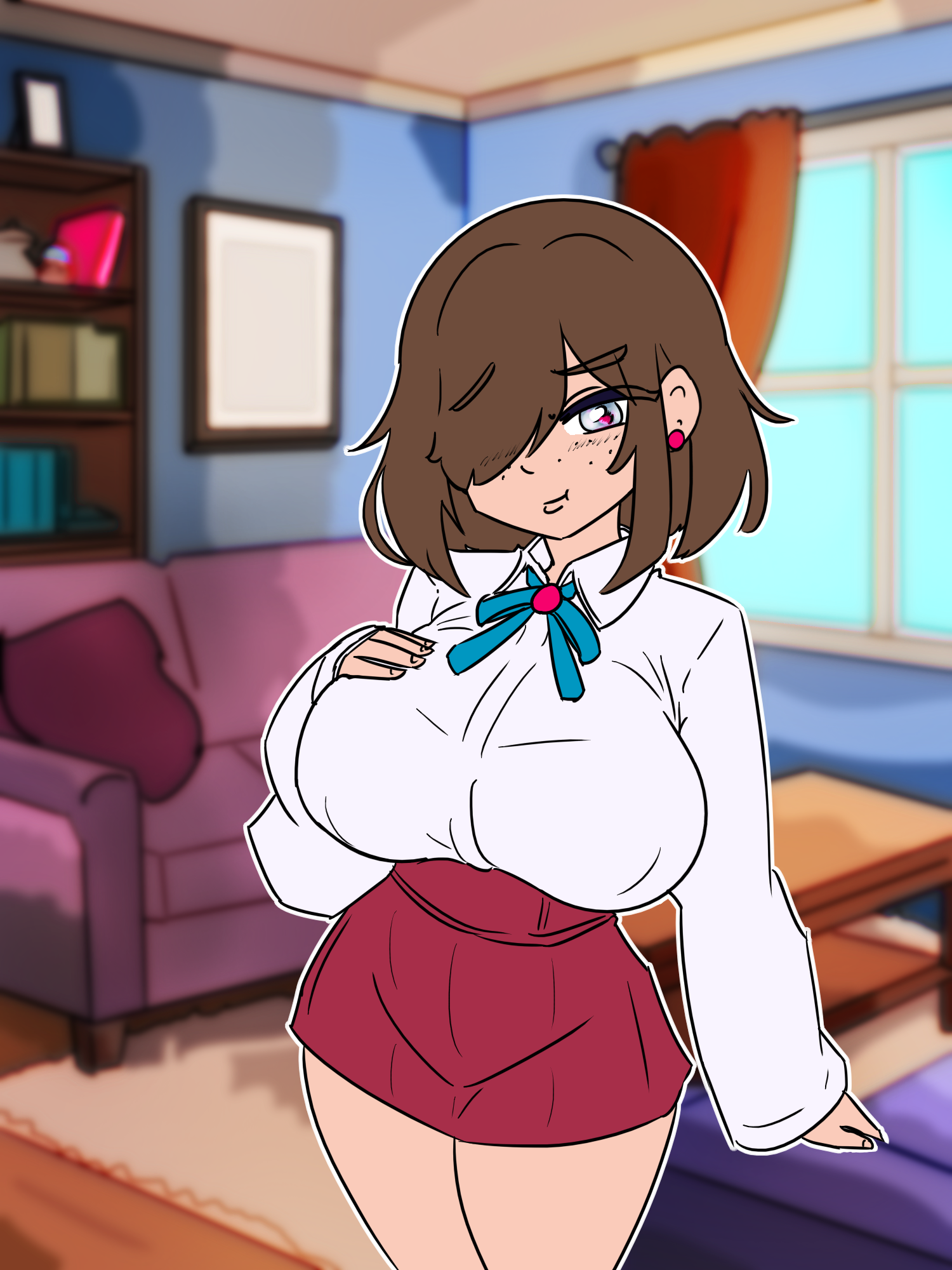
A lot of it usually gets covered up anyways, so at this point, should be working with the character on top to not detail anything that will just not be seen at all. :)
And there we have it! Just a bit of extra fun info. This is not really a 'good' way to do it, but it's how I've figured out how I'll do it. Depending on the complexity of the BG, can take a half an hour, or a LOT longer in cases like this where there's a lot more to it.
Not sure if anyone even wanted to hear the how, but I was unable to go back to sleep and needed an excuse to tire myself out, and what better way then spending a few hours making a BG and then explaining it. :)
Which seems to have done the job, as I'm now quite tired. And if you needed a sleep aid, maybe now you are too?
Anywho, enjoy! :)
Files