Home
Home

 Creators
 Search
 Recent
 Random
 Posts
Posts
 DMs
DMs
 Tags
Tags
 Random
 Importer
 Import
 FAQ
FAQ
 Account
 Register
 Login
Login
 Favorites
 Keys
Keys
 Logout
 Telegram

Dev Video: Tutorial Popups (Patreon)
Videos
-
592533729.mp4
Downloads
Content
After a long time of casual discussion about how we'd handle them, we've decided now is a great time to add pop-ups for tutorials and tips!
How does it work?
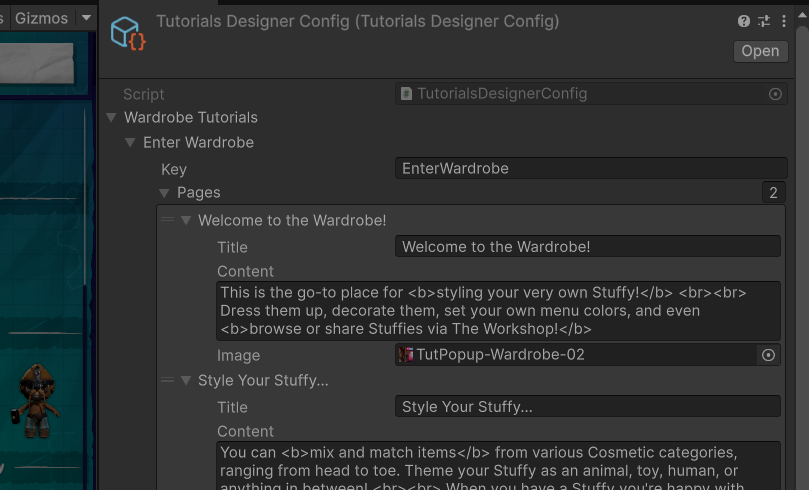
When the player enters an area or selects a certain thing, we call upon the game's window system to create a new window type designed for tutorials. They will only show up the first time you view them, after which your save file is flagged with having seen it already (this prevents it from reappearing).
Some tutorials are one-off popups, and others are guided steps with multiple panels.
You can always disable tutorial popups as a whole via your game settings.
How will they be used?
Through playtesting, we've found that some players need to be guided toward certain features or have them better explained. While most of the playerbase discovers through exploration, some prefer guided steps.
We'll use this to explain core game features that are a bit more in-depth or unclear than others, such as The Wardrobe, Stamping, the Design Tool, the Wash Tool, logic, and more.
Long-term goals include the addition of looping videos instead of only images. This would enhance learning even more by catching the player's attention and better guiding them through things.
It's also an idea that some tutorials could be manually viewed or re-viewed by opening an asset's info page and clicking a tutorial button. We're also exploring the idea of a centralized list in the main menu to view tutorials from.
Tutorials are simple to set up thanks to our existing framework for pop-up windows! So this is a task we'll do passively between other, more important things. <3
Files