Home
Home

 Creators
 Search
 Recent
 Random
 Posts
Posts
 DMs
DMs
 Tags
Tags
 Random
 Importer
 Import
 FAQ
FAQ
 Account
 Register
 Login
Login
 Favorites
 Keys
Keys
 Logout
 Telegram

Cherry Planner | V.01 | PREVIEW (Patreon)
Content
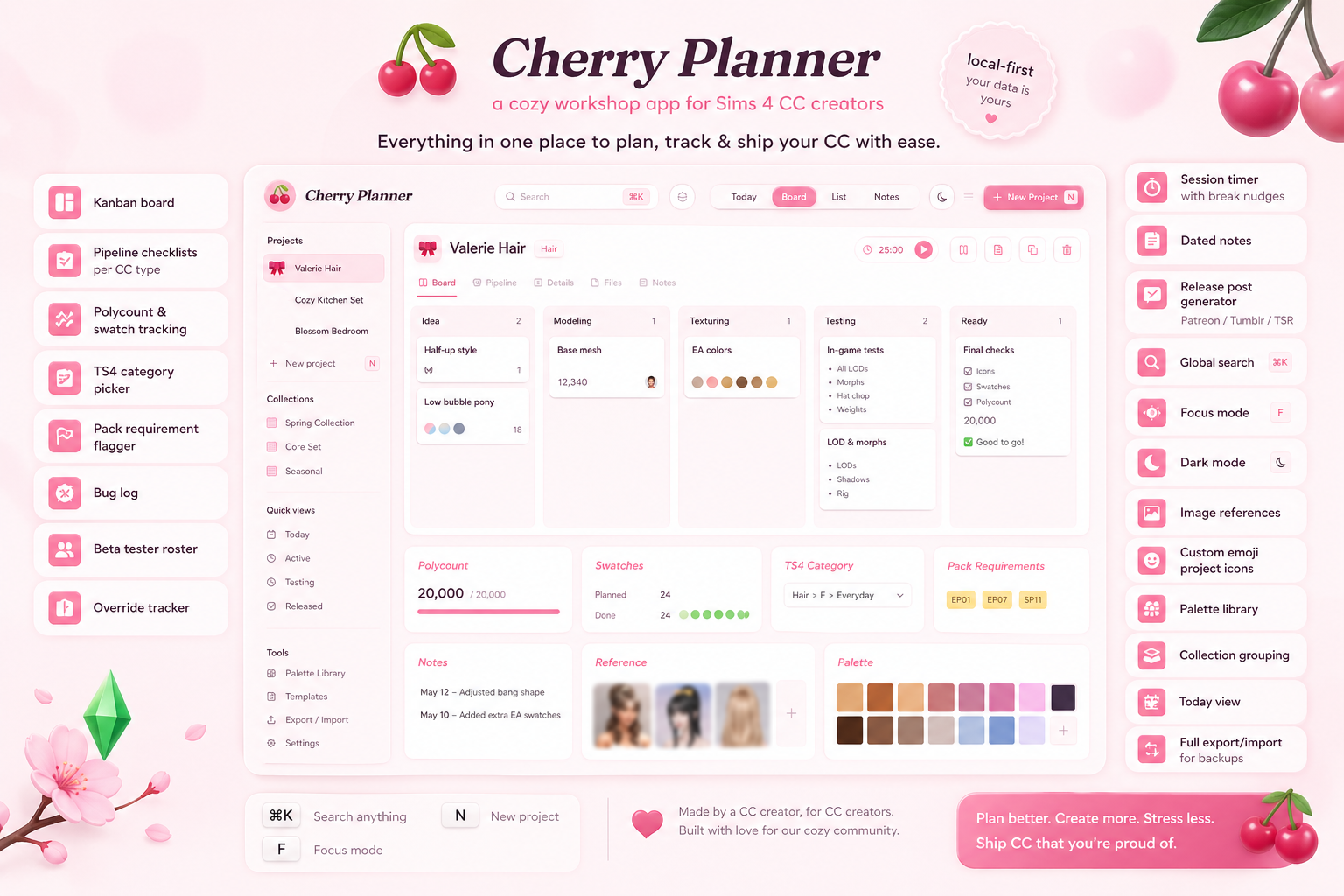
🍒✨ introducing Cherry Planner ✨🍒
a little workshop for sims 4 cc creators, made to keep all the chaos of cc-making in one cozy, organized place. if you've ever lost track of which swatches you finished, forgotten what pack a mesh needs, or stared at a 30-tab browser wondering "where was that reference image?" this is for you.
i built this because every existing planner felt too plain for what we actually do. cherry planner is created by a cc creator for cc creators. :) 💕
✿ what's inside ✿
🌸 a kanban board for every project, with cards organized by status (ideas → working on → on pause → testing → released) and drag-and-drop to move things between columns. cards show progress, priority, swatch count, and required packs at a glance.
🎀 smart project templates that auto-fill the right pipeline and checklist depending on the cc type, hair gets LOD/hat-chop reminders, clothing gets morphs, furniture gets footprint/slots, build-mode gets tiling checks, plus templates for poses, makeup, decor, and script mods.
📷 reference images — upload mood board shots, wips, or inspo. paste images directly with ⌘V. set any one as the project's "cover" so you see it on the kanban. tap any thumbnail for a fullscreen lightbox view.
✨ custom project icons — pick any emoji from a curated set themed for cc creators (cute, fashion, beauty, home, kitchen, nature, animals, celestial, symbols), paste your own emoji, or use one of your reference images as the project icon.
🎨 palette library — save reusable color palettes with hex codes and link them to projects so a whole collection stays cohesive.
📦 collection grouping — projects in the same collection get a matching pastel border on cards and list rows. "cottagecore kitchen" items will all visually cluster together.
🏷️ ts4 category picker — built-in dropdown of every CAS and build/buy category so you never forget to tag something. includes ages/genders multi-select for clothing/hair/makeup.
🎮 pack requirement flagger — every EP, GP, and SP listed (through royalty & legacy / crystal creations). flag what your mesh pulls from so your release post is accurate. EP/GP/SP chips appear right on the kanban cards.
🪲 bug log per project with open/fixed status and version-fixed-in tracking — so you always know what's broken and what's been patched.
👥 beta tester roster — track who you sent it to, who actually reported back, and notes on their feedback. testers who reported back get auto-credited in release posts.
🔄 override / default replacement tracker — flag a project as a default replacement, log what it overrides (e.g. "ymTop_SweaterKnit basegame"), and the app warns you in release posts about conflicts with other overrides of the same slot.
⏱️ session timer — start/stop timer on any project. tracks total time spent. soft pink "break nudge" pops up after 90 minutes of continuous work because your wrists matter ♡
📊 session log + stats — every session over 30s logs automatically. browse history grouped by day, see your top time-invested projects, weekly totals, all under stats → sessions tab.
🌸 today view — one screen showing what actually needs your attention: overdue releases, drops scheduled this week, projects blocked 14+ days, active items not touched in a week, and your currently-running timer.
📓 dated notes journal — separate from per-project notes. a workshop diary for ideas, todos, release plans, random thoughts. grouped by month with pretty pink date cards.
📝 release post generator — auto-fills templates for patreon, tumblr, tsr, and short-form using everything you've already entered (polycount, swatches, category, ages, packs, override info, tester credits, collection). edit the preview directly before copying. character count included.
🔍 global search (⌘K) — fuzzy search across project names, collections, notes, bug text, tester names, palettes — everything. keyboard navigation with ↑↓↵.
✦ focus mode (press F) — hides everything except the project you're working on. minimal, distraction-free.
🍒 other goodies:
full dark mode with the same pink accents
drag-and-drop kanban
duplicate project (handy for variants)
recent projects row at the top of the board
persistent storage — everything saves between sessions
export & import as json for backups or moving between devices
paste images directly from clipboard
session recap with shareable image when you stop a timer
keyboard shortcuts (N new, F focus, ⌘K search, Esc close)
🍒 cute pink pastel aesthetic with bouncy animations and soft gradients
it's local-first, no cloud, your data is yours.
i'll keep adding to it as i find new things i need. if you've got feature requests, message me here on make a ticket on discord!
♡ enjoy!
--> LINK <--
Files