Home
Home

 Creators
 Search
 Recent
 Random
 Posts
Posts
 DMs
DMs
 Tags
Tags
 Random
 Importer
 Import
 FAQ
FAQ
 Account
 Register
 Login
Login
 Favorites
 Keys
Keys
 Logout
 Telegram

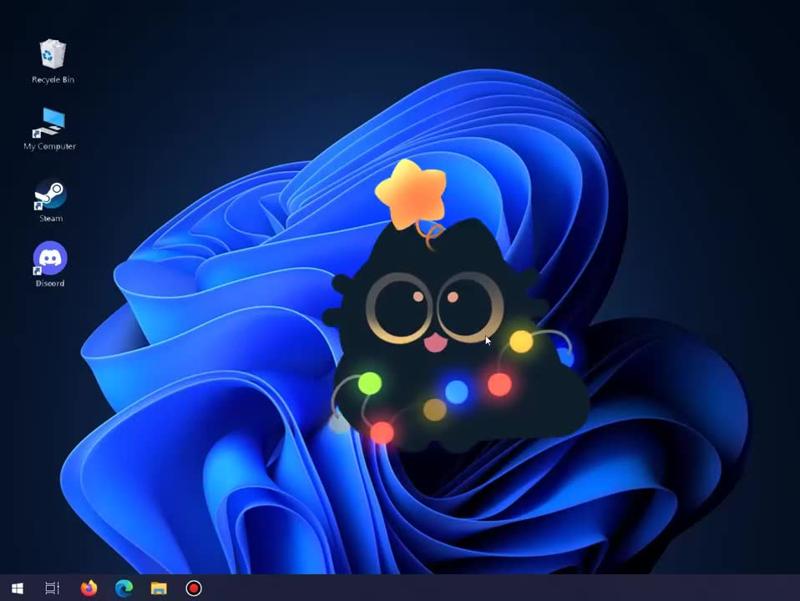
Desktop Shelf update! 🎄/ᐠ˵- ⩊ -˵マ (Patreon)
Videos
-
580064886.mp4 -
ds_tutorial_alfa.mp4
Downloads
Content
What is "Desktop Shelf" app? It's like an extra layer on your Windows ( 10/11 ) desktop where you can put more custom icons and gadgets, but with more customization options!
Note! This app is in its early stages so many expected features like multi-monitor support / ect are not currently present.
Update! Version 2025.3.29 uploaded!
What's new? App UI update, lots of fixes and 2 new gadgets! ^o^ Also, gadgets now can be deleted and added from Desktop Shelf's library ( folder )!
*Old save files will work!
Tutorial video is also attached under this post!
P.S. Feel free to write down your impressions or possible bugs you may find ^_^
---
Notice! Windows Defender SmartScreen may pop-up as it thinks the app is not trusted ( becose of unknown publisher ). Just to make sure, this app is safe to use as it does not collect any data or anything at ALL. It uses Unity engine and basically is super simple and all it does is just renders an extra layer on your desktop... that's it! Technically it is a game on your Desktop.
Files