Home

 Creators
 Search
 Recent
 Random
 Posts
 DMs
 Tags
 Random
 Importer
 Import
 FAQ
 Account
 Register
 Login
 Favorites
 Keys
 Logout
 Telegram

Screen Resolution Explanation (Patreon)
Content
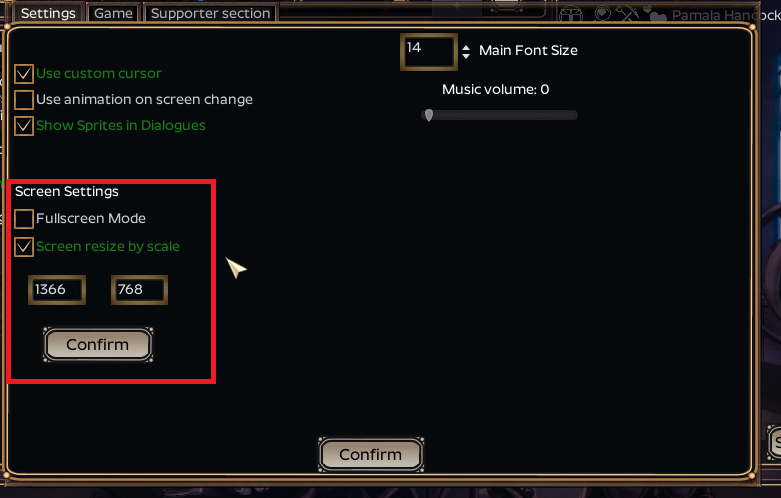
In latest patch I've tried to address existing issues with screen stretching. Now, by default you should have 'Screen resize by scale' if you just installed the game, which is I believe pretty suitable for most people. This post will explain how you can further improve your resolution in case this is what you are looking for.
1. Default screen resize (by scale).
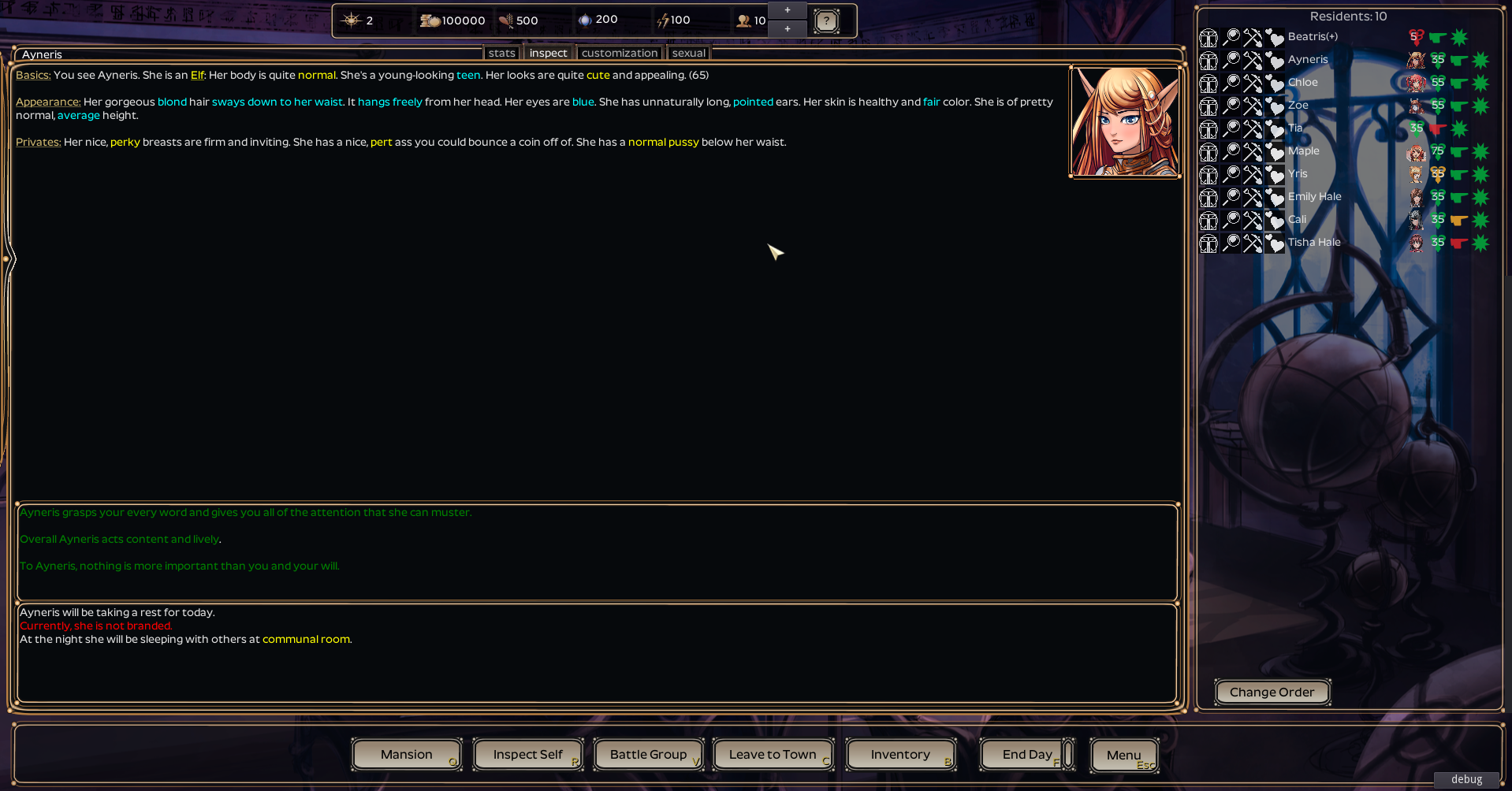
This option will basically stretch default resolution (1080x600) to any required size. Fonts and images should fit correctly at the very least to Full HD resolution, but since default resolution was 1080x600, some gui parts might feel cramped or clunky.
This is a 1080x600 screen increased by about 50%.
2. Adjustable GUI resize
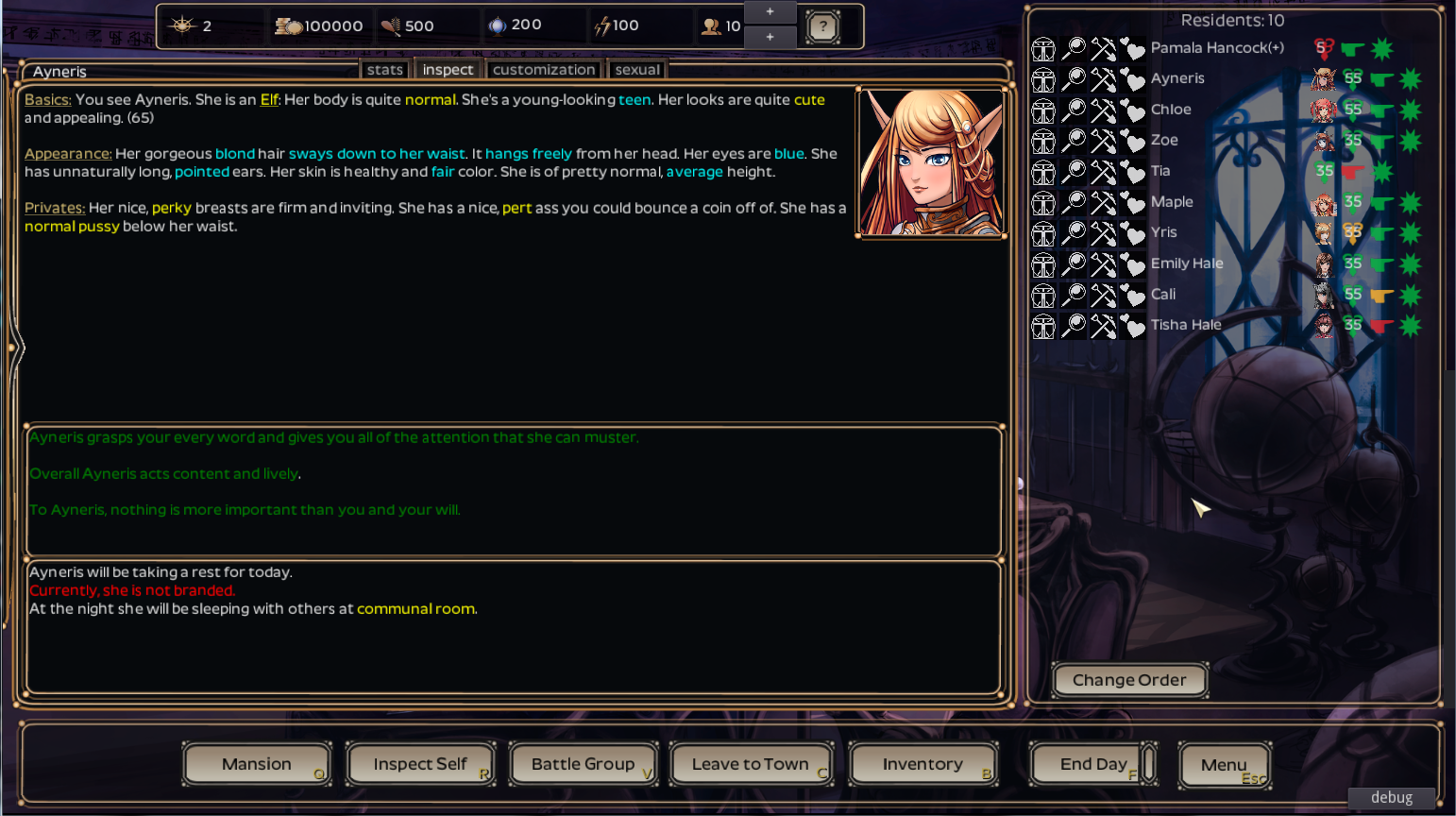
This was previously default setting which dragged every GUI part and tried to adjust it to your selected size. While it's not bad on its own, on high resolution it might make screen feel quite empty. To enable this function you have to uncheck 'Screen resize by scale' and relaunch the game.
3. Scaled resize with higher resolution
Recently added option, which allows you to use first option, but with different numbers. Technically its a bit hard to explain, but it basically takes best of two worlds: you can set up desired resolution, to which GUI would scale (2nd option), then enlarge whole picture (1st option). To use this, input resolution values to the fields below the settings and hit 'Confirm'.
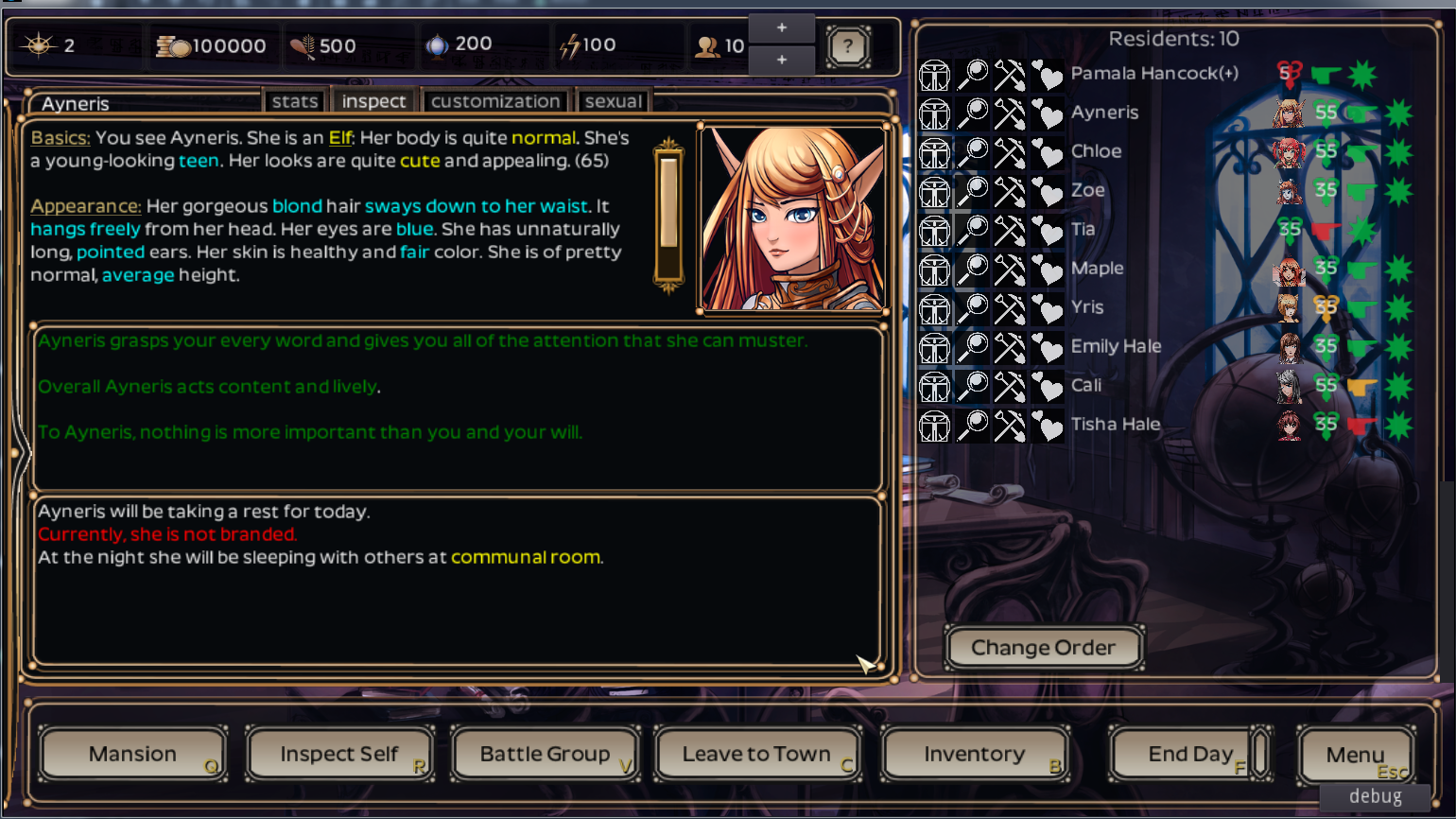
Here's the 1360x768 resolution, which is stretched to full hd. Notice how there's more space for certain elements like text.
Hope this will help you to configure the game's screen the best way you want.
Files