Home
Home

 Creators
 Search
 Recent
 Random
 Posts
Posts
 DMs
DMs
 Tags
Tags
 Random
 Importer
 Import
 FAQ
FAQ
 Account
 Register
 Login
Login
 Favorites
 Keys
Keys
 Logout
 Telegram

Cyberware 10 Recolours (Patreon)
Downloads
Some files exceed the archive size limit and weren't saved: 10 files. Please note these limits are in place to keep this site running long term, without costing a fortune. You can favorite the creator though, certain milestones increase the limit.
Content
Hey everyone! I'm here with the recolours for Cyberware 10, as mentioned in my previous post where I published my mesh edits! There's a tonne of options this time around, and potential for mixing and matching!
You will have seen me preview these recolours a couple days ago. In that post I mentioned how there are 84 options for this mod. Yes, it took a long time to make 84 seperate Wolvenkit projects. And yes, it did get tedious towards the end. But I still had a decent amount of fun making this mod.
Also, I am super proud of how it all turned out.
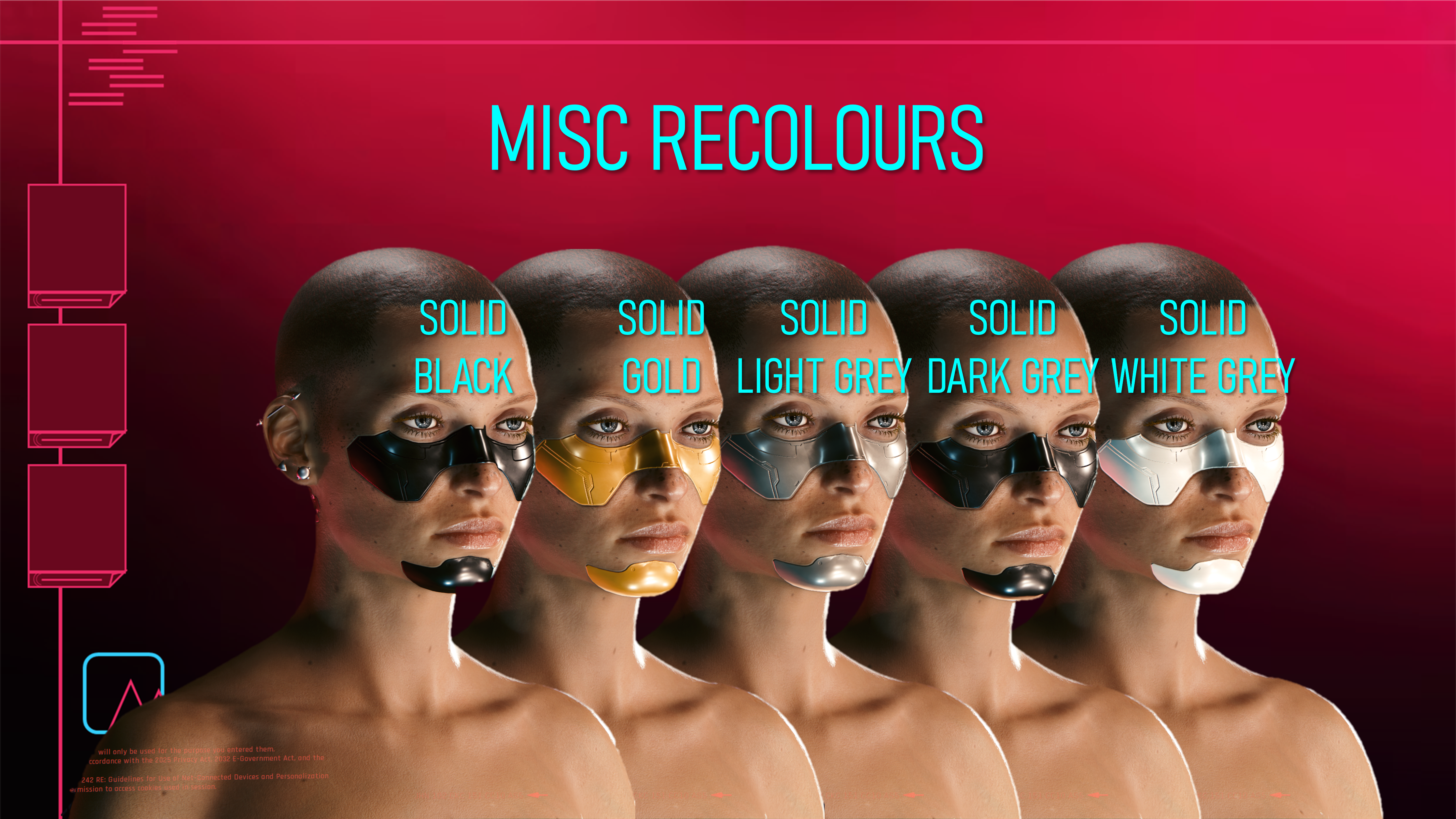
The textures for Cyberware 10 are seperated, just as the mesh itself is; top and bottom seperated respectively. This means you can use one recolour option for the top section of the cyberware, and then an entirely different one for the bottom section! In the mod photoshoot, I used the 'Grey' option from the 'Mixed' recolour section for the top. And then used the 'Solid Black' option from the 'Misc' recolour section for the bottom.
And honestly, I think it was a solid combination; really fits my main V's aesthetic.
Here's a look at the 84 recolour options:
Yeah, that took a while to put together. But I always find the organisation part of these references to be super satisfying. Definitely more fun than putting together all those Wolvenkit projects, that's for sure. This cyberware was super fun to recolour. As soon as I saw the textures were seperated, I just went mad with colours.
With all these options, there should be something for everyone!
Here's some Installation Instructions if you don't want to mix and match:
1) Grab the zip file for the recolour section that you want.
2) Unzip the contents to somewhere on your PC.
3) Grab your two recolour files from there and put them in your mod folder. On Steam, the file path is as follows:
steam - steamapps - common - Cyberpunk 2077 - archive - pc - mod
(Your files go in the Mod folder at the end of that file path)
4) Launch your game, choose Cyberware 10 in the character creator, and the recolours will show up for Both Vs!
Here's some Installation Instructions if you DO want to mix and match:
1) Grab the zip files for the recolour sections that you want.
(For example, in the mod shoot I used 'Grey' from the 'Mixed' recolour section for the top part of the cyberware, and then 'Solid Black' from the 'Misc' recolour section for the bottom part)
2) Unzip the contents to somewhere on your PC.
3) Grab your two recolour files from the unzipped contents and put them in your mod folder. On Steam, the file path is as follows:
steam - steamapps - common - Cyberpunk 2077 - archive - pc - mod
(Your files go in the Mod folder at the end of that file path)
4) Launch your game, choose Cyberware 10 in the character creator, and the recolours will show up for Both Vs!
That about does it for this post! I hope you all like these recolours; this mod was definitely a labour of love and I am super proud of how everything turned out. Take care of yourselves, and remember to join the Discord!
(The zip labelled 'READY FOR MOD PAGE' contains the mod photoshoot screenshots as well as the reference images; requested by someone on Discord as Patreon doesn't always display images at a decent size)
Files