Home
Home

 Creators
 Search
 Recent
 Random
 Posts
Posts
 DMs
DMs
 Tags
Tags
 Random
 Importer
 Import
 FAQ
FAQ
 Account
 Register
 Login
Login
 Favorites
 Keys
Keys
 Logout
 Telegram

Cyberware 12 - Mesh Edits for Both Vs (Patreon)
Downloads
Some files exceed the archive size limit and weren't saved: 6 files. Please note these limits are in place to keep this site running long term, without costing a fortune. You can favorite the creator though, certain milestones increase the limit.
Content
Hey everyone! I am here with some more mesh edits! I always love doing these; they're so much fun!
You will all have just seen my recolours of this cyberware, so yeah! I'm here with the Mesh Edits to compliment that mod! There's 21 options this time; this cyberware was pretty easy to separate into parts in Blender. It meant I could do alot more with Cyberware 12, as opposed to some of the other meshes I've worked with.
For those interested, I used the 'Upper Section No Numbers' mesh edit and the 'Grey' recolour from the 'Mixed Colour Set' in my Recolours mod; for the mod photos in both posts.
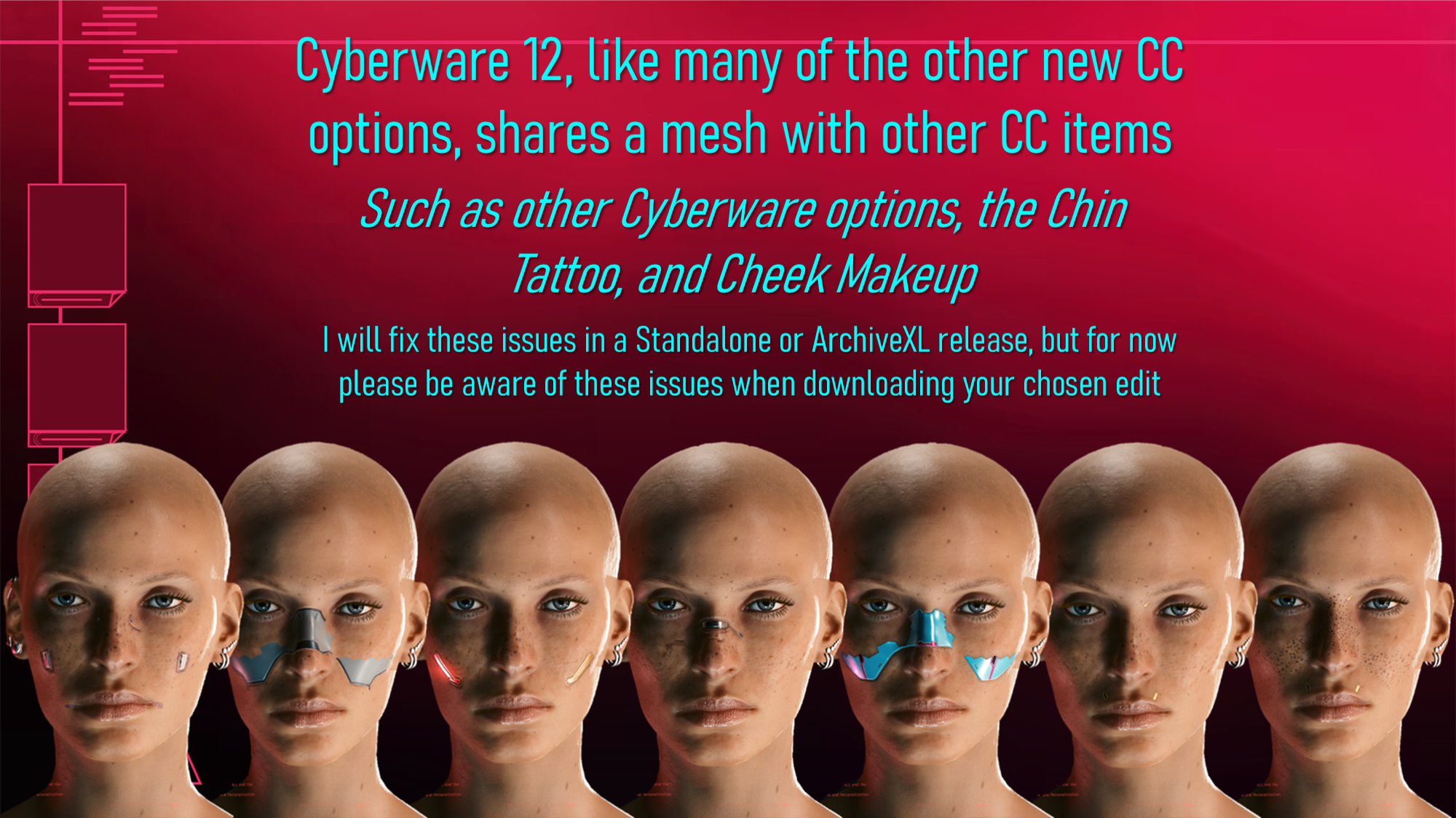
As with all my other mesh edits, there are some issues to be aware of before you download. In the game files, several makeup options/tattoos/cyberware share the same mesh. Meaning if you edit one thing, all the others sharing that mesh will be affected.
Here's the issues to be aware of:
So yeah, that's what you need to keep in mind. As stated in the image, I do intend to do a Standalone or ArchiveXL release for ALL of my Cyberware Mesh Edits/Recolours; but that's a long way away. Especially for ArchiveXL, as that requires learning an entirely new set of modding systems.
But it's on the bucket list, so to speak!
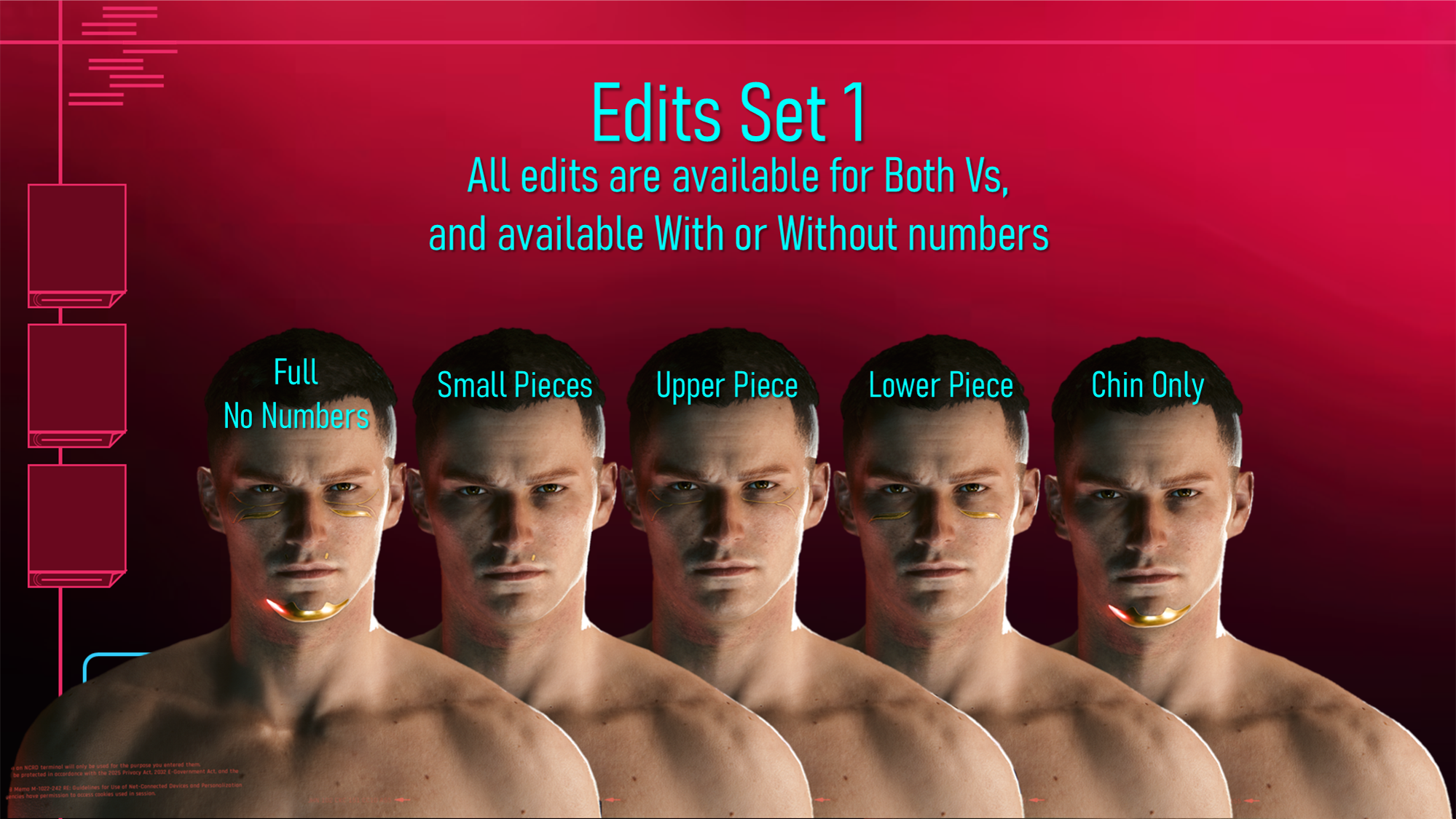
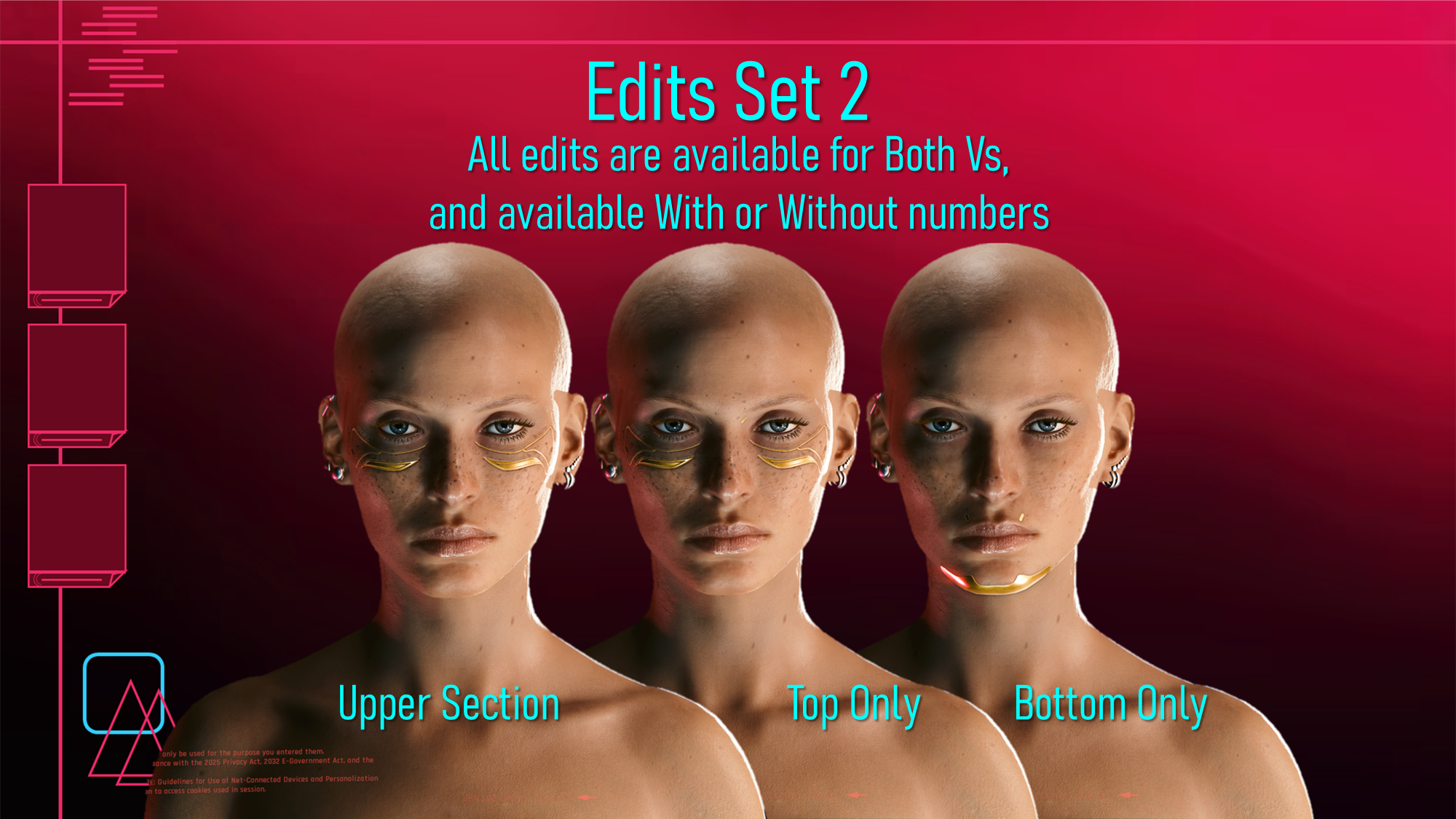
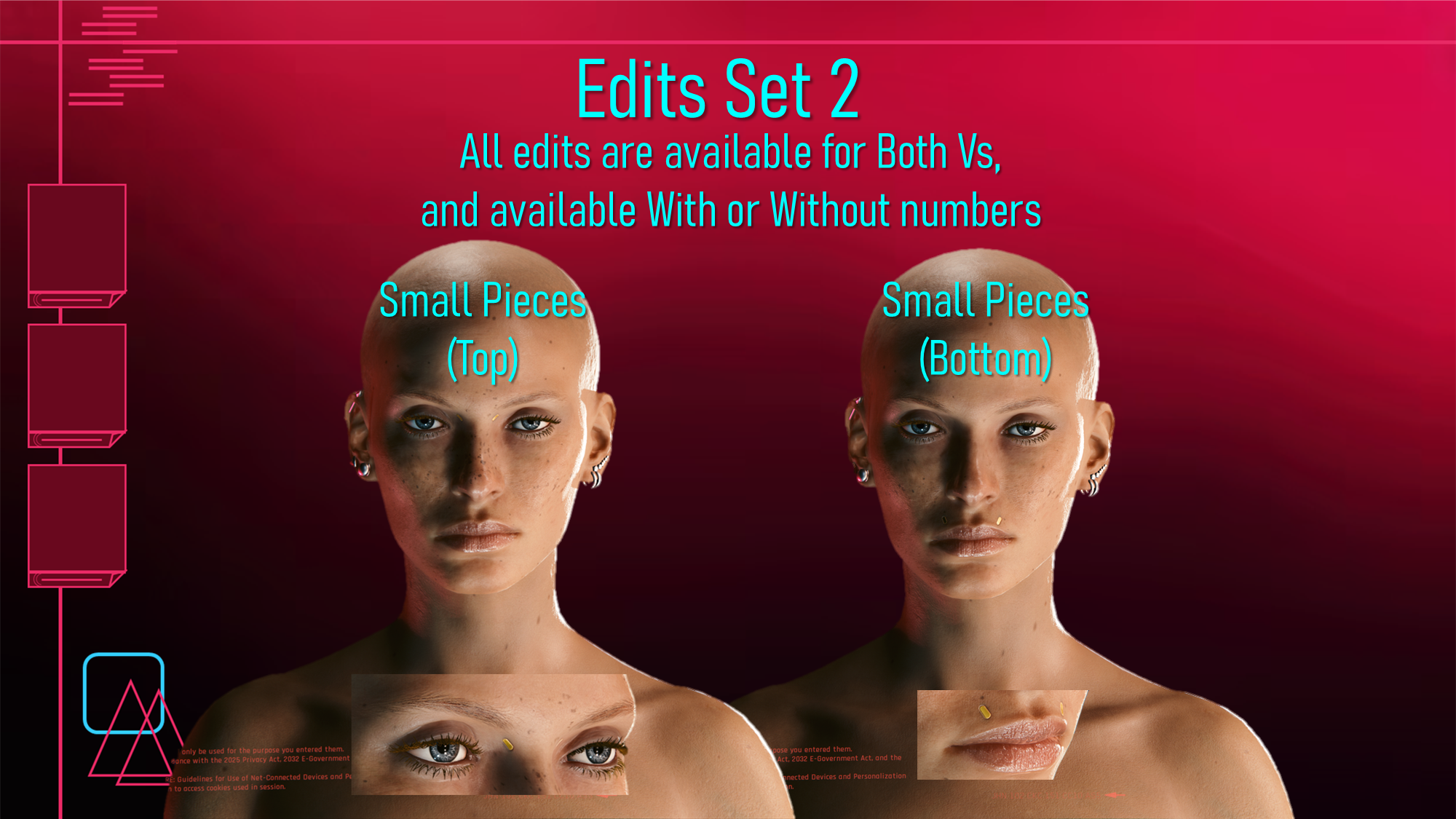
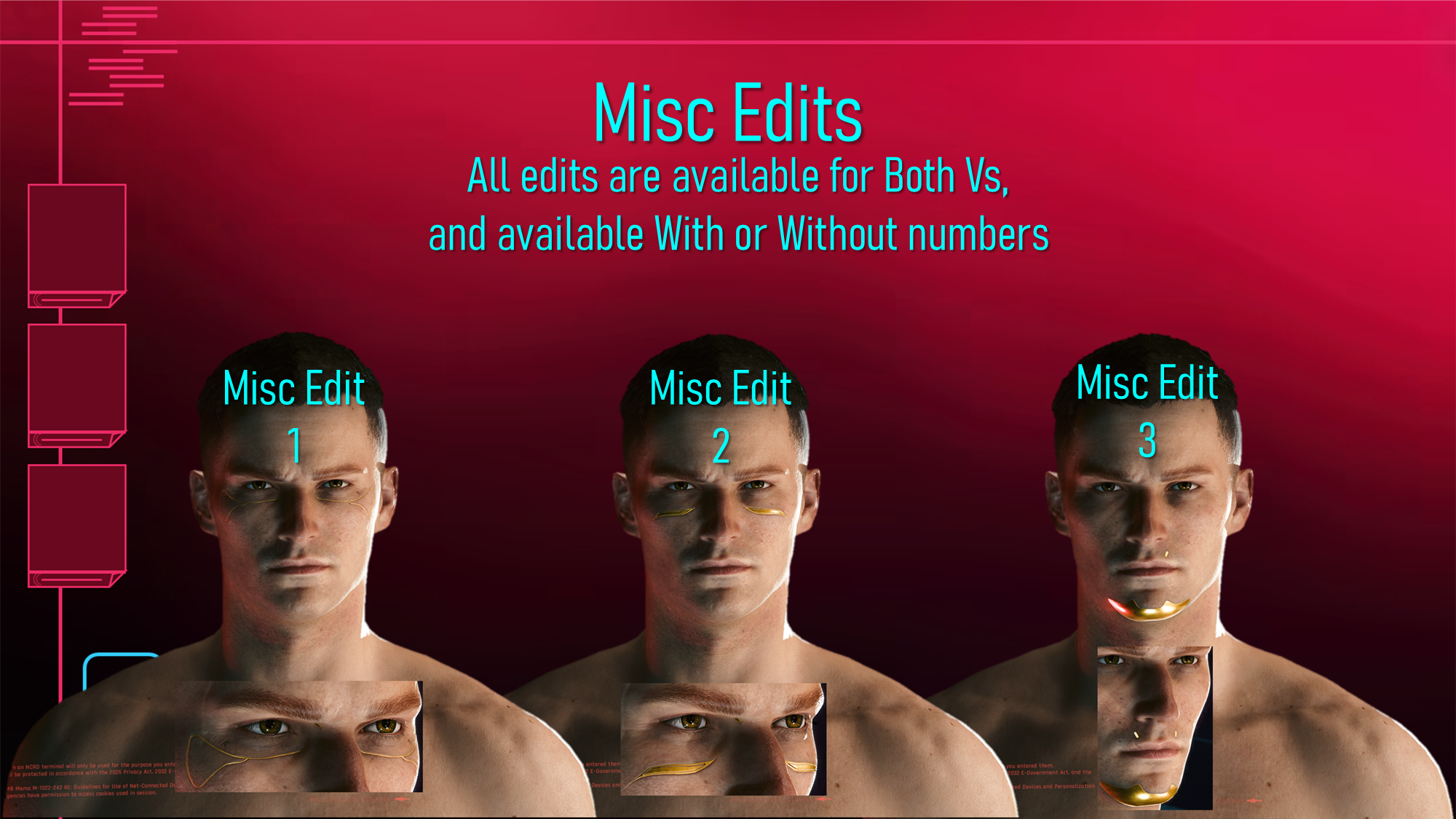
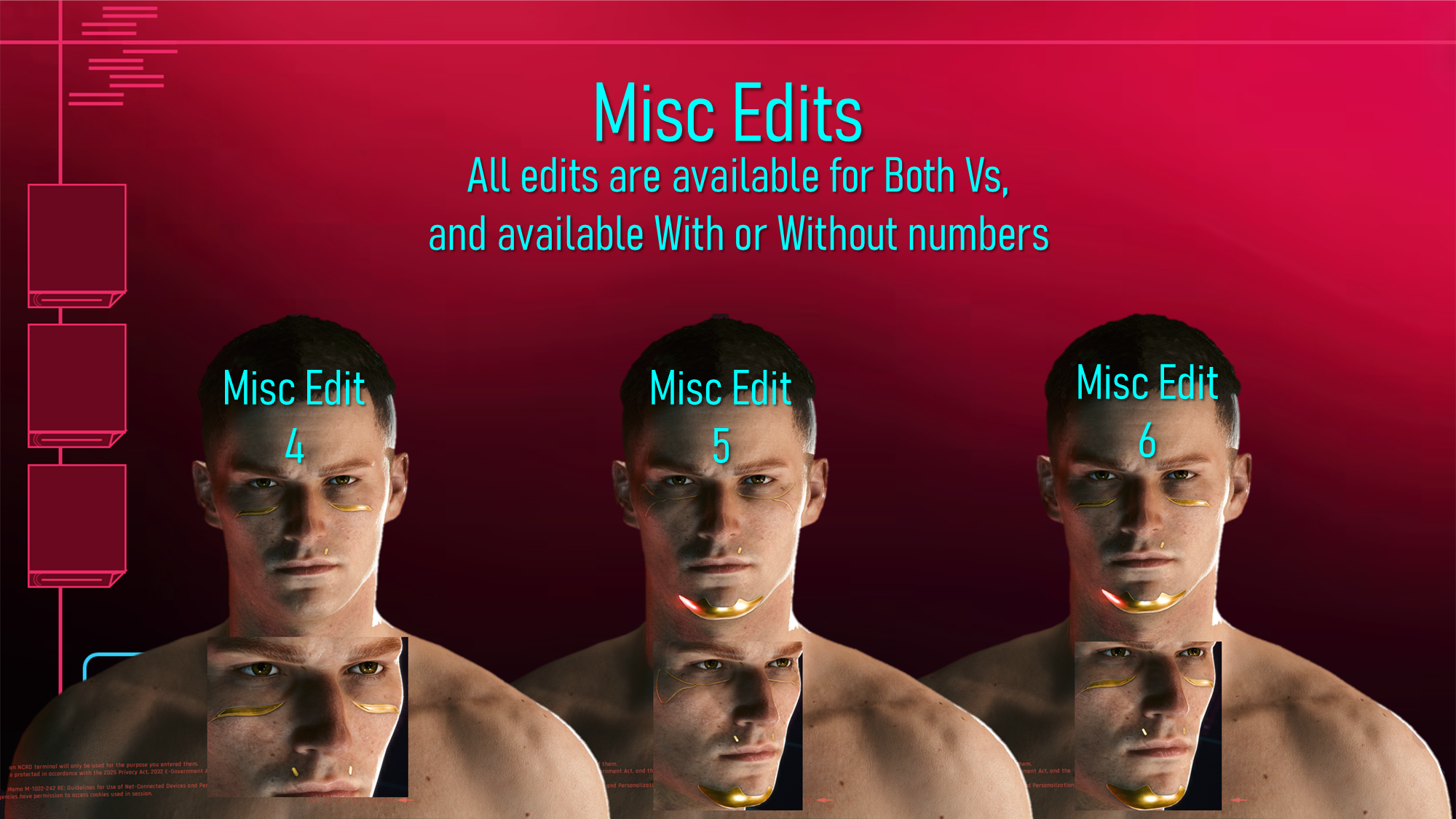
Here's all the Mesh Edit options for Both Vs:
There are 21 mesh edit options for you all; you can get them with our without those numbers that show on the Vanilla version of Cyberware 12. I honestly loved doing these edits. As I mentioned earlier, it was super easy to split up this mesh and that gave me alot more to work with.
My favourite option is probably the one I ended up using in the mod page photos, honestly.
Here's some Installation Instructions:
1) Download the zip file for your chosen category.
2) Extract the files to somewhere on your Desktop/PC.
3) Grab ONE mesh edit file for Fem or Masc V, and put it in your mod folder. On Steam, the file path is as follows:
steam - steamapps - common - Cyberpunk 2077 - archive - pc - mod
(You want to put the file in the 'mod' folder at the end of that file path)
4) Load up the game, and head to the character creator.
5) Choose Cyberware 12, and your chosen Mesh Edit will show up!
That about does it for this post! Hope you've all liked these two new mods! Remember to take care of yourselves, and join the Discord if you haven't already; we're building a Community CCXL Hair Colour project!
And we've got alot of talented folks that joined recently!
(The zip titled 'READY FOR MOD PAGE' just includes the mod page photos + Mesh Edit references for you all)
Files