Home
Home

 Creators
 Search
 Recent
 Random
 Posts
Posts
 DMs
DMs
 Tags
Tags
 Random
 Importer
 Import
 FAQ
FAQ
 Account
 Register
 Login
Login
 Favorites
 Keys
Keys
 Logout
 Telegram

Holy Water - Reverend's Cross Cyberware (Both Vs) (Patreon)
Downloads
Some files exceed the archive size limit and weren't saved: 14 files. Please note these limits are in place to keep this site running long term, without costing a fortune. You can favorite the creator though, certain milestones increase the limit.
Content
Hey chooms! Hope you've been having a good week! I am here with the release of a pretty big mod project.
For some time now, I have been working on making the TV Reverend's forehead Cross into a mod for Both Vs. I did start working on it last year, but stopped as my skills weren't really there at the time; I got stuck and frustrated. But I picked the project back up and was able to see it to completion. It took alot of work, but I believe it paid off.
There was 279 individual files/Wkit projects by the time I was done, haha.
Before we proceed with the Mod Post, I want to thank the chooms on My Server and the Encore Server over on Discord; many of them took screenshots for the mod page. There's so many that I will have to collage them for this post.
Here's the Chooms in question; please consider supporting their works:
ByteSizedCauldron (my IRL brother!!! :D ) \=/ jelihanull2 \=/ lunasniper \=/ ShadowGamez303 \=/ Aeryn \=/ AshalsDream \=/ bubba_irl \=/ HAUSVONSIN \=/ KittyDustyMagpie \=/ Jendocino \=/ roxasrealm \=/ ShadowTheDM \=/ Shao \=/ Velvet_Ray \=/ Vudu
Here's some of their Mod Shots; keep an eye out for the Mod Models and Nexus posts:
As you can see, both My Server and the Encore Server are full of so many amazing, talented people. I am so grateful for everyone that took the time to take screenshots. It's been incredible seeing how everyone's utilised the mod. I loved seeing the colour combinations, as well as everyone's varied VP/Editing styles.
Thank you again to all these chooms!
Now, onto the mod! Here's some stuff to note:
Yes, the clipping isn't ideal. But as you can see from all the screenshots people took, plenty of folks can use the mod. Most, I'd wager. But yeah. This cyberware was put on a character that has like 0.2 seconds of screentime in the game. Moments that are very easy to miss or skip over. I did my best, and I am happy with what I was able to do with this limited mesh.
There will most likely be clipping with the EKT CC mods as well, just to note.
And here's the fun stuff! Have a look at the mesh options:
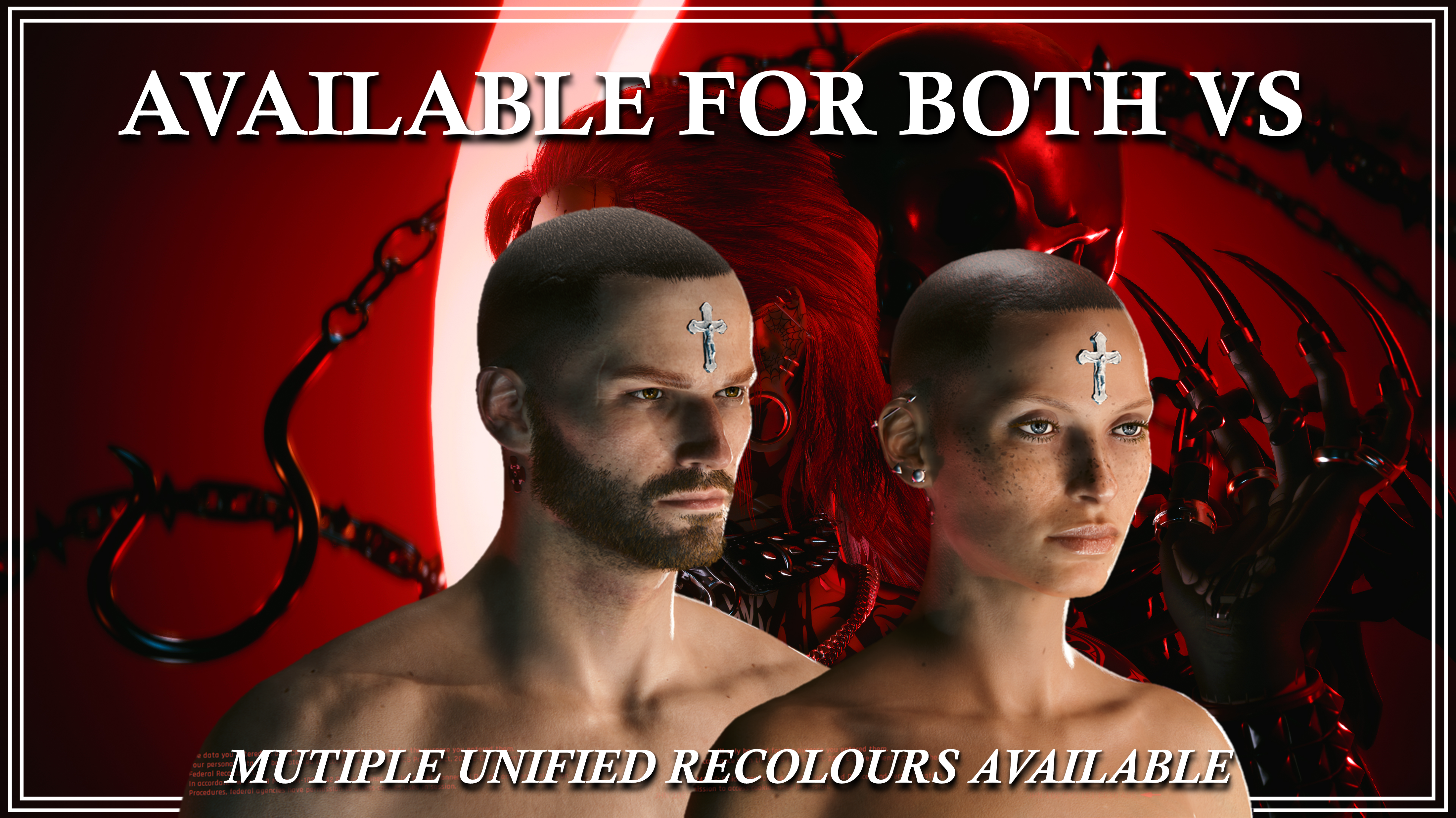
As you can see, there are 3 mesh options for each V. I did try to see if I could just have the cross or just have Jesus, but that won't work, sadly. The cross mesh has a huge gaping hole in it once you remove Jesus. And I was not about to refit Jesus to fit V's forehead when I already had so much work ahead of me. But there's still plenty of options.
And you can mix and match colours!
Speaking of Colours, here's a look at the 33 Recolour Options:
Yeah, there's alot of options. And with the option to mix-and-match, the combinations are endless. I absolutely love that the Piercing Mlsetups worked. And I found so many other cool colours in the game files. I will be doing redos of my Horn and Head Spike mods soon, and I will definitely be utilising these mlsetups.
Then if you use those mods in addition to this, it would all match!
REQUIRED MOD: Nim's More Head Meshes, either the OG Version OR the ArchiveXL version
Now, installing this does take a little bit more effort than the majority of my other mods. But I've written out thorough instructions. These instructions are also included in every zip file, so it's easy for you to look back.
Installation Instructions for Seperated Meshes/Recolours:
1) Download the Fem or Masc V BASE zip files from this mod.
2) Extract the files to somewhere on your Desktop/PC.
3) Grab a separated Cross base and a separated Jesus base from the correct folder; for either the Unified or Inverted Unified meshes.
4) Make sure they aren't for the same slot. For example, #FemBaseCross1 and #FemBaseJesus2.
5) Download the Zip for the recolour set you want.
6) Extract the files to somewhere on your Desktop/PC.
7) Choose ONE colour for the Cross, and ONE for Jesus.
8) You are going to take all of those files you just grabbed, and put them in your mod folder. On Steam, the file path is as follows:
steam - steamapps - common - Cyberpunk 2077 - archive - pc - mod
(You want them in the Mod folder at the end of that file path)
9) Load up the game, and head to the Character Creator.
10) The meshes and recolours will automatically appear on your V!
Installation Instructions for Unified Meshes/Recolours:
1) Download the Fem or Masc V BASE zip files from this mod.
2) Extract the files to somewhere on your Desktop/PC.
3) Grab a Unified Cross or Inverted Unified Cross mesh.
4) Make sure they aren't sharing a slot with any other Head Mesh mods you're using.
5) Download the Zip for the recolour set you want.
6) Extract the files to somewhere on your Desktop/PC.
7) Choose ONE recolour file.
8) You are going to take those files you just grabbed for the mesh and recolour, and put them in your mod folder. On Steam, the file path is as follows:
steam - steamapps - common - Cyberpunk 2077 - archive - pc - mod
(You want them in the Mod folder at the end of that file path)
9) Load up the game, and head to the Character Creator.
10) The mesh and recolour will automatically appear on your V!
That about covers it for this post! I know it was a particularly long one, but that's just because this project was such a huge undertaking. I am so proud of how it came out, as well as how chooms came together to make such amazing screenshots for the mod page. It's inspired me to dig through the game files and see what other cool cyberware I can find.
Maybe I can do Ozob's grenade nose for V?
But yeah, that does it! Thank you to all of you for the continued support, and hello to all the new folks that joined this week. Take care of yourselves, and have fun with this mod!
Files