Home
Home

 Creators
 Search
 Recent
 Random
 Posts
Posts
 DMs
DMs
 Tags
Tags
 Random
 Importer
 Import
 FAQ
FAQ
 Account
 Register
 Login
Login
 Favorites
 Keys
Keys
 Logout
 Telegram

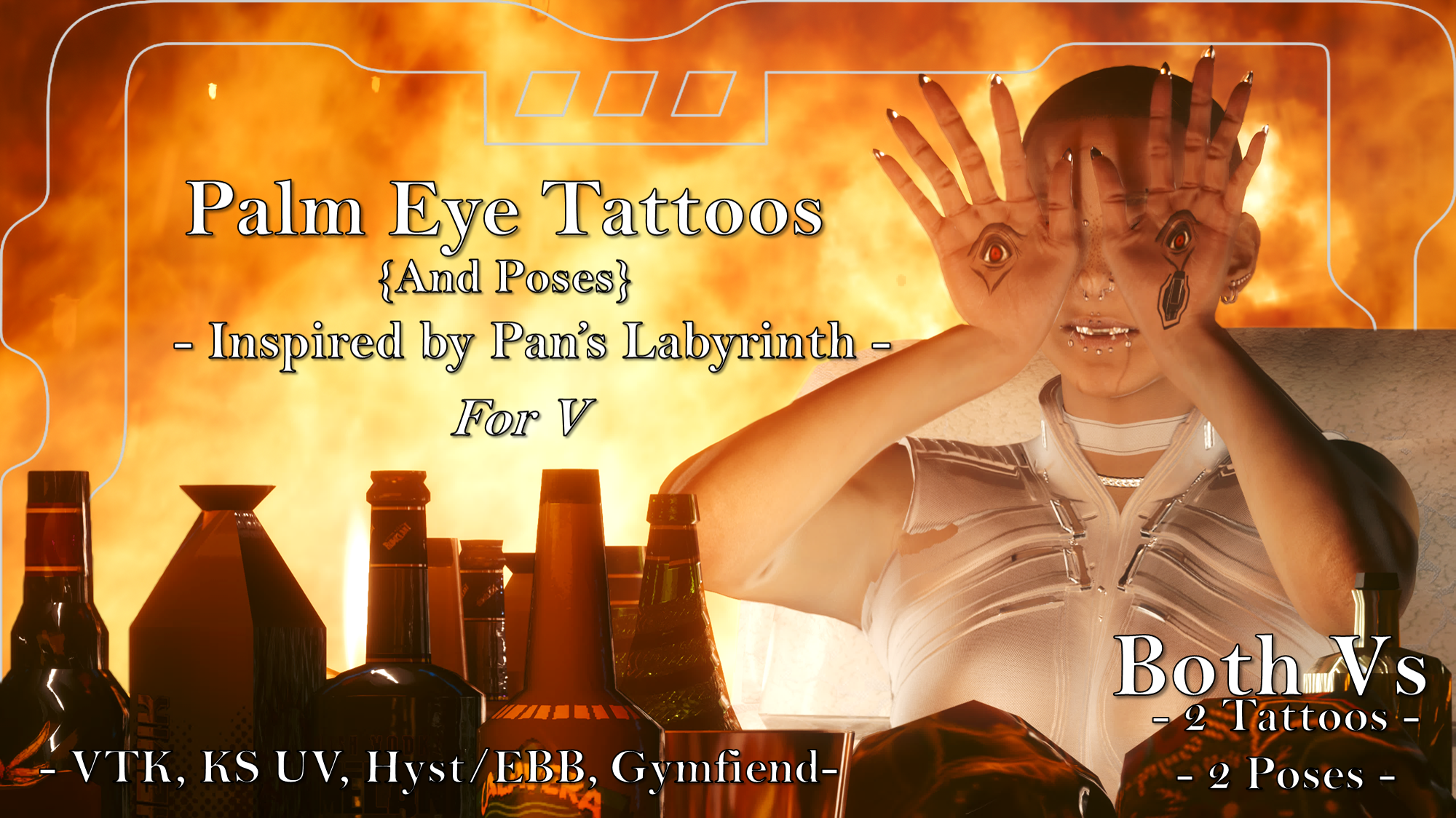
Palm Eye Tattoos (And Poses) - Inspired by Pan's Labyrinth - Halloween 2023 Day 1 (Patreon)
Downloads
Content
As part of my huge Halloween themed mod project for October 2023, I kicked things off with this; eye tattoos for the palm, with poses; both inspired by the Pale Man from Pan's Labyrinth. It's a fantasy horror by Guillermo del Toro, and I highly reccomend it if you haven't seen it already.
There are 2 versions of the tattoo:
- Real
- Glowing
And 2 versions of the pose:
- Sitting
- Standing
All of these are available for Both Vs, with the poses both replacing the vanilla pose 'Talk to the Hand' for Both vs. Only install 1 of each at a time, please.
(For UV versions, if they don't show up, try adding a ! to the start of the file name so it gets bumped up in the load order)
(VTK versions work with the VTK and Hyst Bodies)
As I am no longer uploading to Nexus, here are the installation instructions.
Installation (Tattoos for any Body):1) Install your chosen body; go to the pages linked and follow their install instructions.2) Download this mod.3) Unzip the Zip file to somewhere on your desktop/PC.4) Check the 'Read Me' note file.5) Place ONE of the Tattoo 'archive' files in your mod folder. On Steam, the folder path is as follows:archive/pc/mod6) Load up your game, and the tattoo should appear on your body!(For KS UV, if the tattoo doesn't show, try adding a ! to the file name, to bump it up to the top of your load order)Installation (Poses):1) Download this mod.2) Unzip the Zip file to somewhere on your desktop/PC.3) Check the 'Read Me' note file.4) Choose ONE of the Pose 'archive' files, and place it in your mod folder. On Steam, the folder path is as follows:archive/pc/mod5) Load up your game and open photomode.6) Choose the 'Talk to the Hand' pose option.7) The Pale Man pose you chose should appear instead of that vanilla pose!
Files