Home
Home

 Creators
 Search
 Recent
 Random
 Posts
Posts
 DMs
DMs
 Tags
Tags
 Random
 Importer
 Import
 FAQ
FAQ
 Account
 Register
 Login
Login
 Favorites
 Keys
Keys
 Logout
 Telegram

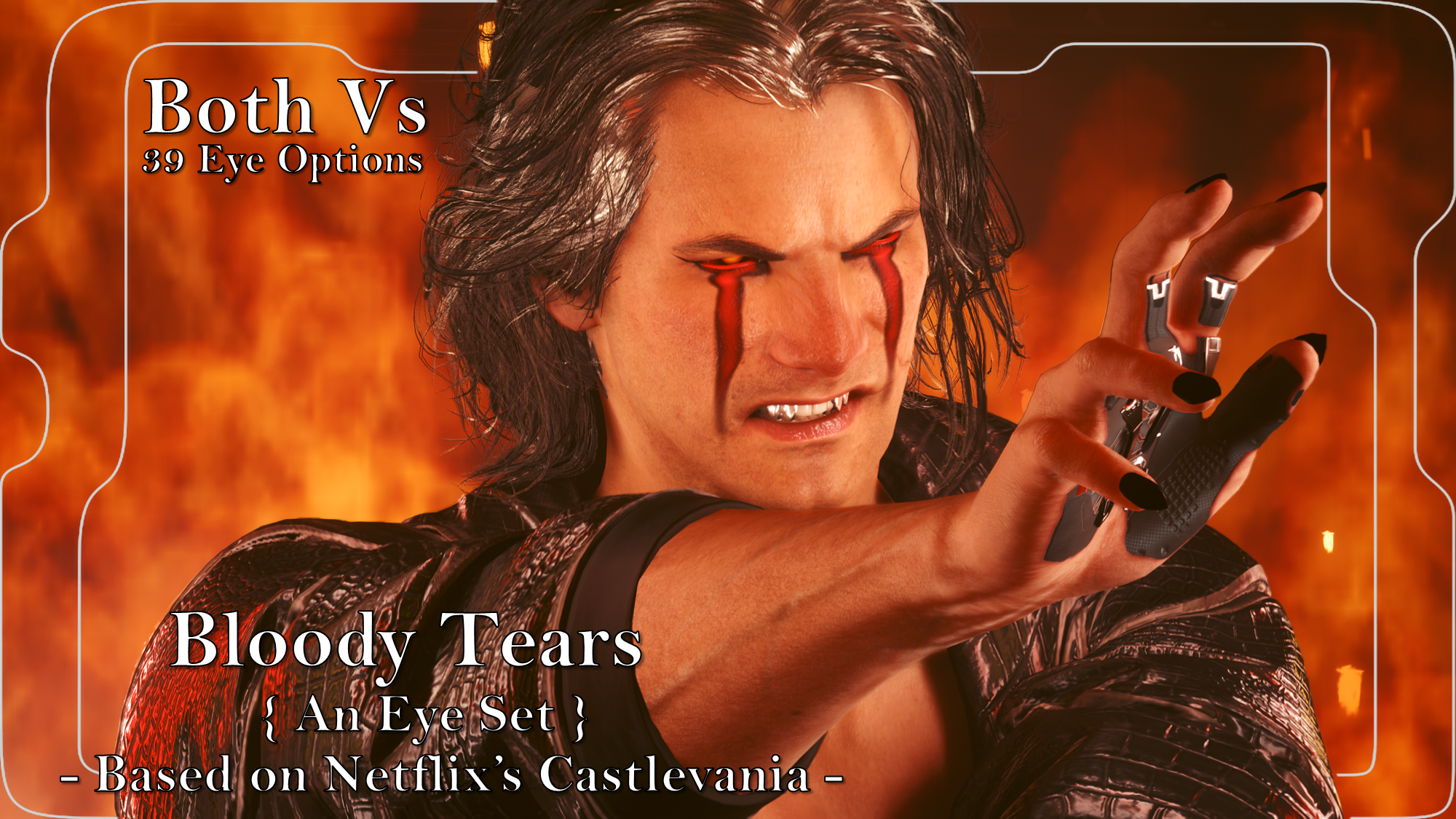
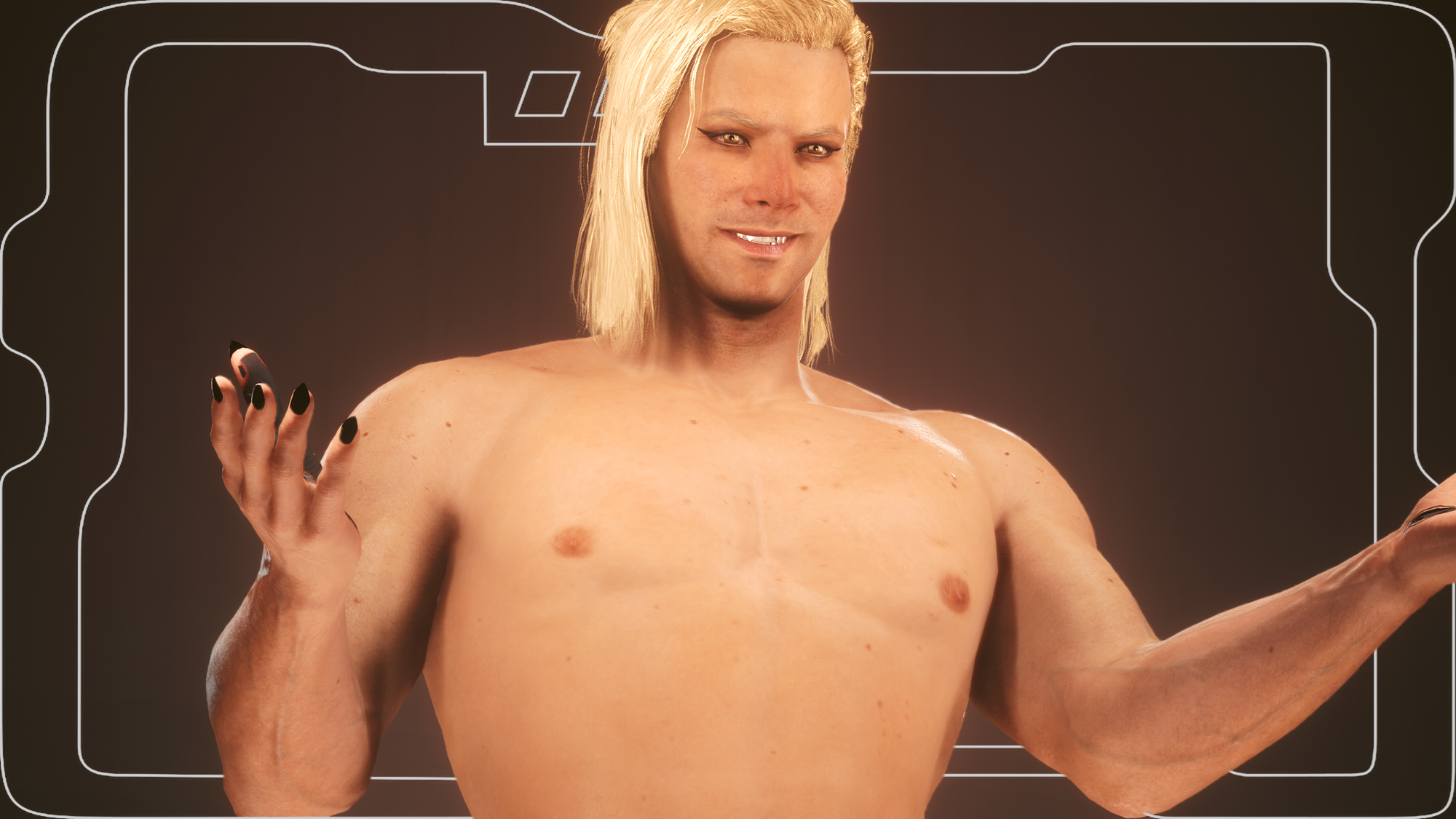
Bloody Tears - An Eye Set inspired by Netflix's Castlevania - Both Vs - Halloween Day 15 (Patreon)
Downloads
Content
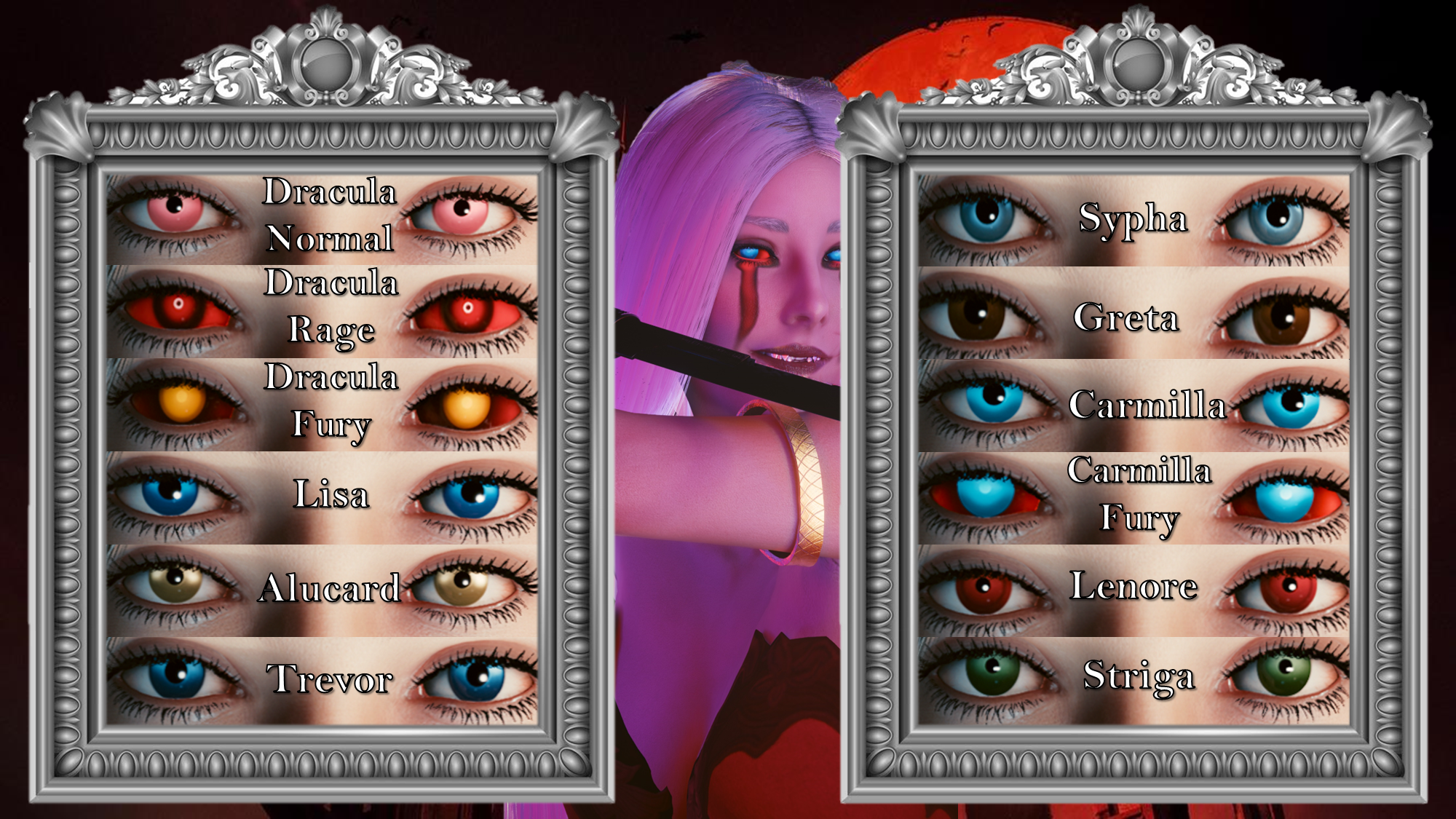
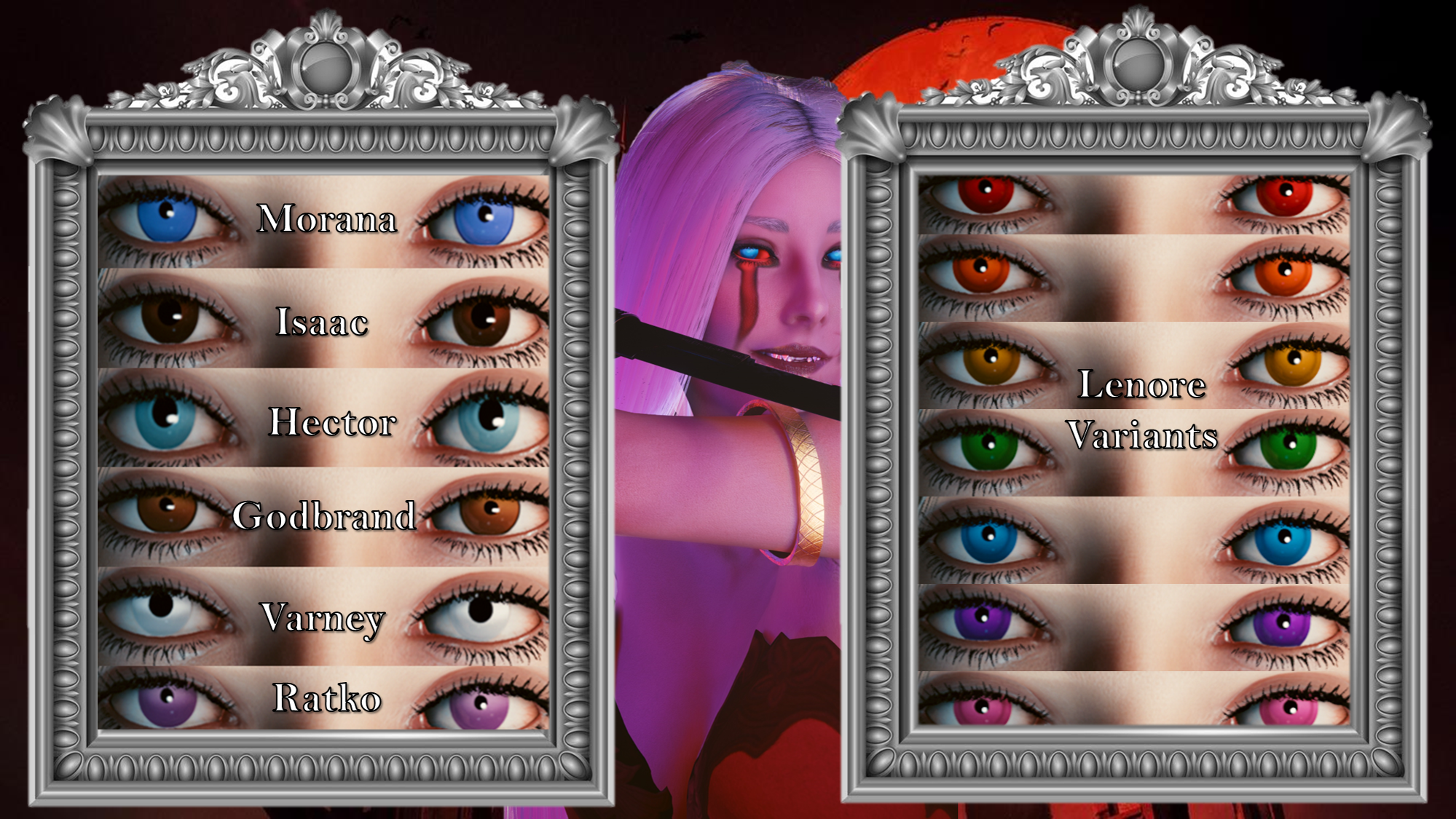
For the Fifteenth day of my huge Halloween modding project, I decided to do something Castlevania themed! Whilst I am yet to watch Nocturne, I am a massive fan of the OG Castlevania anime on Netflix. The characters and voice acting are incredible, the animation is second to none, and the story is compelling. It even has a satisfying ending at the conclusion of the final season.
This is an eye set based on many of the characters from the OG anime; and i also did a super quick overlay for the mod to give the Bloody Tears effect. (Shoutout to JSILVERHVND who made a custom system for me to allow Gymfiend head tattoos to be possible) If you haven't checked out the Castlevania anime, I highly reccomend it.
Important Note:
} You need the DEFAULT file from the Unique Eyes mod, NOT the gradient.
} If the eyes don't show up, just pop a ! at the start of the file name to bump it up in the load order; that usually resolves things.
VTK/HYST USERS NEED THE HD HEAD FROM THE VTK MOD PAGE FOR THE BLOODY TEARS OVERLAY TO WORK!!!
Please note I am no longer uploading to Nexus, so going forward I will be including Installation Instructions on my posts.
Nexus Link (Pre Patch 2.2 Users): Unique Eyes Core
Nexus Link (Patch 2.2+ Users): Unique Eyes 2.2
Nexus Link (UI Icons): ICONIC UI Framework
(Be aware that mod is broken in 2.2+ games)
Installation (Eyes for Pre 2.2 or 2.2+):1) Install the Unique Eyes Core mod OR the Unique Eyes 2.2 mod; go to the pages linked and follow their install instructions- ALWAYS DOWNLOAD THE DEFAULT VERSION, NOT THE GRADIENT!!!2) Download the Eyes zip file from this mod page.3) Unzip the file, and place it in your mod folder. On Steam, the folder path is as follows:steam - steamapps - common - Cyberpunk 2077 - archive - pc - mod(You will place the .archive file in that final mod folder)4) Load up the game, and the Eyes will appear for Both Vs to use!!!Installation (Icons):1) Install the ICONIC Framework by JSILVERHVND; go to the page linked and follow their installation instructions.2) Download the Icon zip file from this mod page.3) Unzip the file, and place it in your mod folder. On Steam, the folder path is as follows:steam - steamapps - common - Cyberpunk 2077 - archive - pc - mod(You will place the .archive file in that final mod folder)4) Load up the game, and the Icons will appear for Both Vs to use!!!
Installation (Tattoo for any Body):1) Install your chosen body; go to the pages linked and follow their install instructions.2) Download the right version of this mod.3) Unzip one of this mod's Zip files to somewhere on your desktop/PC.4) Check the 'Read Me' note file.5) Place one tattoo 'archive' file in your mod folder. On Steam, the folder path is as follows:archive/pc/mod6) Load up your game, and the tattoo should appear on your V!!!
Optional Stuff seen in the screenshots:
Fangs: Teeth and Metal Toofs by Anrui
!BloodyTearsV is the eye file.
Files