Home
Home

 Creators
 Search
 Recent
 Random
 Posts
Posts
 DMs
DMs
 Tags
Tags
 Random
 Importer
 Import
 FAQ
FAQ
 Account
 Register
 Login
Login
 Favorites
 Keys
Keys
 Logout
 Telegram

ANIMATE with SINE WAVES ❤ (Patreon)
Downloads
Content
Let’s talk about something fundamental: behind my compositions, you might feel the power of an ocean of sine waves ...
Let’s talk about something fundamental: behind my compositions, you might feel the power of an ocean of sine waves ...
Let me explain.sine waves drive almost everything. I use them to manipulate geometry, modifiers, transformations like scale, position, and rotation, and on textures and I utilize them in post-production for color effects and much more in After Effects and Resolume.The benefits of waveforms are that they create seamless animations, perfect for visual loops. They produce smooth animations that can be easily sped up later, and they are easier and faster to set up than keyframes.Many years ago diving into sine waves was a game-changer for me.Okay, to be honest, it’s not just sine waves. I also use saw waves for animations. Let’s say a box rotates in one direction or it follows a closed spline. For these loops, you will need a saw wave that goes from 0 to 360° or from 0 to 100%, and then starts again at 0. Sine waves will just oscillate up and down continuously. My animations are usually 200, 400, 800, 1600, or, rarely, 3200 frames long. If I create an 800-frame loop, I set up all my waveforms from 0 to 800 and then render exactly 800 frames, which means from 0 to 799. If you render to 800, you will have one duplicate frame in your animation. In Blender, you have to be mindful of this as well to avoid lags.All the lengths of your waveforms must be a factor of the total number of frames in your loop. For a 800 frame loop, I will use sine waves with a length of 800, 400, 200 or 100 frames.
PRO TIP: you can have waveforms that are longer than the amount of frames of your loop but then you will need an instance of your object and this waveform needs a 50% offset on the timeline or a phase at 0,5.
Attached you find screenshots, blender and after effects files that will illustrate this.
Blender
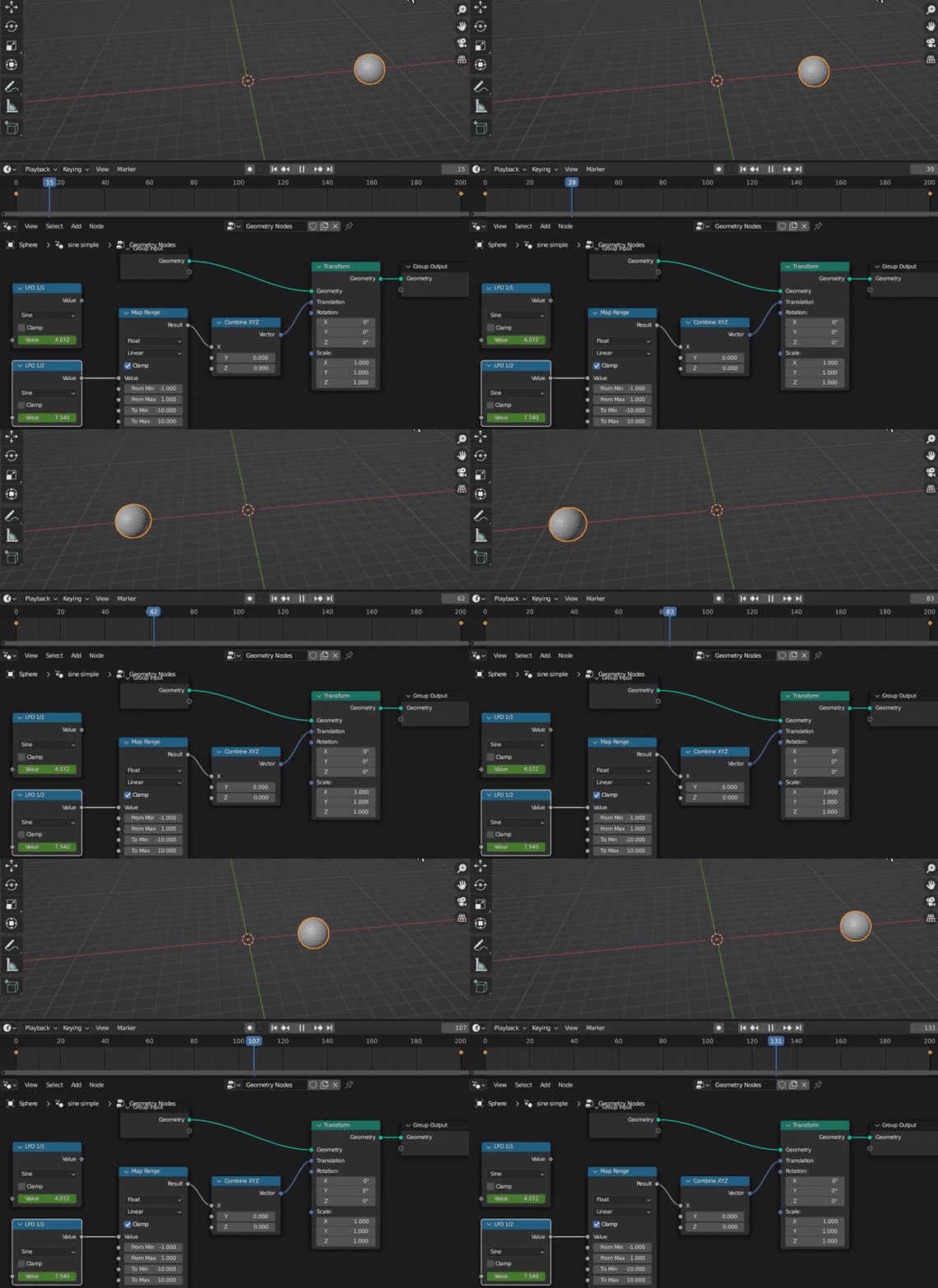
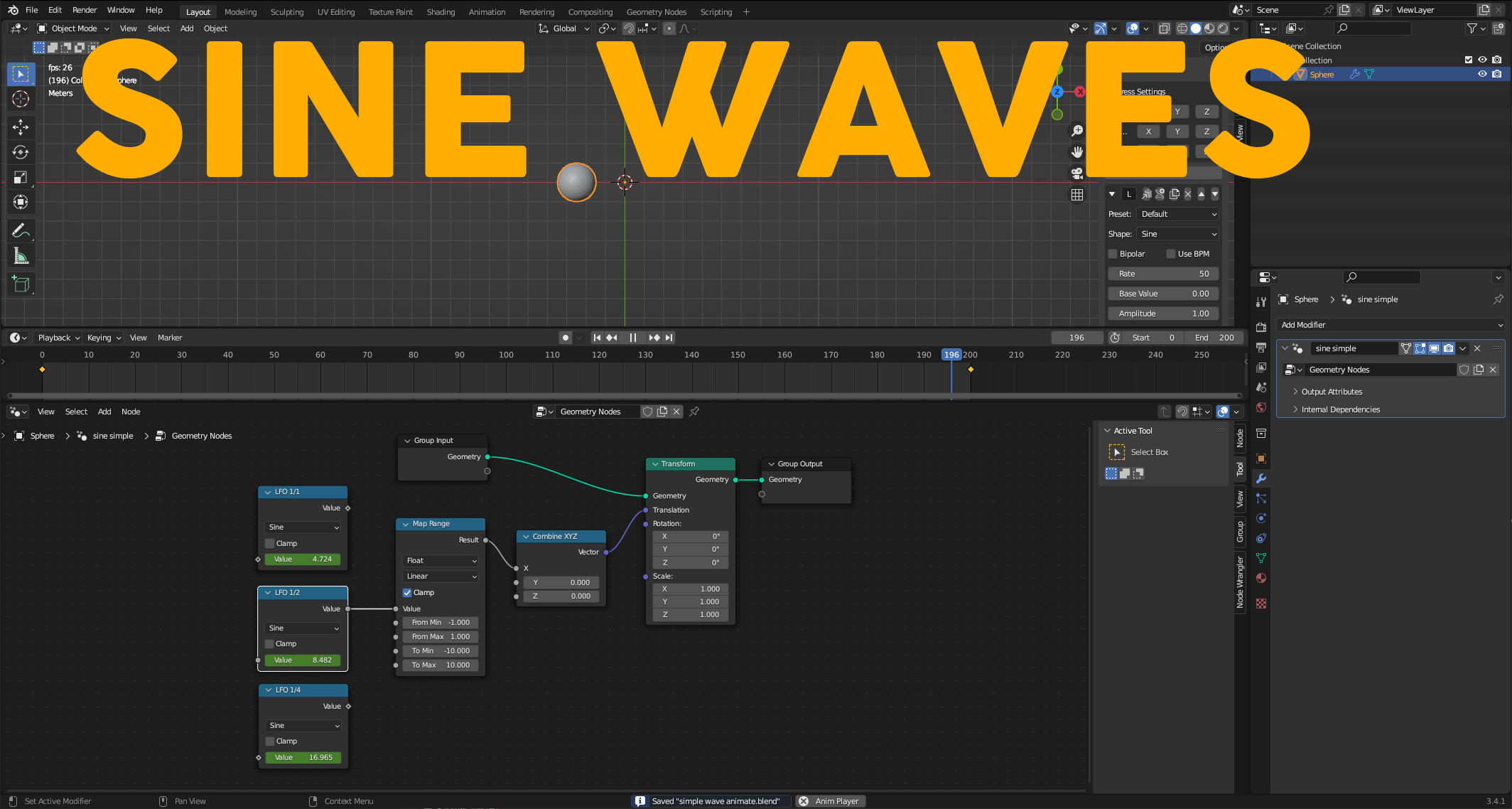
With geometry nodes use Math node to select a sine and then transform your parameters.to have a perfect cycle set 2 keyframes on the sine value. on the first frame add a keyframe value 0 and on the last frame add a keyframe value with the magic number “tau” or “6.28319” which will generate a perfect loop for you. attached you will find a blender file I made with 3 “LFOs” 1/1 , 1/2 , 1/4 which will produce 1, 2, 4 cycles.
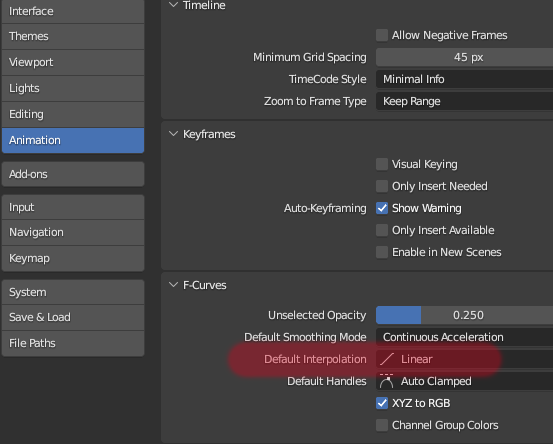
Important: you should setup your blender default animation interpolation to linear in preferences for perfect loops (see screenshot)
Alternative: I found this add-on blender which makes is super easy to work with wave forms it is called LFO-Express and I am testing it: https://blendermarket.com/products/lfo-expressalso check out this geometry node tutorial on youtube:https://www.youtube.com/watch?v=X1HGzVwB06o
Resolume
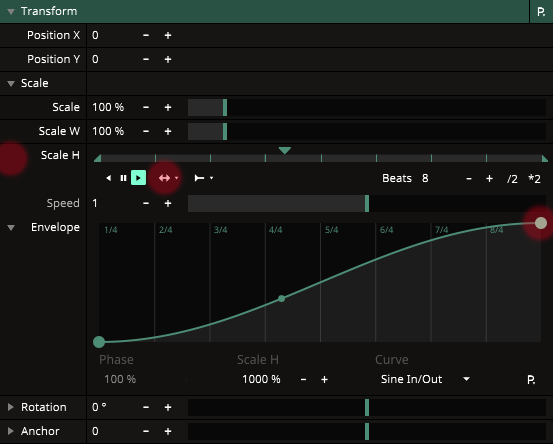
In Resolume you can animate almost everything with envelopes. set it to BPM, playback to bounce and envelope to Sine In/Out (see screenshot)
After Effects
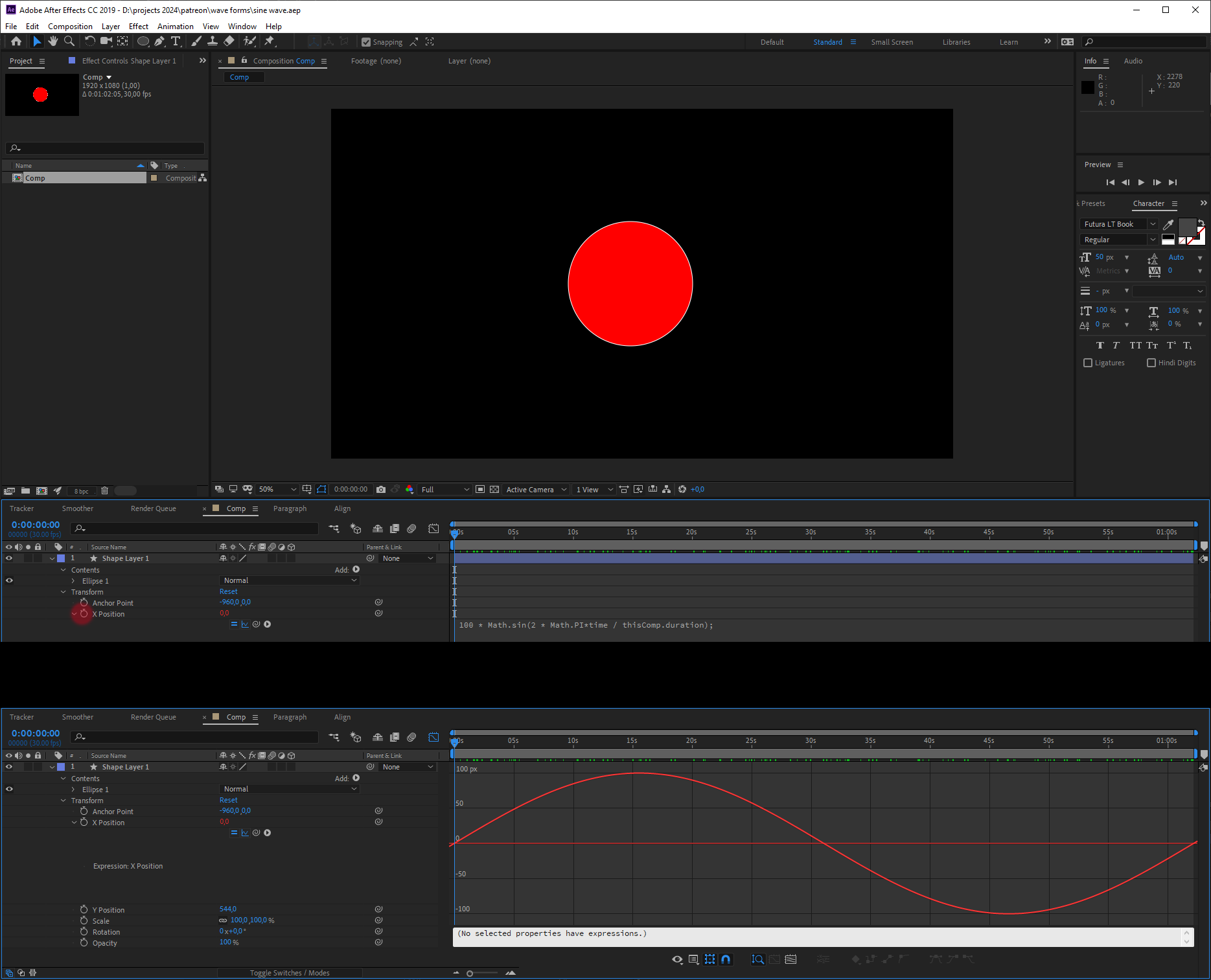
In AE you can use Regular Expressions on anything which is extremely powerful. hold ALT + left click on the keyframe clock symbol to enter a regular expression. I attached a simple .aep composition. this will create one loop: 100 is the value in pixels (here x position) that will change and thisComp.duration is … you guess it: the composition duration for the perfect loop. if you want it faster try multiply it: thisComp.duration * 4
100 * Math.sin(2 * Math.PI * time / thisComp.duration);
Regular expressions are deep and a topic on its own.
3dsMax
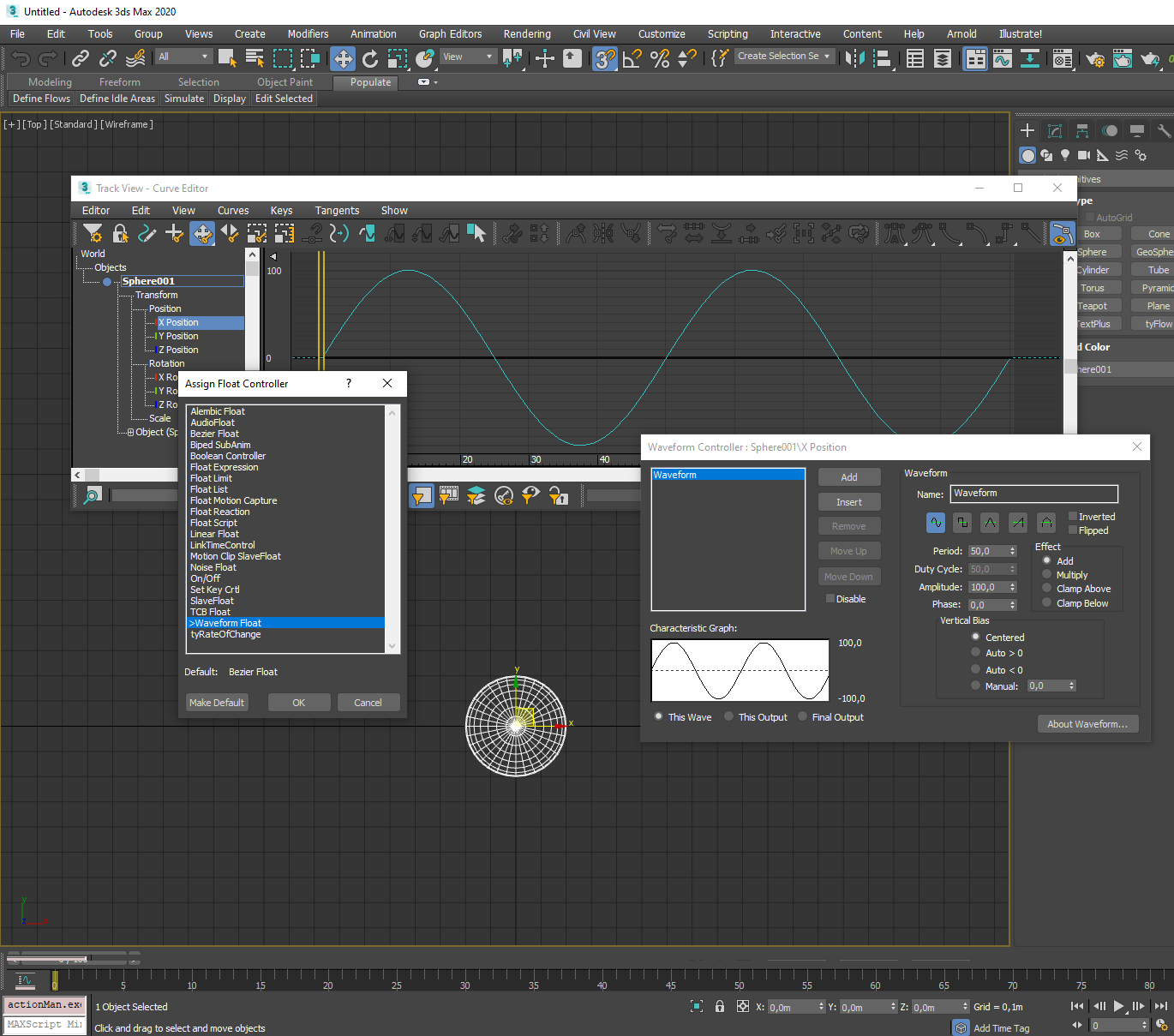
In max select an object goto Trackview select parameter, right click to Assign Controller > Waveform Float and you are done !
Files