Home
Home

 Creators
 Search
 Recent
 Random
 Posts
Posts
 DMs
DMs
 Tags
Tags
 Random
 Importer
 Import
 FAQ
FAQ
 Account
 Register
 Login
Login
 Favorites
 Keys
Keys
 Logout
 Telegram

tutorial pack 21 visual loop elements (Patreon)
Content
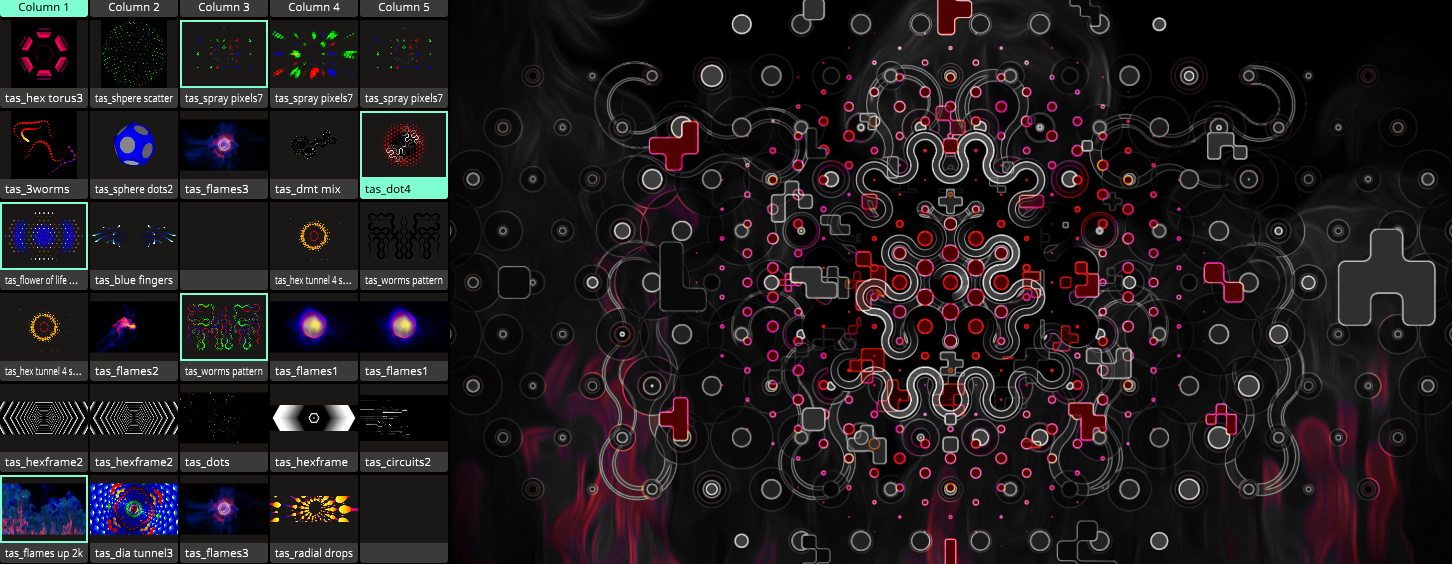
21 visual loops for you to play with ! I made a composition as well and there are several effects to explore.
21 visual loops (4.69GB) for you to play with ! I made a composition as well. There are several effects to explore. I’m using a transform on some clips to scale them smoothly with a sine wave. The "Sphere Dots2" and "Sphere Scatter" animations are rotating using a transform to slowly change their direction. This is a great trick to keep simple animations more engaging over time.
In the main composition, I’m using "Color Pass" and "Edge Detection" Before that, you’ll notice a "Mirror" effect, which removes the alpha channel so the edge detection looks cleaner.
This Zip was packed under C:\ If you copy this folder to a different location please use Resolume Media Manager to relocate files.
try to combine this with my previews loops ;) enjoy and thank you for your support. plese let me know if you have any questions.
I am using Resolume 7.22.3
download: https://drive.google.com/file/d/1nQDdeLbhoKGE-kJy23qzPViruhAe6fzB/view?usp=sharing
Files