Home
Home

 Creators
 Search
 Recent
 Random
 Posts
Posts
 DMs
DMs
 Tags
Tags
 Random
 Importer
 Import
 FAQ
FAQ
 Account
 Register
 Login
Login
 Favorites
 Keys
Keys
 Logout
 Telegram

Random Shift Register Sequencer (Patreon)
Content
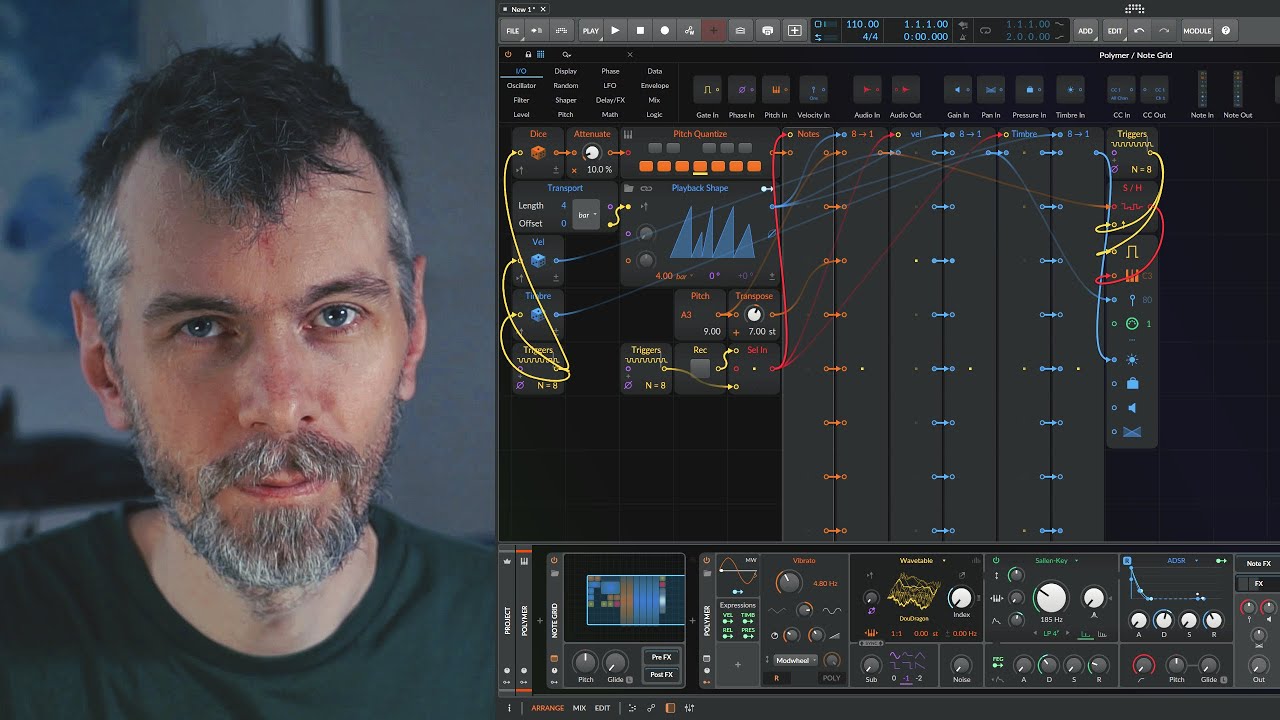
In this video, I walk through using Bitwig's Node Grid to create random notes for the Polymer synthesizer without using a MIDI keyboard. Instead, I use various modules within the Grid to generate, scale, and quantize these notes, ultimately producing a more musical and controlled sequence.
Key Points:
Polymer Synthesizer Setup:
Monophonic mode with voice-circuit off.
Remove the node input and generate random notes using the Dice module.
Generate eight equally spaced triggers within one bar using the Triggers module.
Scaling and Quantizing Notes:
Use an Attenuate module to scale down the range of notes to within one octave.
Quantize the notes to the C major scale using a Quantizer.
Creating Repetition:
Implement a Shift Register to store and recall the sequence of notes.
Use a Trigger module to shift and record values in the Shift Register.
Playback Control:
Use a Select module and a button to control recording.
Merge module to connect outputs to inputs for sequence playback.
Use a Counter module to step through the sequence, creating a stepped ramp signal.
Sequence Modification:
Implement playback direction changes with a Curve module.
Adjust playback length and add randomization to sequence repetition using a Dice module.
Ensure the root note is included for clear scale identification.
Extended Features:
Generate additional random values for velocity and pressure/timbre using separate Dice modules.
Record these values into the sequence and use them to modulate aspects like filter modulation.
This setup demonstrates a flexible way to create a recordable, random note generator within Bitwig's Grid, allowing for dynamic and controlled musical outputs.
Download Preset: https://bit.ly/4czvu8N
Video transcribed, summarized and Q&A on my Blog (no ads): https://bit.ly/3RFC05S