Home
Home

 Creators
 Search
 Recent
 Random
 Posts
Posts
 DMs
DMs
 Tags
Tags
 Random
 Importer
 Import
 FAQ
FAQ
 Account
 Register
 Login
Login
 Favorites
 Keys
Keys
 Logout
 Telegram

Note Grid Tips & Tricks (Patreon)
Content
In this tutorial, I explored creative techniques in Bitwig's Note Grid for generating melodies, chord progressions, and interesting harmonic structures. These tips focus on breaking out of repetitive patterns, creating unique musical ideas, and leveraging probabilities and transformations for inspiration.
Techniques Covered:
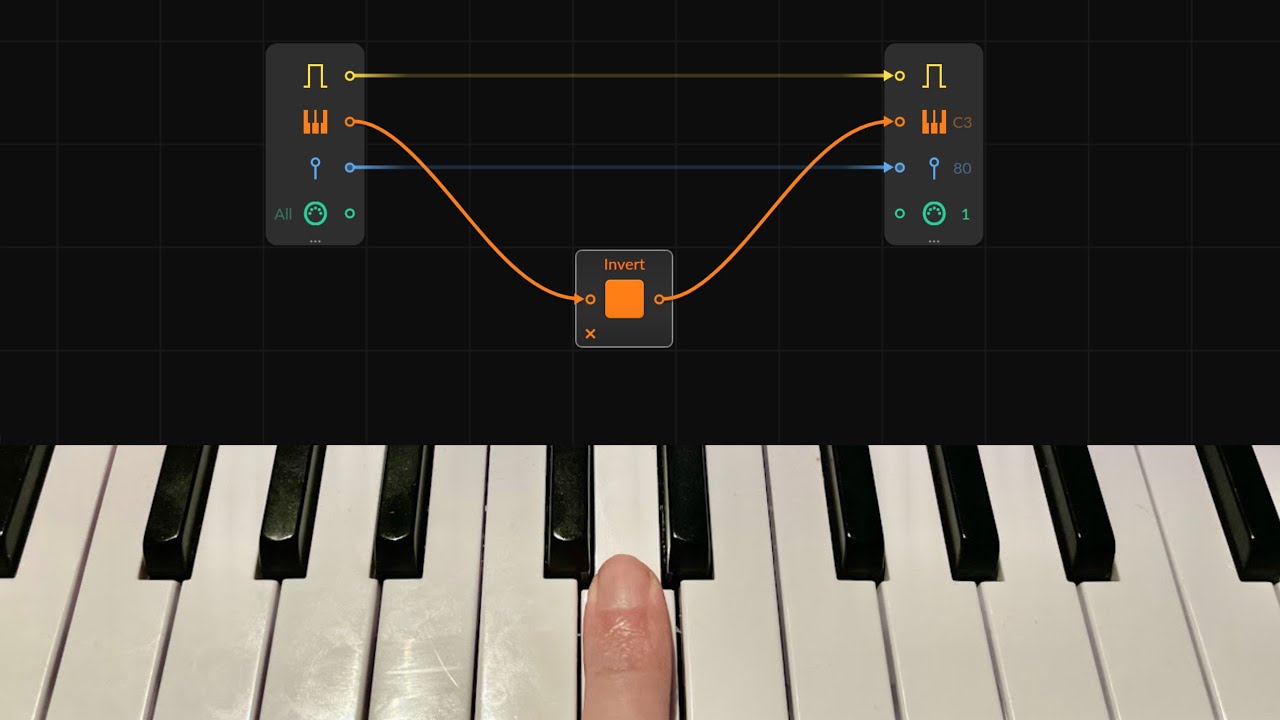
Keyboard Inversion:
Use the Invert Module to flip the pitch axis, creating a mirrored response on the keyboard.
Adjust the axis with Transpose modules to set the inversion center (e.g., move to D or D#).
Combines well with the original input for counter-melody creation or breaking muscle memory.
Harmonic Multiplication:
Multiply pitches using the Amplifier module (e.g., 700% for stacking fifths).
Add a Phase Wrapper to constrain notes within a specific octave range (e.g., wrap between C3 and C5).
Offset the range with a Transpose or Octaver module to shift the wrapping range.
Ratio-Based Note Creation:
Use Ratio modules to multiply or divide pitches (e.g., generating fifths, octaves).
Create evolving melodies with Step Modulators to control ratios dynamically.
Trigger gates whenever pitch changes using comparison logic (e.g., is not equal).
Probability-Based Note Selection:
Build a pitch selector using a Merge module with predefined pitches.
Use a Probability module to scan through pitches and choose notes based on set probabilities.
Combine this with random modulation for unique melodies within a scale.
Applications:
Generate random yet controlled melodies within a scale or chord structure.
Create counter-melodies or harmonic inversions on the fly.
Play single notes and produce rich harmonic or melodic sequences with layered instruments.
Use probability to add variation and unpredictability to compositions.
Why It’s Useful:
Encourages breaking free from creative ruts by offering fresh ideas.
Allows for live improvisation while keeping control over harmonic possibilities.
Simplifies complex concepts like negative harmony, fifths stacking, and probability-based sequencing into accessible workflows.
These techniques are great for inspiring new musical ideas and creating dynamic, expressive compositions in Bitwig Studio. Let me know if you’d like me to elaborate on any of the methods!