Home
Home

 Creators
 Search
 Recent
 Random
 Posts
Posts
 DMs
DMs
 Tags
Tags
 Random
 Importer
 Import
 FAQ
FAQ
 Account
 Register
 Login
Login
 Favorites
 Keys
Keys
 Logout
 Telegram

Mini by AudioMap (Patreon)
Content
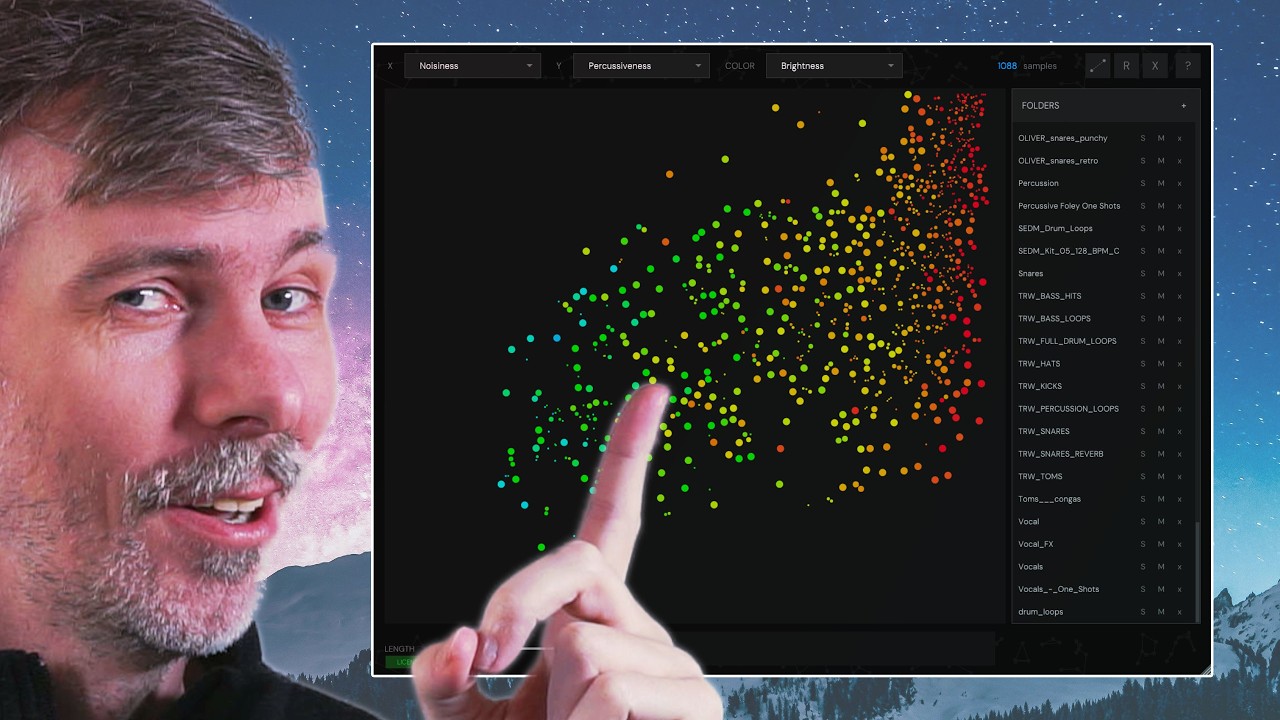
I recently picked up Mini by AudioMap, a sample browser that organizes your sounds on an XY grid, making it easy to explore and filter samples by attributes like brightness and noisiness.
You can instantly audition samples just by hovering, although I wish there was an option to toggle that off. The plugin lets you add entire folders, map samples to your keyboard, and record quick ideas with handy shortcuts.
While it's missing persistent folder saving and search features, it's affordable and promising, and I look forward to seeing more updates.
Mini by AudioMap is a sample browser and sample viewer plug-in.
Uses an XY coordinate system for visualizing samples, allowing custom assignment for X and Y axes such as percussiveness, brightness, noisiness, and more.
Color coding indicates parameters (e.g., blue for less bright, red for more bright).
Samples play automatically when you hover over them; currently, no option to disable this.
Allows filtering by sample length and browsing by directories, including recursively through subfolders.
Lacks persistence: removing the plugin from a session requires rescanning all folders.
Missing a search/filter text box, limiting quick sample searches by name.
No content-based search (e.g., identifying snares by sound, not just file name).
Features a flexible keyboard mapping tool for triggering samples quickly, which works well for drum machines.
Includes a recording function and supports mouse gesture-based interaction and basic automation.
Currently lacks built-in MIDI/note quantization for sample playback.
Not expensive (around $25) and recently released, with some expectations for future updates.
Compatibility with Linux is unknown.
Overall, a promising tool with requests for feature enhancements such as better playback controls, persistence, sample search, and quantization.
Website: https://audiomap.net/