Home
Home

 Creators
 Search
 Recent
 Random
 Posts
Posts
 DMs
DMs
 Tags
Tags
 Random
 Importer
 Import
 FAQ
FAQ
 Account
 Register
 Login
Login
 Favorites
 Keys
Keys
 Logout
 Telegram

Progress Report - March 32, 2026 (Patreon)
Content
Hello, everyone!
I apologize for not making this post on Tuesday, as has become the new norm for Progress Reports. I got a bit carried away with what the preview image is demonstrating, which I will discuss more at the end of this post.
I also apologize for giving this week's post an imaginary date. I fucking despise April 1st, and refuse to acknowledge its existence. And so, today is March 32nd.
With that in mind, let's discuss Overbreed, Love and Strange Episode 3, and my latest endeavors -- including a SFM-to-Blender experimental tool!
This will be a relatively short post. "Relative" being the key word.
===
So first up, Overbreed. The full cast has been formally locked in and committed, and is as such:
Milly Stern as Mercy
CinderDryad as Sombra
SultryLamp as Moira
SilkyMilk as D.Va
BordeauxBlack as Zarya
AspyVA as The One Dude Who Shows Up For A Minute In A Flashback Sequence
This will be my first time working with Cinder, and I am very excited to see what she comes up with. She actually suggested Sultry as Moira to me, entirely unprompted, while she looked over the WIP video to see what all was going on. It was a casting I never even considered at the time, but made perfect sense the moment she said it.
And then Aspy is a long-time regular on my Discord and a collaborator with brainstorming my various IPs, most notably Parawhores and Corsair. He's been getting into voice-acting over the past year or so, and has wanted to voice a role in one of my videos for a very long time. Considering the part is only a bit role, less than 2 minutes long, I figured it's a perfect opportunity for him to cut his teeth and figure out the mechanics of NSFW voicing.
With all of that in mind, everyone received their first section to record for over the past week. Silky, Bordeaux, and Aspy each only have one minor role each (4 minutes, 3 minutes, 2 minutes; respectively), and so they're just recording all of their audio in one go.
For everyone else, I am splitting their recording up into sections, with the idea being that, while they work on recording a section, I can work on implementing their previous section. Have them recording and me lip-syncing at the same time, make the most out of that time.
As of right now, I'm waiting for the first batches of audio to come in, and I am very excited to hear what everyone's got cooking.
While I wait, I am finishing up adding voice direction to the project. As of right now, I've gotten all three narrative sections, and the first two sex sequences fully updated with voice direction. I'm currently working through the 35-minute behemoth that is the third sex sequence.
I learned the hard way that I really do need voice directions. Even with the on-screen color-coded subtitles, voice talent are still not mind-readers, and are not able to perfectly infer my intent based off unfinished animation and dialogue. And so I am providing both the subtitled videos for timing and context, as well as the transcript for voice direction, to hopefully narrow the gap between my intentions and the voice talents' interpretations.
====
Next, Love and Degeneracy: Episode 3 is completely finished and rendered out in 4k on my end, and my sound designer is currently in the process of exporting out his final mix as I type this post up. Unless something goes catastrophically wrong, it will be going live - as scheduled - on April 3rd for early-access, the same time Episode 2 goes public.
This was the first episode that I put together with the characters immediately upgraded to the 5-layer Animation Layer system, and I really can't overstate just how much easier to makes detailing these videos.
Personally, I think these are some of the best-looking videos I have put out to date, in regards to the quality of the detail animations. The head and body swaying, the hand and feet shifting, and especially the head motions as characters speak. These videos are hands-down the closest I have ever gotten to reaching the ideal mental model in my head of how they should look.
And achieving it has been easier than it has ever been, due to the non-destructive nature of the animation layers. Need to move dialogue animation to fit the timing better? No more having to completely delete and redo it because it doesn't match the timing of the core animation anymore. Don't like how a detail motion came out? No more having to roll back to a save from before I applied the detail motion and reapplying it all.
The best part, though? I can just detail-animate a single shot, reverse and mirror the detail animation to make an elaborate 20-second loop of detail animation data, and then just apply it across the entire sequence, across shots. And it just works, because the detail animation is fully independent of all the animation below it.
Detailing an entire video now takes as long as it takes to detail a single shot. It's practically a constant-time operation. 1-minute 1-shot video, or 20-minute film, it doesn't matter. I can even use the same detail animation across different core animations, and It Just Works™, because it is entirely timing agnostic too, evenly spaced in quarter-second increments. The only time I need to build unique detail animations is when the intensity of the sequences changes - breakneck bed-shaking fucking needs more extreme motion to be noticeable than calmly sitting and talking. And even then, if I detail the most intense sequences first, I could technically use the same detail animation for the calmer sequences - I just have to reduce the intensity of the motion.
It's hard to overstate just how much the Animation Layer system has made working on L&D Episode 3 not only easier, not only faster, but resulted in what I think is a much better final product. It was absolutely worth the handful of weeks I spent putting together the system. As far as I am concerned, it justified its development time with just this one 3-minute video.
===
So those are the two animation projects I am currently working on. But of course, you all know me. I'm not satisfied with just two projects that could each fully consume another person's day. Oh no, no, no. I need more!
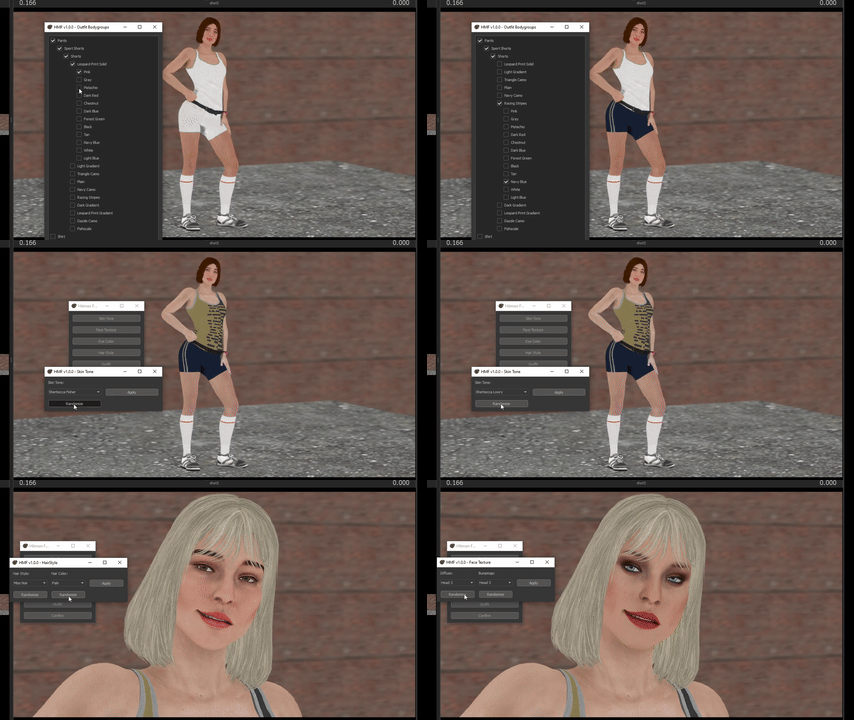
The first on those side projects is an update on the Casual Female models. Or more specifically, an update on their Customizer tool.
The single biggest update is that the model now updates in real-time as you select different options. This is such an obvious thing to have, and is magnitudes easier than trying to remember what the "On The Go" hairstyle actually looks like, and hoping you remembered right when you make all your changes and hit "Apply."
But in the Source Filmmaker, it is actually an incredibly difficult thing to pull off. There is a series of very precise and obscure (and of course, undocumented) things you have to do, specific to the Source Filmmaker, to get it to not only work at all, but to get it to not immediately crash to desktop.
I can't take credit for figuring out how to do this. That goes to Aftre, whose Color Wheel Script on the Workshop I directly studied to figure out how the hell they managed to pull it off, and then adapted into a generic library so that anyone can apply it to any of their tools they write.
I have been busy applying this new update to various tools I have written over the years, because it is just so damn useful. And I am constantly thinking of what other tools I could possibly apply it to. There is a whole category of tools I have had to dismiss out of hand, because they are just not viable with SFM not updating in realtime. But now that I can actually do that...
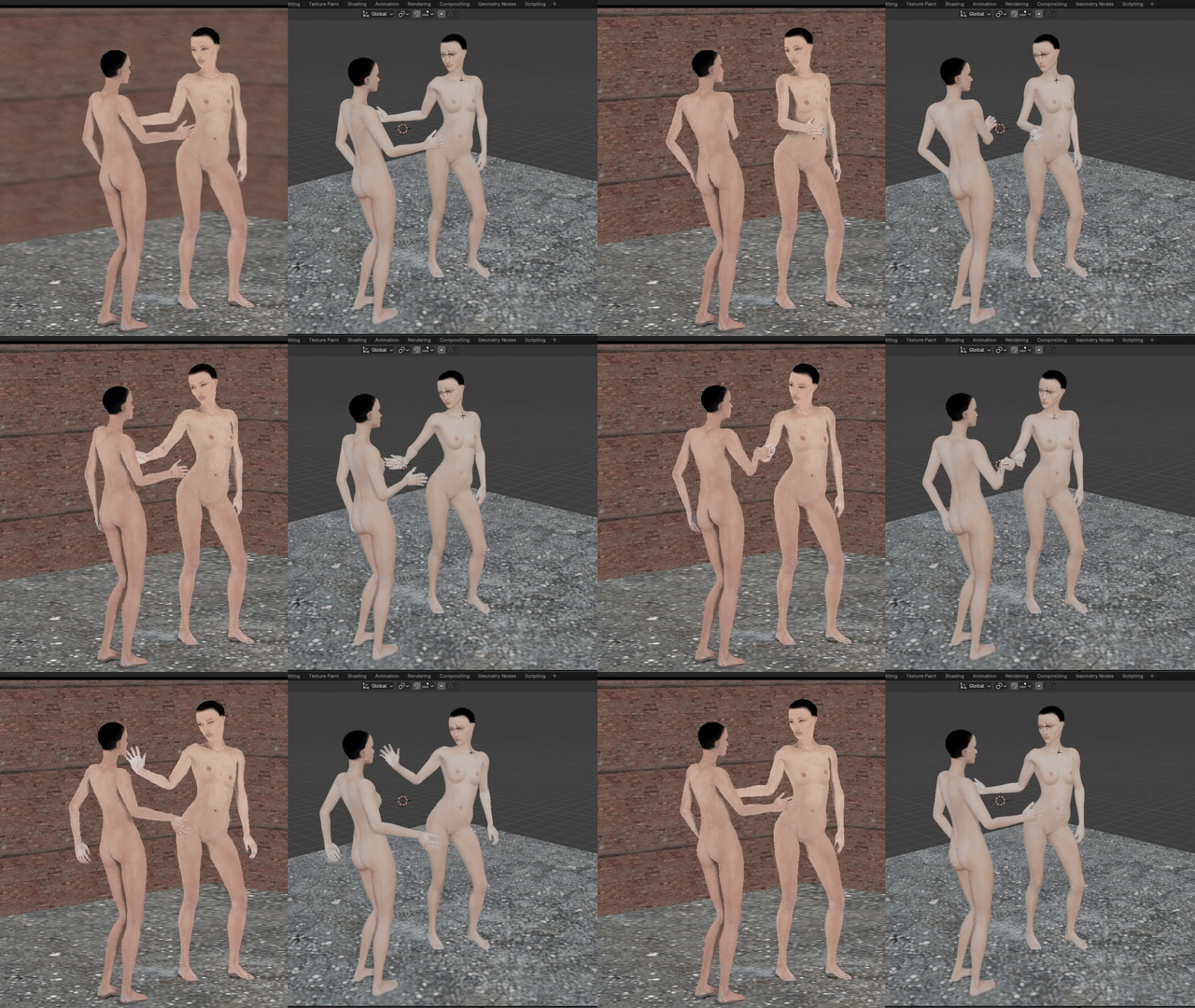
Of course, the Generic Females are just a livestream project, only being worked on during Sundays. What do I work on during the rest of the week, you may ask? The answer this week is a SFM-to-Blender Scene Importer.
All because I want a single functional mirror in a spontaneous poster I slapped together in 20 minutes late one night.
This is obviously still very early days, there is a lot more work to be done.
But, as of right now, it is capable of exporting a scene out of SFM, with full character animation, and import it into Blender.
I looked at Hoovy's importer plugin that was released to the workshop a few days ago, and while it is very impressive that he managed to put it all together, and even moreso that he shared it with the world, I personally found it not quite what I was looking for.
My main issue with Hoovy's implementation is that he tried very hard to stick to existing tools for everything. His toolchain invokes various official Valve tools that ship with SFM, and relies entirely on native zero-plugin features within SFM itself.
While that is respectable, and I am impressed he managed to get it to work at all, it results in there being a lot of manual steps that the user has to do in order to pull it off. Far more work than I was willing to put into getting a quickly-thrown-together poster into Blender so I can make a mirror surface properly reflective.
And so, I set out to write my own scene importer. It is predicated on a simple premise: two clicks. One click to export out of SFM, one click to import into Blender. Everything else Just Works™. No having to bake constraints first, no having to detach IK rigs first, no having to manually remove locks first, no having to export out each individual model's animations first, no having to export out an "animation corrector" first, no having to decompile each model and import its QC.
Just, Scripts -> Animation Exporter in SFM, and Text Editor -> SFM Importer in Blender. That's it.
If you're curious, by the way, here is the pose that started this whole adventure.
It's just a random idea I had occur to me one evening. And I wanted the mirror to reflect Victoria's open shirt, with her chest covered in body-writing.
But SFM doesn't support reflections. If you want to do reflections in SFM, you either have to put together multiple renders (artistically inferring the correct camera angles) and then composite it together in post-processing, or you have to set the mirror surface to be a low-quality render-target, position a second camera in the scene, and have the mirror draw that second camera on its surface.
The former is a lot of work to get to look right, and the latter just doesn't look right no matter what you do, just by the low-quality nature of render targets in Source.
And so, here we are.
Optimistically, I will have the tool ready enough to fully import this pose into Blender next week. I really want to see what it looks like with that mirror reflection. But with Overbreed audio coming in, I suspect I will have a lot less time to work on it than I have these past few days. So we'll see.
At any rate, that's all for now. Until next week, everyone!
Files