Home
Home

 Creators
 Search
 Recent
 Random
 Posts
Posts
 DMs
DMs
 Tags
Tags
 Random
 Importer
 Import
 FAQ
FAQ
 Account
 Register
 Login
Login
 Favorites
 Keys
Keys
 Logout
 Telegram

Alex G - My Name Is Pierson | Guitar Cover | Tabs | Playthrough (Patreon)
Published:
2026-06-21 19:47:14
Imported:
2026-06
Downloads
Content
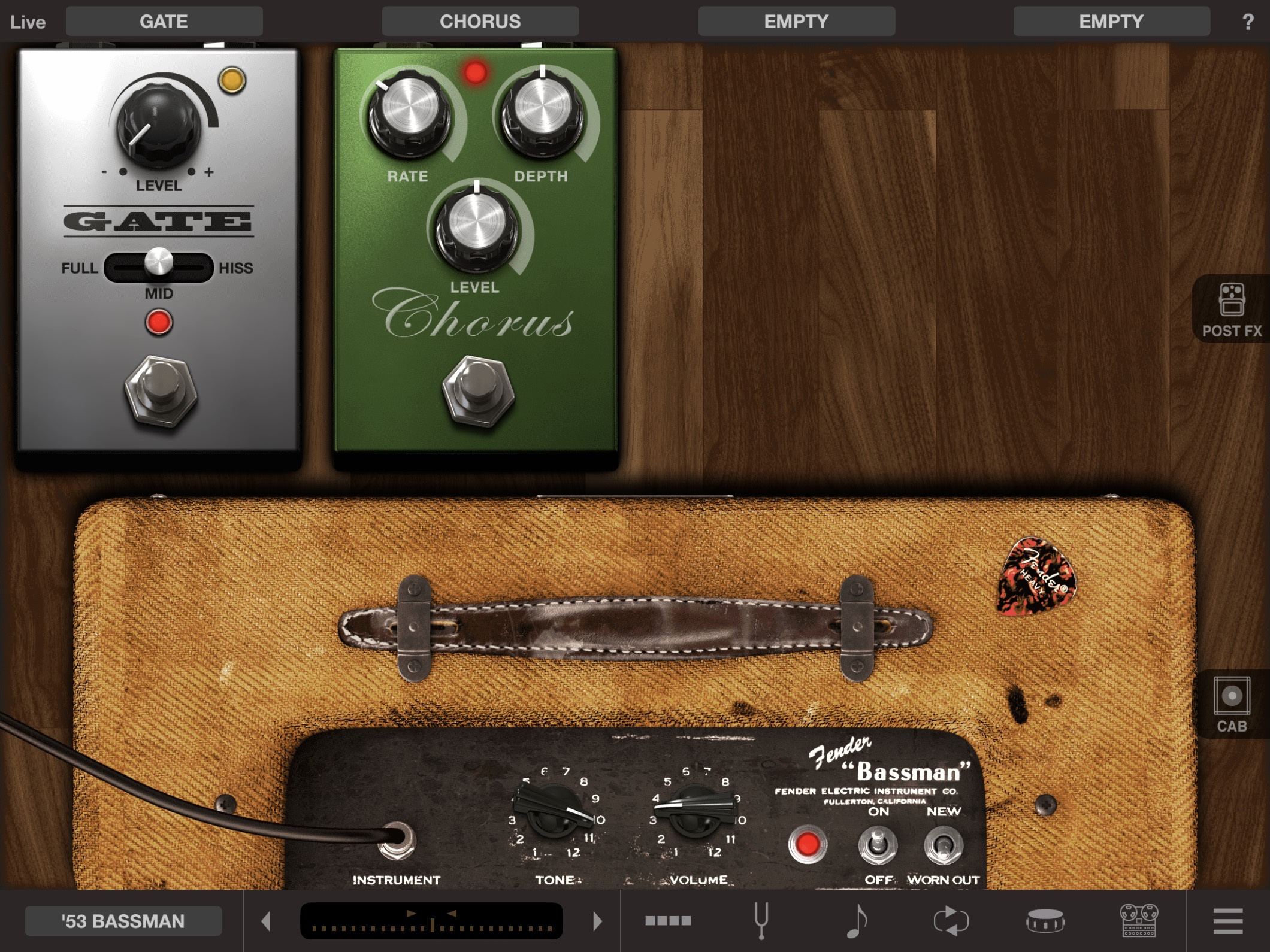
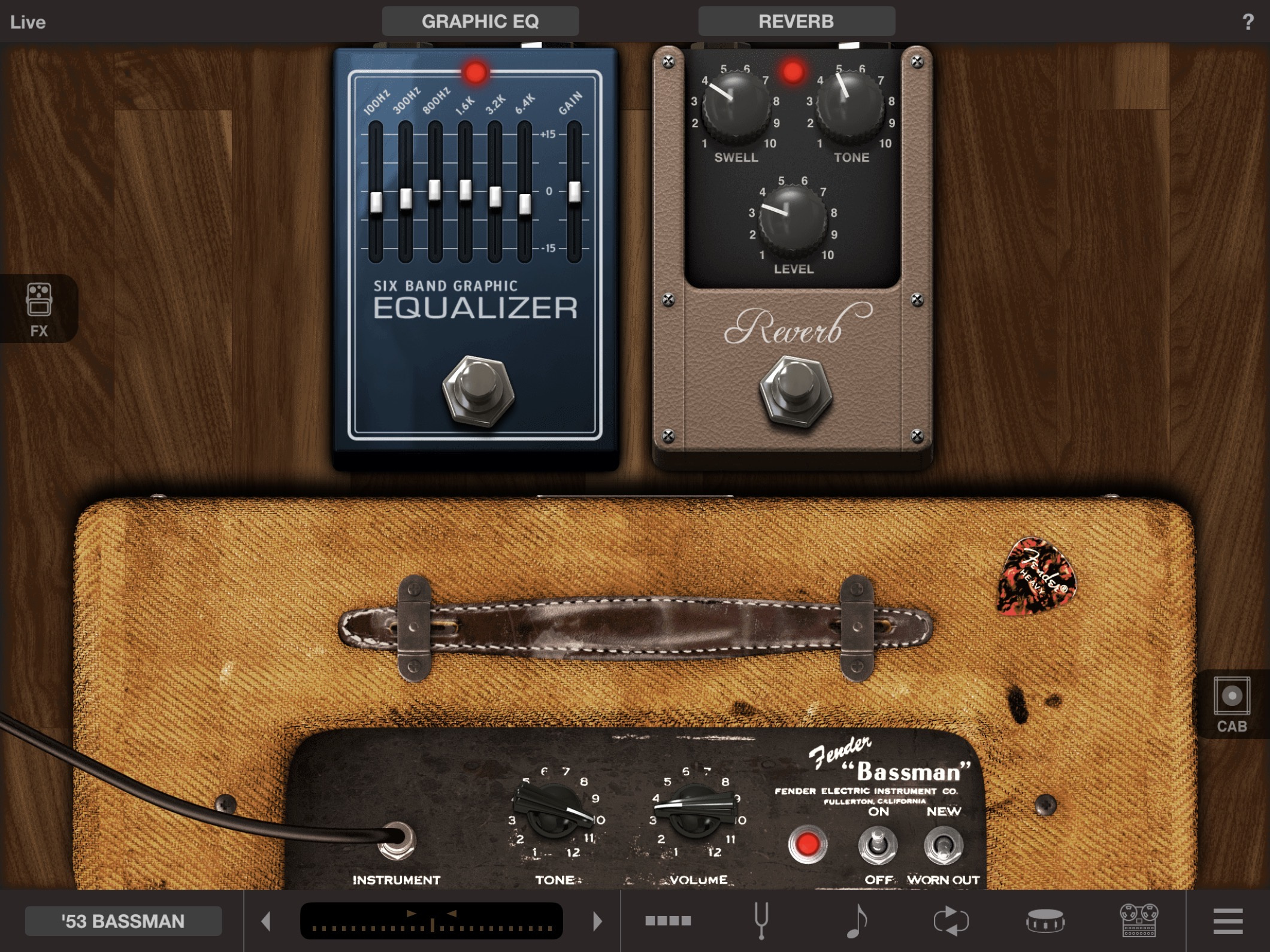
Hi, everyone. For this breakdown, I used my main electric guitar - a 2004 Fender Deluxe. As a guitar processor, I use Amplitube for iPad. I connect the guitar to the tablet using the iRig HD2 and record in the GarageBand app.
Next, I will share screenshots of the sound settings. One preset screen in Amplitube is divided into two parts, so there will be two screenshots:
Below, I have attached files for Guitar Pro 8 and, just in case, for Guitar Pro 5. The file for version 8 is synchronized with the original track for easier learning. The tabs include other guitar parts that are not shown in the video. Additionally, I have included a PDF file for those who don't have Guitar Pro installed.
Good luck with your learning!