Home
Home

 Creators
 Search
 Recent
 Random
 Posts
Posts
 DMs
DMs
 Tags
Tags
 Random
 Importer
 Import
 FAQ
FAQ
 Account
 Register
 Login
Login
 Favorites
 Keys
Keys
 Logout
 Telegram

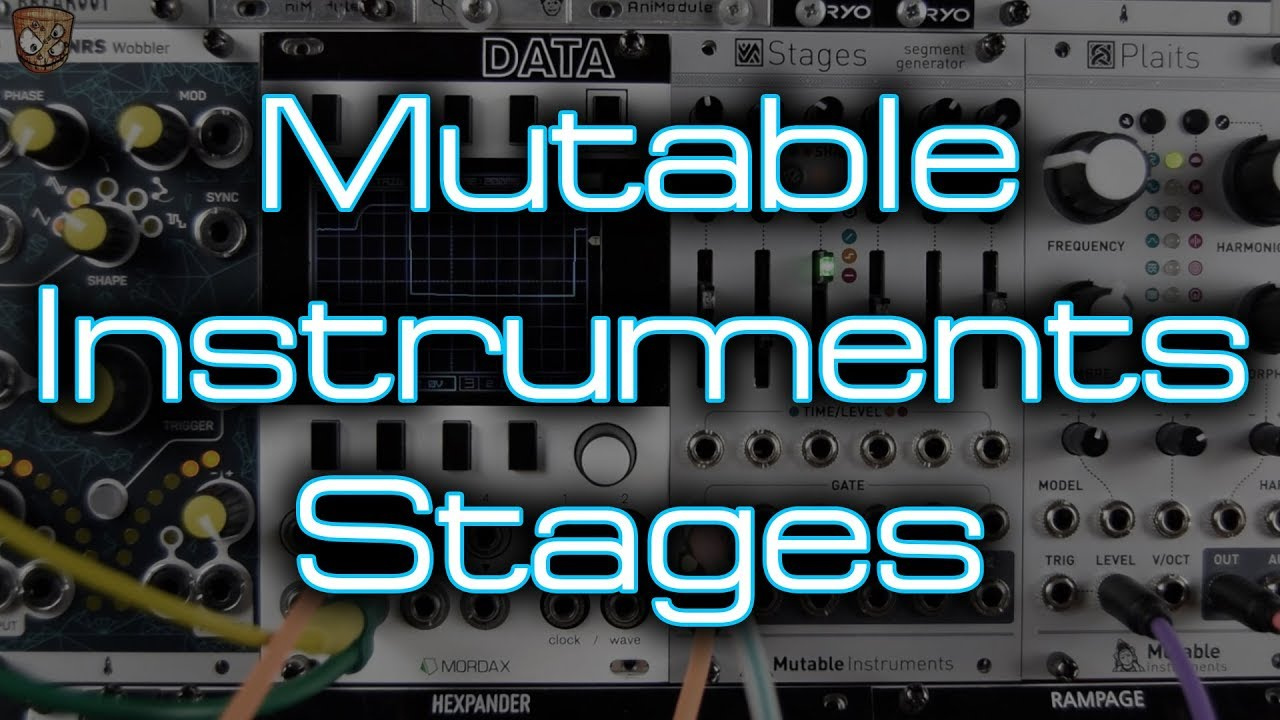
MI - Stages *In Depth Demo / Tutorial* (Patreon)
Content
I've hit the YouTube character to length so you guys get the better index/timings below. Although the timings won't link on here like they will on YouTube boooo! :)
It's been hard to keep this one under warps as it's SOOOOO good. Much like a Serge DUSG (Dual universal Slope Generator) that can a VCO, EG, LFO, slew, VCF etc it's all in the patching! Learn what the segments do and how they behave and there's a tonne of things to go through.
As always ask any questions, I'll reply to everyone even if it takes a little while and have a great weekend. I need to get hold of a second, or third! Stages now.
00:00:03 Hello!
00:00:17 Video Preview
What’s to come patch edits/previews.
00:01:49 What is Stages?
Feature rundown, manual snippets, walkthrough.
You can link multiple modules
Grouping segments
Patch ideas.
00:06:41 Two stage AD envelopes
Creating 1 to 3 AD envelopes
Feedback patching - modulating modulators
00:11:08 Four stage GATED ADSR envelopes
Creating the classic ADSR attack, decay, sustain, release.
CV over each stage, shape control over each stage.
00:13:14 Four stage TRIGGERED ADHR envelopes
Gate length not needed! Using hold with level and time controls instead of an incoming gate length to determine sustain.
00:14:37 Five stage AHDSR envelopes
Adding a hold stage between the attack and decay.
00:16:59 Five stage DADSR envelopes
Adding delay to the start of an ADSR for a 5 stage envelopes for a delayed start.
00:18:43 Six stage DAHDSR envelopes
Delayed, attack, hold, decay, sustain, release envelopes!
00:20:43 Six stage DAHDHR envelopes
Loosing the sustain for a hold on stage 5 gives us a 6 stage triggered envelope that doesn’t rely on incoming gate length.
00:21:41 Six stage DASDHR envelopes
This is getting silly! :D where have you ever seen a delayed attack sustain decay hold release envelope!
00:22:31 Five stage ADSRH envelopes
Adding a hold stage at the end of an ADSR to give us an end of cycle trigger and also a non-zero rest level.
00:24:33 Patching feedback to trigger extra sounds
This is the same patch as above but taking the end of cycle trigger to trigger another single segment for a decay envelope opening a VCA to let a new sound through at the end of the main sound controlled by the ADSRH envelope.
00:26:01 Six Single Segment Decay envelopes
Six channels of decay envelope all independent but then with feedback patching for interactive modulated modulation … love this!
00:28:28 Why you need multiple decay envelopes for percussion synthesis
Using 3 decay envelopes for amplitude, pitch FM and noise level control while creating basic synthesised percussion.
00:31:07 Single looping Segments (LFOs!)
Green ramp mode looping gives us LFOs that can be manually controlled, shapes crossfaded between and CV control over rate or clocked LFOs going from x4 to /4 of the incoming clock and they can still be CV modulated over the clocked and musical divisions or multiplications.
00:33:55 Chaining multiple looping segments
Looping ADs, Looping AHRs, function generator looping action! Each stage has it’s own shape control. This also covers using a hold stage with zero hold time to control output level with can be CV modulated like putting an envelope through a VCA and using another voltage to control it’s depth.
00:37:30 Looping Trapezoid Generators
Creating a looping Trapezoid generator as found on the EMS VCS3. Attack/rise into a hold, into a release or fall that then has a resting level. This will rise, hold, fall then hold. With control over the shapes peak (hold level) and it’s resting bottom voltage (the hold at the end).
00:39:57 Sample and Hold with the orange step mode
Using a single orange step mode to create a sample and hold. Using the gate input to “sample” CV input as the input for “what to sample” and the output gives us the stepped sampled version of our CV input. You also get a glide control on the pot at the top. Ace! Here we go through sampling LFOs and envelope shapes as well as noise for totally random stepped output.
00:43:36 Step sequencing
Linking multiple orange segments will step through linked segments and the sliders will set the CV output for each step. We also get glide on the mini pots up top. This then gets attenuated and put into a quantizer as well as having a step influenced by external CV. This can be 2 to 6 stages long.
00:47:50 Sequential Switches (for CV/modulation)
This builds on the patch above by using the CV inputs to add varying CV to each stage we can then step through the orange step mode on several segments to create a sequential switch. When no input is used on a channel that will act like a sequencer step with the slider setting the offset. You can still glide between stages here too.
00:51:06 Sequential Switch (for audio)
Audio is degraded and crunchy through switches (which can be a nice sound of it’s own) but we can also sequential switch through audio sources by patching audio into the CV inputs on each segment rather than the CV (as we did in the example above).
00:53:02 Gated VCA
With the red mode looping (hold to make it flash) we can input CV or audio into the CV input and use a gate (at the gate input) to turn that signal on and off. Again with audio we get a degraded crunchy sound.
00:53:56 Gated VCA with rising “sidechain”
This is the patch above with a gated VCA style function on one segment. But linking that to a green ‘ramp’ section before it we can gate the group to create a swell or rise into the CV or audio input. Here I use that like a side chain signal to “pump” against a kick drum.
00:55:33 Gate to trigger or trigger to gate - get length adjuster!
A single red segment (non looping) will take a gate input and the mini pot up top will adjust the output time regardless of incoming gate length. So patch any gate or trigger into the gate and use the mini pot to adjust it from a tight short trigger to a long held gate. Extremely useful!
00:58:00 CV Delay / Gate Delay
A single segment red mode while looping (hold the button to flash) will act as a CV / Gate delay over what you play live on the slider or over what comes into the CV input on that segment. Here I use a gate into the CV input and set the delay time with the mini pot.
00:59:44 Breakpoint envelopes - multiple rising of falling stages
Here I make a five stage and a six stage multi-breakpoint envelope. The first example is an attack, decay 1, decay 2, sustain, release envelope over 5 stages. Then I move onto a six stage attack, decay 1, decay 2, sustain, release 1, release 2 envelope. As complex as that seems Stages is a simple interface all controlled by the users patching and a single button per segment. I love it!