Home
Home

 Creators
 Search
 Recent
 Random
 Posts
Posts
 DMs
DMs
 Tags
Tags
 Random
 Importer
 Import
 FAQ
FAQ
 Account
 Register
 Login
Login
 Favorites
 Keys
Keys
 Logout
 Telegram

Thumbnails | Episode 1 & 2 (Patreon)
Content
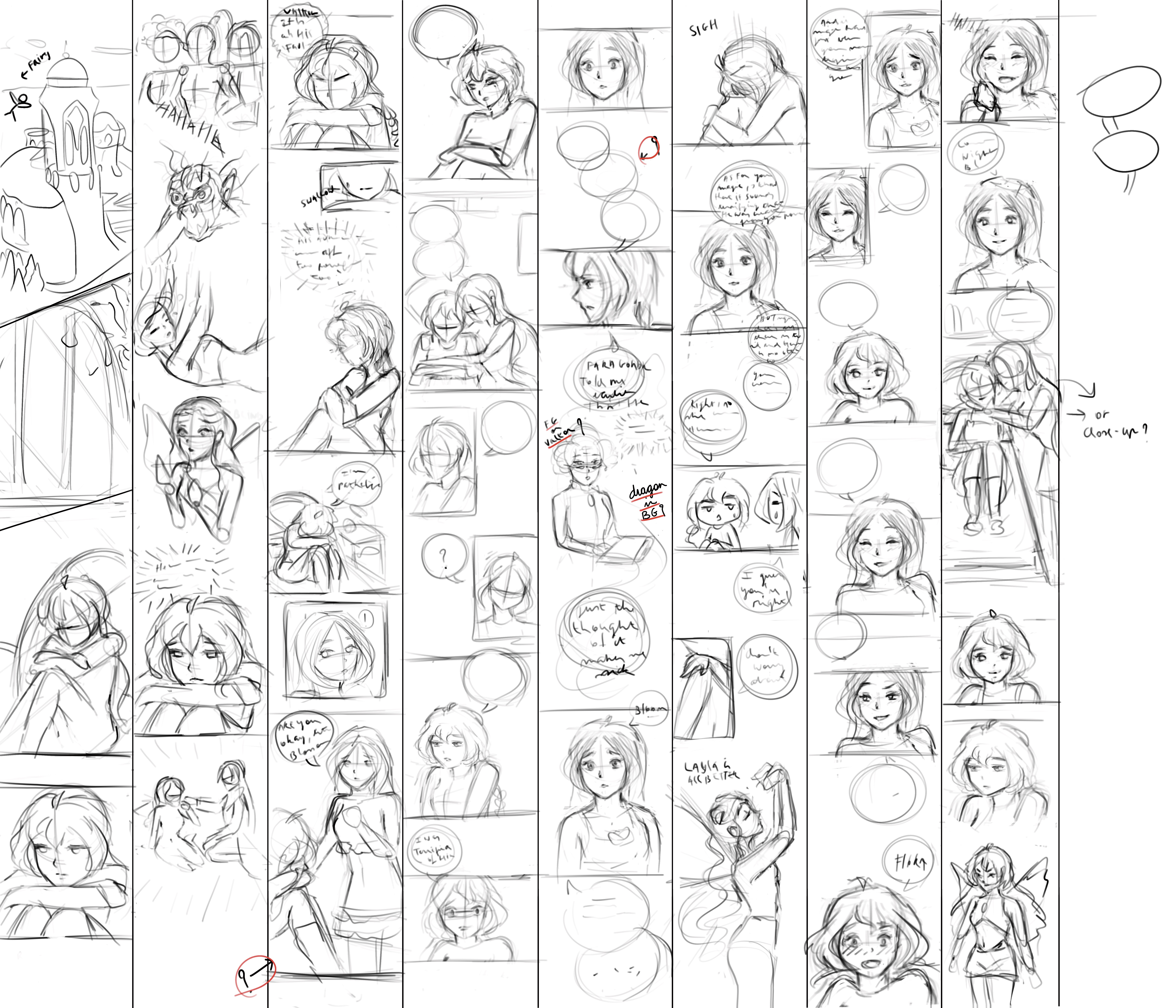
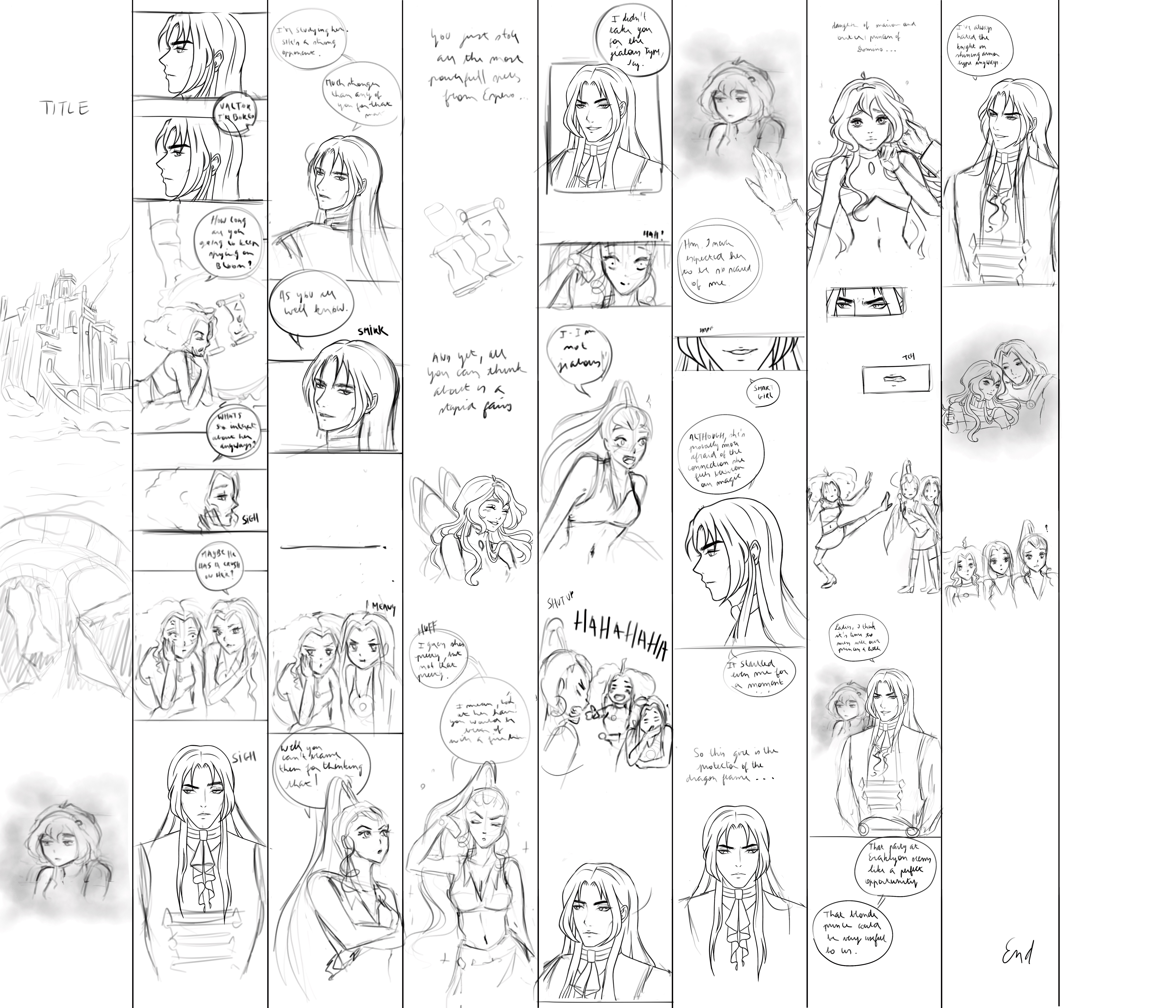
If you were ever wondering how I start a webtoon episode, this is how! Before I switched over to Clip Studio Paint, I simply used Procreate. Way more affordable and a great program for beginners. Sadly Procreate doesn't have a comic/webtoon option like CSP, so all your pages are completely separate files which makes it difficult to see the flow of your story.
When drawing thumbnails it's important that you can see an overview of your entire episode so you can proofread quickly and see if any panels need to be changed. As you can see in Episode 1, my initial plan used to be to draw Faragonda instead of Valtor with the dragon behind him. After thumbnailing I noticed it didn't work and could change it without having spent too much time on it.
If you're wondering how I turn these strips into actual pages, I recommend watching this video! https://www.youtube.com/watch?v=yZ0FlJMAldQ
I also watched this when I first started and it helped me so so much! I truly didn't know where to begin when I first decided to make this webtoon, and this video gave me a starting point. It's not how I do it anymore because, for my own sanity, I had to switch to CSP haha. If you're taking comic creation seriously I do recommend switching at one point to make things easier for you, but if you want to stick with Procreate you absolutely can!
Next post I'll show you the progress from a thumbnail to a finished panel!
Let me know what else you'd like to see 🤍
Files