Home
Home

 Creators
 Search
 Recent
 Random
 Posts
Posts
 DMs
DMs
 Tags
Tags
 Random
 Importer
 Import
 FAQ
FAQ
 Account
 Register
 Login
Login
 Favorites
 Keys
Keys
 Logout
 Telegram

Foundry SRD Token Module (Patreon)
Content
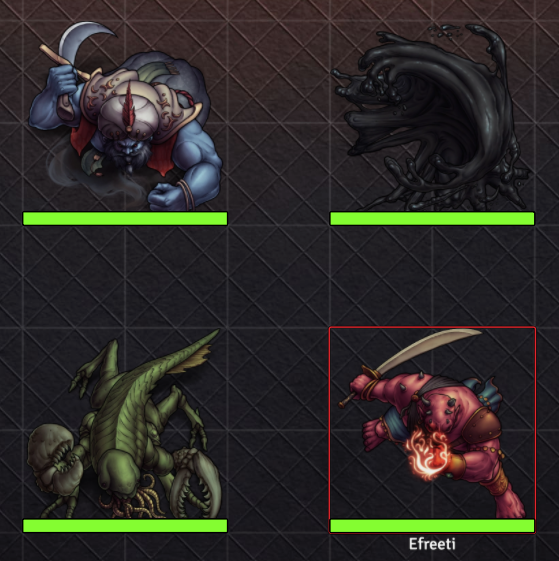
UPDATE 11/10: The SRD token module has been updated to include the newest SRD tokens! This includes 34 new monsters like those seen below, but does not include anything released after September '22. This may also solve some scattered issues with thumbnail generation (that I haven't been able to replicate).
UPDATE 10/18: The SRD token module found here has now been updated to play nicely with V10.
In the midst of our other foundry preparation happening behind the scenes, I've also been working with our friend Grape Juice who has put forward a good deal of effort into converting every available SRD token I've created into a pre-fabricated module for Foundry!
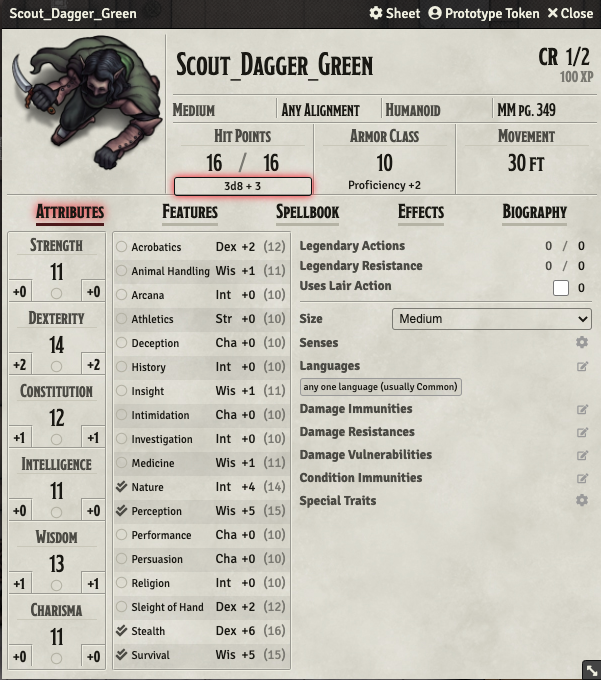
While the images for every token were already available previously through Moulinette's searchable database, this module allows for installation of the tokens without relying on Moulinette and what's more--automatically connects them with their official 5E SRD statblock. This means you can just drag and drop a token from the compendium the module generates directly into your game and it brings its statblock right alongside it for immediate plug-and-play.
SRD Token Module URL
Directions for Installation:
1. As with any other adventure module we've released previously, you'll want to copy+paste the above URL into the bottom of the "Add-On Modules" tab in the Foundry Setup page.
2. After doing so, it will become visible in the list of modules you may activate under the "manage modules" tab from the in-game screen.
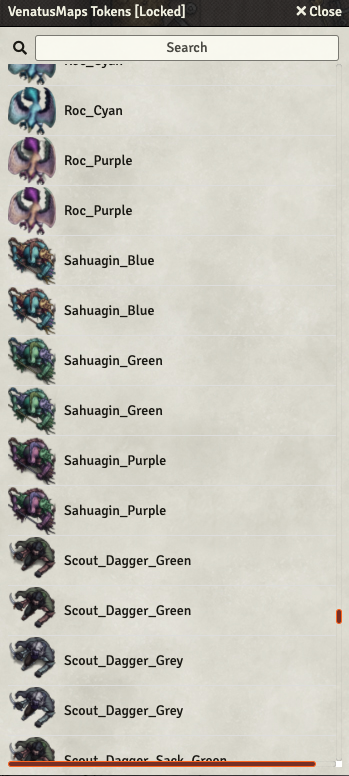
3. Activating the module will make it install as a compendium labeled as "Venatus Maps Tokens" found under the compendium section, just to the left of the modules tab in game.
4. Opening the compendium will prompt a window like the one below to pop up, allowing you to scroll through all of the available SRD tokens:
5. Clicking once on a listed token will prompt its stat page to pop up, like the image featured at the top of this post. Dragging+dropping a token into a scene (or clicking import) will bring the token into your game and list it in the very top folder in your "actors" tab.
You can expect this module to be updated every couple of months or so as I gradually create new SRD tokens to be added to the library. It's my hope that this is a helpful, time-saving resource for those of you playing in Foundry with our top-down tokens.
Enjoy!
Files