Home
Home

 Creators
 Search
 Recent
 Random
 Posts
Posts
 DMs
DMs
 Tags
Tags
 Random
 Importer
 Import
 FAQ
FAQ
 Account
 Register
 Login
Login
 Favorites
 Keys
Keys
 Logout
 Telegram

September features for game masters (Patreon)
Content
Several new features were developed and released in September, specially for game masters.
Manage your favorites (general availability)
This feature has been requested for a very long time and I am very happy to announce that Moulinette now allows you to manage your favorites.
Recently added assets are listed in history, such you can quickly add them on a scene without having to search them again
Right click on a tile to put it into the current favorites' group
Right click again to remove it
Manage your own groups of favorites (ex : interior favorites, furniture favorites, etc.)
Specify a tile size (DPI) to be automatically applied to favorites in that group
Specify macros to be executed (on drop) for that group
See Moulinette Favorites in action (videos).
These capabilities (offered in early access to 5$+ supporters) are now available for everyone.
Browse creators' assets available on Moulinette Cloud
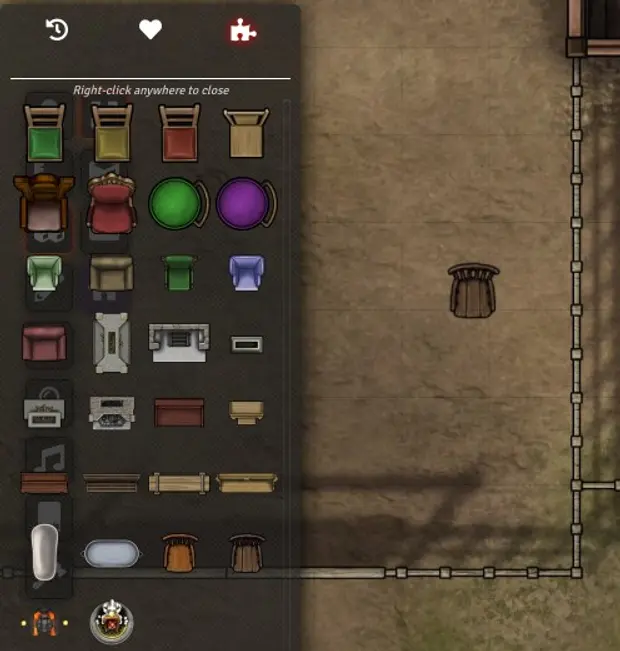
In the latest update, moulinette now offers the possibility of discovering creator assets available on Moulinette Cloud (even if you're not supporting their creators). If you are looking for a throne, for example, you can browse through all the corresponding assets on Moulinette Cloud, identify the creator offering them and subscribe easily.
(See example in above screenshot)
Moulinette Cloud (private storage) - Support for scenes
As announced in August, Moulinette Cloud is now also available to anyone looking for hosting his assets. This is an alternative to private hosting or AWS S3 hosting. Uploaded assets will be kept private for yourself only. You'll benefit from the post-processing features (ex: conversion to WEBP) and the integration with Foundry VTT. What changed in September:
Quotas have been increased for max pack size and pending processes. See Private storage details.
Support for scenes (see below)
I'm preparing more documentation and tutorials on how to use Moulinette Cloud.
Export scenes for Moulinette Cloud
This feature is interested in combination with Moulinette Cloud. The latest releases of the FVTT modules (moulinette-core and moulinette-scenes) lets you easily export scenes, including all depending assets (background, tiles, sounds). You can use it to backup your scenes or to host them on Moulinette Cloud and use them on your FVTT instances.
Prepare your scenes in FVTT
Export your scenes
Rename the generated folder (in moulinette/output)
ZIP it and upload it on Moulinette Cloud
That's it!
Files