Home
Home

 Creators
 Search
 Recent
 Random
 Posts
Posts
 DMs
DMs
 Tags
Tags
 Random
 Importer
 Import
 FAQ
FAQ
 Account
 Register
 Login
Login
 Favorites
 Keys
Keys
 Logout
 Telegram

Thanks for visiting. Welcome to the Channel... (Patreon)
Videos
-
IRETRO.mp4 -
635995166.mp4
Downloads
Content
IMPORTANT INFORMATION FOR NEW MEMBERS
If you are new to the Project Arcade community, please take a moment to read the following information carefully. Don’t worry if everything looks overwhelming at first—we’ll guide you through the process step by step.
📩 What Happens After You Join
Once you become a member, you will receive a welcome message and email within 24 hours using the email address registered to your account.
At first, you may see a lot of posts, downloads, links, and information, which can understandably feel confusing. Please don’t panic and don’t rush. Take your time, and wait for the proper instructions before proceeding.
📧 Check Your Email
Your initial setup links will be sent to your registered email address. These will include:
Project Arcade Theme Build
TeknoParrot Theme Build
Special Add-ons — if your current membership tier is eligible
The remaining add-ons, updates, downloads, and related files can generally be found in the post descriptions or attached files throughout the page.
🔗 Expired or Broken Links
Please keep in mind that most of the available downloads are 2026 uploads and releases.
If you encounter an expired, broken, or unavailable link, please don’t be disappointed and do not hesitate to report it to us. Send us a message and we will do our best to provide an updated link or an alternative solution when available.
🛠️ Need Help?
If you have questions, special requests, installation concerns, or are experiencing emulation or configuration difficulties, please feel free to message us.
We understand that every setup is different, and we will do our best to help you get things working properly.
Never hesitate to ask for help. There are no stupid questions, and we are not here to judge you. Our goal is to make the setup process as easy and enjoyable as possible.
🖥️ Remote Assistance
If you need additional assistance with your installation or configuration, remote assistance may also be available depending on your membership tier.
When applicable, assistance can be arranged through Google Remote Desktop, subject to availability and scheduling.
⭐ Most Important Reminder
Take your time. Read the instructions, follow the steps carefully, and don’t rush the installation.
If you are unsure about something, ask us before making changes. We would much rather help you get it right than have you troubleshoot an avoidable problem later.
Welcome to Project Arcade and thank you for being part of the community!
📢 SPECIAL ANNOUNCEMENT – PROJECT ARCADE UPDATE
🎮 Good day, everyone!
We’re excited to share that major improvements are currently in development for the Project Arcade i-RETROPLAY Base Build—focused on making everything simpler, faster, and more user-friendly.
🚀 WHAT’S COMING
MAME 289 BUILD UPDATE - NON-MERGED SET
N-GAGE EMULATION Theme ADDON
FLYCAST / DEMUL Overhaul ADDON Update
Stay tuned...
++++++++++++++++++++++++++++++++++++++++++++++
🔧 New Unified Installer SystemAll add-ons—from both current and previous builds—will be merged into a single streamlined installer, eliminating confusion and simplifying setup.
🎯 Selective Installation (NEW!)You’ll soon be able to choose exactly what you want to install, including:
Emulators
Launchers
Metafiles
Layouts
Media & more
⚡ Easier Future UpdatesThe new system ensures updates can be applied without disrupting your existing setup.
🎮 TeknoParrot Ultimate Installer UpdateWill also be upgraded to the latest version as part of this overhaul.
📌 IMPORTANT NOTES
🙏 Thank You for the SupportWe sincerely appreciate all our supporters—especially our past and present patrons—for helping Project Arcade grow.
🕐 Support HoursWe are generally available:5:00 AM – 10:00 PM (PST / Manila Time)Please keep this in mind when reaching out.
🔗 Links & Downloads
Some posts may not include links immediately (still in progress)
If you encounter broken links, please report them right away
📦 MEGA Download Tips
Base files & first archives are encrypted
Passwords are included in text files
Use 7-Zip for best compatibility
Avoid using the MEGA Windows app for encrypted files
Use a browser for downloading instead
Tier 3 Patrons may request unencrypted versions
You need at least a Mega Pro account to download huge files.
🛠️ Custom Requests AvailableWe accept special jobs and custom builds for additional donations.
📅 Monthly Link MaintenanceLinks may go offline every 1st of the month➡️ Usually restored within the same day or next day
🎨 CoinOps CompatibilityMost add-ons are (or will be) available in CoinOps format(Some exceptions may apply due to design limitations)
🆕 LATEST BUILD IMPROVEMENTS
✨ New intro added🎨 New default theme across all systems🧹 Disabled empty add-ons for a cleaner experience⚡ Optimized media for smoother scrolling🖥️ Fixed dual-monitor crashes (selected systems)🛠️ Improved settings & main menu navigation📂 Corrected genre mismatches in collections📊 Updated metadata & launcher files🖥️ Enhanced dual-monitor theme settings
📡 CONNECT WITH US
💬 Discord: discord.gg/afQU3aWkaV📘 Facebook: JolygimGameandTech
❤️ SUPPORT THE PROJECT
If you enjoy our work and want to help us continue improving:
💖 Donations are always welcome
🎉 FINAL NOTE
We’re working hard to deliver a better, smoother, and more flexible Project Arcade experience for everyone.
👉 Stay tuned—big updates are coming soon!
Thank you and have a great day! 🎮🔥
+++++++++++++++++++++++++++++++++++++++++++++++++++++++++++++++++++++++++++
📌 SPECIAL NOTES
+++++++++++++++++++++++++++++++++++++++++++++++++++++++++++++++++++++++++++
🎮 Project Arcade Installation Guide & Latest Updates
Good day, everyone!
⚠️ Important Notes for New Installations
For all new Project Arcade setups, please follow this simplified process:
✅ Start with the i-RETROPLAY Standalone Build✅ Install all succeeding updates only❌ The PA AZZA Build is NOT required for fresh installations
To make things easier, official add-on installers and auto-installers are now available on the main page.
📌 Installation Guide:Install Project Arcade | Latest Updates + Tutorial Video
🧩 Using AZZA Add-Ons (Manual Method)
If you wish to manually use add-ons from the PA AZZA Build, follow these rules carefully:
🚫 Do NOT include the following:
AMALGAM folder
layouts folder
⚠️ Do NOT overwrite newer versions of:
AMALGAM
layouts
🗑️ Remove the following if found:
include.txtExample:collections\2 Sony PSP\include.txt
default.mp4 from:medium_artwork\marqueeANIMA\default.mp4
✨ Features & Improvements
This update includes:
🎨 Enhanced graphical interface🎬 New intro animations🖼️ Updated logos and media assets📂 New playlist menu display
⚙️ Redesigned Settings Menu:
Cleaner layout & navigation
Added Systems Menu Control
Enable/disable systems & add-ons directly
🗂️ System Improvements:
Reorganized and renamed collections
Removed unnecessary files
Optimized PNGs & media assets
🎥 Media Options:
HyperSpin videos
Regular video sets
🎮 Theme Options (Selectable):
Blur Mode
HyperSpin
Revenge Mode
🖥️ Dual Monitor Features:
Secondary marquee support (thin displays)
Marquee settings added to Interface Menu
🎯 Additional Enhancements:
Animated logos (toggle ON/OFF)
CoinOps Next 2 add-on support (no renaming needed)
Optimized theme add-ons
🐦 TeknoParrot Notice
Not included in the main playlist
Still accessible via Collection Playlist
All subcategories appear under ALL Games
⚠️ Additional Important Notes
❗ When Marquee Monitor Mode is enabled:
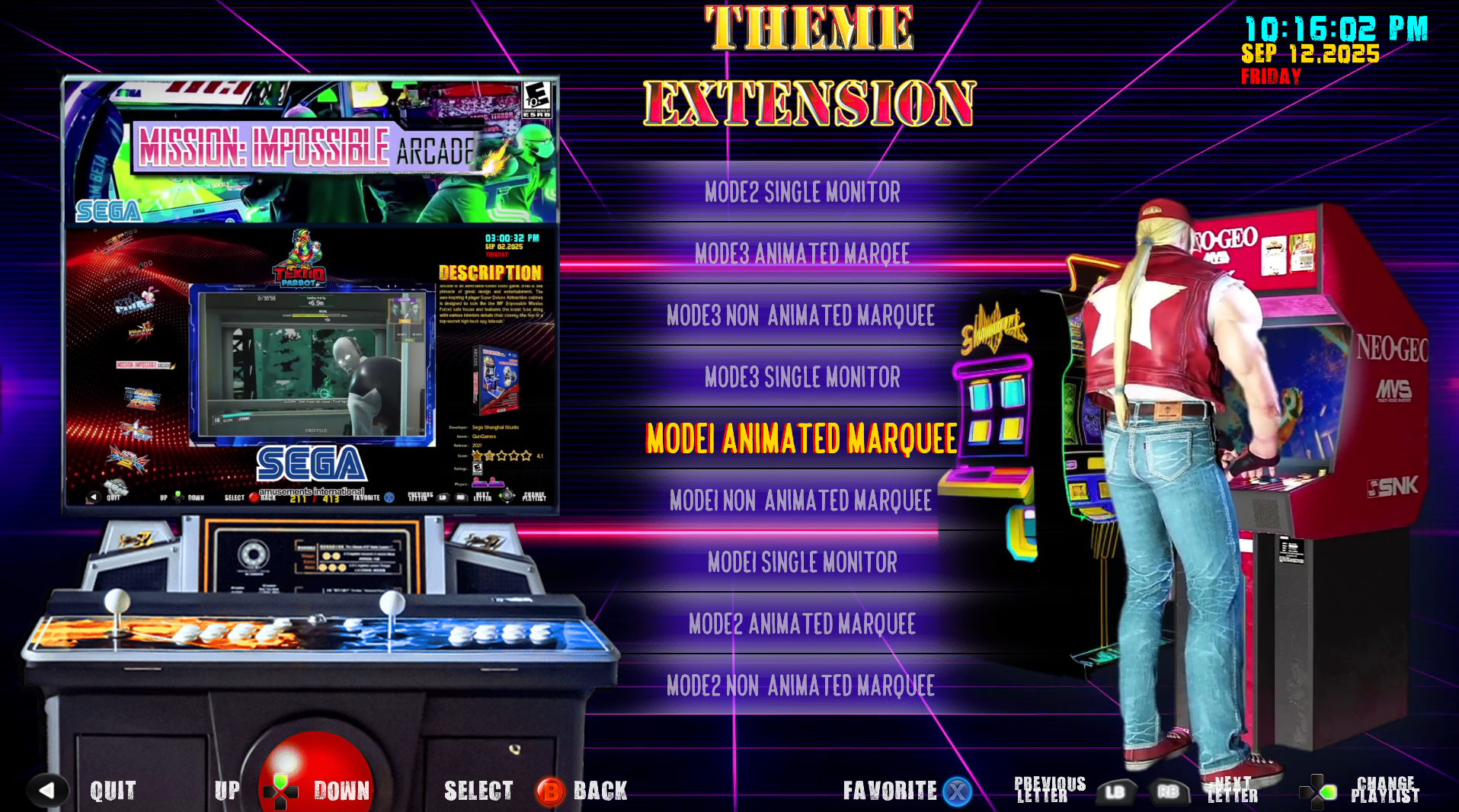
Theme Extension Menu is disabled
❗ Some add-ons/systems:
May NOT include animated logos by default
Can be manually added or requested via Patreon
❗ External add-ons:
Will NOT support secondary monitors unless manually configured
💻 Recommended System Requirements
To ensure smooth performance:
Latest AMD / Intel chipset
Quad-core CPU (or higher)
16 GB RAM (or higher)
GPU: GTX 1050 Ti or better
SSD (OS installation)
4TB–8TB HDD (or higher for data)
Windows 10 (64-bit) / Windows 11
🎮 Optional:
Light guns
Xbox controller or similar
⚡ Performance Tips
If you experience lag or crashes:
🔧 Reduce:
Screen elements
Media files (via Interface Settings)
📌 First Launch Notes:
Initial slowdown may occur due to caching
Performance improves after caching completes
Cache may rebuild after system reboot
💡 Optimization Tip:Running fewer systems (e.g., MAME & classic arcade only) can significantly lower system requirements
🎮 Project Arcade i-RETROPLAY
📢 Recent Add-Ons, Updates & Important Notes
Welcome! Below you’ll find the latest Project Arcade i-RETROPLAY uploads, along with important notes, compatibility tips, and support information.
🔥 Latest Add-Ons & Updates
Stay up to date with the newest releases:
🎯 Featured Releases
Pinball Build Update + Visual Pinball Add-Onhttps://www.patreon.com/posts/pinball-build-on-148041496
NEC PC Engine CD-ROM2 Theme Add-On (Fix Update)https://www.patreon.com/posts/nec-pc-engine-cd-147808924
Light Gun Games Collection 2025 (Standalone)https://www.patreon.com/posts/light-gun-games-146208115
Sega Model 3 Add-On Collection 2025https://www.patreon.com/posts/sega-model-3-pa-145898759
Beat ‘Em Up Collection 2025 (Final Update 4/4)✔ Includes Auto Installerhttps://www.patreon.com/posts/beat-em-up-add-4-144524451
PSP Add-On Collection 2025✔ Auto Installer Includedhttps://www.patreon.com/posts/psp-add-on-2025-143037612
Dreamcast Mega Add-On Collection 2025https://www.patreon.com/posts/dreamcast-mega-i-142814092
Nintendo Switch Add-On Update 2✔ Auto Patcher Includedhttps://www.patreon.com/posts/switch-add-on-i-142568718
TMNT Collection Add-On 2025https://www.patreon.com/posts/tmnt-collection-142089728
Namco 357 Add-On (TeknoParrot Ready)https://www.patreon.com/posts/namco-357-addon-141275368
Nintendo Wii Collection (Dolphin / RetroArch)https://www.patreon.com/posts/nintendo-wii-138508830
Universal Nintendo Switch Launcher Manager (Full Tutorial)https://www.patreon.com/posts/universal-switch-140428114
Demul Arcade Add-On Update (Emulator Fix)https://www.patreon.com/posts/demul-arcade-add-140243059
Microsoft Xbox Add-On Updatehttps://www.patreon.com/posts/microsoft-xbox-i-140241571
PS3 Add-On Update (Batch Fix)https://www.patreon.com/posts/ps3-add-on-i-fix-140239759
Pub Fruit Machines Add-On 2025https://www.patreon.com/posts/pub-fruit-addon-139379334
PC Mini Games Collection Theme Add-Onhttps://www.patreon.com/posts/pc-mini-games-i-138562744
TeknoParrot Standalone Build (Complete Set – Beta)https://www.patreon.com/posts/teknoparrot-set-138032903
📦 Quick Summary
Recent uploads include:
• Pinball Build• PC Engine CD-ROM2 Theme• Light Gun Games• Sega Model 3• Beat ‘Em Ups• PSP / Dreamcast / Switch• TMNT & Namco 357• Wii Collection• Demul / Xbox / PS3 Updates• Fruit Machines & Mini Games• TeknoParrot Complete Set
🧩 Project Arcade AZZA – Recent Updates
Additional expanded builds and add-ons:
AZZA Expanded Build 7.2
AZZA Glorious Update 6
Street Fighter Standalone Version
Nintendo 3DS Theme Add-On
Pinball Main Theme Add-On
RPCS3 Arcade Fork Add-On
Wii / PS2 / Xbox 360 Updates
PC Engine & TurboGrafx Themes
Wangan Midnight 5DX+ English Patch
Fighting Games Mega Collection 2025
⚠️ Using Older Add-Ons (Compatibility Guide)
Older builds (2.9 / 3.0) are still usable. Follow these best practices:
✅ Required Checks
Confirm emulator already exists in your system
Review compatibility before copying files
📂 Priority Folders
roms
medium_artwork
📌 Optional
playlist (for theme extensions)
🚫 Avoid
Overwriting playlists unnecessarily
Overwriting layouts folder
🔍 Always Review
settings.conf
Meta Hyper List files
🎨 Reusable Content
Videos
Logos
Fan art (Main\medium_artwork)
🛠️ Support & Custom Services
We offer additional services including:
🖥️ Remote installation & troubleshooting🎨 Custom frontend themes & UI design🧩 Logo replacement & branding🌐 Language & layout customization⚙️ Full system setup assistance
📩 For support or custom requests, please send us a direct message
❤️ Final Note
Thank you for your continued support of Project Arcade!
We are constantly working to bring you:✨ Better builds⚡ Improved performance🎮 More complete collections
👉 Stay tuned for more updates!
SPECIAL TIP: You can quickly find addons, updates, and specific topics by using the search function on the main page. Always pay close attention to release dates to ensure you are installing or updating the correct versions. For best compatibility and performance, we strongly recommend using only the latest 2026 updates for all builds.
Have a great day!
Files