Home
Home

 Creators
 Search
 Recent
 Random
 Posts
Posts
 DMs
DMs
 Tags
Tags
 Random
 Importer
 Import
 FAQ
FAQ
 Account
 Register
 Login
Login
 Favorites
 Keys
Keys
 Logout
 Telegram

PROJECT ARCADE 2.0 TEMPLATE AND PLAYLIST UPDATES Update May 2023 (Patreon)
Downloads
Content
Latest Update: https://youtu.be/TXWUK2o_o6g
Please scroll down to know more...
Greetings...
First of all, I would like to give thanks to all of you who continuously supported the channel.
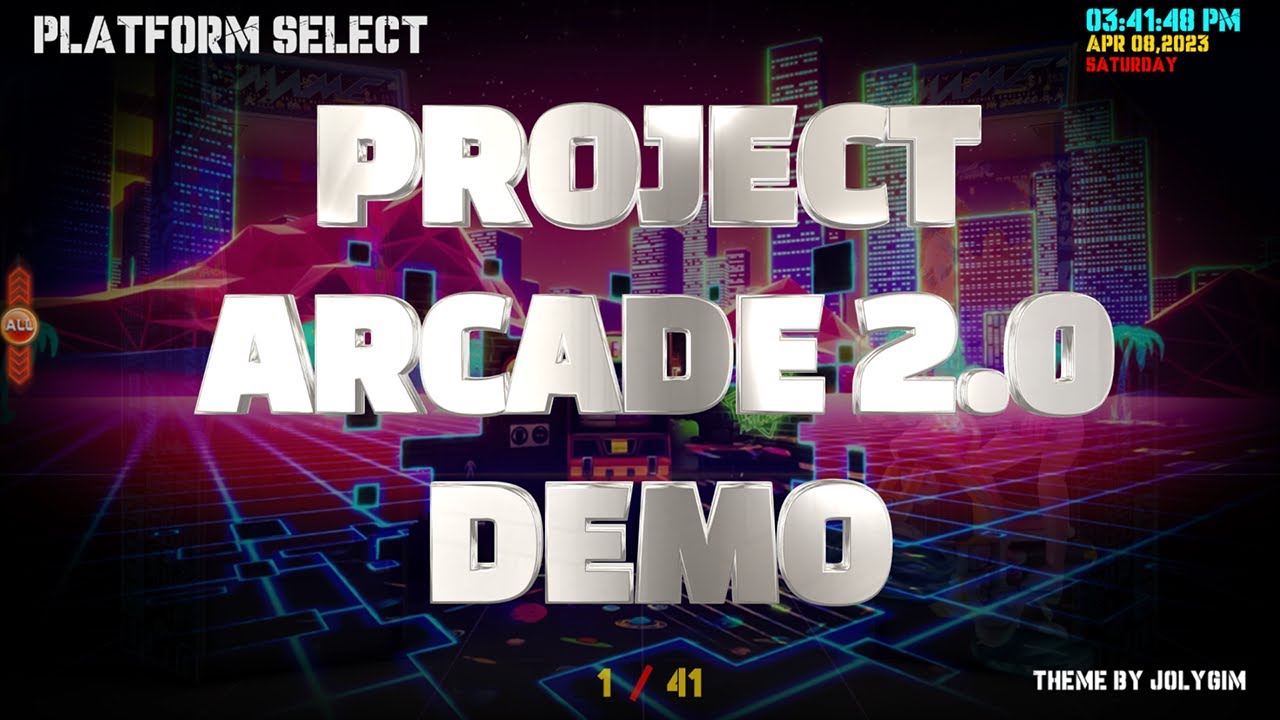
As a token of my appreciation, I present to you my finest work ever, Project Arcade 2.0 Standalone. This one special...
Features:
Vertical Scrolling on Platform and Game Selections Menu.
Intro, sound effects, logo, fanart, text, genre/game characters, story, video, console, arcade, 3dboxes and cartridge representations...
Updated the platform videos... a few video themes from Trymado.
Date, time and indexes are available on screen.
Compatible with coinops addons with minimal tweaking.
Minimum requirements to add a new platform are video, logo and rom/emulator files.
I will add a default fanart for all platforms just in case. You can add fanart on your own liking if ever.
in the video you will see a demo on how it works fully on some platforms.
Theme: Project Arcade
By: Jolygim GameandTech
About Addons or when adding addons.
Dont worry, it's not that complicated....
Info: Below are the possible elements inside an Addon folder for project Arcade.
3dbox = for games that support it(MAME, gamecube, etc) on the game selection screen.
anima = artwork that is animated during game selection screen.(usually on motion or moving art or car or flying) still up to you
cartridge = usually for console games like nes, super nintendo, sega genesis, atc.
fanart = cover art 1920 x 1080 HD (for platform and game selection menu)
fanart3 = cover art 1120 x 1080 custom size from coinops build
logo = default logo location (for platform and game selection menu)
story = default story location for all (for platform and game selection menu)
video = default 1920 x 1080 16:9 aspect ratio presentations (4:3 aspect ratio video will be stretch to HD 1920x1080)
tekno = character art (for game selection menu)
teknokart = 3dbox art for teknoparrot
machine = cabinet art (for game selection menu)
NOTE:
You can shuffle the content of these folder containers or you can go nuts and mix everything up to your liking. Just follow the rules below.Free to experiment(quite fun)
Rules:
fanart and fanart3 can not coexist. you must decide what to use or what is the best
If you use an addon from coinops you must put it inside fanart3 so it will not stretch. If so it will look funny and stretchy.
In coinops the "fanart" or "fanart3" is equivalent to the "cover" folder. You can rename the "cover" folder to "fanart" if 1920x1080 or 1120x 1080 "fanart3" folder to make it compatible to Project Arcade.
3dbox, machine, tekno, teknokart and anima can not also co-exist, use only one.
One example is MAME, I used the 3dbox art because I think it has a better feel.
The primary folder needed to run decently are fanart or fanart3, video and logo. Other elements can be added later.
+++++++++++++++++++++++++++++++++++++++++++++++++++++++++++++++++++++++++++++++++++++++++++++++++++++++++++++++++++++
Adding NEW Addons not on the list:
You can add your addon from coinops. Just copy the whole addon folder ( example the folder Addon "PS Vita")
Inside the PS Vita addon from coinops:
Dir:(X - your drive letter represent)
X:\ProjectArcade\collections\PS Vita\medium_artwork(folder)
logo(folder)
game.png or game.jpg
promo(folder) = rename to "fanart" or "fanart3" for Project Arcade
game.png or game.jpg
video(folder)
game.mp4 or game.avi
system_artwork(folder) = not needed in Project Arcade
system.png = not needed in Project Arcade
logo.png = not needed in Project Arcade
float.png = not needed in Project Arcade
roms(folder)
game.iso(the game itself)
playlists(Folder)
settings.conf(addon settings)
include.txt
exclude.txt
Adding to the list:
X:\ProjectArcade\collections\Main\medium_artwork(folder)
console(folder) (console art)(Optional)recommended maximum width is 600 pixels to 1280 pixels
platform.png or platform.jpg
fanart(folder 1920 x 1080 HD (recommended) equivalent folder to coinops is "promo" folder
platform.png or platform.jpg
machines(folder)(cabinet art)(Optional) recommended maximum width is 600 pixels to 700 pixels
platform.png or platform.jpg
mascot(folder)(character art)(Optional) recommended maximum width is 920 pixels
platform.png or platform.jpg
story(folder) (Optional)
platform.txt
video(folder) recommended 1920 x 1080 HD ( anything lower or higher will be stretch to your resolution)
platform.mp4 or platform.avi
menu.txt (this is the list you want to edit if you're removing and adding addons)open with notepad
(Just type in your Platform or copy and paste it here then save.)
Launcher:
X:\ProjectArcade\launchers.windows
PS Vita.conf(settings for the platform)(copy it from coinops too if your adding it from there)
Emulator: (If needed)
X:\ProjectArcade\emulators\
PSVita Emulator(folder)(Sample Only)
CONTROLS:
up = Up,joyHat0Up
down = Down,joyHat0Down
left = Left,joyHat0Left
right = Right,joyHat0Right
pageUp = A
pageDown = B
letterUp = M,joyButton5
letterDown = N,joyButton4
playlistUp = Keypad 4,joyHat0Up,joyAxis1-,Up,joyAxis2+
playlistDown = Keypad 6,joyHat0Down,joyAxis1+,Down,joyAxis5+
collectionUp = K
collectionDown = L
favPlaylist = F,joyButton2
nextPlaylist = F2,joyHat0Right
prevPlaylist = F1,joyHat0Left
addPlaylist = I,joyButton8
removePlaylist = O,joyButton9
random = R,joyButton2
select = 1,Return,joyButton0
back = Escape,joyButton1
quit = Q, joyButton6
deadZone = 20
============================================================================================================
PROJECT ARCADE 2.0 Cinematic Update 2 April 2023
Notes:
Updated the system videos.
Updated the default presentations for non-official addons.
Added Coinops Support. Now you can use addons from coinops without renaming anything... Just copy the addon from your coinops collections folder to Project Arcade 2.0 together with the associated emulator and launcher files and you're ready to go. And don't forget to add the addon's Title in the "menu.txt" at the "Main" folder. Just edit in notepad...
Requirements:
PROJECT ARCADE 2.0 Standalone (please see attachments)
Tested on Windows 10
146 fillable platforms and expandable depends on you (Can hide and unhide empty addons.)
41 available platforms and ready to play including MAME.
Very Customizable
Will be updating more platforms.
Installations:
Download and install ProjectArcadeBitsBitsV2.0Patreon then download install cinematic update files overwriting files.
I recommend making a backup of the layout folder and the collections\Main folder before applying the cinematic updates.
If you have additional queries, please leave me a message...
NOTES ON ADDING COINOPS
Thanks,,,,
+++++++++++++++++++++++++++++++++++++++++++++++++
PROJECT ARCADE 2.0 Optimized Update May 2023
Notes:
Updated the system videos.(Handbreaked and optimized)
Updated the default presentations for non-official addons.
Added Previous Project Arcade Versions and Coinops Next 2 Addon Support. Now you can use addons from coinops without renaming anything... Just copy the addon from your coinops collections folder to Project Arcade 2.0 together with the associated emulator and launcher files and you're ready to go.
Requirements:
PROJECT ARCADE 2.0 Standalone (please see attachments)
Tested on Windows 10
148 fillable platforms and expandable depends on you (Can hide and unhide empty addons.)
41 available platforms and ready to play including MAME.
Very Customizable
Will be updating more platforms.
Installations:
Download and install ProjectArcadeBitsBitsV2.0Patreon then download install cinematic update files overwriting files.
I recommend making a backup of the layout folder and the collections\Main folder before applying the optimization updates.
If you have additional queries, please leave me a message...
Thanks...
Mega Pass: ProjectArcade2023
Pass: jolygim
This is a replacement for the cinematic update. (you can skip the cinematic updates)
ProJectArcade2.0 OptimizedUpdateMAY2023.7z
https://mega.nz/#P!AgFPKFLMIhMeM3Ob-dTeC1SBkM2KDxlz8Qgg9jTJojizKPHGB6MWfJOyWR_QJPyB4iHuKxJosWJ7Qem_50QSRtIfcX7_bMbuXg2fyxFrsdXxS_BEPJ5jGcz30LFrWVKPAVqo8GUyLu4
++++++++++++++++++++++++++++++++++++++++++++++++++++++
Mega Pass: ProjectArcade2023
Pass: jolygim
ProJectArcadeBitsBitsTEMPLATEPLAYLISTUPDATES.7z
https://mega.nz/#P!AgHusDLcusKOdYQxGrLkfW_pMPRHsE_jiSS8tqbeH_oz0QOassi1ESGit_rZmaWPpJdqaWtjJCe0Cnx2cm0o6SSgXYGBL2TgDFDtN7aKXQ21CEWYYFpFvRBTdN8qxV59EHlglZQTVAw
NOTES: Just extract and overwrite...