Home
Home

 Creators
 Search
 Recent
 Random
 Posts
Posts
 DMs
DMs
 Tags
Tags
 Random
 Importer
 Import
 FAQ
FAQ
 Account
 Register
 Login
Login
 Favorites
 Keys
Keys
 Logout
 Telegram

How CTRL+F Can Save Your Life (Patreon)
Content
This month, I’m pleased to share an easy but effective trick to improve your writing with very little effort! By using the CTRL+F command, you can make your prose crisper, more dynamic, and far less repetitive.
It’s really simple!
Step #1:
Run a clip of your writing through this free word counter.
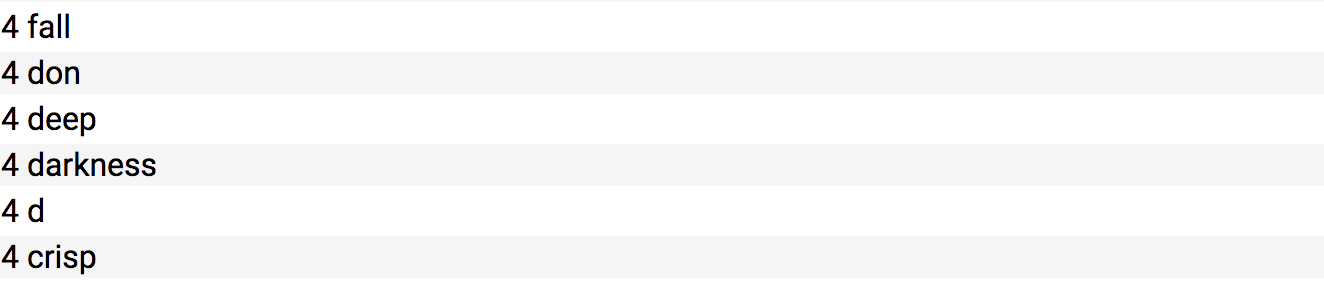
It counts the number of times you repeat specific words and puts them all in a list.
Feel free to ignore words like ‘the’, ‘her’, ‘she’, and ‘was’. They’re necessary for constructing sentences, and you don’t need to worry about frequency. Instead scroll down to the lower numbers.
Step #2:
Look for repetition! In this month’s Patreon story, I used ‘crisp’ 4 times in just a few thousand words. Describing things with the same adjective multiple times in close proximity makes prose boring and uninteresting.
Step #3:
Use the CTRL+F feature to find the culprits!
Now, I can go in and edit a few of these sentences, choosing to keep the word ‘crisp’ only in my favorite places.
Step #4:
You can also build your own list of words you know you’re guilty of using frequently. Once you’ve written a first draft, go ahead and use the CTRL+F feature to track your usage. (Personally, I’m guilty of using ‘moaned’, ‘sighed’, ‘soft’, and ‘just’ way more than I should.)
As a very basic starting point, here are a few words you don’t need as much as you think you do:
really
very
that
just
then
totally
absolutely
start
begin/began/begun
down
up
think/thought
feel
reach
shrug
nod
small
soft
Feel free to continue the list on your own! Good luck, and happy writing.
Files