Home
Home

 Creators
 Search
 Recent
 Random
 Posts
Posts
 DMs
DMs
 Tags
Tags
 Random
 Importer
 Import
 FAQ
FAQ
 Account
 Register
 Login
Login
 Favorites
 Keys
Keys
 Logout
 Telegram

Godspeak's Spanking Game Tutorial #3 (Patreon)
Content
Intermediate Eventing
Hello again! Last time, we built up our first map and added a chore to it. A good rule of thumb for game design is that if you can't decide on a number for something, make it 3. So today, we're going to make 2 more tasks for the player to do.
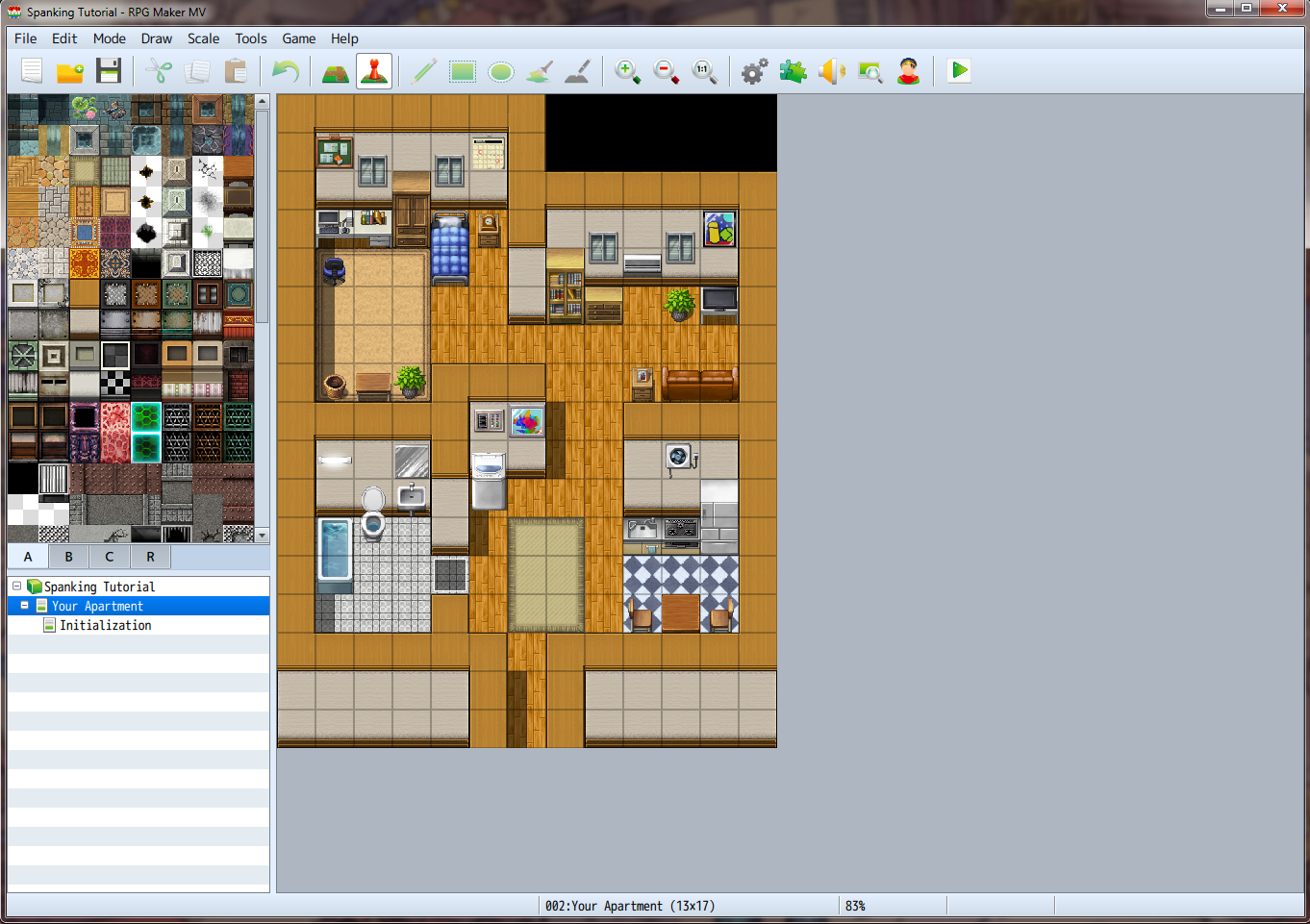
Here's what you'll see when you open up RPG Maker today. If you're so inclined, it's often a good idea to test your game before you get into developing so you can spot areas that you'd like to work on, or catch bugs that you might have missed last time. So what kind of chores do we want to give the player? How about putting their clothes in the wash! For this, we'll need to create a dirty clothes item for the player to pick up first. Open the Database now and click on the tab labelled "Items".
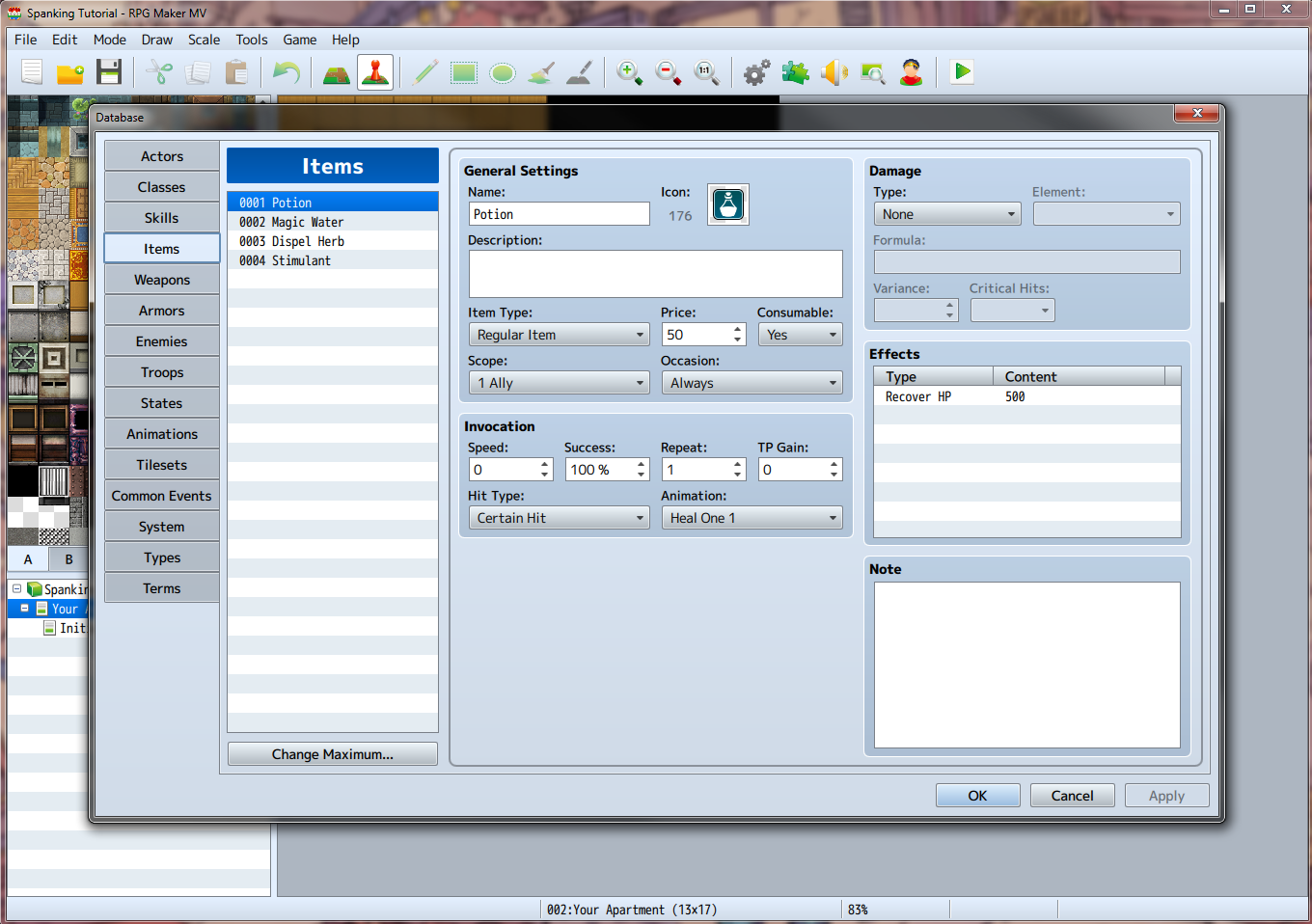
RPG Maker pre-loads the Items tab with some stuff that might see use in a traditional JRPG game, but we're not making one of those! Go ahead and delete all of the entries by clicking on them and pressing the delete key on your keyboard. (The engine does not prompt you before you delete things like this, luckily, if you accidentally delete something you needed, just press the cancel button at the bottom to close the database without saving any of your changes.)
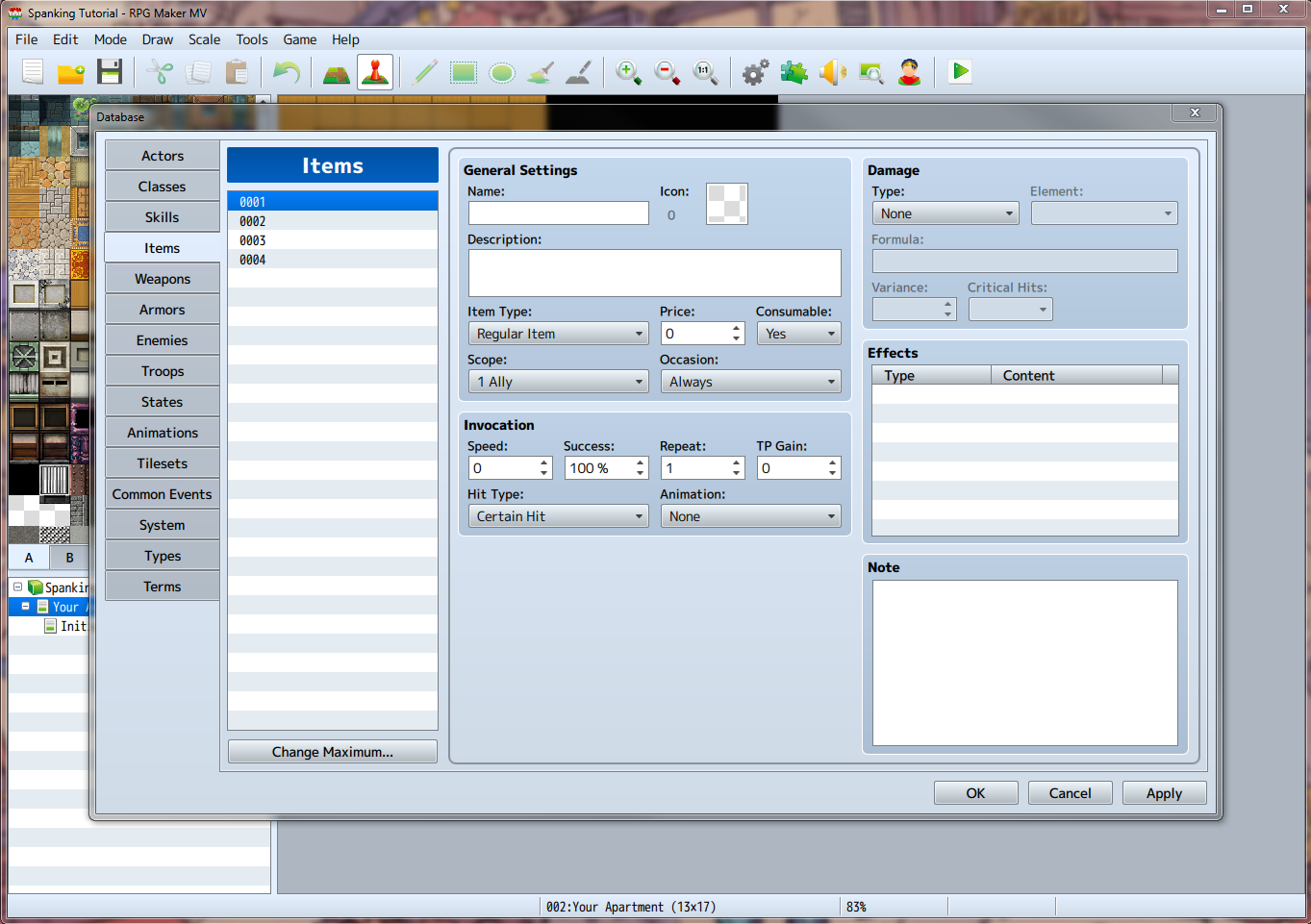
Now that we've got a free spot for a new item, let's get started on creating it.
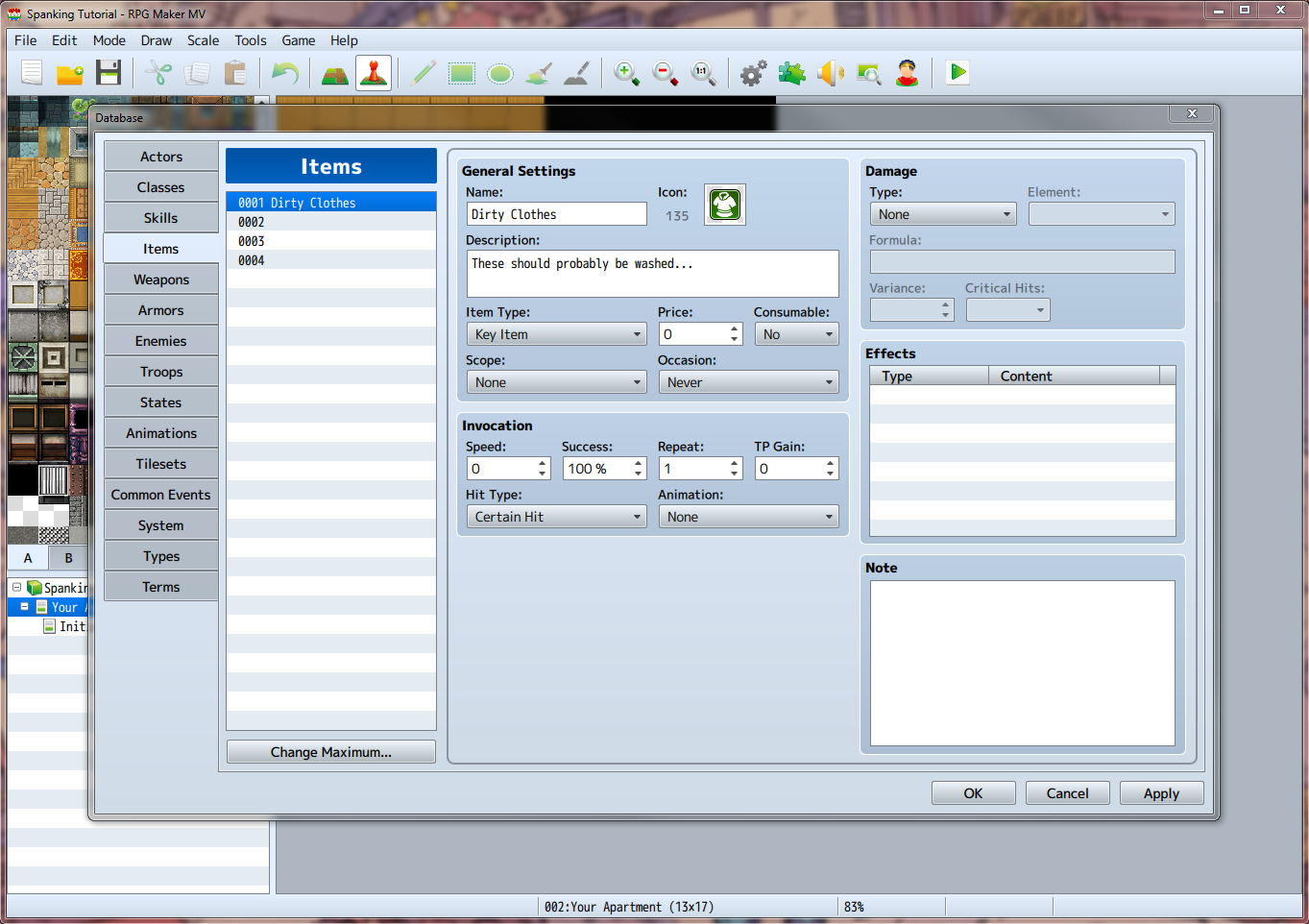
Type in a name, "Dirty Clothes" should work fine.
Select an icon, something that looks like clothes.
Enter a description.
Set the item type to Key Item.
Leave price at 0. (This prevents players from selling it at shops.)
Set consumable to No.
Set Scope to None.
Set Occasion to Never.
Ignore the rest of the fields, we'll get into them later.
Here's what I ended up with. Go ahead and click OK to save our changes and close the Database. So now that we've got our item created, where might be a good place for the player to find it? The laundry hamper, of course! Double click the basket in the lower left corner of the player's room to create a new event on top of it.
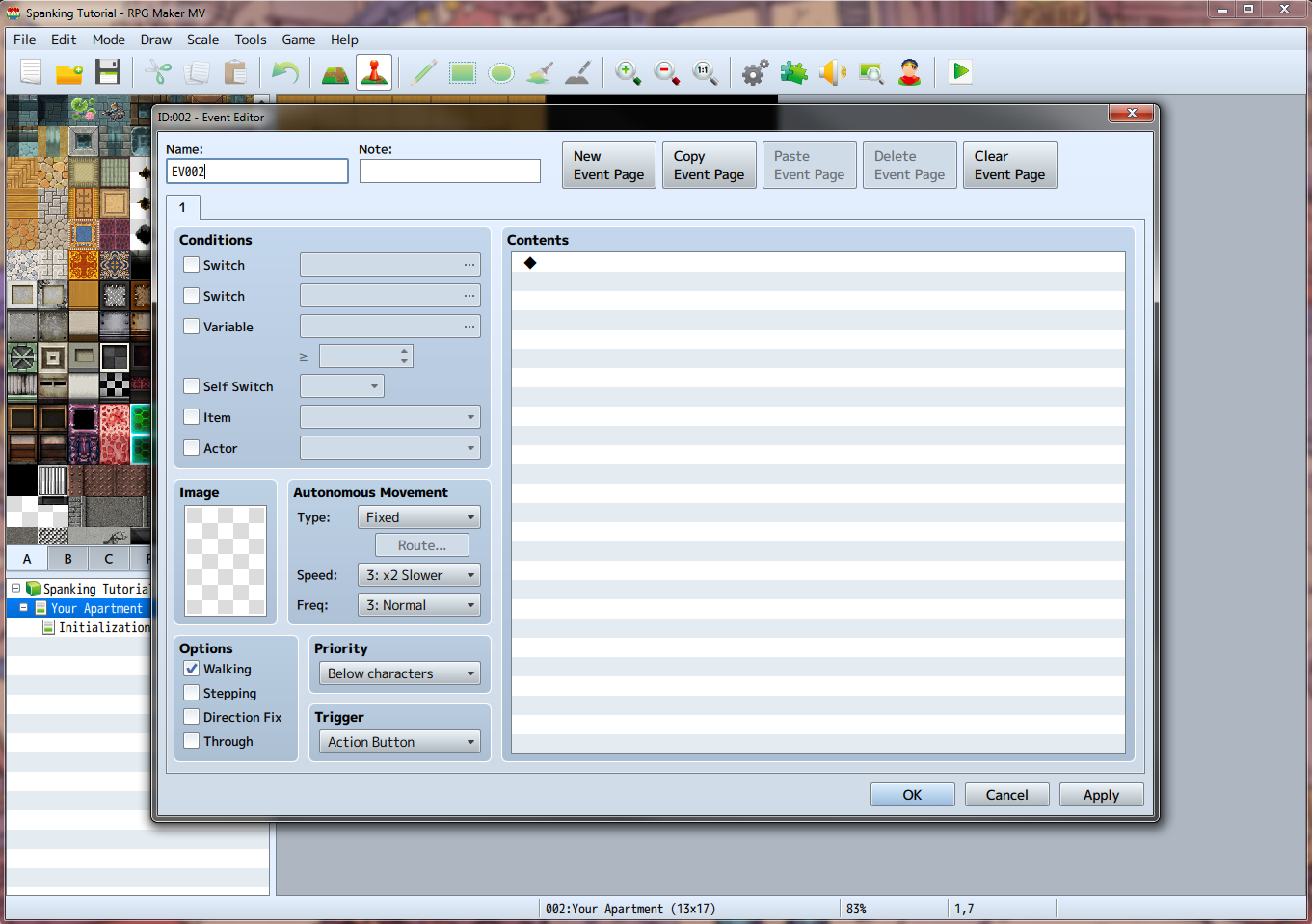
Alright, let's get started on creating this event.
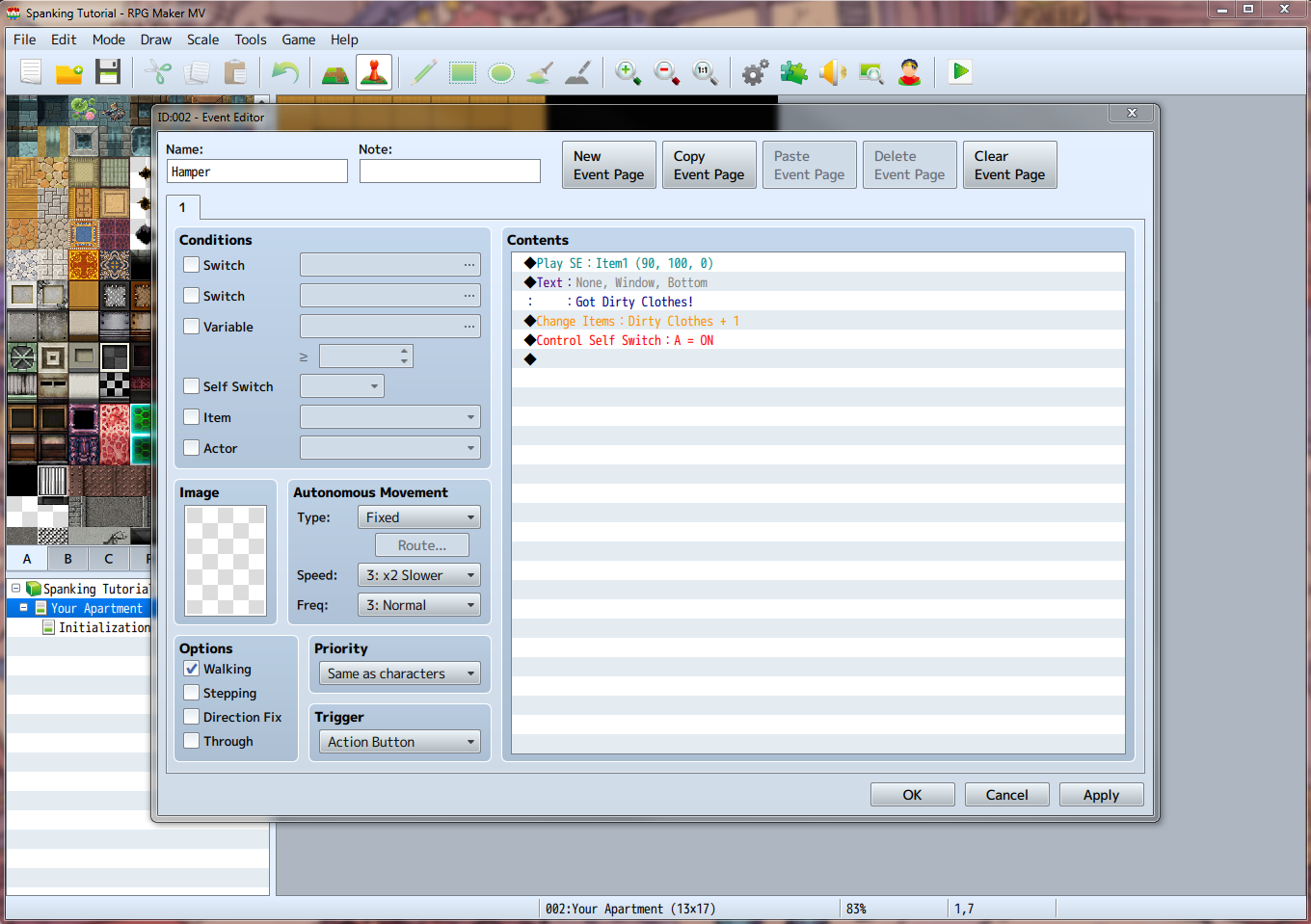
Name the event something like Hamper.
Set the Priority to Same as characters. (Priority refers to where the player must be standing in order to interact with the event. Since we aren't assigning an image, the editor defaults to below characters, but since the basket will block our movement, we wouldn't be able to get on top of it to interact with it. This is a common mistake for new users. Setting it to Same as characters will allow us to interact with it from any of the sides.)
In the Contents, add a Play SE: Item1.
Add a Show Text: "Got Dirty Clothes!"
Add a Change Items: Dirty Clothes, increase by a constant of 1.
Add a Control Self Switch: A, on.
Now create a New Event Page and check the box next to Self Switch in the Conditions section. This will cause this event to allow the player to interact with it only once before disabling itself for the rest of the game.
So, what happens here is, the player presses the interact button next to the hamper, a tone is played, they see text denoting what they've just received, the game adds the item to their inventory, and a Self Switch is activated that will only allow the game to run the second page of the event, which contains nothing, thereby disabling the event.
Click OK to save our changes and close the Hamper event.
Now we need a way to wash these clothes! Double click on bottom tile of the washing machine in the entry way of our apartment map to create a new event on top of it.
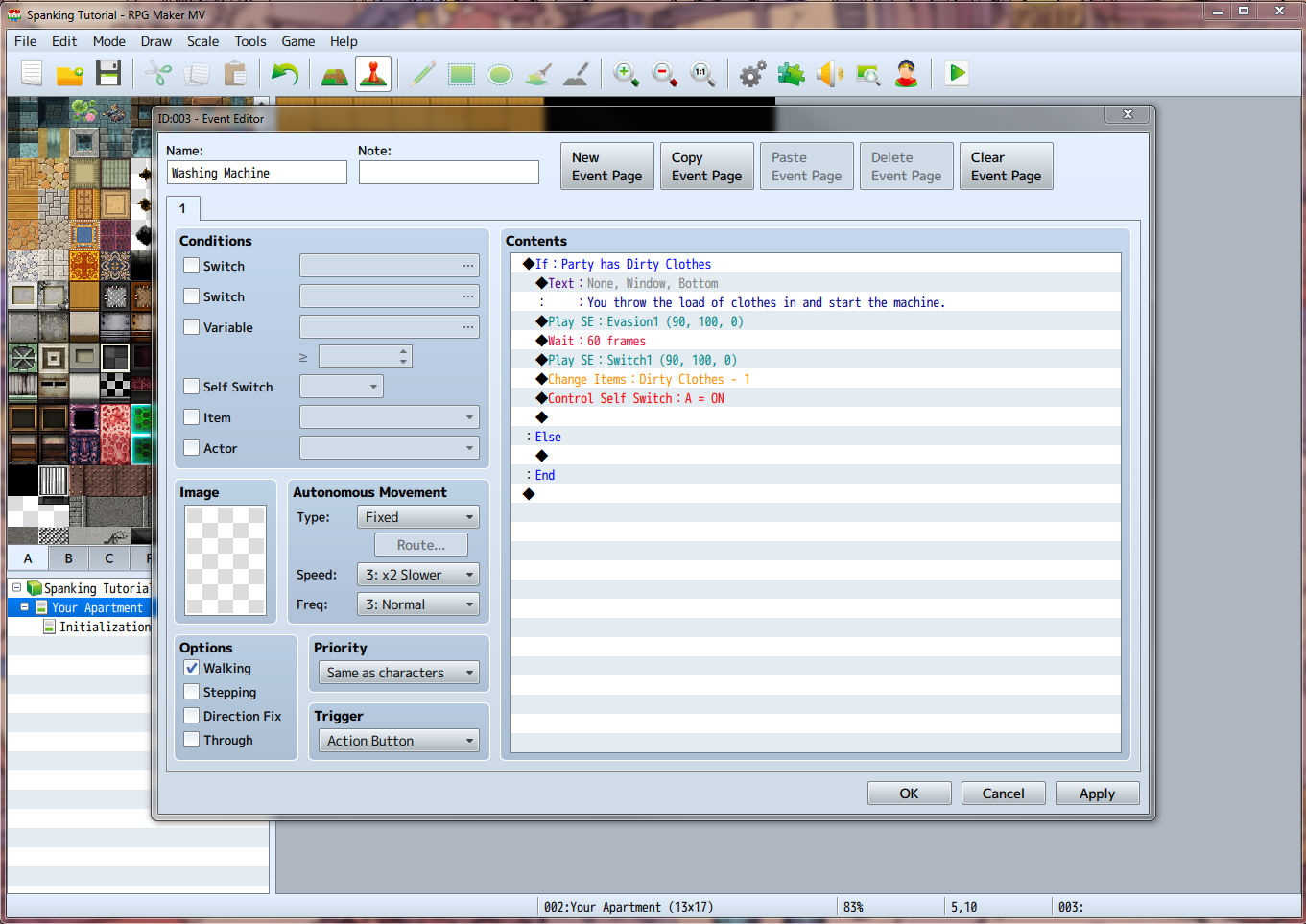
Name the Event "Washing Machine".
Set the Priority to Same as characters.
Add a Conditional Branch, select the tab labelled "4" at the top and click the radio button that says item. Check Create Else Branch.
In the If: Party has Dirty Clothes section add the following:
Show Text: "You throw the load of clothes in and start the machine."
Play SE: Evasion1.
Wait: 60 frames.
Play SE: Switch1.
Change Items: Dirty Clothes, -1.
Control Self Switch: A, on.
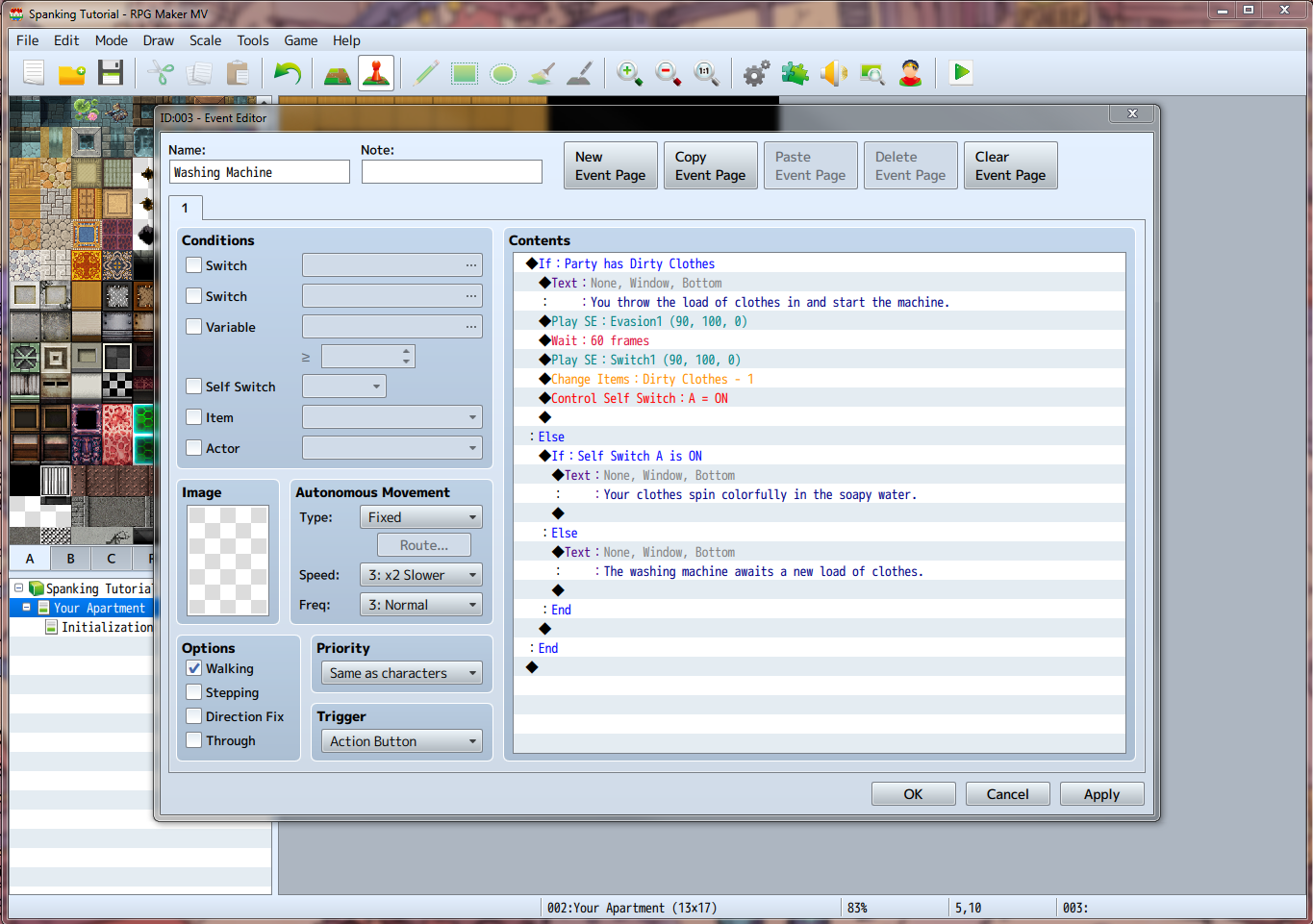
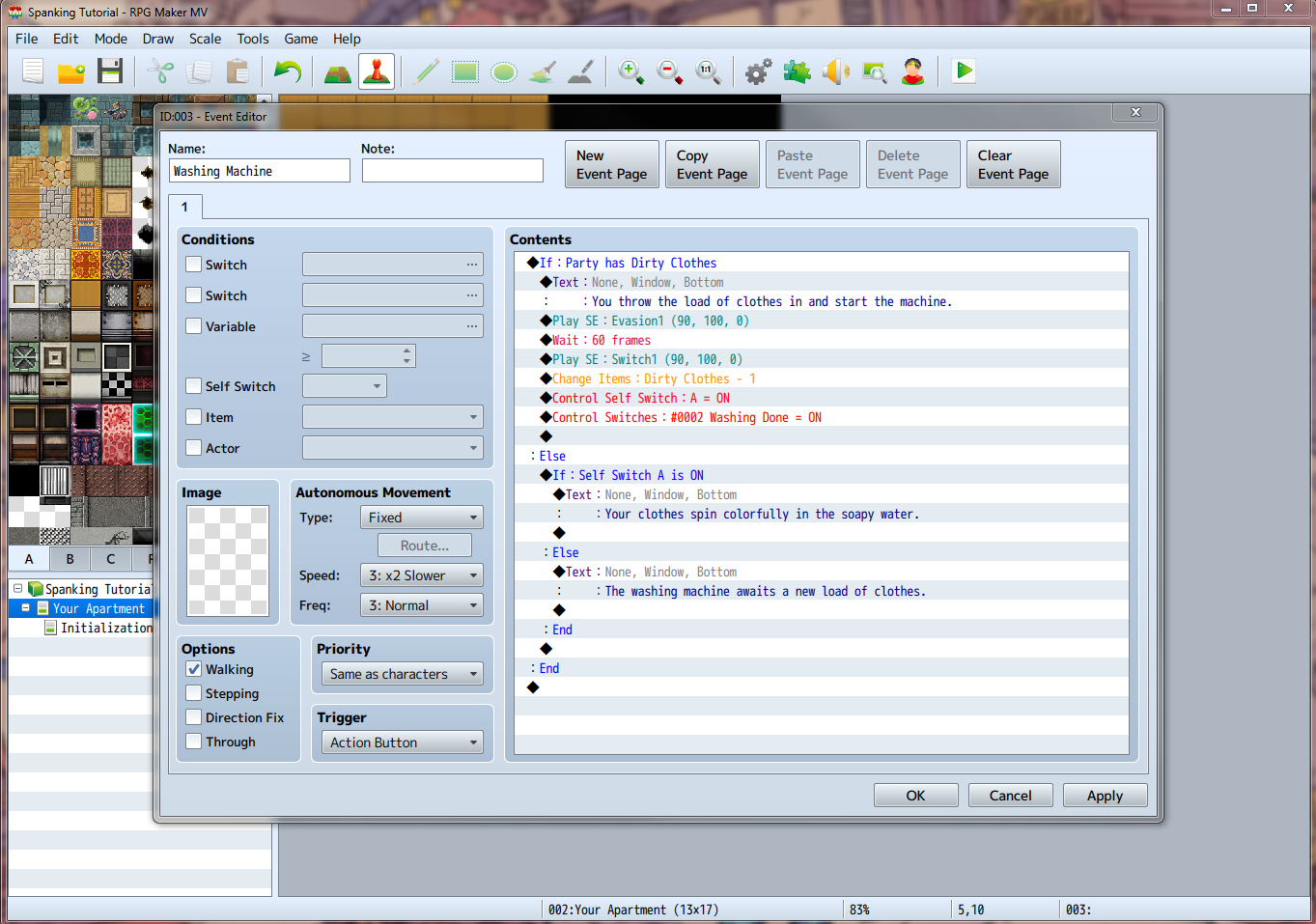
Here's what you should have so far. Now, under the Else section, add another Conditional Branch, this time setting the parameter to Self Switch A is ON and remembering to check Create Else Branch.
Under the If: Self Switch A is ON section, add a Show Text: "Your clothes spin colorfully in the soapy water."
Under the else section add a Show Text: "The washing machine awaits a new load of clothes."
Here's what that will look like. Seems okay right? But wait, we haven't told the rest of the game that we've washed our clothes yet! Right below the Control Self Switch: A = ON, add a Control Switches and create a new switch in the second position named "Washing Done" and set it to ON.
The completed event. Click OK and let's go ahead and test this new event now! Everything work right? Good! So what should our last chore be? Oh, how about washing dishes? But we already wrote an event for picking up some objects, so why do it again? Right click on the Hamper event we created earlier and click Copy, then right click on the table directly to the right of it and click Paste.
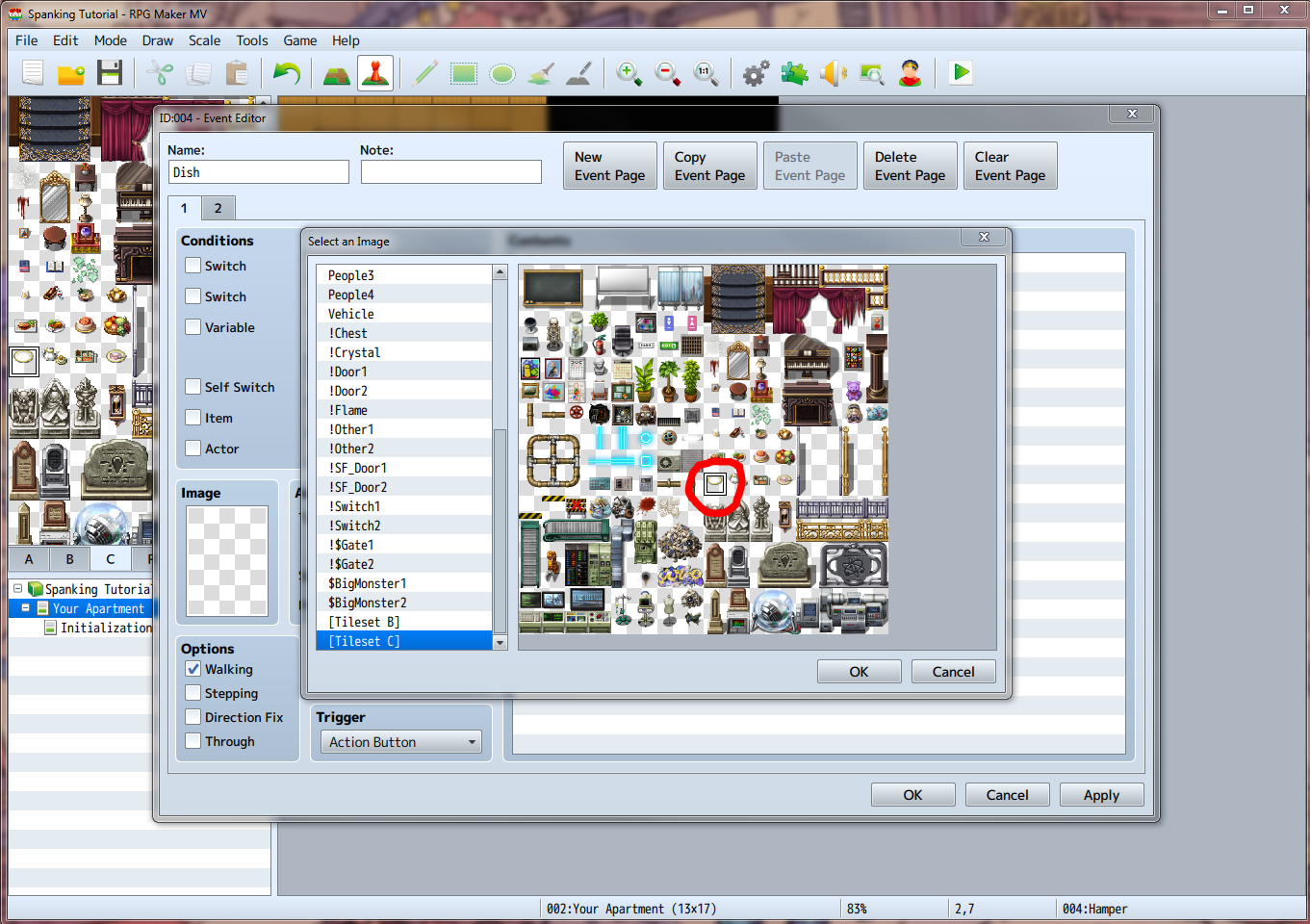
Open up this new event and get ready to change 4 things. The name, set it to Dish. The Show Text, change it to "Got Dirty Dish!" The Change Items, set it to Item: #0002. Double click on the Image field, scroll down to [Tileset C] (this allows you to set a tile as an interactable object, very handy) and pick the tile that looks like an empty dish.
Click OK out of the image select and the event. You should now see the dish sitting on the table next to the hamper. Let's add some more dishes around the apartment. Rick click to copy and paste the Dish event onto two different surfaces around the apartment. Put one on the floor for extra slob points, but beware that the player won't be able to walk through it until they pick it up!
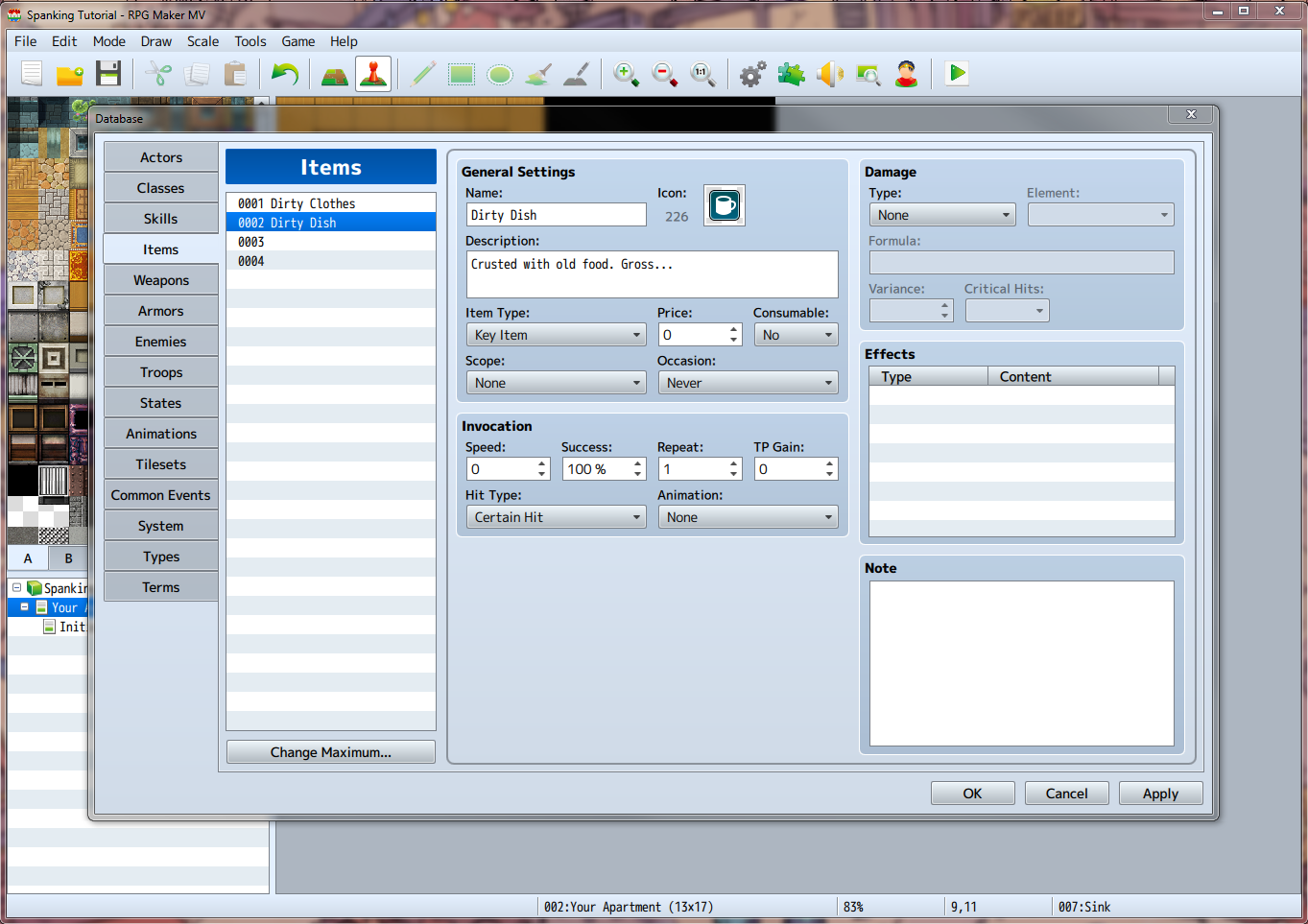
Here's where I put them. There's still a problem though, they point to a blank item reference! This will not throw an error in the game or anything, but it will make for some very weird bugs. Let's make an item now. Open the Database and copy the Dirty Clothes item and paste it into the second slot. Edit the name, the icon, and the description to something appropriate. I used a coffee mug as the icon since there wasn't anything that represented a dish very well.
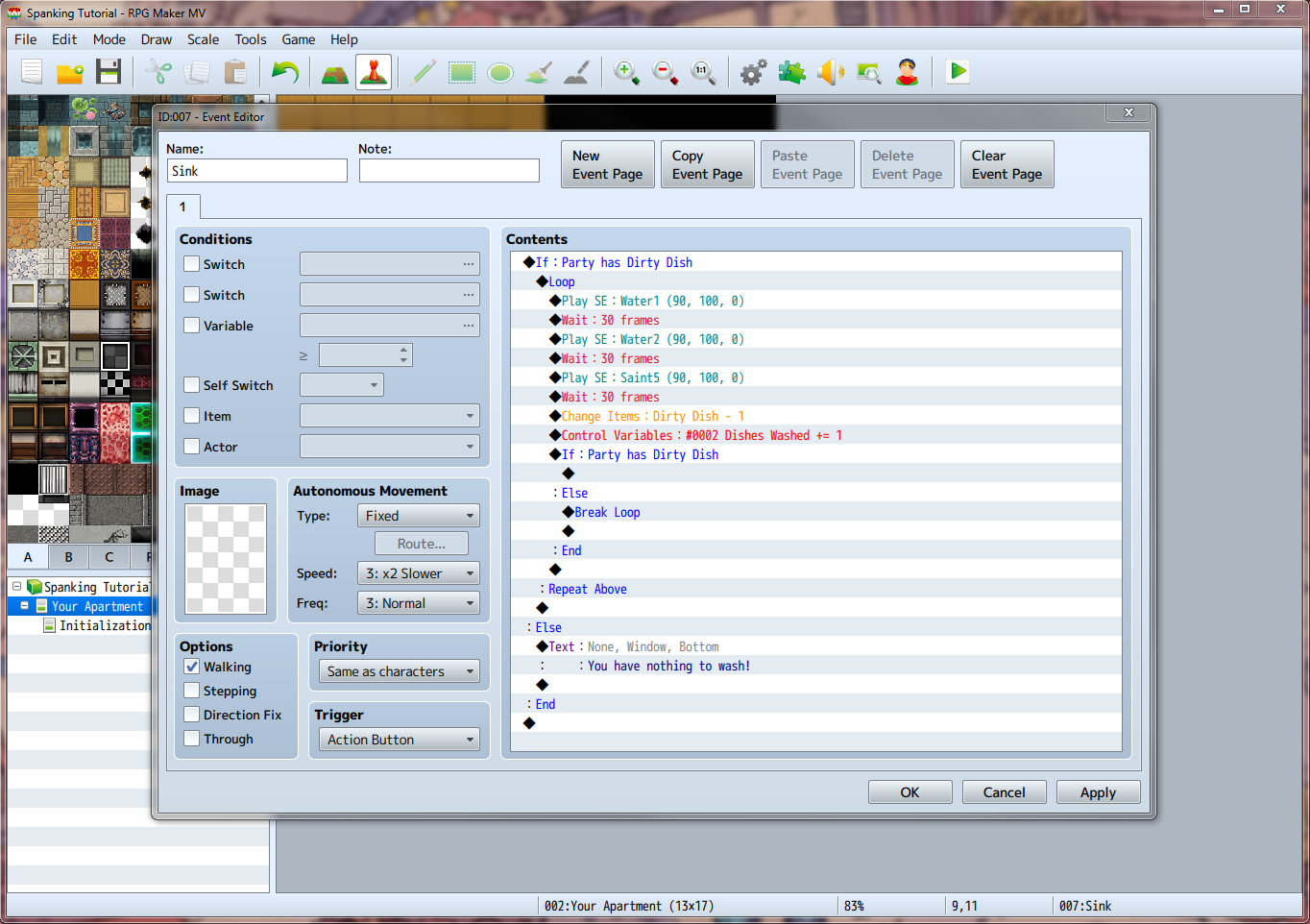
Okay, now let's make our event for washing them. OK out of the Database and double click on the sink in the kitchen to get started. Name it Sink, Set the Priority to Same as characters, and create a Conditional Branch with the parameter Party has Dirty Dish. Make sure you check the Create Else Branch box. Inside the Else section add a Show Text: "You have nothing to wash!" Now, inside the If: Party has Dirty Dish Section add a Loop.
A Loop is a section of code that will run forever until something stops it with the Break Loop command. Be careful with these because they can lock up your game!
Now, inside the loop add the following:
Play SE: Water1
Wait: 30 Frames
Play SE: Water2
Wait 30 Frames
Player SE: Saint5
Wait: 30 Frames
Change Items: Dirty Dish, - 1
Control Variables: Create a new variable in slot 2 under Gender, name it "Dishes Washed", add 1 to it.
Conditional Branch, check if Party has Dirty Dish, check Else Branch Box.
Inside the Else section of that Conditional Branch, add a Break Loop command. Leave the If section empty.
Okay, so what this should do is check to see if the player has any dirty dishes, wash them and add to a counter of washed dishes until the player runs out of dishes to wash, then stop the event.
So, now that we've got our 3 chores for the player to do, let's give them notice that they need to do them. I'm going for a sci-fi theme here, so how about a note from the apartment's administrative robot?
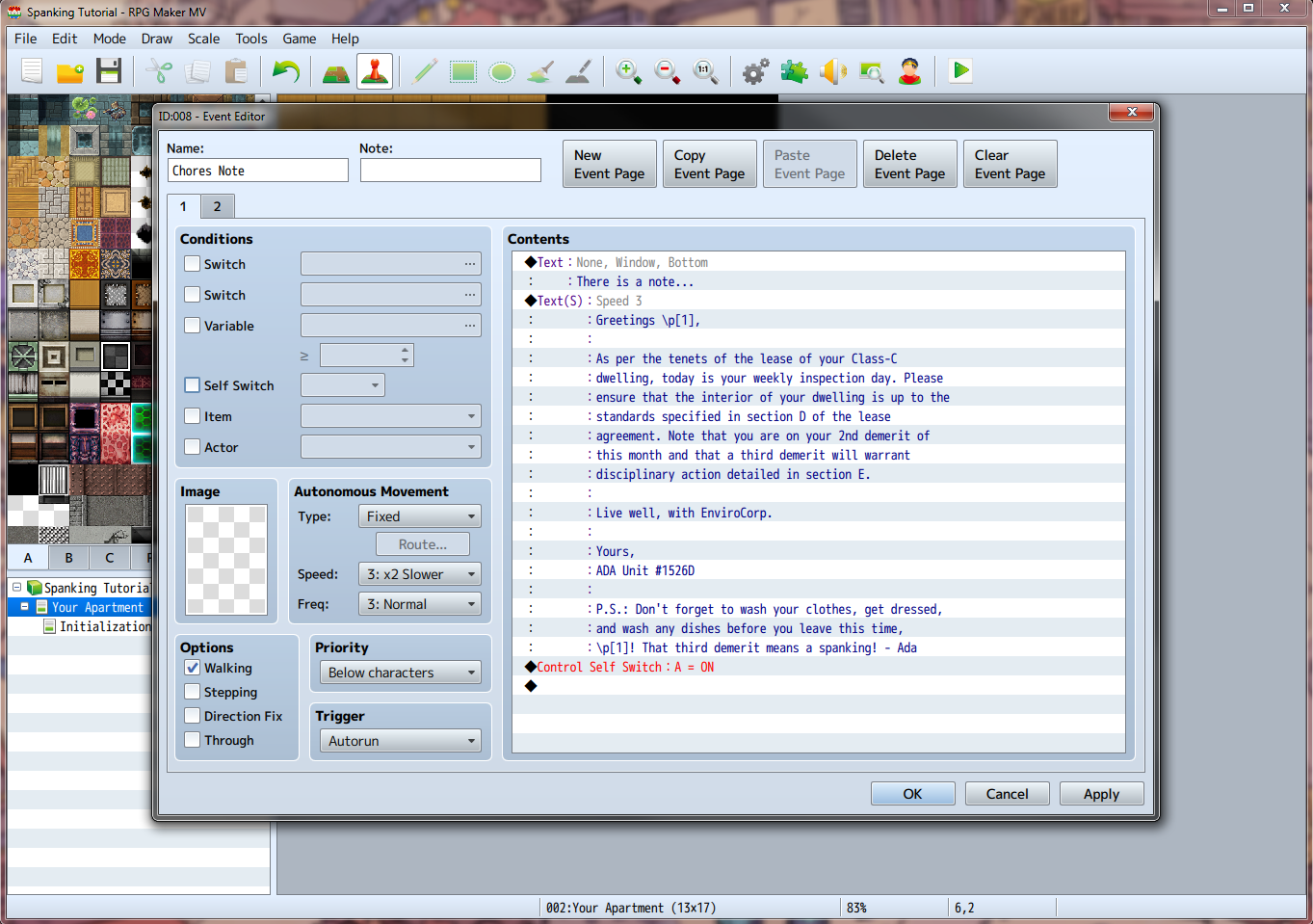
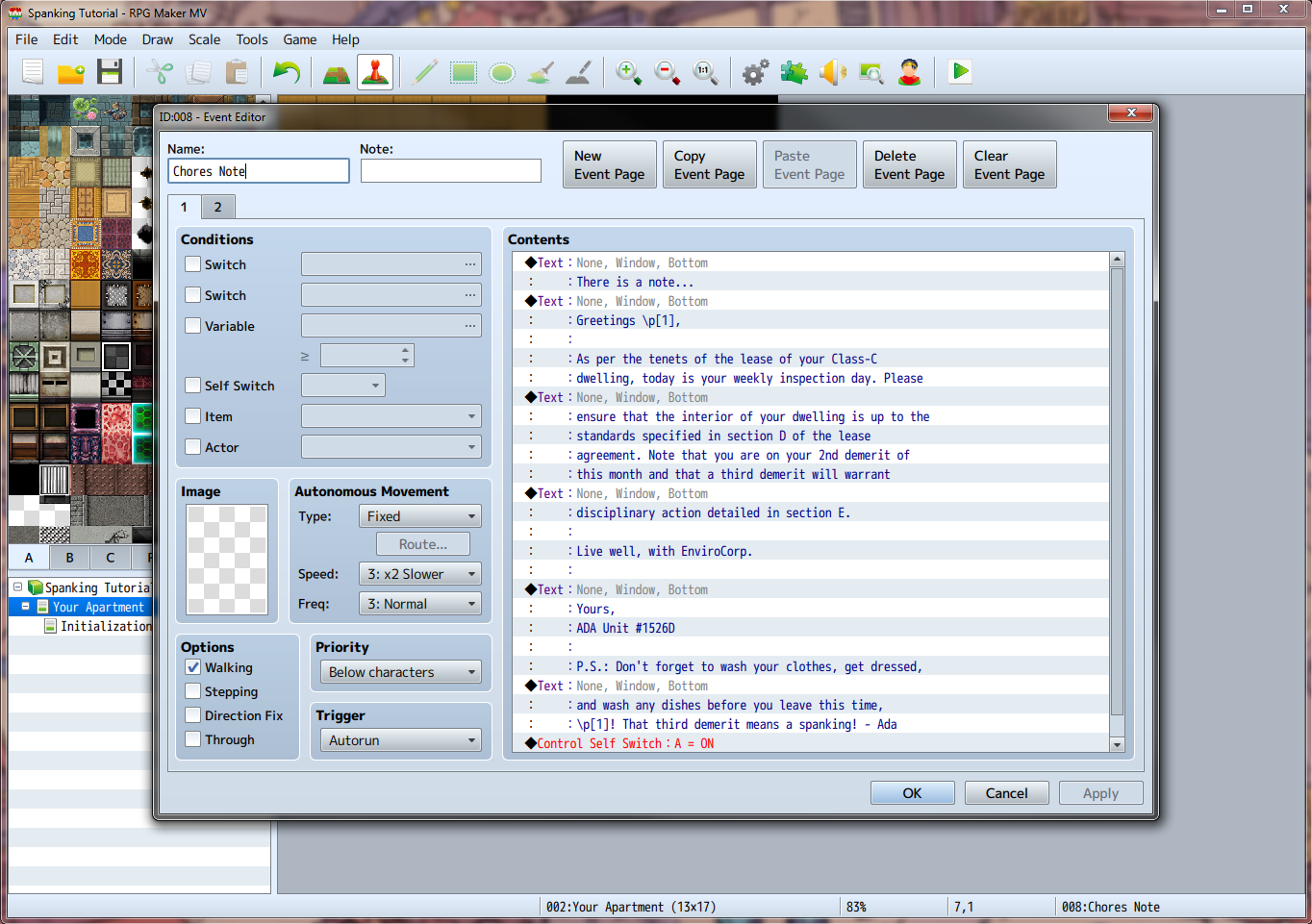
Double click somewhere outside of the map to create a new event. Name it Chores Note and set the Trigger to Autorun. In the contents of the event, let's create a Show Text command that says "There's a note...". Next, create another Show Text command that says whatever you want the note to say, as long as you tell the player specifically what they need to do. Make sure Batch Entry is checked so that overflow gets moved to next text boxes. Here's what I put, line by line:
Greetings \p[1],
As per the tenets of the lease of your Class-C
dwelling, today is your weekly inspection day. Please
ensure that the interior of your dwelling is up to the
standards specified in section D of the lease
agreement. Note that you are on your 2nd demerit of
this month and that a third demerit will warrant
disciplinary action detailed in section E.
Live well, with EnviroCorp.
Yours,
ADA Unit #1526D
P.S.: Don't forget to wash your clothes, get dressed,
and wash any dishes before you leave this time,
\p[1]! That third demerit means a spanking! - Ada
Anywhere that you see a \p[1] will be substituted with whatever the player set their name as, so make sure there's adequate room on the line to account for this.
Lastly, let's go ahead and put a Control Self Switch: A = ON at the end, then create a new event page with the Self Switch A condition.
There's what I had. Let's go ahead and test this now. Everything work okay? Good. That's it for the tutorial this week, but check back in next time where we will be going over advanced eventing and building our first spanking!
Bye!
This post was made possible by all of my generous (and attractive) patrons!
Files