Home
Home

 Creators
 Search
 Recent
 Random
 Posts
Posts
 DMs
DMs
 Tags
Tags
 Random
 Importer
 Import
 FAQ
FAQ
 Account
 Register
 Login
Login
 Favorites
 Keys
Keys
 Logout
 Telegram

Xbox Elite Series 2 Wireless Controller - Optimized Settings (Patreon)
Content
After many requests, I decided to share my personal Optimized Settings for Xbox Elite Series 2 Wireless Controller which, even if it starts to show its age compared to more modern, disruptive alternatives like Flydigi APEX 4 , it still represents one of the best and loved wireless controllers in the market.
First of all:
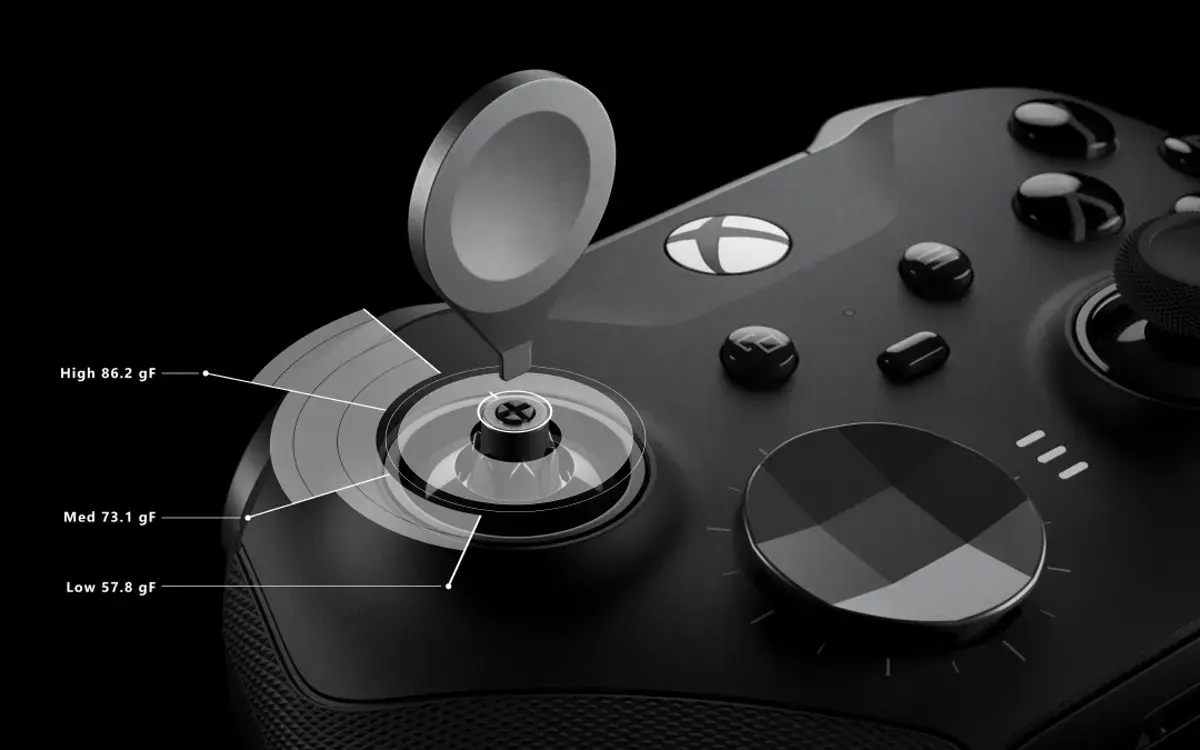
1. Tight your Sticks' sensitivity to Medium level
Use the included tool to do it for both stickers. Start from most left position and just rotate them to the right until they do a first click in a middle position.This will provide more accurate movement/aim without entering in "uncomfortable territory" after long gaming sessions.
2. Replace the default Right Stick with the "Xbox 360-Style" equivalent
This will make your thumb rest and control camera movements & aiming more precisely, which will be obviously useful in competitive FPS titles.
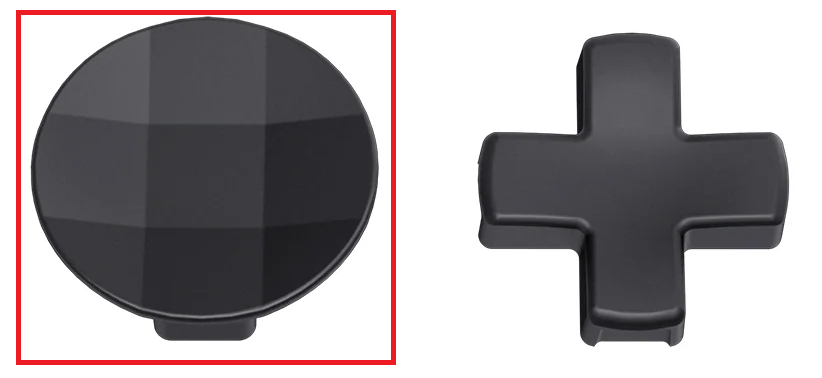
3. Replace the default D-Pad
Use the highlighted one for having a slight edge when using diagonal directions (which won't require you to press 2 different buttons but just 1), especially useful in fighting games.
4. Only use 2 Paddles
Keep the lower/bigger ones and remove the other two above. I've found it more natural to interact with this way while avoiding pressing the other two by error, ending up in unwanted commands while playing
5. Remap your buttons
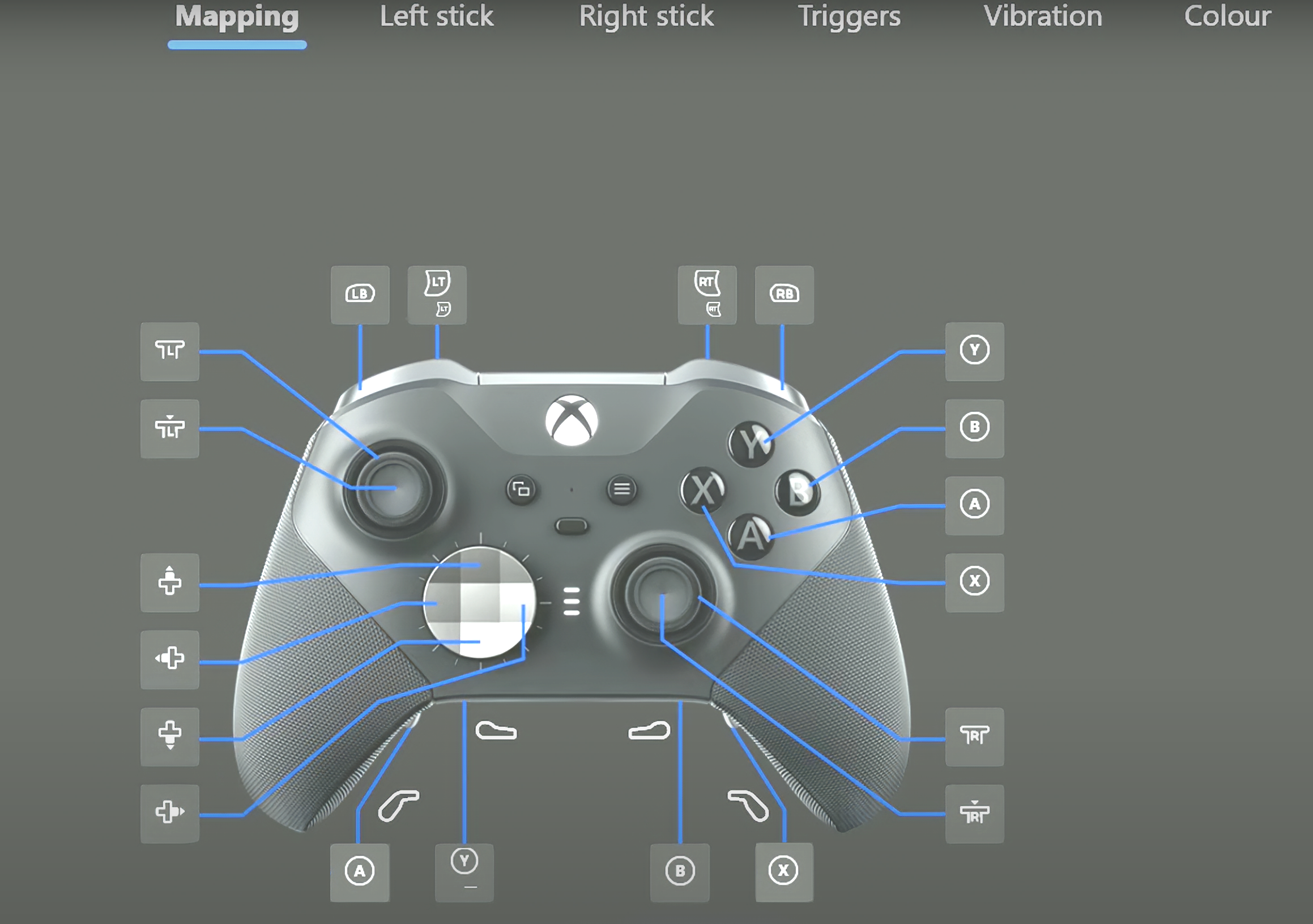
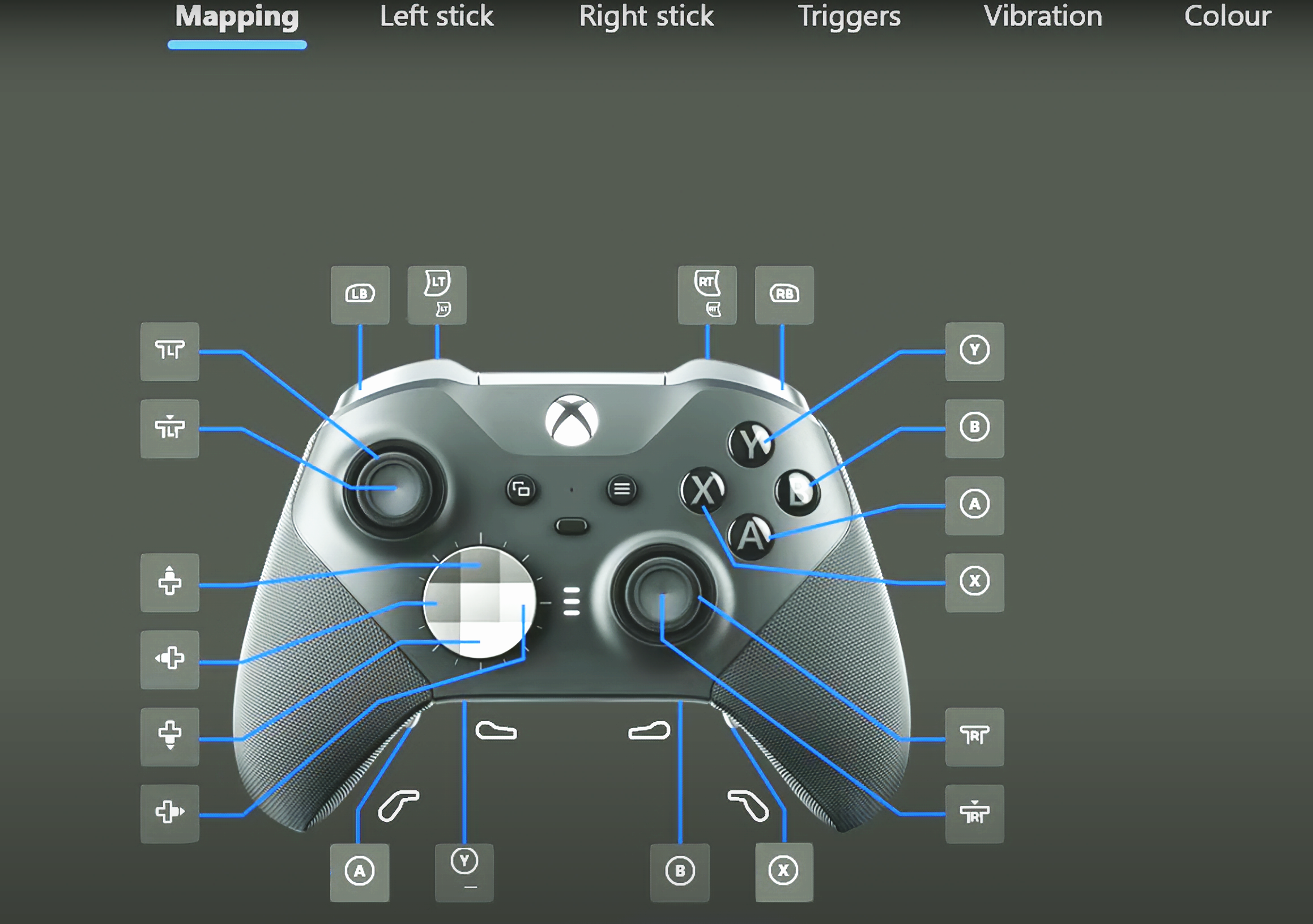
Open Xbox Accessory app (on Xbox or PC), choose the Profile you want to customize and enter in the "Mapping" section for it. Here you can map/re-map buttons as you like.
Personally I've mapped A to the Left Paddle, X to the Right Paddle.
It will take a while, but this will result in much higher agility and precision when playing FPS titles competitively as you won't ever move away your thumbs from left/right Sticks while still being able to jump and reload. You can assign this binding to a dedicated "FPS" Profile or you can just stick with it universally with any game if you prefer.
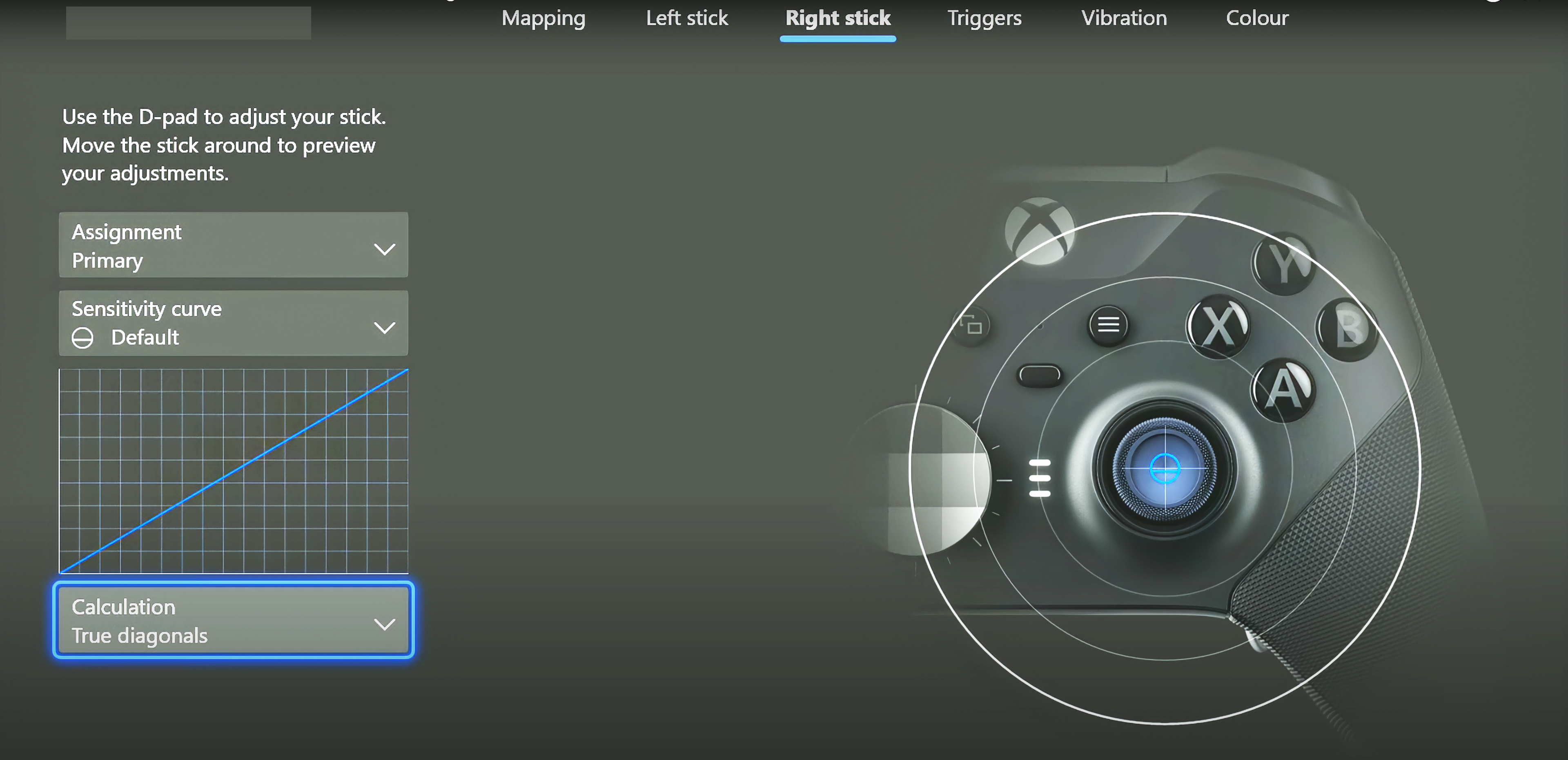
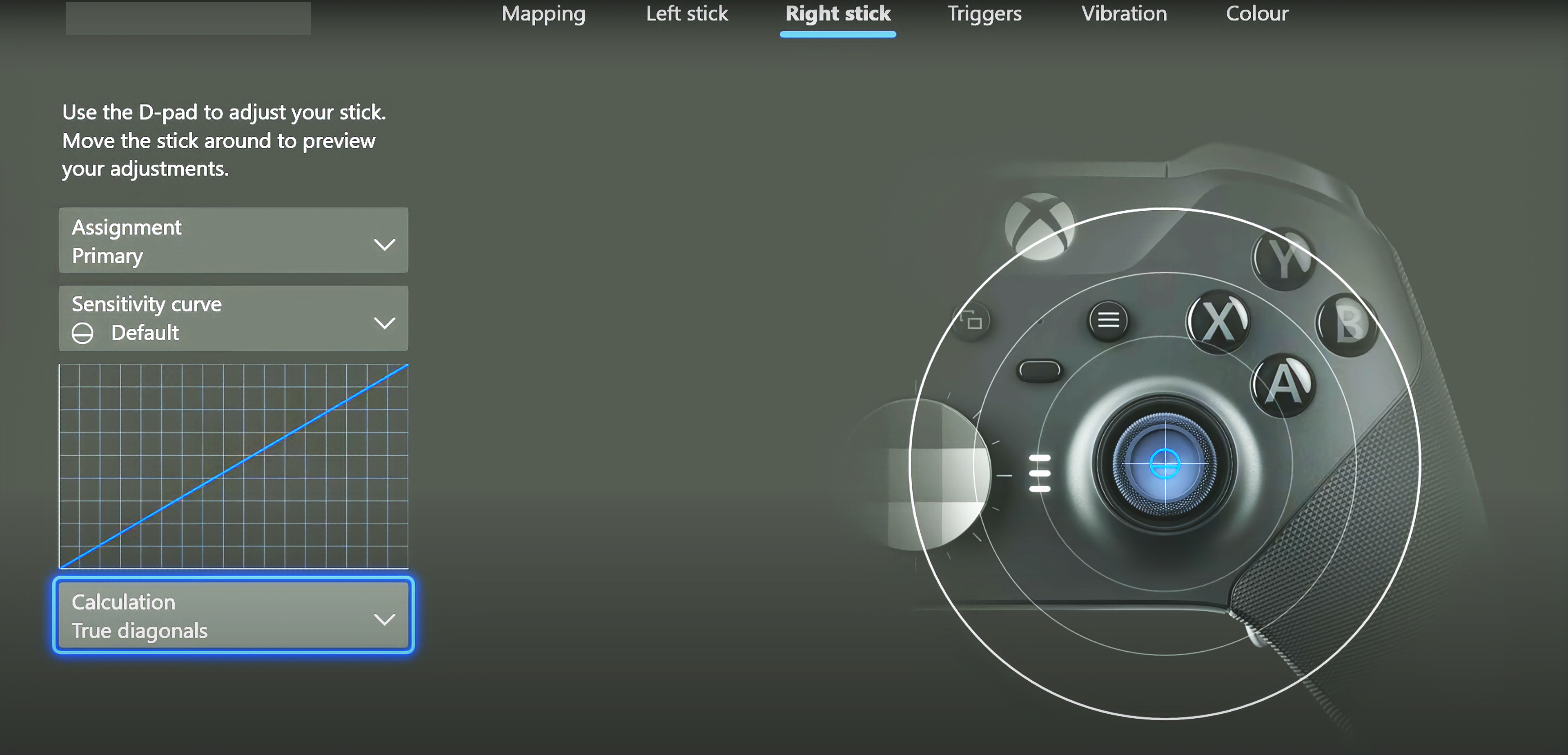
6. Change Right Stick Calculation Model
While leaving the Left Stick to their defaults (as movement in games is already perfectly fine with them), go the the Right sticks section and only change the "Calculation" setting from default Radial to True diagonals.
This will allow a much more precise camera movement & aiming in FPS while keeping it smooth and not jittery.Why not also changing "Sensitiviy curve"? Because I've found that most games have their own sensitivity curve implemented which are based on top of "Default" Xbox curve to work as intended. Using any other curve for the Controller may lead to inconsistent results while using in-game curves. Leave it to Default.
7. Optional Changes
In the Triggers section you may choose to reduce their deadzones to 0 to shoot instantly in FPS, but honestly even at default 100 they're pretty responsive and with more sensitivity you may be better at burst shooting while being fundamental in racing games to play with acceleration of the cars. Personally I have them at default 100
In the Vibration section you may choose to totally disable it in order to not be "disrupted" while aiming, but playing without any force feedback is so 1998 and honestly I have it at default Max vibration
Colour section: here you can customize whatever color and luminance combination you may prefer for the Xbox button of the controller. Personally I have it at default
After all of this, each game will have its own Controller/Bindings/Sensitivity settings to adjust based on your likings, but most of the time I always found games' defaults were already perfectly fine in combination with the Elite 2 optimized as above, but feel free to further tweak in there if needed.
Enjoy :)
-P
Files