Home
Home

 Creators
 Search
 Recent
 Random
 Posts
Posts
 DMs
DMs
 Tags
Tags
 Random
 Importer
 Import
 FAQ
FAQ
 Account
 Register
 Login
Login
 Favorites
 Keys
Keys
 Logout
 Telegram

Gears 5 - HDR Optimized Settings (Patreon)
Content
The game DOES USE/APPLY Xbox HDR Calibration app settings.
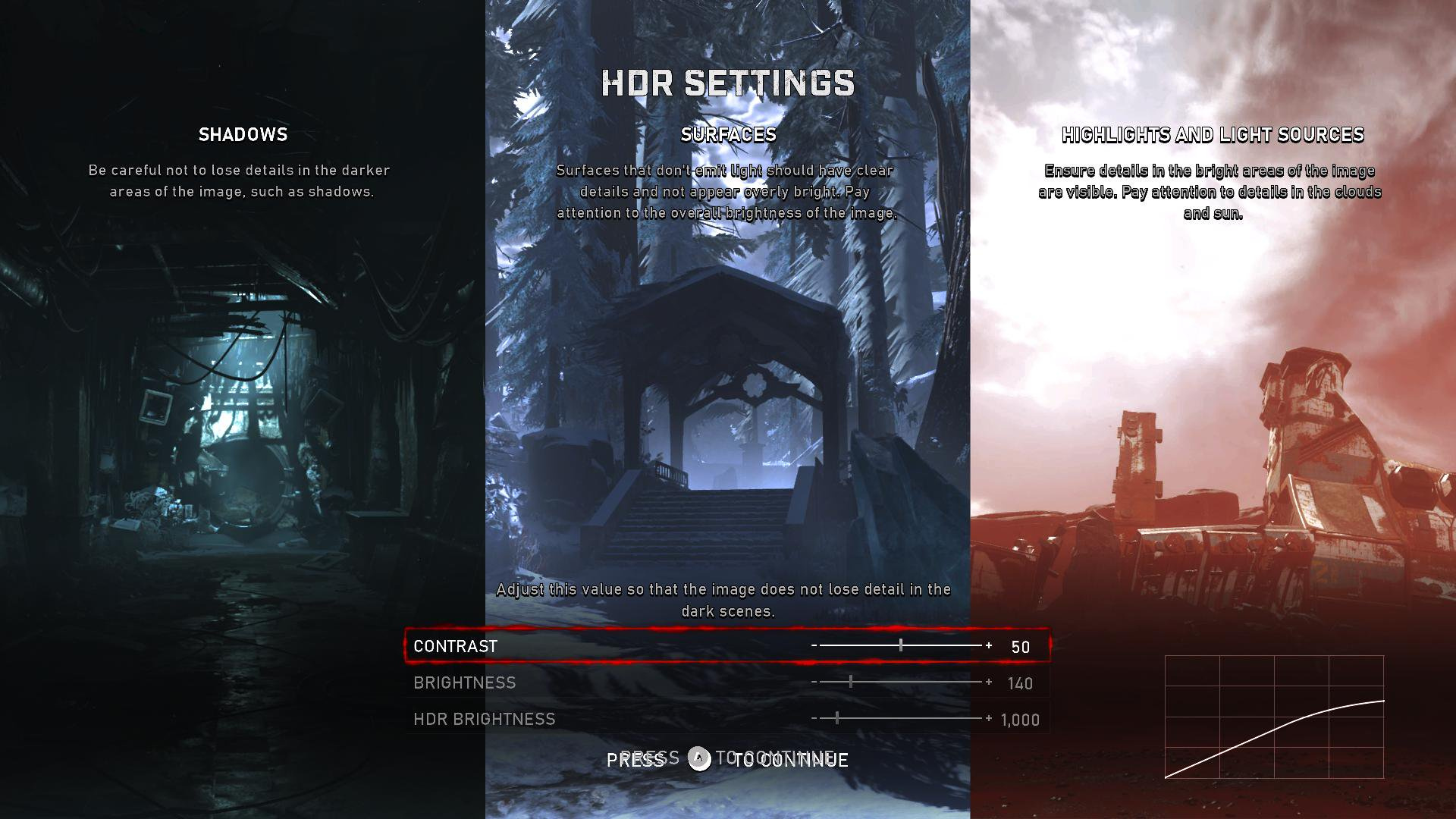
Gears 5 has one of the best HDR implementations and it's one of the very few games actually leveraging the system-wide HDR calibration.
The system-wide HDR calibration won't override and/or "hide" in-game HDR control sliders but it works a bit differently.
Once in the HDR SETTINGS menu, trying to push the button to "Reset to Defaults" what will happen is that the "HDR BRIGHTNESS" slider will go read the system-wide HDR Calbration and just apply what's there directly into the game.
The other two controls (CONTRAST and BRIGHTNESS) will have no impact.
If you have an LG OLED and:
> you're using Dynamic Tone Mapping or Dynamic Contrast:
Set (or make sure) HDR BRIGHTNESS slider (is set) to: 4.000 (nits);
> you're using HGIG:
Set (or make sure) HDR BRIGHTNESS slider (is set) to: 800 (nits) or 1.000 (for G2) or 1.500 (for G3).
If you don't have an LG OLED and:
> you don't have an HGIG option:
Set (or make sure) HDR BRIGHTNESS slider (is set) to: 1.000 (nits);
> you're using HGIG:
Set (or make sure) HDR BRIGHTNESS slider (is set) to the corresponding real Peak HDR Luminance of your TV in "nits".
In all cases leave the regular "CONTRAST" and "BRIGHTNESS" sliders to their Defaults as those already corresponds to a balanced/correct exposure and gamma.
Files