Home
Home

 Creators
 Search
 Recent
 Random
 Posts
Posts
 DMs
DMs
 Tags
Tags
 Random
 Importer
 Import
 FAQ
FAQ
 Account
 Register
 Login
Login
 Favorites
 Keys
Keys
 Logout
 Telegram

Cyberpunk 2077 - HDR Optimized Settings (Patreon)
Content
The game is NOT using/applying Xbox/Playstation HDR Calibration app settings.
The game had one of the worst HDR implementation with its initial release (washed out/wrong colors and wrong gamma) but after 1 year and a half since release things noticeably improved with Patch 1.5 (and free Next-Gen consoles Upgrade) and now even more with patch 2.3
First of all "Use HDR10 PQ" over "HDR10 scRGB" in order to have a true/native HDR10 presentation (and not a SDR->HDR conversion)
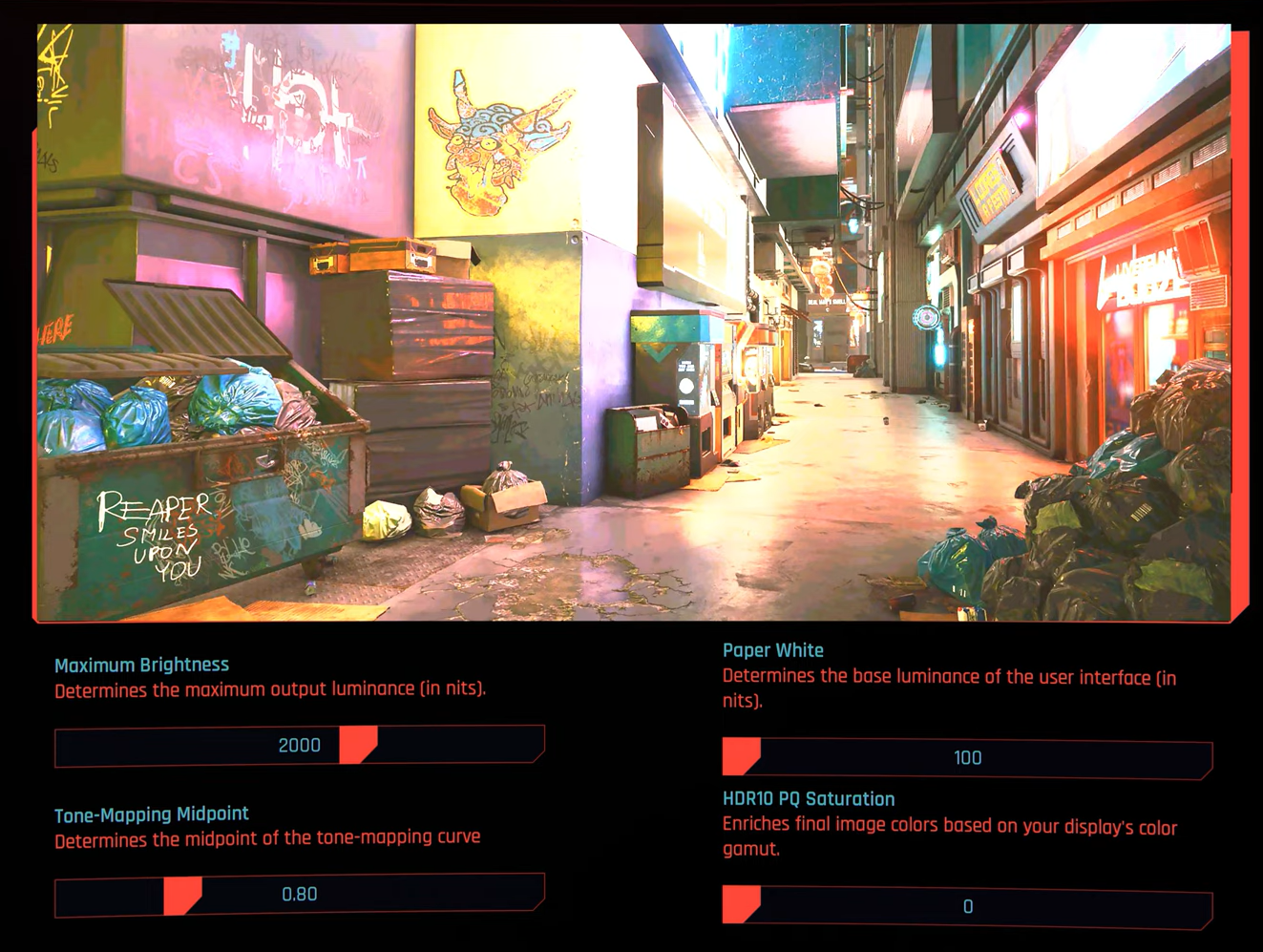
Peak HDR Luminance can be controlled with "Maximum Brightness" slider now up to 3.000 nits;
"Paper White" value will just modify the UI luminance;
"Tone-Mapping Midpoint" will control the gamma;
The "HDR10 PQ Saturation" slider was introduced with Patch 2.1 and will alter the peak luminance also of colors, not only highlights.
With patch 2.3 finally the reference image used in this section is now accurate and represent the actual changes you make with the sliders.
If you have an LG OLED and:
> you're using Dynamic Tone Mapping or Dynamic Contrast:
Set Maximum Brightness slider to: 3.000 (nits; Max);
Set Paper White slider to: 200 (nits);
Leave the HDR10 PQ Saturation slider to: 0 (Default).
> you're using HGIG:
Set Maximum Brightness slider to: 800 (nits) or 1.000 (for G2/C4) or 1.500 (for G3/G4/C5) or 2.400 (for G5);
Set Paper White slider to: 200 (nits)
Leave the HDR10 PQ Saturation slider to: 0 (Default).
If you don't have an LG OLED and:
> you don't have an HGIG option:
Set Maximum Brightness slider to: 1.000 (nits);
Set Paper White slider to: 200 (nits);
Leave the HDR10 PQ Saturation slider to: 0 (Default).
> you're using HGIG:
Set Maximum Brightness slider to the corresponding real Peak HDR Luminance of your TV in "nits";
Set Paper White slider to: 200 (nits);
Leave the HDR10 PQ Saturation slider to: 0 (Default).
In all cases, set "Tone-Mapping Midpoint" to 1.10 in order to have a balanced tone mapping between dark/bright scenes.
BONUS:
Disable "Film Grain" & "Chromatic Aberration" from graphics options section in order to have a cleaner and more pleasant PQ
Use the Performance Mode on XSX/PS5 for the best IQ/Smoothness combo
On PC ONLY: - Try the NOVA LUT 3 Mod (Also don't install Nova City 2 or other ENV mods, but only the LUT). This will completely fix black levels and bad colors in HDR- Also try the Environment Textures Overhaul Mod to much improve textures quality (at the cost of a slight increase of VRAM usage)- I also recommend Remove UI Shadow Glow Mod to do just what it says in HDR ;)
Enjoy ;)
-P
Files