Home
Home

 Creators
 Search
 Recent
 Random
 Posts
Posts
 DMs
DMs
 Tags
Tags
 Random
 Importer
 Import
 FAQ
FAQ
 Account
 Register
 Login
Login
 Favorites
 Keys
Keys
 Logout
 Telegram

Call of Duty: Black Ops Cold War - HDR Optimized Settings (Patreon)
Content
The game DOES USE/APPLY Xbox , Playstation and PC HDR Calibration app settings.
With latest updates the game now (luckily) restored the system HDR Calibration app support, so there's nothing visible and that you should do in-game anymore, if you've already correctly calibrated the system app.
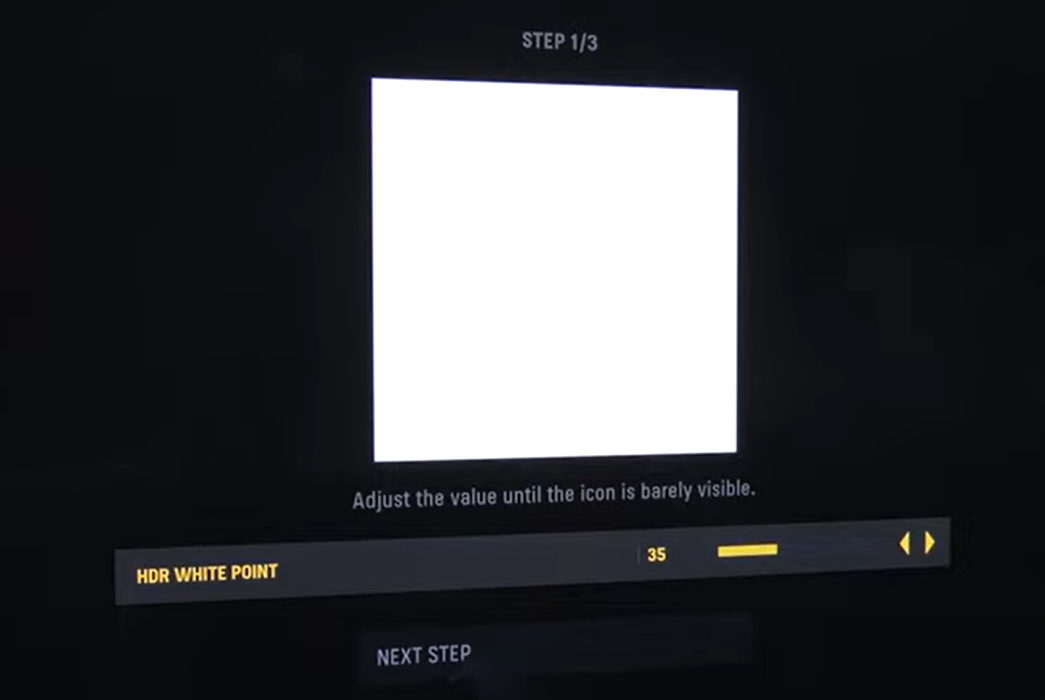
If for some strange reason you're still seeing some HDR Calibration values to setup in-game, I will leave below the specific values for you to calibrate in-game if necessary.
If you have an LG OLED and:
> you're using Dynamic Tone Mapping or Dynamic Contrast:
Set HDR WHITE POINT sliders (Step 1 & 2) to: 100/Max (which is around 4.000 nits);
Set HDR BLACK POINT slider (Step 3) to 0.
> you're using HGIG:
Set HDR WHITE POINT sliders (Step 1 & 2) to: 35 (which is around 800 nits) or 42 (for G2; 1.000 nits) or 55(for G3; 1.500 nits);
Set HDR BLACK POINT slider (Step 3) to 0.
If you don't have an LG OLED and:
> you don't have an HGIG option:
Set HDR WHITE POINT sliders (Step 1 & 2) to: 42 (which is around 1.000 nits);
Set HDR BLACK POINT slider (Step 3) to 0.
> you're using HGIG:
Set HDR WHITE POINT sliders (Step 1 & 2) to a value which will completely hide the pattern/logo and then go 1 click back;
Set HDR BLACK POINT slider (Step 3) to 0.
Files