Home
Home

 Creators
 Search
 Recent
 Random
 Posts
Posts
 DMs
DMs
 Tags
Tags
 Random
 Importer
 Import
 FAQ
FAQ
 Account
 Register
 Login
Login
 Favorites
 Keys
Keys
 Logout
 Telegram

The Quarry - HDR Optimized Settings (Patreon)
Content
The game is NOT using/applying Xbox/Playstation HDR Calibration app settings.
The game has one of the most bizarre HDR implementation I've seen so far.
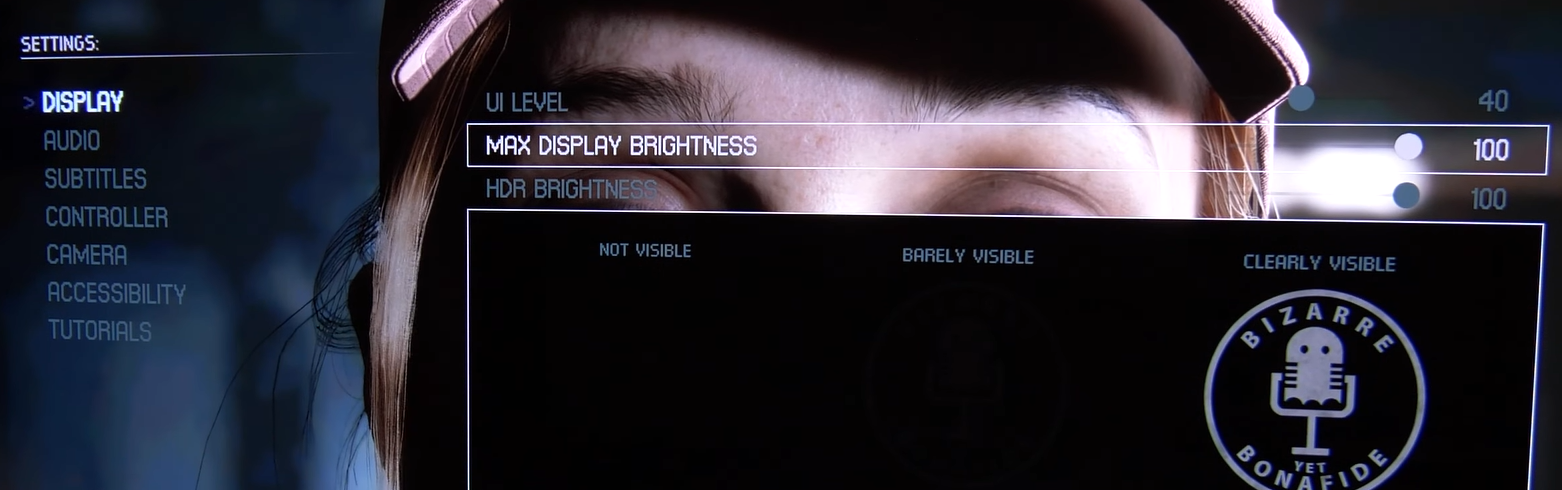
It actually includes a Max HDR Brightness slider in numerical value (but not in nits) and a regular HDR Brightness numerical slider (which should represent Paper White) but in reality neither of them will actually alter Peak HDR Luminance which seems stuck around 1.500 nits.
For this reason it is suggested to use Dynamic Tone Mapping in order to offset potential highlights clipping and lost detail in bright areas.
The game is also very often very dark to the point that, even if it's an horror game and could be justified, it's "way too dark" to even discern any detail (e.g. in the forest at night) and that's not good.
Raising Max Display Brightness even to 100 seems to have no effect at all and could be a bug, but it's still recommended to set it this way as, if and when it will be fixed, having an higher Peak HDR Luminance (e.g. 4.000 nits) coupled with Dynamic Tone Mapping could have beneficial results.
Raising regular HDR Brightness to 100 seems to help to recover crushed detail and/or too dim scenes at night instead.
Leave UI Level to default 40 as this only represent the luminance of the user interface which is already enough bright.
Very bizarre settings indeed...but enjoy nevertheless!
Files