Home
Home

 Creators
 Search
 Recent
 Random
 Posts
Posts
 DMs
DMs
 Tags
Tags
 Random
 Importer
 Import
 FAQ
FAQ
 Account
 Register
 Login
Login
 Favorites
 Keys
Keys
 Logout
 Telegram

Sony Pulse 3D - Optimized Settings (Patreon)
Content
If you're mainly a Playstation owner/user and you've bought a pair of proprietary Sony Pulse 3D headset, rejoice!
After various PS5 Firmware updates, now there is finally the possibility to tweak Pulse 3D's internal EQ to fine tune and (vastly) improve their audio rendition compared to their stock configuration.
Honestly I was never a big fan of how Pulse 3D sounded when they launched: they were painfully quiet, even at max volume, and in general they missed any impactful bass and treble compared to most other headset in the same price range.
This can be vastly improved by altering Pulse 3D's EQ now, which you can find into the "Sound" settings in PS5 Control Center:
Switch to any Custom Preset like "Audio Mode 2" and apply the EQ values provided in the image above for each frequency.
This "V shape" equalizer will mostly fix the terrible quietness AND also bring back the missing "hoomp" to the headset, along with highlighting highs and treble.
As opposite, if you will find them too loud with this after, you can still lower the master volume as you like: it's always better to have more of it than less.
Just two final notes:
1. Even if with this custom EQ you will have a much better audio and bass overall out of Pulse 3D, the bass signature of the headset in general won't still be comparable to other premium headset, especially in low-bass frequencies, but for 3D spatial awareness this should not be a deal breaker;
2. Even if not on par with the more advanced 3D Audio technologies as Dolby Atmos and DTS:X for Headphones, still always enable PS5 3D Audio for headphones after that EQ change. It will be comparable to what Windows Sonic does and will still noticeably improve 3D awareness in both games and movies.
In order to do so:
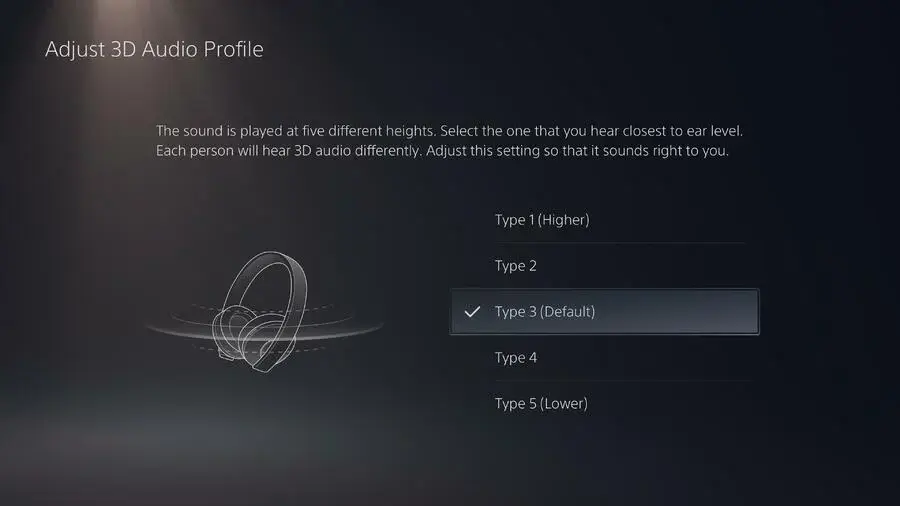
Go to Settings > Sound > Audio Output > Headphones.
Select Enable 3D Audio for Headphones to turn on 3D audio.
Select Adjust 3D Audio Profile to choose your preferred 3D audio profile: if not sure which sounds better for your ears, leave it to "Type 3 (Default)";
Enjoy!
Files