Home
Home

 Creators
 Search
 Recent
 Random
 Posts
Posts
 DMs
DMs
 Tags
Tags
 Random
 Importer
 Import
 FAQ
FAQ
 Account
 Register
 Login
Login
 Favorites
 Keys
Keys
 Logout
 Telegram

STAR WARS Jedi: Survivor - HDR Optimized Settings (Patreon)
Content
The game DOES USE/APPLY Xbox & Playstation HDR Calibration app settings.
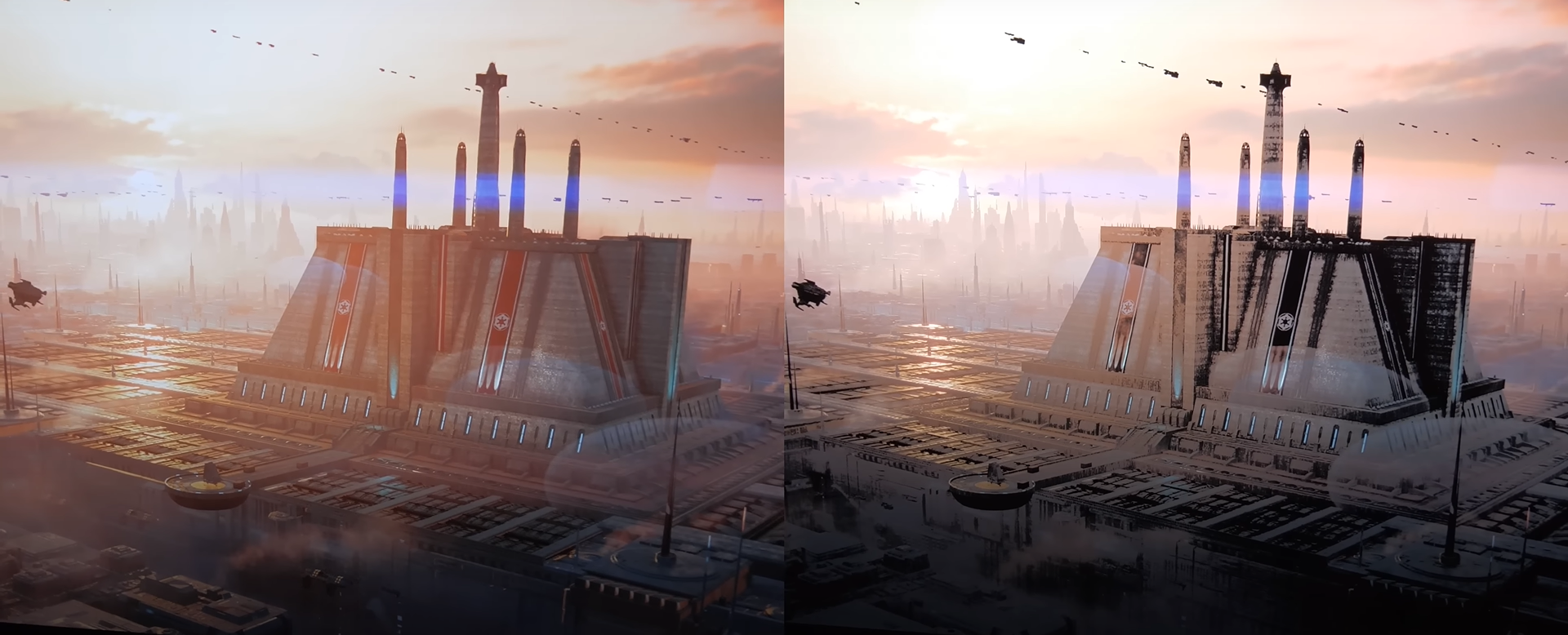
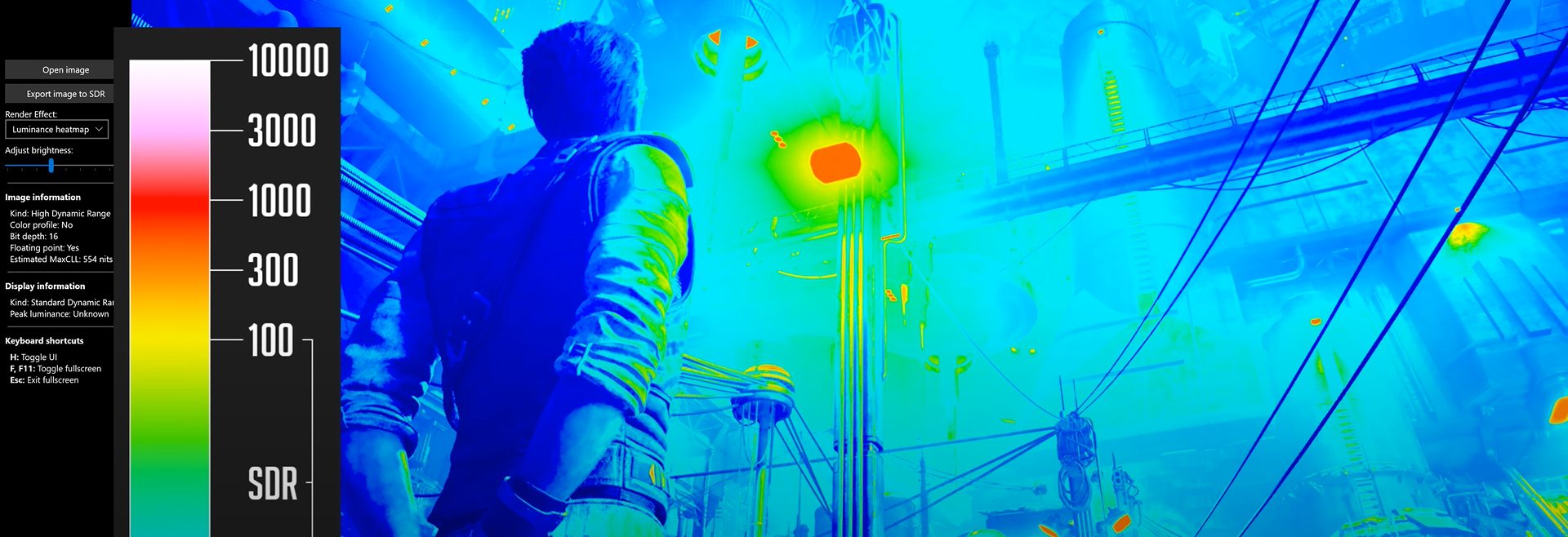
Even if the game actually leverages the system-level HDR Calibration apps, it actually had a very broken HDR implementation which got fixed with Patch 4.
(SDR on PS5 on the left; Broken HDR on PS5 on the right, when using the correct settings on the console) --> FIXED WITH PATCH 4
(Broken HDR also on Xbox, capped at 500 nits max when using the correct settings on the console) --> FIXED WITH PATCH 4
Once you've correctly setup the system HDR Calibration app (for HGIG or DTM), you can then proceed with the following in-game HDR settings:
In all cases leave both HDR Brightness and HDR Black Point to theirs Default setting (50) as they already provide a balanced exposure and contrast.If for your specific TV you notice a bit too black crush, you can increase HDR Black Point to 51 or 52.
BONUS:
Disable Film Grain and Chromatic Aberration: to improve picture clarity
On Consoles: use Performance Mode as the game plays much better at 60fps with lower input lag
On PC: Try my new optimization mod for it and let me know how it goes ;)
Enjoy ;)
-P
Files