Home Creators Posts Import Register Favorites Logout

Content


The game DOES USE/APPLY Xbox , Playstation and PC HDR Calibration app settings.

The game has a good HDR implementation by leveraging the console system-level HDR Calibration apps and actually offering an in-game Peak HDR Luminance slider (but not in nits values) which can go up to 4.000 nits on PC, along with providing additional HDR controls, but there are some issues...

Black levels seems a bit raised in HDR compared to SDR, but let's see how to fix this below.


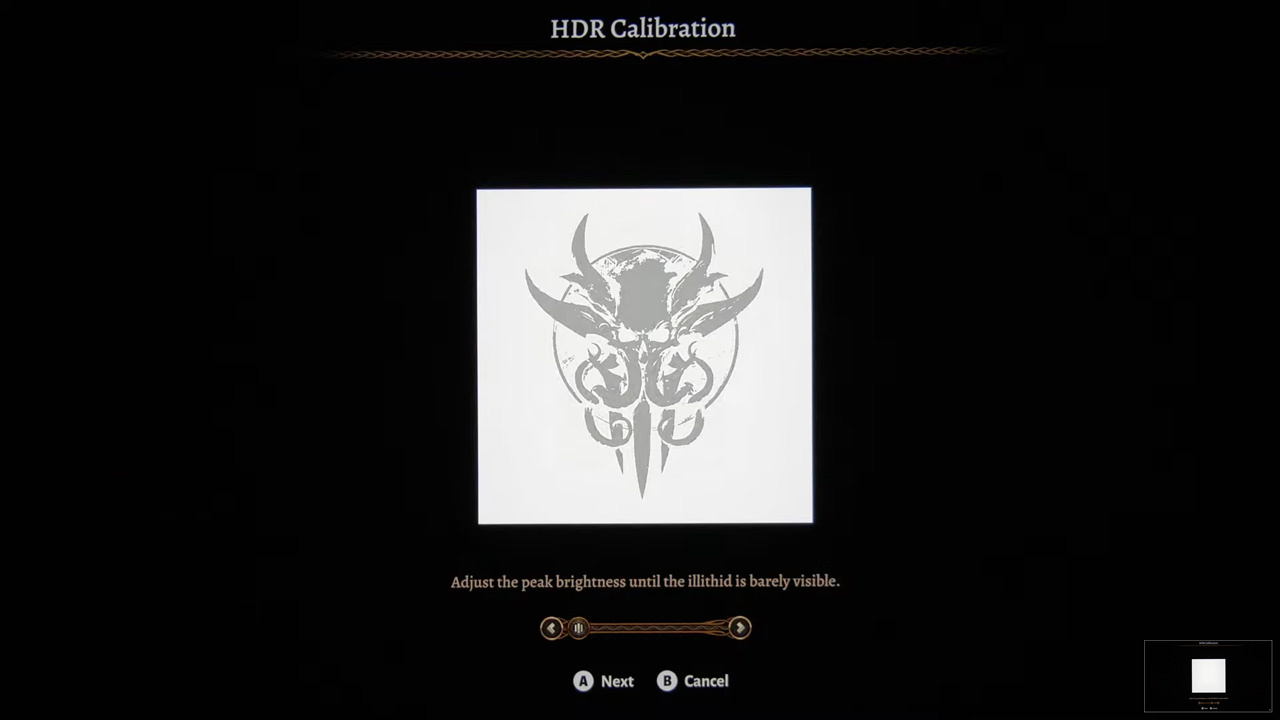
Follow the instructions on the first HDR Calibration slider by clicking right 1-by-1 until the image totally disappears, then do -1 Click back and click Next.

This will be very accurate and will exactly correspond to what Tone Mapping you're currently using/preferring (e.g. 800 nits for all LG OLEDs except G2 at 1.000 nits and G3 at 1.500 nits when using HGIG, 4.000 nits when using DTM).

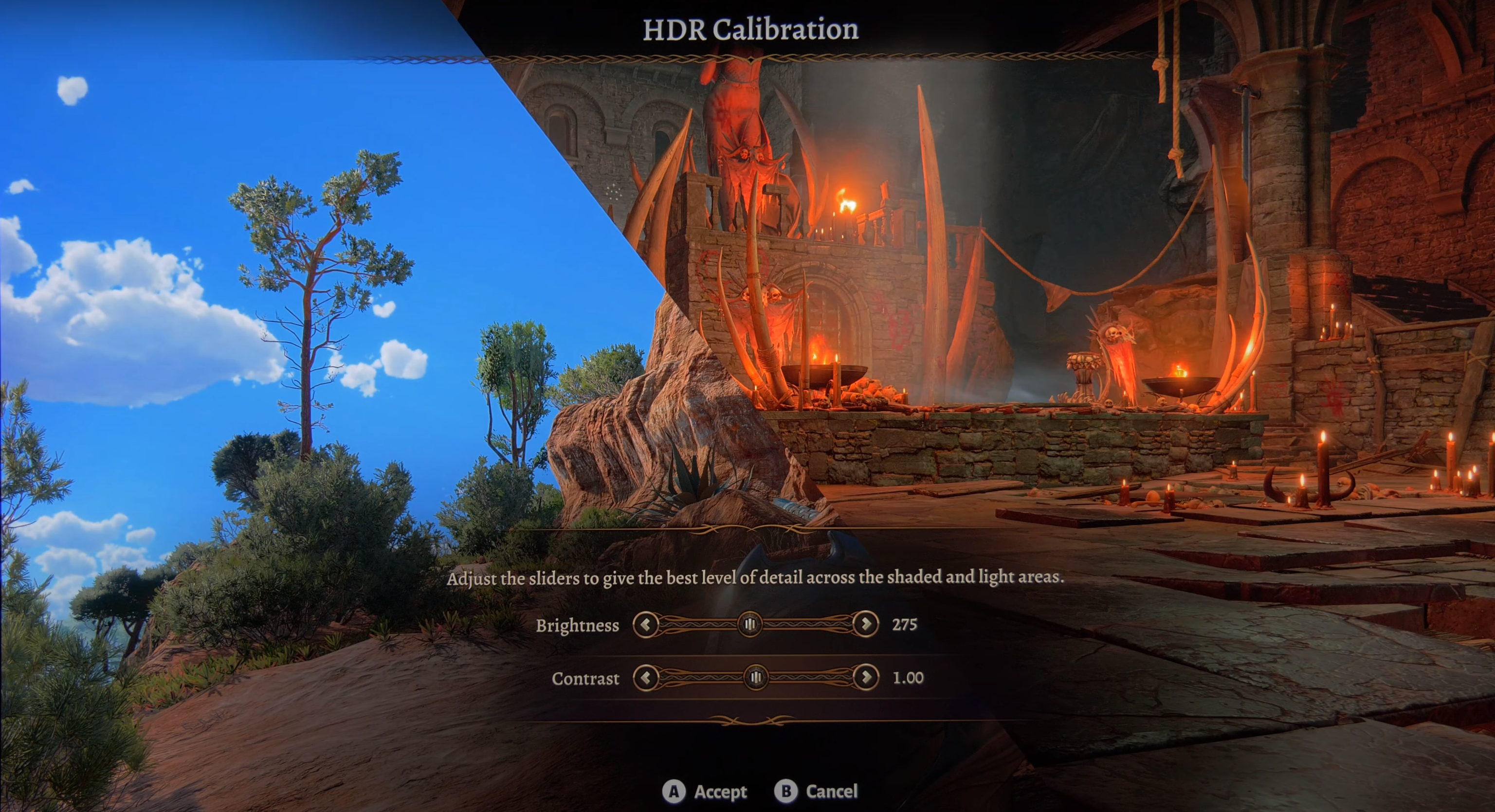
In all cases, in the next section change Brightness to 201 and Contrast to 1.25

This will fix the black level raise along with providing a proper/balanced HDR range to colors and luminance.

Enjoy ;)

-P

Files
Comments

RayCharlizard

Been very impressed with the HDR here, my settings were just slightly off from yours. Will adjust when I jump on tonight.

Ritsu

Regarding DTM and 4k nits configurations. Isn't it better to set DTM off? So it'd tonemap for 4k nits by default, instead of DTM on. I also heard DTM off actually tonemaps for 1k nits, not sure if that's true.

ejinn

Would you ever consider adding the 27 inch LG OLED to your calibrated settings? I use all your settings for my G3, but when PC gaming I’m using the LG OLED monitor and am never entirely sure where the settings best fit.

LT

The PS5 HDR Black 0 issue has already been fixed with version 1.200.003 (Hotfix #5). After the fix, do your in-game HDR settings still match? Unfortunately, on my LG 77G3, I'm experiencing strange color banding issues in the game, especially in the pause screen/overlay on the edges and in the cinematics/cutscenes! There's no true black; you can see unpleasant color gradients and artifacts - right from the start in the opening sequence or right after character creation in the intro. It looks as if the black level isn't right, as if a limited-range video was converted and displayed in limited range twice. I've adjusted all your PS5 HDR settings 1:1 from your G3 Settings V14 - big thanks for the great overview - I use all your settings with my G3! :)) (Black Level also back from 48 to 50 (Which Firmware version actually fixed the Black Level so it could be raised from 48 to 50 again?) - DTM on, VideoRange G3 + PS3: LIMITED). PS5 is set to 25 clicks for both HDR screens, which is 4000 Nits + Black at 0. ALLM + HDR Filmmaker Mode is active. I have the same problems with Diablo 4 inside cinematics/cutscenes and on the loading screens as well. Everything looks as if it's covered with fog. Is this a game-specific issue or an LG G3 (settings/firmware) issue? No matter which mode I choose and turn DTM off or use HGiG etc., the problem remains via HDR. If I start the games in SDR, everything looks fine - no color banding, no artefacts visible, because black is truly black and not gray, as in HDR. Do you have a solution or explanation for how this could be fixed? Since yesterday, my G3 firmware has been updated to version 03.20.06, previously 03.11.54, but the same described problem exists in both versions. It kind of dampens the overall enjoyment when you can't fully enjoy the really cool in-game cinematics on the otherwise perfect G3 due to such unsightly problems :)

Raikidd

Hey, I've seen that you recommend to use 201 as value for the Brightness slider but on the PS5 I can only go on increments of 13 using the dpad/stick. How did you manage to input that specific value?

TheNongoose

Hi, P40L0, according to recent patch notes, BG3 on PS5 has addressed the black level raise in HDR. Consequently should the current recommendation for Brightness to 201 and Contrast to 1.25 be changed? Thank you

W90 82

Hey man. Do the 201 and 1.25 values still apply using filmmaker mode with ALLM as per your recommended tv settings? Or are those values for game optimizer mode?

haris mohammad

So still need 201 and 1.25 values? Also a little bit confused by the image disappearing hdr calibration so should I just put the value all towards the end or just go step by step until I can't see anything?

Zebra Matt

Heya! I don't see the first (Ilithid) brightness slider, and my HDR calibration sliders go up and down in increments. Best I can get to is 204 brightness.

Geoffrey Roman

Hello, I’m on PS5 with a LG C3 and HGiG properly calibrated in the PS5 settings. On what basis do you recommend the brightness and contrast settings in-game?

Rentris

Hello. I just found and joined your content. Much appreciated. I have a question regarding Calibration for BG3 on PS5. How can I adjust the illithid Slider? It will not show up. Only the other section with the Nature/Dungeon Picture.

haris mohammad

Any changes after the 8th and final patch?