Home
Home

 Creators
 Search
 Recent
 Random
 Posts
Posts
 DMs
DMs
 Tags
Tags
 Random
 Importer
 Import
 FAQ
FAQ
 Account
 Register
 Login
Login
 Favorites
 Keys
Keys
 Logout
 Telegram

Final Fantasy VII: Rebirth - HDR Optimized Settings (Patreon)
Downloads
Content
The game is NOT using/applying Playstation HDR Calibration app settings.
The game has a decent HDR implementation but somewhat worse than FF7:R with a Peak HDR Brightness selector in numerical values (not in nits) which can go up to around 1.000 nits only, and only for specific lights and conditions while generally remaining in SDR range most of the time.
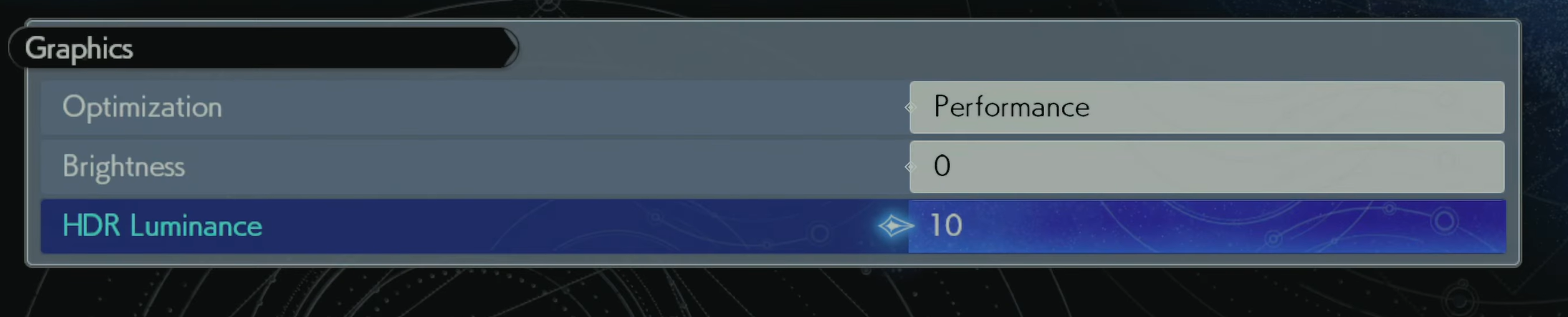
For all TVs and configurations, I recommend leaving the regular Brightness slider to 0 and max out the HDR Luminance slider to 10Considering how dim the game can be most of the time, I also recommend using Dynamic Tone Mapping (but you can try HGIG on LG G2 and see if you like it more)
BONUS:
Use Performance (60fps) Mode on PS5: as this is the best way to enjoy the frantic action and fast camera movements/cuts of the game (even if resolution and image clarity will take an hit)
On PC I highly recommend having a look at my Optimization Mod to reduce most stutters, increase performance, reduce latency, improve clarity and all without visual downgrades ;)Also, for NVIDIA owners: change ReBAR settings only for this game as the following (through NVIDIA Profile Inspector) or you will introduce stutters every few seconds:
Enjoy!
-P
Files