Home Creators Posts Import Register Favorites Logout

Content

! These packs are now Outdated !!! NEWER UPDATED VERSION OF OUR INTEGRATION CAN BE FOUND HERE !! 

------------------------------------------------------------------------------------------------

Hello everyone!  

This integration is made for and requires Dungeondraft – Standalone mapmaking software.

This integration aims to completely replace the default Artstyle of Dungeondraft with our own. These files are prepackaged to be used only for Dungeondraft software, you can load them in and they are ready to go!  How to load the packs into Dungeondraft:

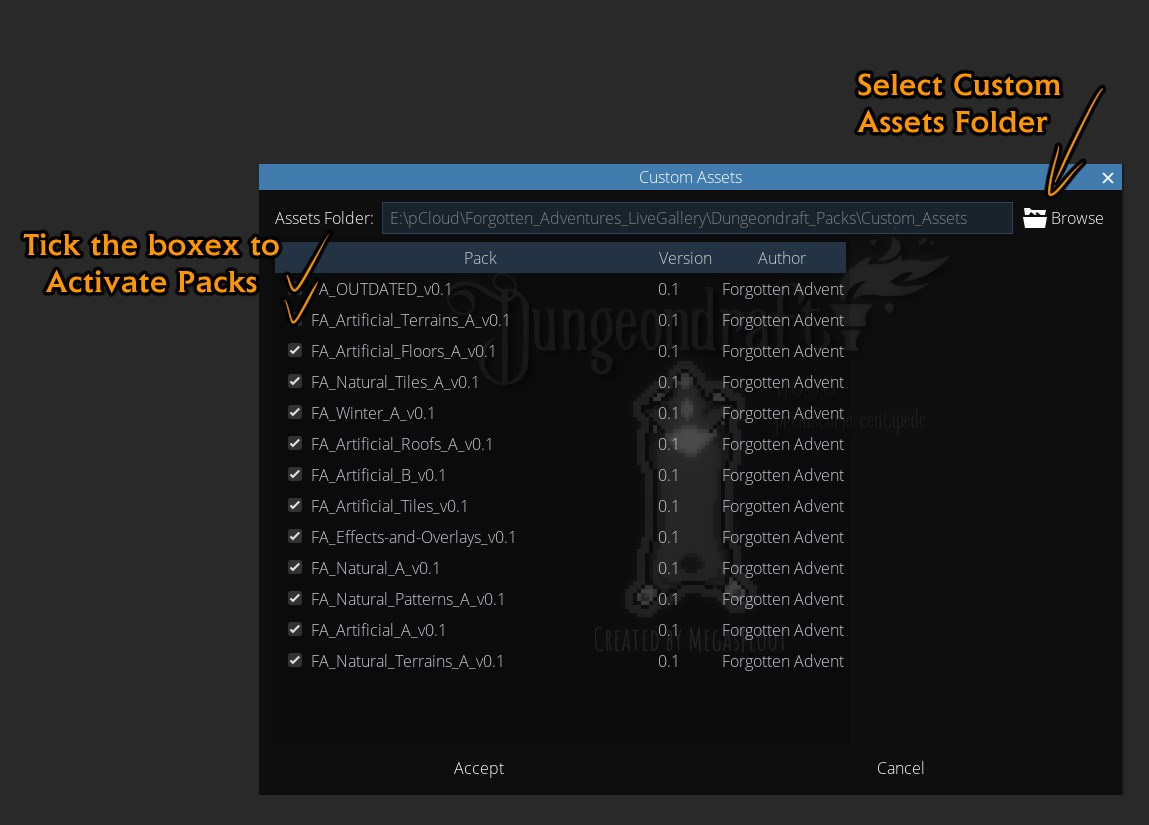
1. Download the packs, place them in your "Custom Assets" Folder together.2. Open Dungeondraft.3. Click on the Diamond on top.4. Select your "Custom Assets" folder -same folder where you have placed your packs.5. "Activate" all the packs by clicking on the tick box in front of each one.

This post will serve as a repository of our Dungeondraft Packs, and will be periodically updated with new content as we release it, you'll get a notification email when this post gets updated!All  our Dungeondraft packs combined contain: 

14 000+ Objects - All categorized with Tags

1 000+  Colorable Objects

200+ terrain textures, floors & patterns

35+ walls 

70+ "paths" (cliffs, stairs, River Banks,  etc.) 

+ updated with new content each month.  All these packs are Patreon Only ( any Tier ).You can download the "Starter Pack" for Free that contains a little bit of everything. So Non-Patreons can test it out first if they would like :)We have a "Dungeondraft-Feedback" channel on Discord, if you find any bugs/have issues with the packs or have some suggestions for changes, please let us know!Total # of packs is 14! - Including the 'Legacy' pack -  make sure you download and activate all of them to get all the assets!Packs have A, B, etc. designations because we have a 200mb file limit on Patreon, so we need more than just one for all the assets. Once a pack fills up to 200mb there will be B, C and so on.-------- Download Links - PATREON ONLY --------

Artificial_A_v2.08 (updated June 3rd 2021) 

Artificial_B_v2.08 (updated July 7th 2021)

All the artificial decor objects, walls, doors, paths, stairs etc.

_________________________________________________________________________________ 

 Artificial_Floors_A_v2.03 (updated April 1st 2021)

All the floor textures like wooden flooring, stone tiles etc. in both "Floor" and "Pattern" Tools

_________________________________________________________________________________ 

Artificial_Roofs_A_v2.02 (updated February 2nd 2021)

Roof Tool & Roof Addons (Chimneys, Windows, etc.) objects._________________________________________________________________________________Artificial_Terrains_A_v2.03  (updated April 1st 2021)

Floor textures but in "Terrains" for blending with natural terrains.

_________________________________________________________________________________ 

 Artificial_Tiles_A_v2.03 (updated June 3rd 2021)

Wall, Fences, Premade Tiles like Catacombs & Dungeons in Object format.

_________________________________________________________________________________

Effects-and-Overlays_A_v2.0

Shadows, Lights, Colorable Grunge Objects, Environmental Overlays (falling snow), Grid Overlays etc.

_________________________________________________________________________________  

Legacy_v2.02 (updated 01.04.2021)

The ‘Legacy’ pack contains all the assets that we deem no longer match our current art style and are in need of being remade. However, they do not yet have replacements so they are still available here for DD. They have been put in this separate pack so we don't have to delete files from the main packs (as that could break old or in-progress maps in the future) when they eventually get replaced with new artwork.

This pack contains assets such as -  all the Graveyard assets, Kitchenware, Wells etc._________________________________________________________________________________Natural_A_v2.04 (updated February 2nd 2021)

Natural_B_v2.01    (updated August 28th 2021)

All the natural cliff paths, decor, plants, trees, stumps, rocks etc. 

_________________________________________________________________________________ 

Natural_Patterns_A_v2.01

Natural textures in "Pattern" format/tool

_________________________________________________________________________________  

Natural_Terrains_A_v2.03 (updated April 19th 2021)

All the natural textures in "Terrains" with blending

_________________________________________________________________________________Natural_Tiles_A_v2.01 

Cliffs, River banks, Cave tiles etc. in Object tiles format_________________________________________________________________________________Winter_A_v2.03 

Winter stuffs separated simply because it's a bit too specific biome and you usually don't need anything winter related unless you are specifically working on a winter map._________________________________________________________________________________Total # of packs is 14! - Including the ‘Legacy’ pack-  make sure you download and activate all of them to get all the assets!Cheers!  Hope you'll have some fun with these packs ^_^FAQ:

Q: I can't find X asset. Was it removed?A: Make sure you've downloaded and activated all the packs, including Legacy_v2.0 - this pack contains all the assets that are considered outdated art-style wise by todays FA standards and don't have a direct replacement yet.

For example: Graveyard & Castle assets etc.

Q: Why do the Packs take forever to load?!A: First load takes a while because Dungeondraft is generating the thumbnails for all assets, sub sequential loads should only take couple of seconds.

Q: Dungeondraft crashes when I try to load FA assets, why?A: First load can be quite intensive because DD is creating thumbnails for all the assets - which is in thousands if you have all the packs activated at once and there is a memory leak so if you run out of RAM during the process, it crashes DD.  Try doing the first load in batches instead, 3-5 packs at a time, then you can restart DD and load all at once.Q: Why can't I see any new terrains?A: Make sure you've downloaded and activated all the packs, then check the terrains section, click the 3x3grid icon and scroll down.

Q: How do I disable the default assets?A: Unfortunately, that's not possible as of now.Q:  Why there are no custom cave walls?A: Cave tool cant be customized unfortunately, we have a cave tile set that you can use instead in the Natural_Tiles_A pack tho!Q: Why there are no Materials?A: Materials in Dungeondraft in the current state don't work well with our artstyle, as the edges are too blocky and distort the textures too much. We will revisit and add materials once there is a bit more control over them.Q: You just released a new pack, but it's not available in Dungeondraft why?!A: Because it just came out and we didn't have a chance to convert it yet. It'll be integrated once we are done with the conversion.Q: There is no X Asset, Will you add X asset? If so, When?A: If it's Fantasy/Medieval related, probably yes.  No idea when, when we feel like drawing it.Q: Upcoming updates schedule?A:We usually don't plan too much into the future. We decide on what we are working on on month-to-month bases, but we have a Trello "Roadmap"  what we try to keep up to date.Q: With the updates, do I just replace the current files?A: Yes, delete the old version of the pack and replace it with the new version.Q: Do I also need the "Starter Pack" in addition to the Integration Packs?A: No, Starter Pack just contains couple of pieces from the main packs as example, if you have the integration, you can delete the Starter Pack.

CHANGELOG:

August 28th 2021

[FA_Natural_B_v2.01]

- Added Wilderness Pack 5 and Wilderness Pack 6  

July 31st 2021

[FA_Natural_B_v2.0]

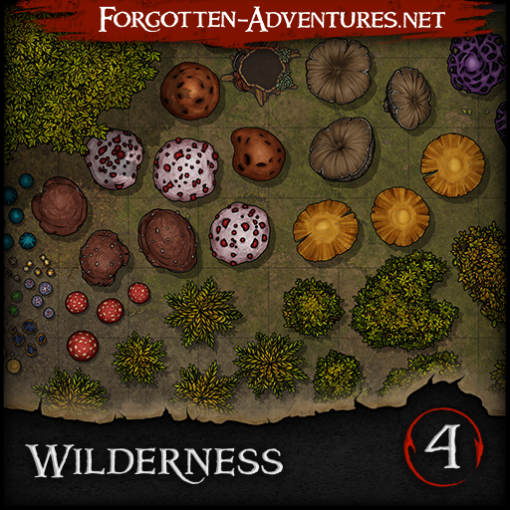
- Added Wilderness Pack 4

July 7th 2021

[FA_Artificial_B_v2.08]

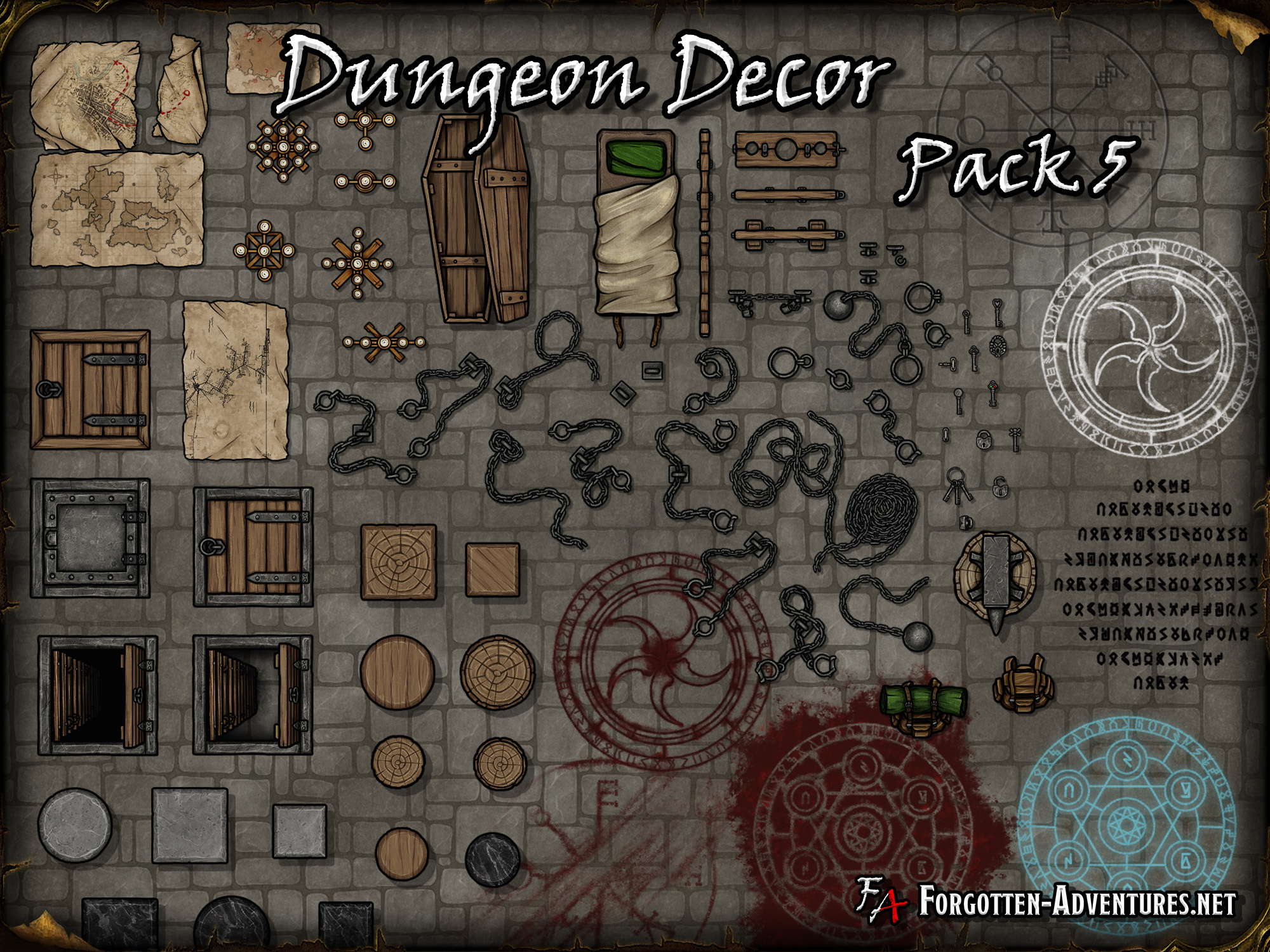
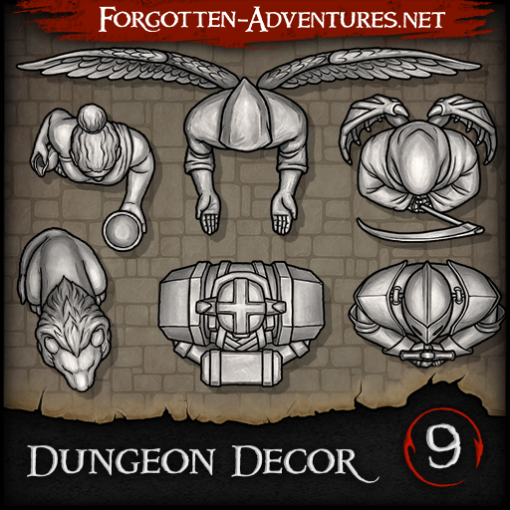
- Added Dungeon Decor Pack 9

June 23rd 2021

Heyo dungeondraft peoples, slight change of plans regarding 3.0    Since we don't really have a timeline for 3.0 and don't want to rush it and make unnecessary mistakes... but at the same time dont want to keep you waiting without new content for too long.So we'll continue to add new content to 2.0 for now - Adding new stuff is not gonna break anything, but all the stuff from the rework update will have to wait till 3.0[FA_Artificial_B_v2.07]

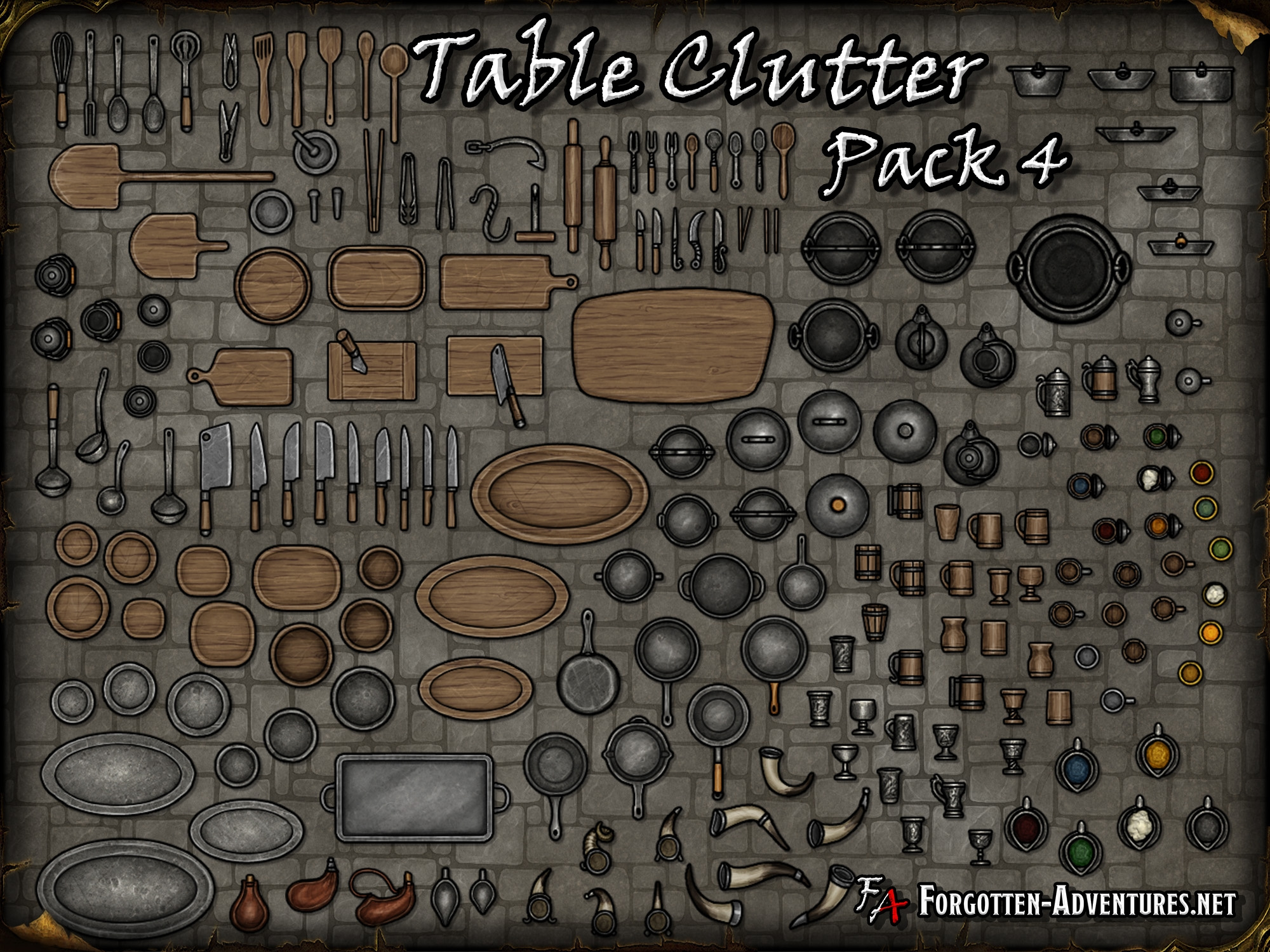
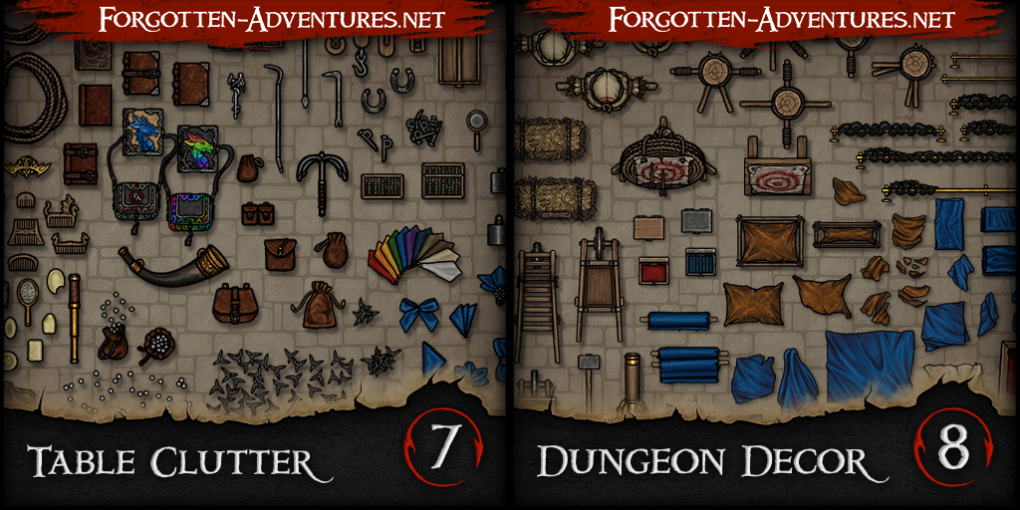
- Added  Dungeon Decor Pack 8- Added Table Clutter Pack 7

Files

Comments

Bethany Golden

Forreal. You guys are seriously the best.

Saybur

Oh wow - FA + Dungeon draft? Thank you so much!! Can't wait to try this 😁

DD

This is fantastic!

Nicholas D Lambert

Time to throw all my personal packs in the garbage and use these...

steff9488

I don't know Dungeondraft, what is the benefit over using CSP for Mapmaking? Is it worth it? Thank you :-)

Aliysium

This is awesome! Thank you so much for taking the time to do this <3

Haydeos

I'm not seeing the grass textures anywhere in the editor. Do they need something specific to add them in, or were they not included?

Grygon

Holy cow this is amazing, thank you!

Miriadis

Nice! Thanks for the effort! Let's see if I can start using Dungeondraft for my main campaign now!

Miriadis

It's a map making app by the creator of Wonderdraft. You sacrifice a bit of versatility from an image editor like CSP in exchange for the benefits of a specialized tool. You could always still give the generated map a pass on CSP if you want to adjust stuff.

steff9488

Thanks. I will give it a look :)

Alex Phipps

Does it allow for drop in doors and room generation with the assets like the into video shows?

Matt DeKok

I have the textures imported, but don't see them anywhere, even under Terrain.

Haydeos

I found it, in the terrain brush, there's the 4 pre-set textures with an icon of 3x3 boxes next to them, they're selected by clicking on that and scrolling through the available textures.

Forgotten Adventures

not sure what video are you referring to, but most of the Dungeondraft core functionality is preserved

MSAbaddon

That's awesome, thanks a lot :-)

Mike Luna

This is absolutely perfect! I waited for this day to come, but did not expect it for another year quite frankly. Much praise to everyone involved!

Wokeye27

Sensational work.

Steve Lyons

I've downloaded them and put them into a custom asset folder along with my other packs but they aren't showing up in the asset menu in Dungeondraft along with half of my other packs. The folder is located in My Documents. Any ideas?

Jairlyn

Awesome. This just got me to sub with you!

Matt

Awesome but at least half or more of the flooring doesn't really look good because they are not setup properly to make them seamless in dungeondraft. Pretty much any of the non-square stone type flooring has this problem. Looks really rough on a map and so I for one won't use them. Any chance to get that fixed?

Forgotten Adventures

You have to use the pattern tool for seamless textures instead I reorganized the textures in the v1.2 of the Textures - Floor pack so the seamless ones only appear in pattern tool to avoid confusion

Matt

Do those same show up in the build tool? I am talking about the ones that show up in the build tool with floor + walls. There are a number there that look weird when used. The pattern tool is a pain to work with because it has glitches during export and you can not select any object put on top of it.

Forgotten Adventures

No, for patterns you have to do the walls separately, like I said those textures that don't work well with it are not there anymore in the v1.2, I didn't encounter any glitches but if there are issues with it those are related to Dungeondraft itself so I can't really do anything about it

Nico

This is really great, Thank you! I have a little problem, when I want to use green trees, I just have in green the "great pines A, B and C", but no other form! I can see different forms in red and white (snow), a lot of shadows but no green. Is there a problem?

Forgotten Adventures

All the red objects, trees and plants included are Recolorable, so just select those red trees and choose a green color :)

Nico

Thank you, I didn't think of that. I'm new to Dungeondraft.

Baggers PG

Could you maybe add a "Last Updated: {date}" in the title or just below? It is easier to keep an eye out for new updates that way :D

Forgotten Adventures

Yes, all Mapmaking stuff was converted and is included in these packs (unless we left it out accidentally)

Hans_Schnitzel

You've made me a happy man today. Good stuff. Bookmarked.

Hans_Schnitzel

Question: Are there any plans to make the old bushes and trees work in Dungeondraft? I really like ALL of the forest assets you've created, including the very first ones.

Forgotten Adventures

Most likely not, the older bushes will get a "facelift" in the next Forests & Wilderness pack when we get to it and the old tree stumps were replaced with the new ones.

Justin

Can someone explain the step I'm missing with adding custom assets? Every guide I find tells me to do something with a ZIP file but every single custom asset file I download comes in a .DUNGEONDRAFT_PACK file and I don't know what to do with that.

Forgotten Adventures

The "Dungeondraft_Pack" files are already packed, so just put them in a folder together and in Dungeondraft choose that folder as you custom assets source (diamond icon on top)

Nix & Checkers

This is a really cool project you've done here. I can't wait to use it!

Ulas Yalcin

Hello! I'm new here, just wanted to say thank you and really enjoying your work. Hoping to see more :D

Garrett

this is really fantastic thank you for putting in the effort to make this work.

Brett

Thanks so much. Over the last few weeks I've tested almost every mapping software I could find. Dungeondraft is by far my favourite to use but the artwork doesn't do it for me... this project of yours has transformed the experience. So thanks again!

Christopher Sulat

This is really excellent :) I have a request though - please can you add the mushrooms/fungus from your old cave tile set? I'm looking to make a mushroom grotto and the fungus from the adventuring gear are lying down not growing straight up.

Jordan Bauman

This was really well done! Thank you so much. I wasn’t a big fan of the default in Dungeondraft and had given up on it before. Now I can quickly make maps for throw-away encounters.

PsychoWedge

Found you guys on cartographyassets and watched your timelaps video. Had never heard of you three days ago. Now I am a patreon. Tremendous work, well done. I hope I can give more once the corona thing is over and there is more disposible income.

Forgotten Adventures

Some older stuff was purposefully left out as we have updated versions in the works, mushrooms are one of those.

Kanashimu

This is awsome! The only asset I kinda miss in your style is the cart assets as the default style clashes a bit too much with yours.

Steel_Wind (Robert)

Thanks for this! This is going to come across as more passive/agressive than intended, but if I don't mention it - I fear it might be misinterpreted. These Dungeondraft asset packs and updates to them? That's why I am here. I downloaded the builder's pack yesterday so I could use them in Photoshop for touch ups if I had to -- but the DDraft assets is why I am a patron. Thanks again.

Steel_Wind (Robert)

Also, if there were two asset requests? 1 - Arrow slit windows. 2 - Probably not possible given code issues -- but some 5' thick castle walls options? That would be awesome.

Forgotten Adventures

Already updated ;) Dungeondraft packs will always be updated shortly after "normal" release, it just takes some time as assets need to be converted and tagged

sPOiDar

After updating the asset packs, all the doors that used assets from these packs in existing maps show the doors as invisible. Selecting one of these invisible doors currently crashes Dungeondraft. Clearly the crash is a Dungeondraft problem, but the symptoms stem from the assets having had their names changed within the pack (DD associates an asset with an object via a path that includes the filename like: `res://packs/hlSmH3SL/textures/portals/Door_Wood_B2_02.png`).

Nils Cordes

Wonderful assets, my players on Roll20 are getting spoiled. I have encountered a problem after the last update though. As sPOiDAR says, some of the old assets are invisible and crashes Dungeondraft when clicked. In addition, I am wondering if you could re-add the old stairs that were removed in the update. Alternatively, is there a way to download the old packs and use them side-by-side with the new?

Forgotten Adventures

https://www.patreon.com/file?h=17713082&i=6067832 Here is a link to the previous version, I would recommend deleting the doors/windows and then switch to the new one, sorry for the inconvenience, the rename was necessary for organization as more "portals" are coming soon. The old stairs were using outdated textures and don't have a proper scale(too many steps per square) , that's why they were replaced completely. We have new wood textures now so there was a slight style change and everything wooden that no longer fits is getting an update so it all fits together.

Nils Cordes

Thanks! You're a lifesaver!

NotPixelPerfect

I was looking for cool cliffs when I was blown away by what I saw here. The beauty of this works has earned my patronage. Well done and I look forward to seeing other works and especially updates to this

Hans_Schnitzel

I found a small bug. The "Solid-F-wall" has black lines at the end that are longer than the wall is wide. Each section of wall thus looks like a double-T where the top bream is a thin but easily visible black line.

Ludwig Tegelmark

A door set or a "door" category would be nice. Always have to search around for the asset every time. Just a thought.

Malcolm Wolter

I'm having the same problem. I can't delete the window and doors on my map — as soon as I touch it the app crashes. I will try installing the old pack and hope I can get back to working on my map. UPDATE: That doesn't work either. DD only recognizes one version of the pack in the menu, so I can't run them side-by-side. I guess because they use the same ID? If I can't figure out a workaround, I'll lose a couple of days of work. Someone in the DD forum suggested using different pack IDs if you ever change the names of assets in the future as inot doing so screws up legacy maps. UPDATE 2: So, I went back and got v. 1.3 to load, but my map doesn't even recognize the portals then. If I touch one of the missing portals the app crashes. So the only way I can fix this is to edit the DD map file in a text editor to recreate the path for the assets. Not as easy (for me) as it sounds, but my only alternative is to spend a couple of days rebuilding my maps. Ugh... So, if it's just names that have to be redone, here's what's in my text file: "texture": "res://packs/hlSmH3SL/textures/portals/Wooden_Window_A_02.png", "texture": "res://packs/MClN5uGo/textures/portals/Wooden_Door_C.png", What should I change these links to in order for them to come back into my map? UPDATE 3: I found the new names of the assets and did a Search and place in my file. I'm still having the same trouble—the assets won't display, and if I try to touch the space where they're supposed to be, it crashes the application. Are there other parameters that need to be changed in the text file besides just the file names? UPDATE 4: EightBitz over at the DD Discord, tried to help me untangle my map file. He wasn't able to get it back, so it looks like I've lost two days of work. My advice to users of these gorgeous assets is NEVER swap out FA packs in the middle of a work in progress. Doing so could lead to a loss of your map and a lot of time.

EightBitz

You guys need to know that when you change the names of your assets, you need to change the pack ID so you don't break existing maps. I've been working with people on Discord whose maps were broken by downloading the updated packs. The fix isn't as simple as regressing to the older versions of your packs, because the asset info was permanently stripped from the map. Please keep this in mind in the future.

Bespin

Absolutely fantastic stuff. Love the style. Keep it up. Looking forward to more wonderful assets. Are there any plans to do something with the materials. I love how you can paint the lava independently from the terrain but the style is a mismatch. I hope DD allows for the water painter to be changeable as I love the effect but the outline is a bit of a bother. I combined it with your textures and got some really nice effects. I used the river border path tool to hide it but it's hard to get the colour right (there is no path colour support yet either.)

The Baron

FA, thanks for the assets which are among the best out there, but then also going as far as making them compatible with Dungeondraft. Really fantastic, thanks so much.

Adventurers Legacy

This is an epic feat keeping these being updated and change controlled. Awesome job!

Zpace

Thank you for your hard work with these assets and keeping up the integration with Dungeondraft!

Blaze Rifton

Amazing asset packs, thanks for all the hard work! I seem to have encountered an issue with Wood Variants v1.4. Whenever I enable this asset pack, Dungeondraft hangs on exit. Presently, I only have the FA packs enabled. Curious if there is a known issue or potential conflict?

Forgotten Adventures

Known issue, noone knows what's causing it, my main suspect is just the amount of files... which we cant really do anything about. Also it's not really a high priority issue anyway.

Blaze Rifton

Noted, thanks for the update.

Toasty Bacon

So how would I go about actually replacing Dungeondraft assets? Because currently it seems i'm loading them in addition to the original.

Forgotten Adventures

Unfortunately there is currently no way to disable default assets. Might be worth suggesting that to Megasploot(DD dev) on their discord.

Saybur

I'm having trouble having Dungeon Draft use these assets - I downloaded the packs, put them in a folder (Documents\Dungeon Draft Assets) then pointed DungeonDraft there... but when I make a new map I don't see them? When I hit "Assets" I see the packs appear to be loaded... am I missing a step, or is there a "how to" for installing these? Thank you :)

Forgotten Adventures

There is a "tickbox" in front of each pack when you see them in "Assets" , you have to tick the ones you want to load.

Saybur

That did it! Thanks so much :)

Mattias Abrahamsson

Amazing asset packs, thanks for the great work! Are you working on any clothes pack, or am I just missing something?

Elim

We really need some more vegetation, there are no palms! I love the packs.

John Rath

This is fantastic - love it!

Forgotten Adventures

Only first load takes a while since DD is creating thumbnails, subsequent loads should be almost instant

TeeJay Maertens

With the updates do I just replace my current files with them? I had an issue in the past with other Dungeondraft packs (not yours) removing the assets from my maps when I deleted the old Dungeondraft packs to replace them with updated ones.

Forgotten Adventures

Issues like that might happen if you update and some files were renamed or removed. I will do my best to warn about that happening in the updates/changelog but some might slip through, it's a lot of files :D To be perfectly safe, I would recommend finishing your WIP maps before updating, just in case, or backup the map file and older versions of packs.

Phil

Although new to DD, I love the packs! One additional thing that might be worth adding, with low effort: Transparent overlay stair paths! FA already offers various useful stair paths, but I something like this in a different asset pack and think it would be a great addition! Just place any floor, and overlay it with some stairs!

Phil

Great, thanks! Looking forward to it!

steve knowland

I used your stuff in Campaign Cartographer, but recently switched over to DD and was glad to see the conversion! Any chance of converting over Creatures and some of those packs? Keep up the great work!

Miguel Pacheco

So if I use this do I still need to download the other assets packs on "cartographyassets" or the ones there are already included on this integration? Sorry if it's a dumb question

Alexander Törner-Öqvist

My Dungeondraft stops working when I close a map. I do have all the .packs active. But is there some way to perhaps remove the original stuff and just use your tile-set?

Forgotten Adventures

Hang on exit is a Dungeondarft issue, fixed in the latest update. There is currently no way to disable original assets unfortunately.

Alexander Törner-Öqvist

Hi. I don't know why really but I've never had this issue before. Every time I open a map, the floors have changed - some of them. Idk if it has something to do with the amount of assets that is loaded in. And might have something to do with the crash every time I close the map. Is this a known issue? I'll try removing some of the packs, that I think I won't use.

Andrew Cox

I've installed and applied all of the asset packs but I don't have any additional floor/pattern shape options. Everything else is appearing like walls, terrain, paths, objects, etc just not floors. I can't see that I'm doing anything wrong but maybe I'm missing something? I've definitely added all the files.

Forgotten Adventures

Make sure you are on last DD version and double check that you have all the packs , there are 3 "Texture" packs, they all have different files.

Ederson Vieira

Que coisa mais incrível !!! Obrigado por suas artes incríveis, ela torna minhas mesas cada vez mais especiais e imersivas. Agradeço de coração.

Hozin

Currently having an issue with the Shadow path; up until today, when placing the path, it would place nearly half a cube away. This worked really well, as it lined up with the walls very well and allowed me to delete a path without having to move or delete a wall. Now, it places almost exactly where the cursor is and seems smaller than it was originally, almost completely covered by the walls. I'm not sure why it's changed, as I've not updated Dungeondraft or messed with the assets at all. Is this an issue with the path itself or is this a Dungeondraft issue?

Hozin

Yeah, sounds like that. No, I didn't. I've changed nothing about it and I'm using the same size as before; default width 1, that's why I was asking if you know what's up with that at all. I'll just try uninstalling and reinstalling all the asset packs or something.

Davide Lamberti

Just a heads up, some Colorable content is not functioning properly

Agnello Lupo

Hi! Is it possible that lit candles are not included in the packs? Seems I can't find them.

James Matasovsky

Which asset packs are the Dungeon Decor and Modular Mine asset packs a part of? I tried to download them from the link but they did not download as a dungeondraft_pack but instead as a zip with png files in it.

Timothy Berriault

Those assets your asked about have been added to the core 9 asset packs. For example, Modular Mine is a part of Wood Variants V1.6. When new updates come out, that last Wood Variants would likely update to say V1.7

Jacob Greaves

that is such a shame... i want to make forgotten adventures autogen'd maps... :(

Velara

I love the packs you've put together! But, I've been running into an issue with some of the colourable assets, where regardless of what colour I set them they have little red splotches on them. The issue is particularly notable with the colourable bushes. I was wondering if you have any suggestions as to how I might fix the issue.

Forgotten Adventures

It's a known issue/bug, we are releasing 2.0 version of the integration later this month which has this issue fixed + bunch of other improvements

Velara

Glad to hear it, I'll await the update patiently! Thanks for the prompt response.

Fabio Cingolani

Hi! I downloaded all the packs and currently playing with them in Dungeondraft, but, for the love of God, it seems i can't find bushes like the ones you use in your battlemaps. The only bushes i see are colorable and not anywhere near the beauty of the ones you use. Dungeondraft applies a flat color, while your bushes have that nice gradient with lights and shadow that i'd really love to replicate. Can you help me?

Forgotten Adventures

We are currently working on a "2.0" version of this integration, which, among other things, improves the quality of recolorable assets by a huge margin, and will also include non-colorable version of the plants and some other assets. Since like you pointed out, the original colors cant be achieved with the recolorable assets. 2.0 should be out by the end of the week, we still have couple of things to work out but we are in the final stretch. EDIT: An example of the Current vs 2.0 Colorable Bush: https://cdn.discordapp.com/attachments/735850915852058724/789186043545911306/2020-12-17_18-17-12_Dungeondraft_maoij.jpg

Forgotten Adventures

FA Dungeondraft Integration 2.0 was released! Comments above this one are for the first version and no longer relevant ^_^

steve knowland

So just to be clear for those of us who are older than computers.... I go into my DD asset folder and delete the old FA packs and replace them with the new ones above, correct?

Forgotten Adventures

Yes, that's correct, however these have completely new file structure, so these new packs wont be compatible with your old maps or wip maps!

Andrew Sanguine

Nice, just before I was about to make a major encounter map as well.

GM Royaljeff

Hello the roof asset pack does not allow me to download it

Forgotten Adventures

I was just updating it with a small fix, reload and try again, should work now!

GM Royaljeff

Thanks!! Works perfectly now.

John Dominguez

I think this means we need to hang onto a copy of the old set for legacy maps as there is no way to update?

urpwnd

Incredible work!

steve knowland

That's what I thought but wanted to be sure. Thanks for the quick response!

Leonardo Coutinho

I appreciate the effort you put into making this 2.0 version, but I replaced my old assets without knowing it would render my older maps unusable. Is that possible that you keep (in Google Drive, maybe) a legacy version, so we can keep using our older maps ? I couldn't find the older assets anywhere and, sadly, I don't have backups.

Forgotten Adventures

Props & Decor v1.7 https://www.patreon.com/file?h=17713082&i=7069609 Wood Variants v1.7 https://www.patreon.com/file?h=17713082&i=6826899 Buildings & Structures v1.8 https://www.patreon.com/file?h=17713082&i=6685013 Tile Sets v1.2 https://www.patreon.com/file?h=17713082&i=6685012 Winter Wilderness v1.1 https://www.patreon.com/file?h=17713082&i=6669266 Nature & Wilderness v1.3 https://www.patreon.com/file?h=17713082&i=6669261 Textures - Terrain v1.3 https://www.patreon.com/file?h=17713082&i=6458614 Textures - Terrain Patterns v1.0 https://www.patreon.com/file?h=17713082&i=6458592 Textures - Floors v1.4 https://www.patreon.com/file?h=17713082&i=6246629

Mauricio Reis

Hi there, congratulations for your work. Could you please explain me more about the 'outdated' pack? 1) Even if they are 'Outdated', are they compatible with the other packs? 2) Should we avoid using them and wait for the 'coming soon' update?

PsychoWedge

if we need to hang on to the old files for our old maps, could you keep them available?

PsychoWedge

wow, great work. gonna start playing around with it asap! ^^

Forgotten Adventures

Outdated pack is part of the 2.0 as any other pack, the difference is that it contains all the assets that are considered outdated by our new standards and need to be replaced because our style evolved, but they don't have a direct replacement yet. It has all the graveyard assets for example. Which were made in 2018 and don't match the evolved style very well anymore, but we don't have newer graveyard assets yet. So you need to load the 'Outdated' pack to get all the assets until we basically have direct replacement for everything in it, which will probably take a long while.

Richard George

Many of the assets dont load , the terrain and floor only show the default dungeondraft assets , clicking the 3x3 tile only shows the default dungeondraft assets. the winter and outdated caegory are not showing either. Just reloaded the v1.x and they show normally

Richard George

Im considering a full clean install to see if that cures it

TyrantWizardKing

Is there no more water foam path anymore? I just see the beach transition path.

Forgotten Adventures

Whoops! Was misplaced by accident in the "Winter", Thanks for the report, I'll make an update soon!

Forgotten Adventures

Please let me know if you find the fix, so we know how to help others if it happens to them

Michael Verbroekken

I can't find the rocks with water around then anywhere. Anyone can tell me where they are? They should almost be the same ones as the snowy rocks.

Forgotten Adventures

Those were not included on purpose, as you can get the exact same result with using the non-water rocks and drawing a river bank path around them. The Water rocks were ~70mb total so since you can recreate them easily we've decided it wasn't worth the bandwidth/space

Michael Verbroekken

Right, I haven't tried every feature yet seeing I'm pretty new to this pack. However I love what you all are doing! Everything looks so great and is so easily accessible! Thank you for the reply!

Phil

I find the naming a little bit confusing... do the "Artificial A&B" packs contain everything that is also contained in "Artificial Tiles", "Artificial Floors", etc? If yes, that should probably be explicitly stated. If no, then I would suggest to change/extend the name of the "Artificial (A&B)" pack, although "Artificial not-in-the-other-packs" would not be a good choice. Same for the "Natural" pack.

Blackout

Ok, so changing from 1.0 to 2.0 will break maps in progress, but i see that 2.0 has been updated a couple times already, if i started a map with 2.0, but then switch the updated portions out for the 2.01 or whichever, is that still compatible? Or should I hold off on that this time?

Mauricio Reis

Thanks for the updated info and congratz again for your new art style. It is really amazing.

Mauricio Reis

I don't know if it is related, but many of the new assets are missing meta data. I've searched for the file contents based on the Error messages I've got from my prompt. Seens like the following packs are missing meta data: FA_OUTDATED_v2.0 FA_Artificial_A_v2.0 FA_Artificial_Floors_A_v2.0 FA_Winter_A_v2.0 FA_Natural_Patterns_A_v2.0 And there is a paste bin with the exact error messages (some of them are related to other packs I've installed): https://pastebin.com/7tsZALNA

Richard George

Ive Uninstalled Dungeondraft and Dungeondraft tools , deleted the assets folder then rebooted pc and then reinstalled everything fresh , same result , no access to the floor/terrain assets whatsoever

Forgotten Adventures

Probably try Dungeondraft discord, they might be able to help you there, no idea what's the issue

Blackout

IDK if it's just me, but I cannot find the old asset of the trapdoor with the wooden outline, I can only find stone ones now. I've loaded all 13 packs, they're enabled as well, and I made sure I have the Legacy pack as well, and I know the legacy stuff is showing because I can see the [OLD] flags. Is this just a removed item, or am I looking in all the wrong places? Edit: For example, the [OLD] Tower Example asset is built from the assets, but I cannot find the trapdoor that it uses anymore

Forgotten Adventures

Those trapdoors were retired (removed completely) since we have new wood only trapdoors - direct replacements coming in the next pack.

Blackout

Understandable. Though when you say next pack, do you mean in a 3.0 version, or a 2.X version that will be usable with the current assets?

Forgotten Adventures

Next asset pack release, which should happen later this week. Which will be then converted and added into DD Integration as an update. We have no plans for "3.0" as of now, unless there are again some massive changes in the future that require full "reboot", we will stick with 2.0 and just update going forward, maintaining the compatibility.

Blackout

Ok, thats neat to hear. I just had to ask bc I'm workin on a pirate ship rn, for my players, but I do need to keep the map functional to keep updating it for months, as they repair or upgrade it, so I'm glad this will be added in to the current DD integration and hopefully not brick current maps lol Keep up the good work, I'm really digging some of the 2.0 assets, its a big change, and the roof tool integration is exactly what I was hoping for!

ABurchIV

I might be missing it somewhere but I can't find any of the cliff paths with grass. They all show with snow. Edit: I found the pack that I missed in my initial download. It got stuck and never finished downloading so when I moved everything over it wasn't there.

Kamil Stuchlík

Hi guys, thnaks for a great job! Jus one question do I keep missing it or are there really almost no assets for ruins/damaged buildings? Heavily damaged floors, partialy collapsed walls, broken doors etc. I know there is something in the object library, but is there something more (momentarilly or planned)?

Forgotten Adventures

We don't have many assets in that particular area yet, but it's planned for a near future. It's going to be a bit of a larger projects as there is a lot to cover in general "Debris/Desctruction/Broken" theme. But we are aware that it's a gap we need to fill and we will be working on it soon.

Thomas (edited)

Comment edits

2026-09-10 10:00 Do I need to download these seperately to/instead of your megapack that you link in your first post (the one that links to your website, with then a 3.6GB ZIP file or a link to your google drive)? Or do they work just the same?
2021-02-01 13:08

Forgotten Adventures

For Dungeondraft, you need files from this post, which are dungoendraft_pack files. The "Mapmaking Pack" on the website contains the same assets but as standalone PNGs for use in software like CSP/Photoshop etc.

Jason Kramer

Great job! Thank you for the update.

Jean-Francois Lessard

This last iteration is missing some stuff that the others had like the grime between cobblestones and unequal cobblestone overlays, the light wooden floor ware.

Forgotten Adventures

By saying Cobblestones - Are you talking about square tiles? If so, those overlays are in the "Effects & Overlays" pack, same for the floor ware/damage.

Kurt Ludwig

Thank you very much. I really enjoy using your assets for my maps.

Romano Uvodic

Help please, I downloaded assets as instructed and when I activated them in dungeondraft all seems ok, but once the load screen is completed and when it should allow me to work on the map dungeondraft just crashes :( am I missing something? Got the newest version of dungeondradft? Is compatibility in question? Please help, tnx!

Forgotten Adventures

It's a lot of assets, you might be running out of RAM. I think there is a memory leak on the first load as DD is generating thumbnails. Try loading the packs for the first time in smaller batches - activate like 2-4 at a time and let them load. Once they load in once and the thumbnails are generated, subsequent loads shouldn't cause issues.

Rufio Moluna

Hello, awesome work! Quick note: I am not seeing any of the roofs as patterns and the older roof objects are nowhere to be found either. Everything else seems to be working. I have the the most updated files as well. Thanks!

Vincent Carroll

Is there any way to still get the V1 assets? I have a number of DD maps that use them which obviously don't work with v2.

Forgotten Adventures

Props & Decor v1.7 https://www.patreon.com/file?h=17713082&i=7069609 Wood Variants v1.7 https://www.patreon.com/file?h=17713082&i=6826899 Buildings & Structures v1.8 https://www.patreon.com/file?h=17713082&i=6685013 Tile Sets v1.2 https://www.patreon.com/file?h=17713082&i=6685012 Winter Wilderness v1.1 https://www.patreon.com/file?h=17713082&i=6669266 Nature & Wilderness v1.3 https://www.patreon.com/file?h=17713082&i=6669261 Textures - Terrain v1.3 https://www.patreon.com/file?h=17713082&i=6458614 Textures - Terrain Patterns v1.0 https://www.patreon.com/file?h=17713082&i=6458592 Textures - Floors v1.4 https://www.patreon.com/file?h=17713082&i=6246629

Tiamat43

Great job with all your work here! I cant find the old "grass" objects, without any cliff or ridge. They gave a lot of depth in my maps. Are you planning to reintroduce them in the future?

Sergey Kopylov

Guys... this is just everything. Thank you so much! <3

Adventurers Legacy

Excellent maintenance on these - having the last updated really helps me stay on top of things!

Troyificus

Amazing timing! I'm just in the middle of map that needs a lot of clutter. Thank you for keeping these updated!

Arsenico13

I really hope today's update it's not an april's fool 😅

matthew blakesley

I can't seem to get the files to show up with custom assets. The mapmaking folder will not load. I don't know what I'm doing incorrectly as I have used custom assets before.

Maestro One-shots

When I select Artificial_B_v2.05 to load and click on New the Dungeondrafts stays forever in the loading screen on "Removing Unnecessary lines of code". the file hash is 6A7FDBFE48495DB9C7CC278326CCC1BD3CE5D79DFA61D8376DB362BD0D215DBA

Forgotten Adventures

Update Dungeondraft to the latest version, helped other people on discord. "Removing Unnecessary lines of code" is just random joke gibberish it says during loading... same as "enabling webcam" and other random stuff, not relevant

Neflite

Thank you so much :) Is it okay to post maps done with these assets on f.e. Twitter, so everyone can use them in their VTT games? ^^

V&D Designs (edited)

Comment edits

2026-09-10 10:00 Hello! Thank you for this. Can I use these assets in Dungeondraft to create battle maps and put my creations on my Patreon? I want to use these great assets, but do not want to make any mistakes. I did not read anything on this post, so I just wanted to confirm. Thank you!
2021-06-11 02:43

Forgotten Adventures

Having maps behind a paywall would require commercial license, we are not accepting new commercial request at this time, because as I mentioned we are reworking our licenses. Which includes both Fan-Content Policy and Commercial. I don't have a specific time frame for this update unfortunately, as there are some variables I can't control (Lawyers for example). We will make an announcement once we have more info to share about the new license updates. Keep an eye out on our Discord or Patreon.

Tosari

I just joined Bailywiki Patreon and downloaded some dungeondraft maps, I have all your latest asset packs installed, but it says I am missing asset packs (version in the 1.01 time frame looks like.) Are those archived somewhere I could access them? (I currently sync via PCloud.)

Leonardo Nascimento

Guys, someone help me. In this integration there are no trees? Only winter trees appear to me

Iop-Aster

Make sure you enable all packs in th assets selection.

Shane Vaillancourt

Is there a search or a list somewhere? It would be nice to only enable the packs I need when working on a map.

Forgotten Adventures

No, because packs have couple of thousands of assets in them, it's quicker to load the pack and take a look than go through a list like that...

Ragnarak

I love your work, I have been making my own maps for my campaigns and while I use maptools for the bigger ones, I love having all of these for dungeondraft for smaller maps. Thank you for your hard work, I wish I could support you more!!

Josh D

Am I correct that the total number of files is now 14, with the addition of Natural_B_v2.0?

Josh D

No worries, just wanted to make sure I had everything. Y'all do outstanding work, and I really appreciate it!

Erik Mackus

first i would like to thank you for your amazing work, and i would like to know if there are any plans for more assets?

Erik Mackus

Nice!! I would like to leave my suggestion, could include the wall tool the palisade wall and palisade gate in the doors tool! sorry for my bad english <3

Fotis Aradas

What you do here for us is amazing! Many thanks for upgrading our games' visuals! Suggestions: Waterfalls, long shadows (for pillars, statues, etc)

Daddy Snuggz

Is there a way to get the revamped textures in pngs? Not sure how we can get them out of the dungeondraft packs.

Simen Lande

Why is Death and Decay packs not added to this yet?