Home Creators Posts Import Register Favorites Logout

Content

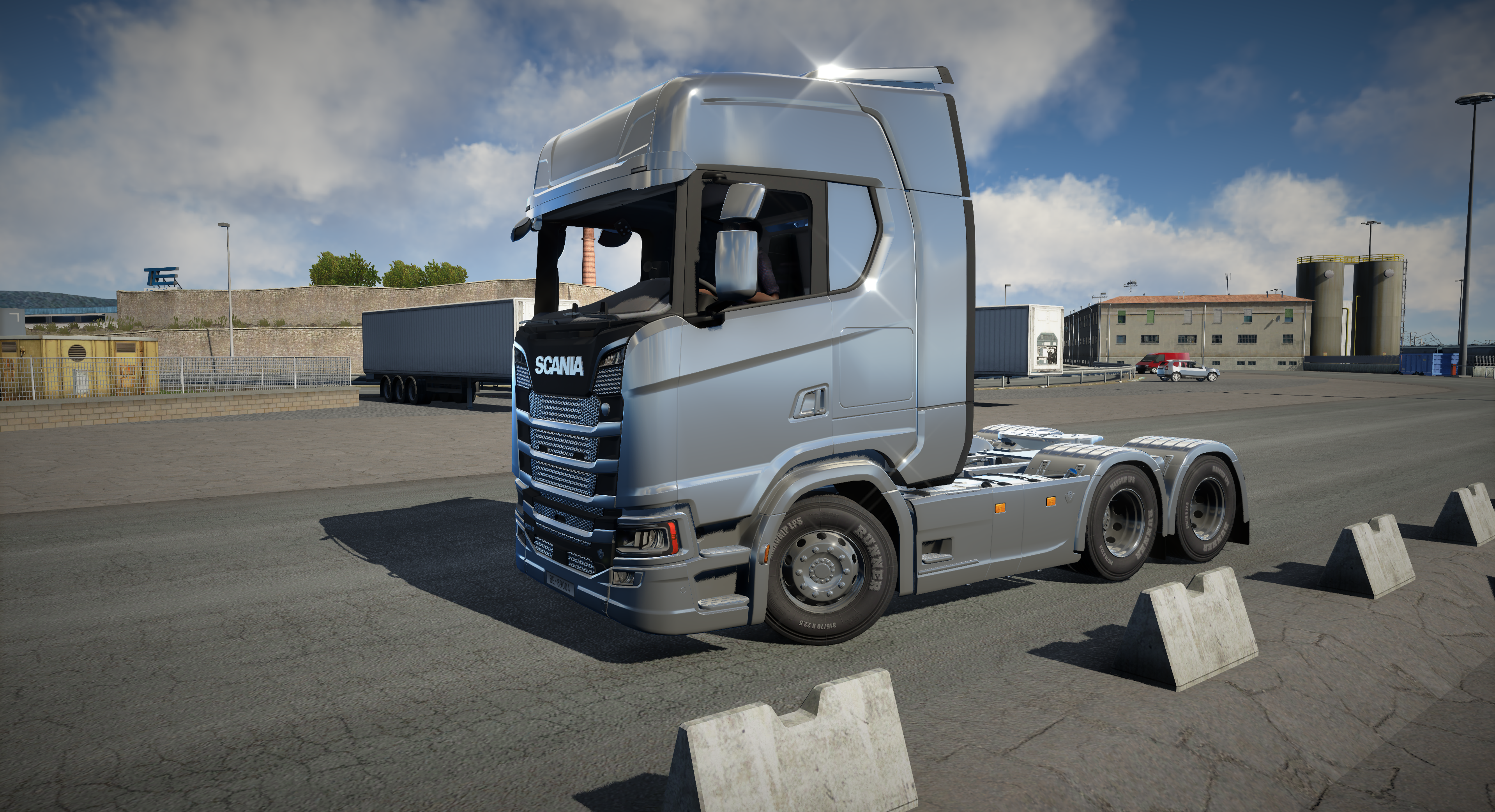
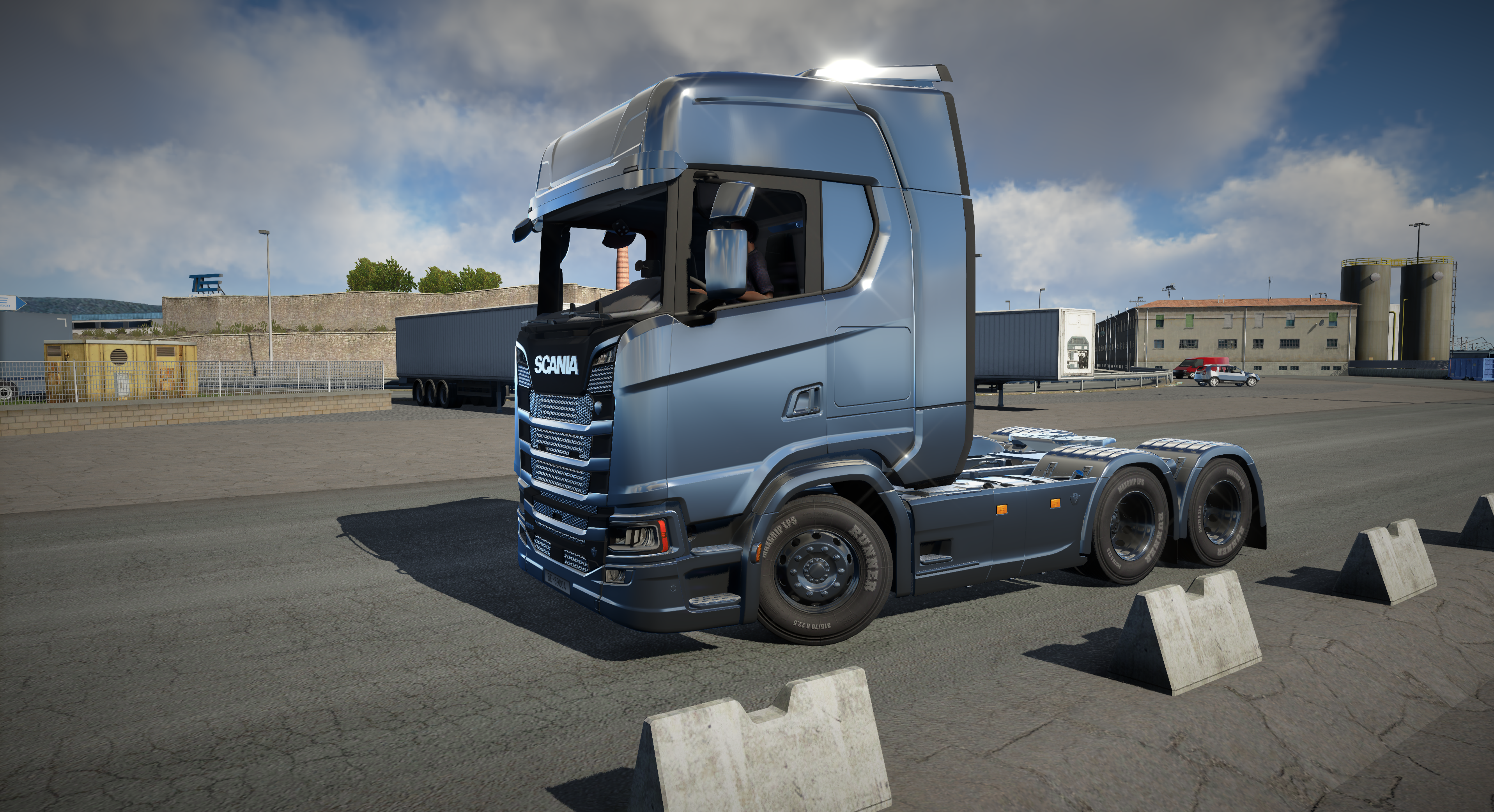
I'm working on realistic metallic surface renderer to improve quality of trucks and other vehicles. There are 2 problems to do that correctly1. Filtering out metallic surfaces to apply it (almost working perfectly)2. Converting game data to correct parameters for rendering such as albedo, roughness, metalness etc (still working on it)Also I'm going to add some noise generated parameters under metallic surface to give them more realistic look(Used same one type parameters for the all metallic objects on screenshots, so they all look same color for testing purpose, but you get the idea)

Files

Comments

Multistellar Games

Every day I open your patreon page looking for something new, and when I see that there is something new a smile takes over my face, the textures of Euro Truck have always been one of the things that I would like to see with a more modern look, including when the asphalt gets wet and the reflection is terrible, looking forward to seeing what's coming. One question, in your opinion is Ray Tracing something viable and interesting to have in Euro Truck?

Snowy Moon

Thank you < 3 Its an open world game without any indoor areas and only small areas in cities with many buildings around so I think ray tracing is not going make almost any difference compared to well implemented modern lighting and methods

Snowy Moon

I don't understand why it doesnt show after < :D

Multistellar Games

I agree with you about Ray Tracing, and as for the heart, let's visualize it as a slightly wider heart than normal haha 🤍

CinemaLife Modding by PlainOlAlex

Wow, this looks awesome. Go ahead and release the test versions so we can try it out. :-) This is looking too good to keep waiting. :-)

KaD

This is looking freaking amazing ! Can we test it ? :D

Иван Иваныч

Tell me, do your settings put a lot of load on the video card? I just don't have a very powerful video card. Thank you.

Snowy Moon

Only new sky system with volumetric clouds is using significant amount of gpu when rendering, there are settings to lower the gpu usage but It means loss of quality. So I might add second HDRI option for sky and clouds with almost no performance impact for people who doesn't want to waste gpu for volumetric system. Everything else is same as normal game and maybe even lower gpu usage sometimes. But I'm going to also change foliage (tree, bush, grass) thats also going to use extra gpu because of higher quality

Potato Glizzy

Amazing work, can't wait for this. Any news on DLSS for V9? VR is REALLY taxing on the GPU for this game

Snowy Moon

DLSS is not going to work with VR because game resolution scaling setting doesn't work on VR, which means it won't allow upscaling with DLSS

Potato Glizzy

No worries, thanks for the reply. TAA does a lot to make the game look so much better anyway so I'll find a compromise

RubberDuck

The in-game scaling options works fine for me in VR, but maybe you mean some other resolution setting?Anyway your work is truly amazing!

Daniel Rodrigues

olá coisas lindas voce sabe fazer taa dlss ja está a funcionar?

Snowy Moon

Thank you but its not released yet because game is going to get version 1.50 and its going to change rendering pipeline to new one with DX12, I need to remake everything with 1.50 so I am not working on it currently waiting for 1.50 to see what is going to happen

Daniel Rodrigues

poderia fazer gotas de agua na lataria caminhao molhado

Snowy Moon

Yep, possible but need to filter out parts to make sure it doesn't add to irrelevant objects