Home Creators Posts Import Register Favorites Logout

Content

A patch for Koikatu! and Koikatsu Party with all free updates, fan-made English translations and essential mods. It will allow you to load all character cards and scenes and give you countless content creation and gameplay improvements while still keeping the original, uncluttered feel of the game. All content is tested and fixed (or removed) as needed before each update, providing a stable platform for further modding. HF Patch can also repair many common issues, try it if you have issues.

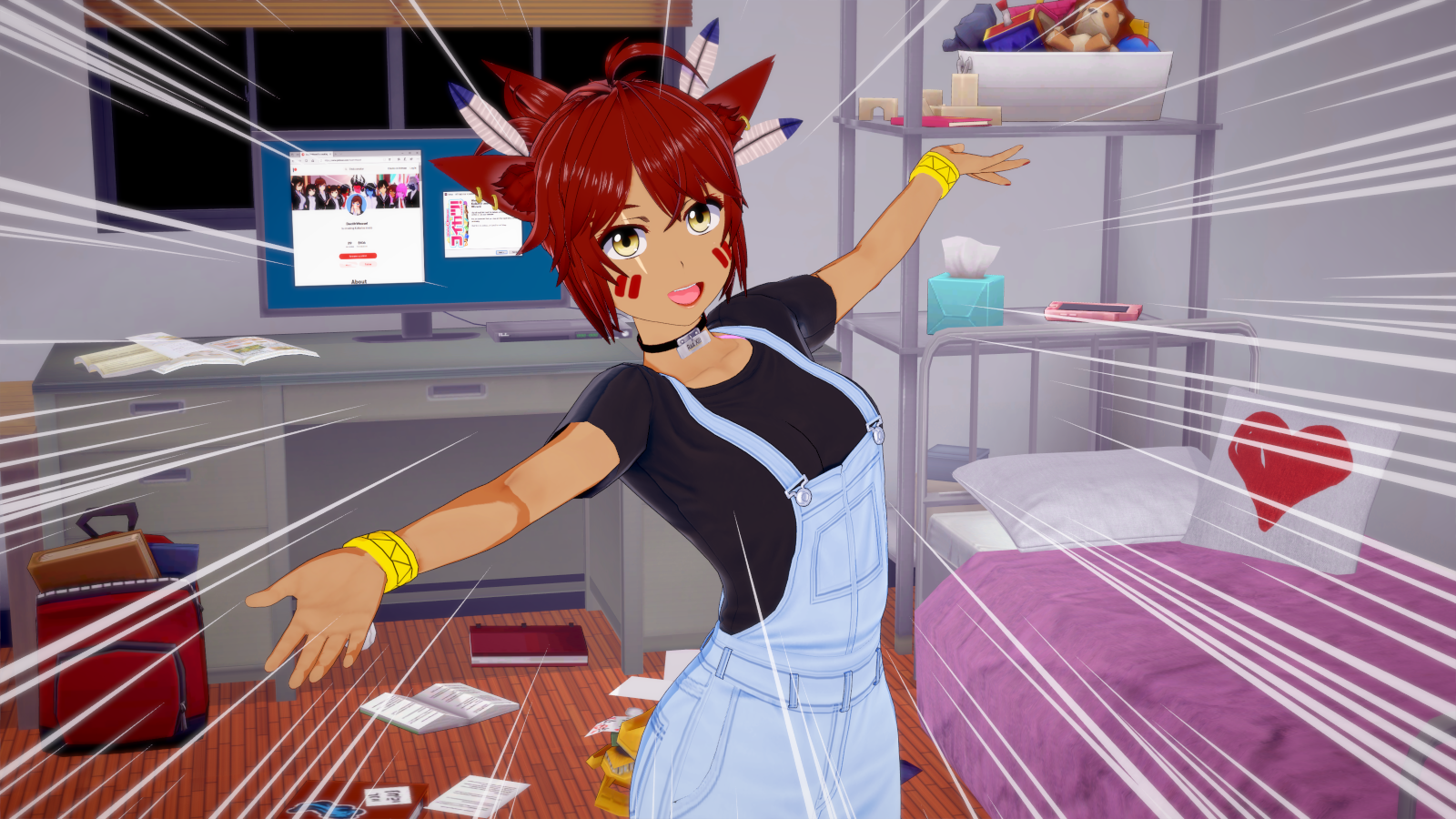
Koikatsu can be split into two parts: character and scene creation tools (character maker and Studio), and an adventure game with story mode (it can use your custom characters, but not scenes). The preview picture was made purely in Studio. You can see a video showcasing the creation part of the game here. 

HF Patch does not contain the full game, paid expansions or any other pirated content. You have to buy the game and expansions separately. The base game (Koikatu / Koikatsu Party), and by extension this patch are not suitable for minors. If you are under 18 years old you can not use this patch. The base game and this patch contain only characters of age 18 or higher. The creator of this patch is not responsible for creations of its users and prohibits any unlawful use of this software. 

「コイカツ」のための無料アップデートと必要な改造すべてを含むパッチ。それはほとんどあらゆる取付けを更新し、修理できる。ゲームや有料の拡張は含まれていません。あなたはゲームと拡張を別々に購入しなければなりません。

The preview picture was made by DeathWeasel, a fellow modder. Make sure to check his patreon page!

Downloads / ダウンロード

Full version / フルファイルバージョン

This version is outdated, look for a new version here

This download contains the entire HF Patch and can be used offline. You can use qBittorrent or a similar torrent client to open the magnet link.

magnet:?xt=urn:btih:2K7FBJSRF6P3O2TTZZVQGJWQOQPVKOBV

Direct download links

Read before installing

Before installing check this installation guide and FAQ. It was made for the Steam release (Koikatsu Party) but most of it applies to the Japanese release as well.

If you need any help, check the wiki, visit the Koikatsu Discord server and ask in the #help channel, or ask in comments under this post. There are also chat and sharing channels for scenes and cards! 

You can see the source code here.

Note: To keep the download size reasonable, Sideloader Modpack with Studio items is not included in the download (10GB+). To download them you can use the KKManager mod updater - run it from the game launcher. 

Important note, read in case of issues when downloading or installing

If you have trouble downloading by using the magnet link, try updating your torrent client or use the latest qBittorrent (it's known to work well).

Windows Defender is flagging the .exe file for some reason. If you have trouble downloading or installing the patch you can either whitelist the .exe in Defender settings (security center > virus protection > protection history) or disable Defender temporarily while you download and install the patch (remember to re-enable it afterwards!).

This often happens when a new version of HF Patch, or really any non-signed application installer is released, and stops happening after enough users mark it as not malicious. If you are unsure if the file wasn't compromised, test the .exe on virustotal.com to see if it is actually infected or not. If you see any "looks like or might be malicious" detections, this post blog post might shed some light on the situation.

Patcher changes / 変更

Added automatic installing of DirectX redistributables needed by the game if they are missing

Added clean up of duplicate KK Party default cards (remove versions with only casual clothes)

Fixed default highpoly and uncensor settings not being set properly

Fixed version file not being written to properly if it's hidden

Fixed running the game as administrator at end (runs as normal user now)

Removed unnecessary start.bat file from game directory

Updated the info and license pages with new links and a 18+ disclaimer

Updated some translations/texts

Created a different build path for web installer, allowing for better compression and faster install of the full version

Mods added / 追加

VideoExport v1.1 (High quality video recording plugin, optional, press Ctrl+E)

KK_MobAdder v1.0 (Adds mobs in story mode)

KK_PoseQuickLoad v1.0 (Load poses in studio by only selecting, turn on in plugin settings)

KK_StudioCharaLightLinkedToCamera 1.1.6 (Adds ability to link light in studio to camera like in main game)

Mods updated / 更新

KKAPI v1.10

XUnity.ResourceRedirector v1.1.2

BepisPlugins r13.1.1.1

KKManager v0.9.3

XUnity.AutoTranslator v4.11.1

KK_MaterialEditor v1.9.5.1

MoreAccessories 1.0.9

KKABMX v4.1

KK_Pregnancy v1.2

Koikatsu Overlay Mods v5.1.2

Additional Skin Effects v1.7.2

NodesConstraints v1.1

IllusionFixes v1.12

CharaStateX build 136

KKUS v1.8.1

KK_BrowserFolders v2.0.1

TitleShortcuts.Koikatu build 136

RealPOV.Koikatu build 136

KK_PushUp v1.1.2

KK_ForceHighPoly v1.2.0675677

DefaultParamEditor build 136

KK_Colliders v1.1

HeightBar v3.3

KK_RemoveToRecycleBin v1.1.1

KK_StudioCharaOnlyLoadBody 1.3.7

KK_StudioTextPlugin 1.1.4

FPS Counter v3.0

Cheat tools v2.7 + Runtime Unity Editor v2.0.1

Custom intro voices v11 (AH↓ HA↑ HA↑ HA↑)

Mods removed / 削除

Sideloader Modpack - Studio (Size got too big to include, it will be downloadable separately. Your existing Studio modpack will NOT be removed, even if you tell HF Patch tor emove all existing mods)

Use custom Character Database (No longer works)

FloorCollider (Obsoleted by KK_Colliders v1.1)

Files
Comments

DarkSpaceL0rd

Windows Defender says the Koikatsu HF Patch v3.1.exe is a trojan. Uuhh? EDIT: False positive...

Kyle

can I use this HF patch if i have an older patch?

ManlyMarco

This always happens after a new release. When more people start using it the antivirus programs stop flagging it.

ManlyMarco

Yes, you can use HF Patches no matter what you currently have installed. You don't have to do anything extra, just install it as normal.

Kyle

thank you

Topaz Moon (Alchemist)

Should I get this if I have been keeping up to date with all the stuff you have been posting for patches/new releases? Also, kind of a tangent, but how can I turn off the ahegao thing? I can't figure it out, or even where it is, but the mouth open, tongue out like a dog panting bugs me lol.

T.Nolleo

the torrent magnet doesn't work for some reason or is it just me?

Effef

Will updating through KKManager do the same thing as installing this?

Kulidc

same here, stuck at "Metadata download created"

ManlyMarco

It will update mods but not the plugins.

ManlyMarco

Try updating your torrent client and restarting the download.

ManlyMarco

If you updated your plugins manually then there's no need to get this. Remove bepinex\KK_Ahegao.dll

ManlyMarco

Make sure your torrent client is up to date and try restarting the download.

Nirvana

Sorry to ask, but this patch faced an issue. It stuck at SideMod Creamstar part first and unable to extract out due to the source file is corrupted, and the rest of the files are corrupted as well and unable to extract. Skipping each failed to extract file is not recommended. How should I fix this?

ManlyMarco

Sounds like your download got corrupted, go to your torrent client and make it verify the downloaded files. (Assuming you didn't remove the download from the list already. If you removed it then you might need to redownload.)

ManlyMarco

They are available now. I'll share them with the $1 tier in a couple of days.

Nirvana

How do I verify files with Bitcomet which I used it to download this patch?

Topaz Moon (Alchemist)

Will download anyways just in case need a reinstall or something. Sweet found it, thanks :)

Kulidc

I tried downloading with the latest qBittorrent and upload with the KK manager. qBittorrent has the same problem and KK manager says my mod is up-to-date (which is not). I will wait for the direct download, thanks for the help anyway

Ray Blitzer

hi , new to this and downloaded the hf 3.1 , but somehow there's no exe file to run the patch . should i just dump the file to specific folder ?

Edward T. Riffman

So i just noticed that the shadows of the characters are not showing the hair, the shadow outlines look like mannequins. Didn't notice it before, so might have been like that before the new patch. Just wanted to know if you knew of a solution? Thanks

irascible150

Thanks so much for putting up the download links so promptly.

Ray Blitzer

so found patch 2.7.1 with exe , installed it and all . how do it upgrade it to the latest ver tho ? it has no exe file at all

ManlyMarco

Check if you downloaded the whole patch, and that your antivirus didn't quarantine it for whatever reason.

ManlyMarco

This issue has been present since day 1, unfortunately. There were some attempts at fixing it, but nothing came out so far.

ManlyMarco

Check if you downloaded the whole patch, and that your antivirus didn't quarantine it for whatever reason.

ManlyMarco

I never used Bitcomet, but in almost all torrent clients you can right click on the torrent in the list, and then select an option named something like "Verify local files" or "Force recheck".

ManlyMarco

The link doesn't work but yes, windows defender can remove the exe. Look in its control panel for the quarantine, you should be able to restore it from there.

ManlyMarco

KK manager is not used for this update, and the KK manager included in old HF Patches has its update function broken because of the mega ban.

Ray Blitzer

nothing came up when i check quarantine tho . also from the rar there's no exe file even before i extract it . does defender even do that ? oh . could it be because i downloaded the github one that i didnt get any of the exe ?

Nirvana

I cancelled out the installation and most of the mods are gone. Not sure if re-downloading could solve the problem.

ManlyMarco

Github one? Did you download the source code? You need the compiled patch, links are in the post above.

ManlyMarco

If you cancel the installation partway then your game is likely to be in a broken state. Try redownloading the patch and install it fully.

Nirvana

Redownloaded the new patch, and still the same. Corrupted file. One thing I noticed was the Koikatsu HF Patch v3.1-2 shown a sign that was incomplete download even though this patch had been downloaded completely. I think I will use a different torrent to download this patch, any recommendation?

Ray Blitzer

guess i wont be getting it then . i dont play torrent . thanks tho

ManlyMarco

This is the only torrent for this patch, many people downloaded it already without issues. Try updating your torrent client or using a different one that is known to work like qBittorrent.

Nirvana

Yeah... it was my BitComet problem after all. Now the installation went smooth without any issue. Thanks for the suggestion, might as well get rid of my BitComet.

S Ss

can it translate the game into chinese?

ManlyMarco

No, Chinese translations are not included. You can install them afterwards.

仁譽 王

My computer cannot open your EXE file for 64 bit. Is there any other solution?

ManlyMarco

Make sure that your antivirus isn't blocking the exe file from starting.

jenyu wang

The system shows that I can't execute

Forgotten Reach

I cant direct donwload the patch my antivirus detect a troyan on the files :(

ManlyMarco

Check the "Important note" section I added to the post. It's a known issue and for now it's necessary to whitelist the patch or temporarily disable windows defender.

ManlyMarco

Check the "Important note" section I added to the post. It's a known issue and for now it's necessary to whitelist the patch or temporarily disable windows defender.

Bin Hoang

hey dude uh utorrent doesn't recognize your magnet link

ManlyMarco

Make sure you copy the whole thing and paste it into uTorrent's Add from link box.

UmbraFur

it's not working for me either, Did make sure to copy and paste the whole thing

ManlyMarco

Strange, how about this one? magnet:?xt=urn:btih:d2be50a6512f9fb76a73ce6b0326d0741f553835

Bin Hoang

thanks for the new magnet link dude.

Ladmaro

How can I remove/disable KK_MobAdder v1.0? I can't find it in the BepInEx folder

ManlyMarco

You can turn it off in plugin settings, or by removing the dll in the bepinex\plugins folder.

Ladmaro

Ah, thank you!

PixiePantzu

So you wont share the links anymore for free? Thats sad news :c

Ray Blitzer

well looks like the torrent one is free

Ray Blitzer

will you add auto kupa like cm3d2 in there future ? kinda weird seeing it aint properly opened when inserting the thing or fingers

ManlyMarco

The torrent download will always be free. I want to avoid further issues with the direct download links so at least for now they will be limited.

ManlyMarco

For now there's no plugin that adds this feature. There were some in development or planning but nothing came out of it so far.

Ray Blitzer

well there's auto-kupa for anal in koikatsu , so hopefully

Weabs R Us (edited)

Comment edits

2026-09-05 04:00 Came back as malicious from Virustotal website that you suggested.
2020-04-27 10:05

earthboyjak

Hi again ManlyMarco. You solved a previous issue for me by pointing out this recent update, I was running v3.0.2. I have one more now, if you can help. Many of my custom characters' hips pop weirdly to one side in the character maker and in H scenes like their pelvises are broken. In the character creator it seems to happen randomly when adjusting some bones in the body or changing clothes, and will carry over to any character I load until I close the character maker. In H scenes, sometimes it happens right away as soon as the girl's model loads, sometimes it happens when I change or removed clothes, and lasts the whole scene. It seems to be related to the size of bones as it's worse for thiccer girls. Though I've used the extended slider range mod and new body sliders I don't think I've created anything too extreme. Any ideas?

ManlyMarco

Did you install the patch with all recommended settings? If no, try reinstalling, if yes then can you narrow down exactly which sliders cause this to happen?

ManlyMarco

What did it detect exactly? Post the virustotal link here to make sure your file wasn't modified. Machine learning and heuristics scores are all guesses and the main reason why the patch got flagged in the first place. You can read more about this here https://www.csoonline.com/article/3216765/heres-why-the-scanners-on-virustotal-flagged-hello-world-as-harmful.html If you are still worried about using this patch, you can download the v3.0.2 version that was not flagged as malware and wait for the next update, which will hopefully not get flagged (but it's a coin toss, really).

earthboyjak

I added plugins that weren't automatically checked but didnt uncheck anything during installation, I don't know if by recommended setting you mean totally unaltered. It did create backup zip files of plugins from the previous installation, I don't know if that could be interfering. I will mess around and if I can't figure out the sliders causing trouble I'll reinstall as-is and see what happens

Ray Blitzer

also , will there ever be free dlcs ? kinda want to see whether koikatsu 3p is harem or like the other 3p . if its harem , then i rly want it by all means

ManlyMarco

These DLC need to be bought separately, I can't include them. There are links to these DLC in the install guide I linked in the post.

earthboyjak

I think I got it. The problem seems to be the waist position sliders. If those are set to default 100 this bug doesn't appear.

FuuChan

I too have the same issue, with various other parts of the body too. But All i gotta do is to Load the body of another character with standard bone mods and usually it fixes itself. It is probably the advance bonemod sliders going bonkers.

Ray Blitzer

well , sucks that i cant get the dlc , but eh guess i can live with it

earthboyjak

I was able to solve the problem by resetting the waist position sliders on all my characters. I have scale sliders adjusted on most of them and they aren't causing problems. There may be others that affect posture like the spine adjustment sliders that could cause this issue too but I haven't checked. Nothing affecting the size and shape of the abdomen causes the hip to pop out of place in this way for me.

ManlyMarco

Thanks for letting me know. I'll most likely have to disable those rotation and position sliders.

ManlyMarco

Make sure your download is not corrupted. Verify downloaded files in your torrent client or try to redownload.

Mr57

i change another download player it's Nailed it. THX

Ray Blitzer

so i just bought the afterschool dlc , install it with guide in the steam , then reinstall HF . then suddenly when i playing free H mode my notebook goes to sleep on its own when i played on battery even tho its fine before . does anyone else experience this ?

Ray Blitzer

turns out it caused by certain character card , which is quite weird . when i do free H with her , the notebook roar weirdly for a bit then go into sleep mode , maybe something akin to self-defense mechanism . also sometimes character accessory/clothes isnt properly loaded into free roam mode , which mod to fix it ?

hentaiDaisuki

Hello, If my game sometimes crashes while loading Free H, and its say Microsoft.NET Framework error. It could be the fault of Koikatsu files or more of my computer ? I have 16 GB Ram, procesor i5 -9400F and Graphics Card Gtx1650 2gb.

ManlyMarco

This looks normal. Take a good look at the detections, it's all "maybe looks like it's malicious". There's no actual malware being detected.

ManlyMarco

KK doesn't use Microsoft .NET Framework (it uses Mono instead) so it sounds like something else might be crashing. Make sure that you are not running out of RAM (keep task manager open on the resources tab to see), and try updating your system and drivers. If that doesn't help then it would be best if you asked me on discord since it's easier to talk and send log files.

ManlyMarco

Make sure your notebook isn't overheating or running out of RAM. Outfit issues in free roam mode can be caused by plugin settings async clothes loading and clothes persistence. If turning these off doesn't help, try enabling high poly mode (turning it on can fix some modded items but will cause heavy resource usage). Also make sure that showing all accessories are turned on in standard game settings, near the bottom.

Ray Blitzer

i'm sure that my notebook isnt running out of RAM , but cant be sure now that it happens . weirdly other card working just fine . guess its because of the design . thanks for the tip too

Amerikaner

you guys i have a question when on HF3 says "Use custom Character Database" is that why i cant seem to use any character at all on the studio? like i cant select character forlders and or single characters at all

Ray Blitzer

post some screenshot . i can use character card just fine . and when installing HF do use recommended installation , dont add extra checklist

ManlyMarco

Are you using v3.1 or an older version? The custom database does not affect studio, it only affects the character downloader in main game. It sounds like you somehow are missing folders like userdata\chara\female userdata\chara\male or userdata\chara\scene but those should have been created when you installed HF Patch. Try running latest version of the patch again with default settings if you can't figure it out.

Amerikaner

thanks you guys, that did it, i was confused as why as well...weird.. - Figured out is several if not a couple of plug-ins by JIM, the New updates are making huge conflicts. but thats because he need to update them

ManlyMarco

Are these plugins included in the patch or did you install them separately?

Amerikaner

I manually added them when I upgraded to hf patch 2. I already had them in there when I upgraded to hfp3.

mangetsu_hozuki

i have disabled antivirus/windows defender, but when it finish install, the Koikatu.exe not installed, in that folder just initSetting and KoikatuVR exist

Stafond

hey, i just realised that the subtitles are gone after installing this patch, is there a fix for this?

ManlyMarco

When installing the patch check the subtitles option. It's off by default because of the bad translation quality.

ManlyMarco

Try restarting your PC and installing the HF Patch again with default settings. Make sure there are no errors during installation.

ManlyMarco

Restart your PC and install the patch again, this time with all default settings.

NT Dũng

it does not work i think it is due to pushup because it happens when girls have bra change breast shape

NT Dũng

in school mode pushup stays active even when naked but free-h and studio it works as intended

Astral-P

Hey. I went to install the patch, but I checked and unchecked some boxes (of which I can't remember what I changed). After that, when I started up Studio, it launches into the interface, but I get a blue to pink background and I can't load any characters or maps. Same when I launch the game and try to load the Maker; it just doesn't load. Do you think there might be a reason for this?

ManlyMarco

Try reinstalling the patch with all default settings. If that doesn't help you might need to verify local files from steam library and install the patch again.

Jesse Morales

I want to download the link but i don't have money and I don't know how to use the magnet link

ManlyMarco

You can use qBittorrent to download the magnet link, just put it in the "Add from URL" window. There are plenty of tutorials on how to use magnet links online if you have issues.

Powerless

can i have the HF patch and Rx both installed?

qnl

I got "White Screen" every time when i try to load my save

ManlyMarco

Did you install HF Patch with default settings? If not, try reinstalling it and leave all default settings. If that doesn't help, send me your output_log file from game directory. It would be best if you posted it on the log on the Koikatsu discord server in the #help channel, you can ping me then. Or you can also PM me the log.

ManlyMarco

Yes, there will be no issues if you install HF Patch over Rx. You probably shouldn't install Rx updaters over the patch though.

swisreH

ManlyMarco, you are amazing.

Pine Games

hello i'm trying to download through the magnet link but he can't see it he says the file was not found

ManlyMarco

You need to paste the magnet link to the "add from link" window of your torrent client. I recommend using qBittorrent since it's known to work well. Note that I just released a new version of the patch, so this one is now outdated.