Home
Home

 Creators
 Search
 Recent
 Random
 Posts
Posts
 DMs
DMs
 Tags
Tags
 Random
 Importer
 Import
 FAQ
FAQ
 Account
 Register
 Login
Login
 Favorites
 Keys
Keys
 Logout
 Telegram

Cyberware 11 - Mesh Edits for Both Vs (Patreon)
Downloads
Some files exceed the archive size limit and weren't saved: 9 files. Please note these limits are in place to keep this site running long term, without costing a fortune. You can favorite the creator though, certain milestones increase the limit.
Content
Hey everyone! Sorry for the slow week; I've been hard at work on several modding projects and a commission. But I am back with two new mods!
The first of which is a set of Mesh Edits for Cyberware 11; one of the newer Face Cyberware options introduced back in the 2.2 patch. It's honestly one of my favourite options out of the new things Cdpr added. The design of this option is just so pretty, and just by looking at it I could see the potential it had for a bunch of cool mesh edits.
Which brings us to now, on this mod post!
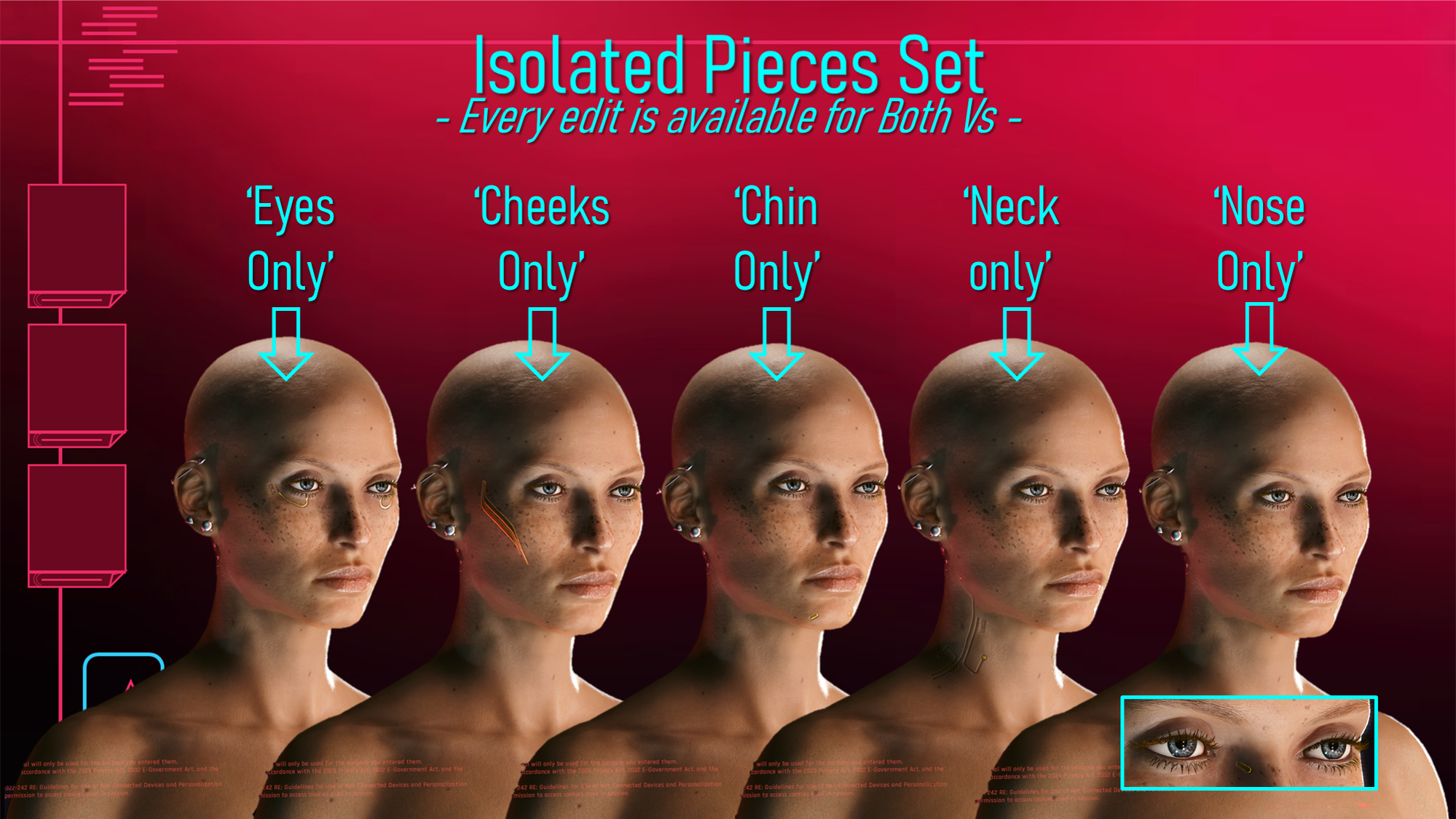
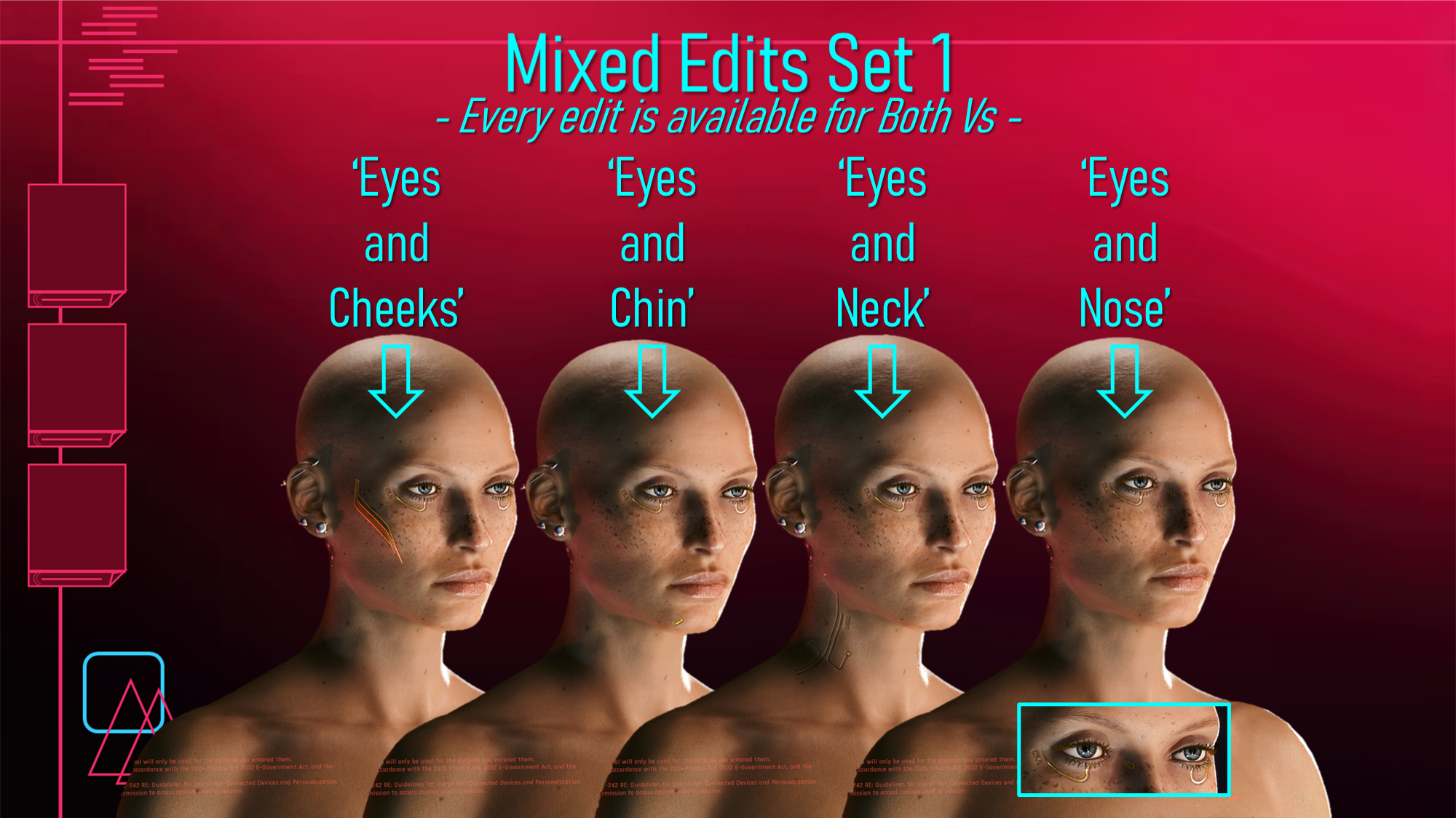
For the mod page photos, I went with my personal favourite mesh edit. It's also one that looks so different to the Vanilla mesh that it seemed a good choice to showcase what I've done. This is the 'Cheek Only' option, combined with the recolour 'Mixed Black Solid' from the recolours of this cyberware; which will be published right after this post.
Here's a look at all the options; each V has 25 options...so technically 50 options:
As you can see, those 25 options are pretty varied; so there should be something for everyone! Every single edit is available for Both Vs, as I said. There are also options to go without the text and logos shown on the Vanilla Mesh. I said this piece had alot of potential, and hopefully you can agree!
For once, a mesh being complex worked entirely in my favour; it made coming up with all these options fairly easy!
Here's some Installation Instructions:
1) Download the right Zip file for your chosen category, and the right one for your Fem or Masc V.
2) Unzip the contents to somewhere on your Desktop/PC.
3) Choose ONE mesh edit .archive file, and put it in your mod folder. On Steam, the file path is as follows:
steam - steamapps - common - Cyberpunk 2077 - archive - pc - mod
(You want your .archive file to go in the mod folder at the end of that file path)
3) Load up your game, and open up the Character Creator.
4) Choose Cyberware 11, and my Mesh Edit should have replaced the vanilla mesh!
That about does it for this post; keep an eye out for the recolours! As always, remember to take care of yourselves; and check out the Discord!
(Note: The Zip labelled 'READY FOR MOD PAGE' is all the mod page screenshots, which includes the Mesh Edit references)
Files