Home
Home

 Creators
 Search
 Recent
 Random
 Posts
Posts
 DMs
DMs
 Tags
Tags
 Random
 Importer
 Import
 FAQ
FAQ
 Account
 Register
 Login
Login
 Favorites
 Keys
Keys
 Logout
 Telegram

Cyberware 11 - Recolours for Both Vs (Patreon)
Downloads
Some files exceed the archive size limit and weren't saved: 12 files. Please note these limits are in place to keep this site running long term, without costing a fortune. You can favorite the creator though, certain milestones increase the limit.
Content
Hey everyone! I am back with the second mod drop of this week, and the second mod involving Cyberware 11! This time, I'm here with a bunch of recolours!
As I mentioned in my mod post for the Cyberware 11 Mesh Edits, this is one of my favourite options out of all the cool, new stuff that Cdpr added in Patch 2.2. It just has such a pretty design; which means it ended up working super well with all the recolours I did!
For reference, with the mod page photos I used the 'Solid Black' from the 'Mixed' recolours.
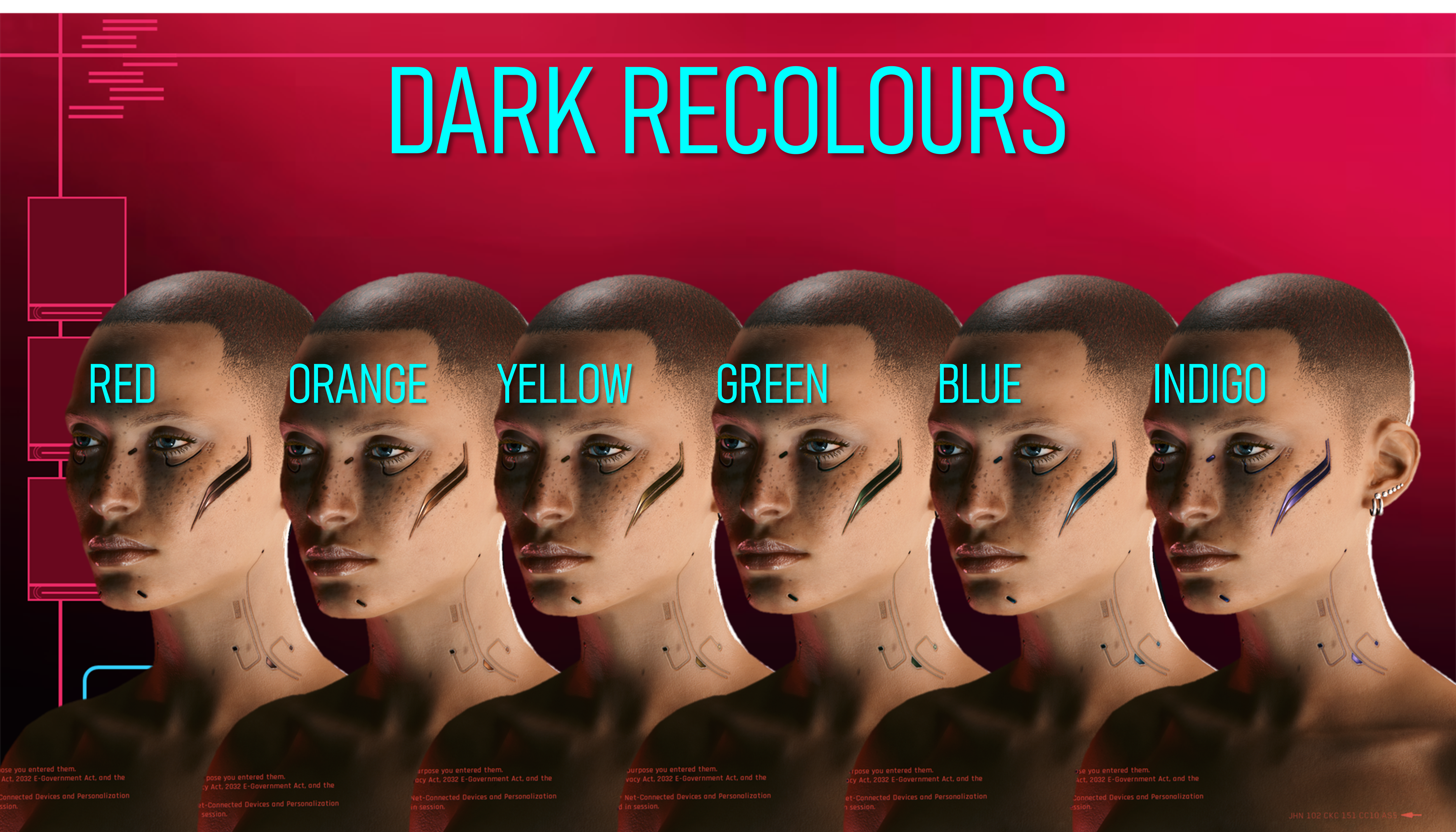
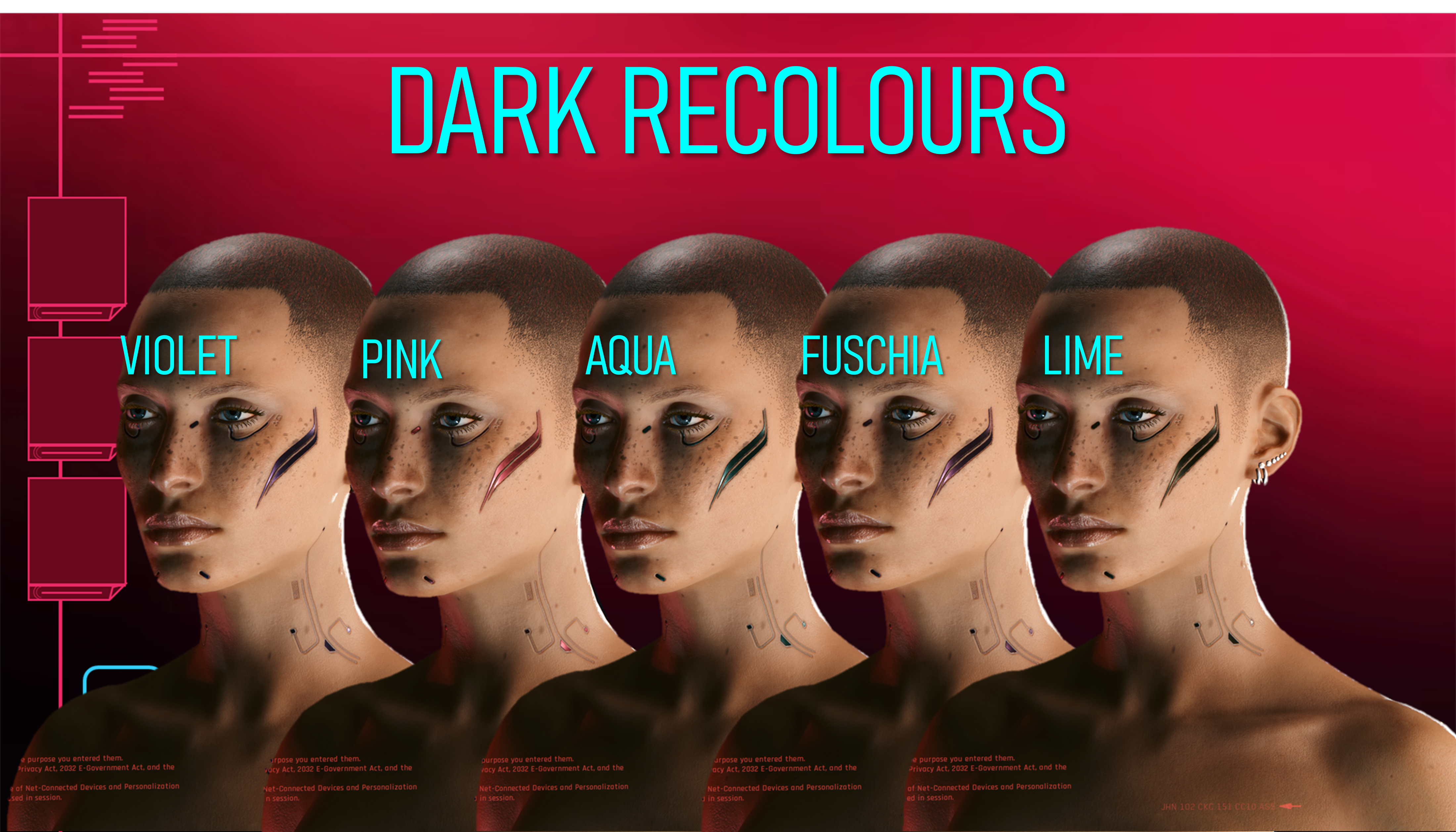
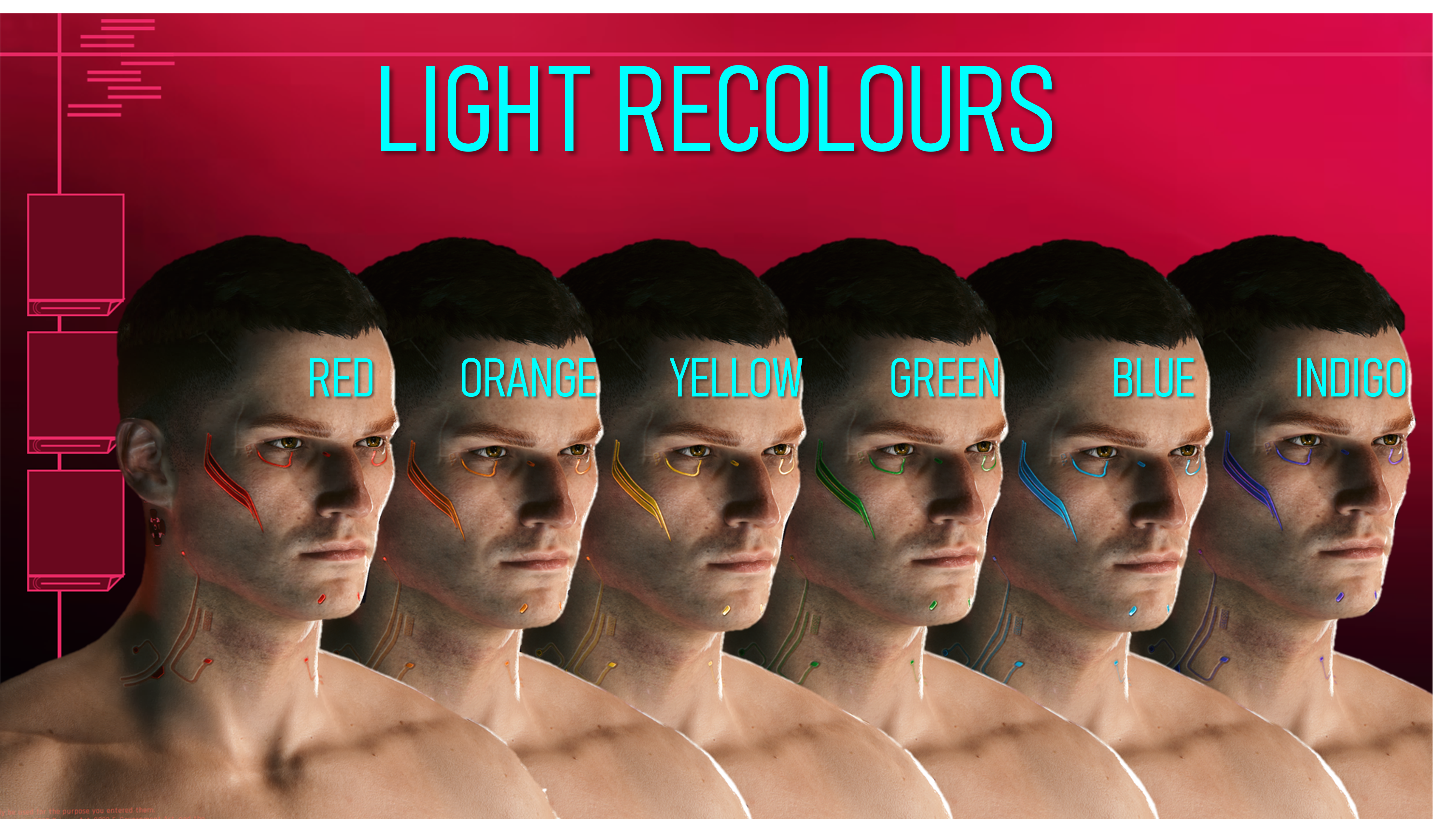
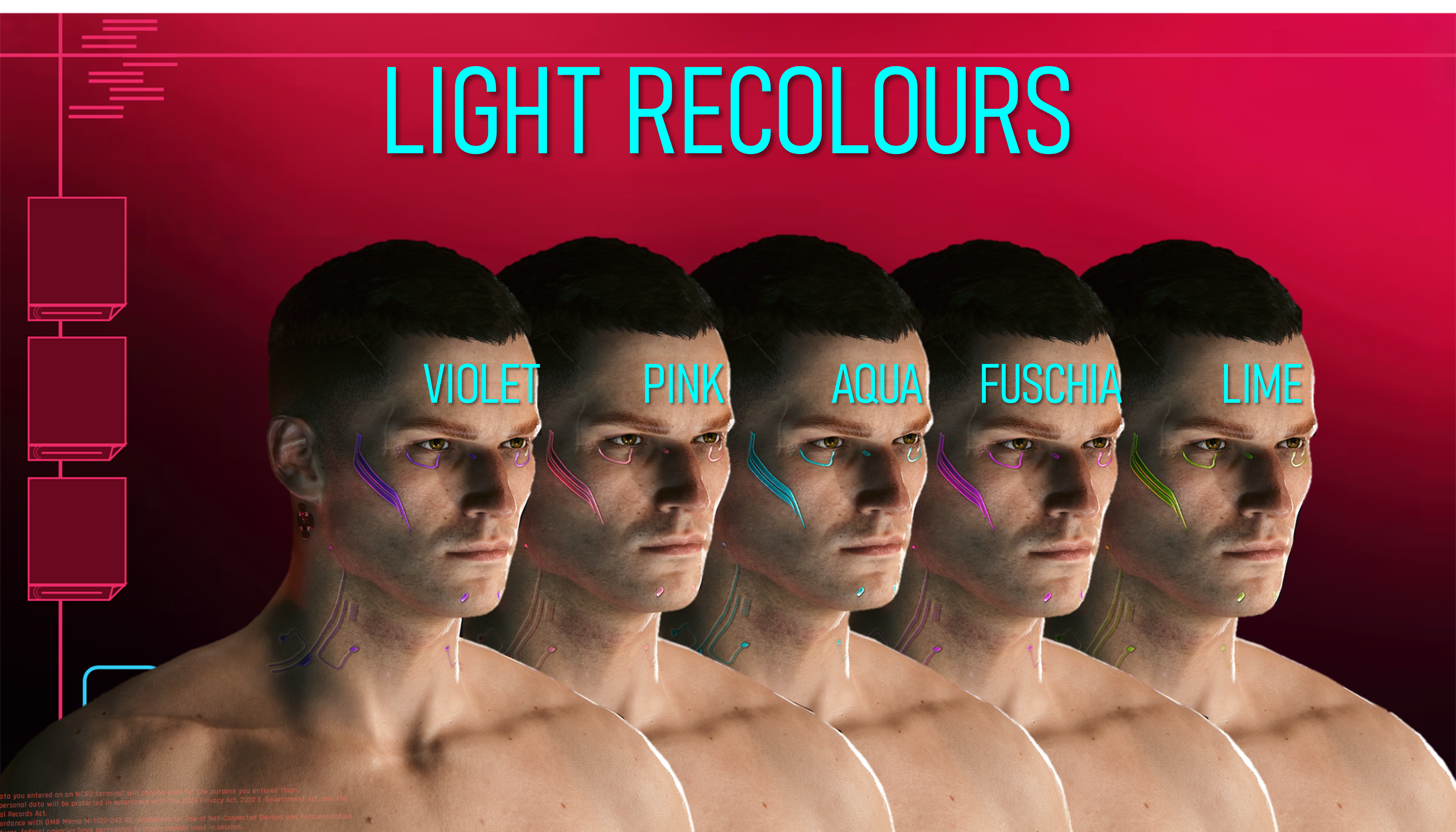
Yes, you saw that right; there are 42 recolour options for this Cyberware. It did indeed take alot of time to do the colours, as well as port and test them in-game. Definitely got tedious, but I think it was worth it. There are so many cool colours that I honestly think there will be something for everyone in this mod.
Oh, and the mesh edit I am using is the 'Cheek Only' option.
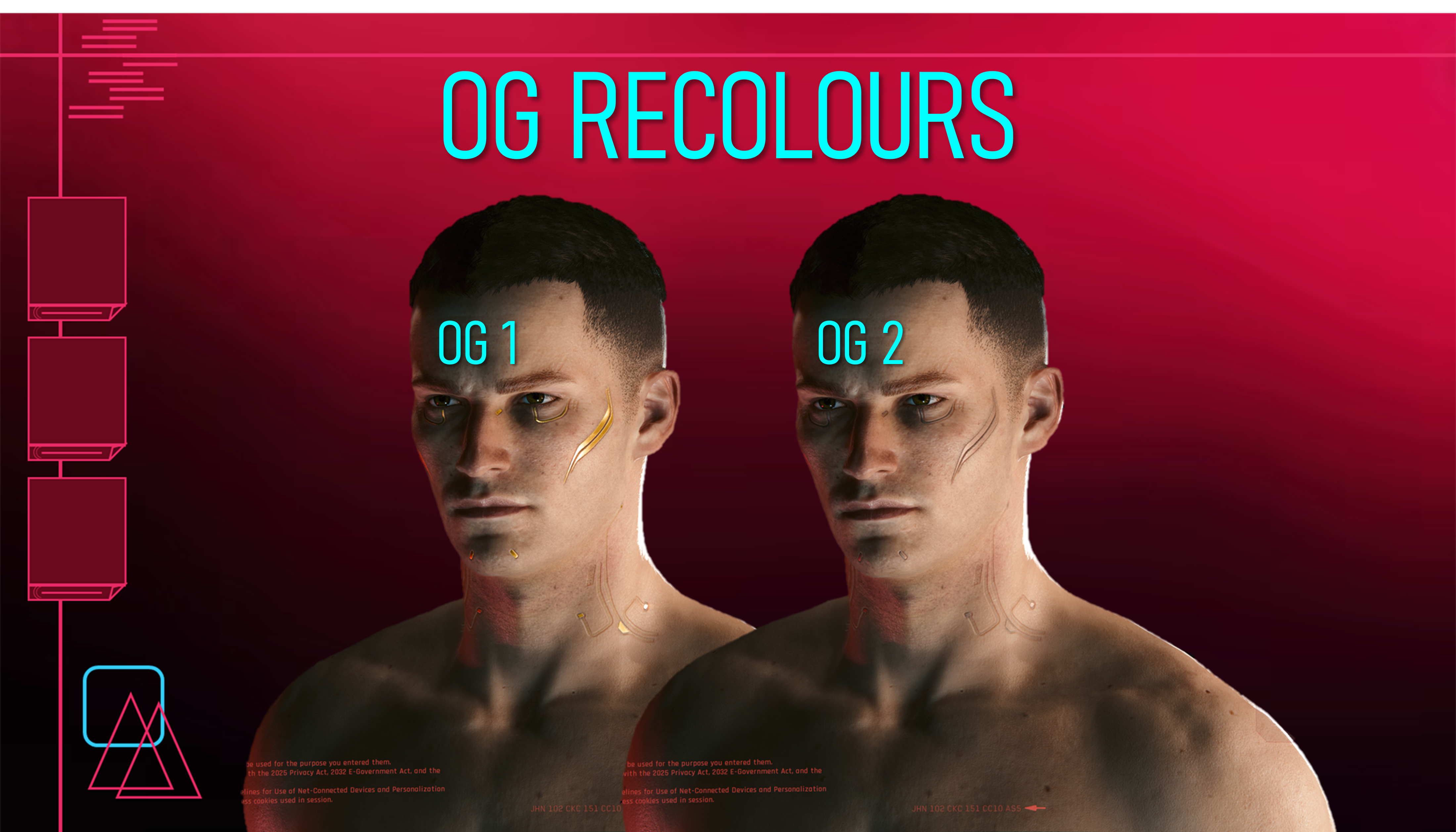
Here's the 42 Recolour Options:
Yeah, seeing all the options laid out should give you a good idea as to why it was a slow week for updates here on the Patreon; I was cooking this Cyberware 11 stuff! Whilst it did get tedious towards the end, I did find this project alot of fun. The Dark Recolours are probably my favourite, honestly.
I'm intrigued to know which recolours you guys like the most!
Here's some Installation Instructions:
(Please note that the recolour will apply to Both Vs at once, due to them sharing the textures in the game files)
1) Download the right Zip file for the recolour section you want to grab a file from.
2) Unzip the contents to somewhere on your Desktop/PC.
3) Grab ONE recolour .archive file, and put it in your mod folder. On Steam, the file path is as follows:
steam - steamapps - common - Cyberpunk 2077 - archive - pc - mod
(You want your .archive file to go in the mod folder at the end of that file path)
4) Load up your game, and head into the Character Creator.
5) Select Cyberware 11, and my recolour should show up for Both Vs!
That about does it for this post; I hope you've all enjoyed the Mesh Edits and then these Recolours for Cyberware 11! Remember to take care of each other; and join the Discord if you haven't already!
(The Zip file titled 'READY FOR MOD PAGE' is all the mod page screenshots, including all the Recolour references)
Files