Home
Home

 Creators
 Search
 Recent
 Random
 Posts
Posts
 DMs
DMs
 Tags
Tags
 Random
 Importer
 Import
 FAQ
FAQ
 Account
 Register
 Login
Login
 Favorites
 Keys
Keys
 Logout
 Telegram

SAVE RENDERTIME with AI upscaling and frame interpolation (update) (Patreon)
Content
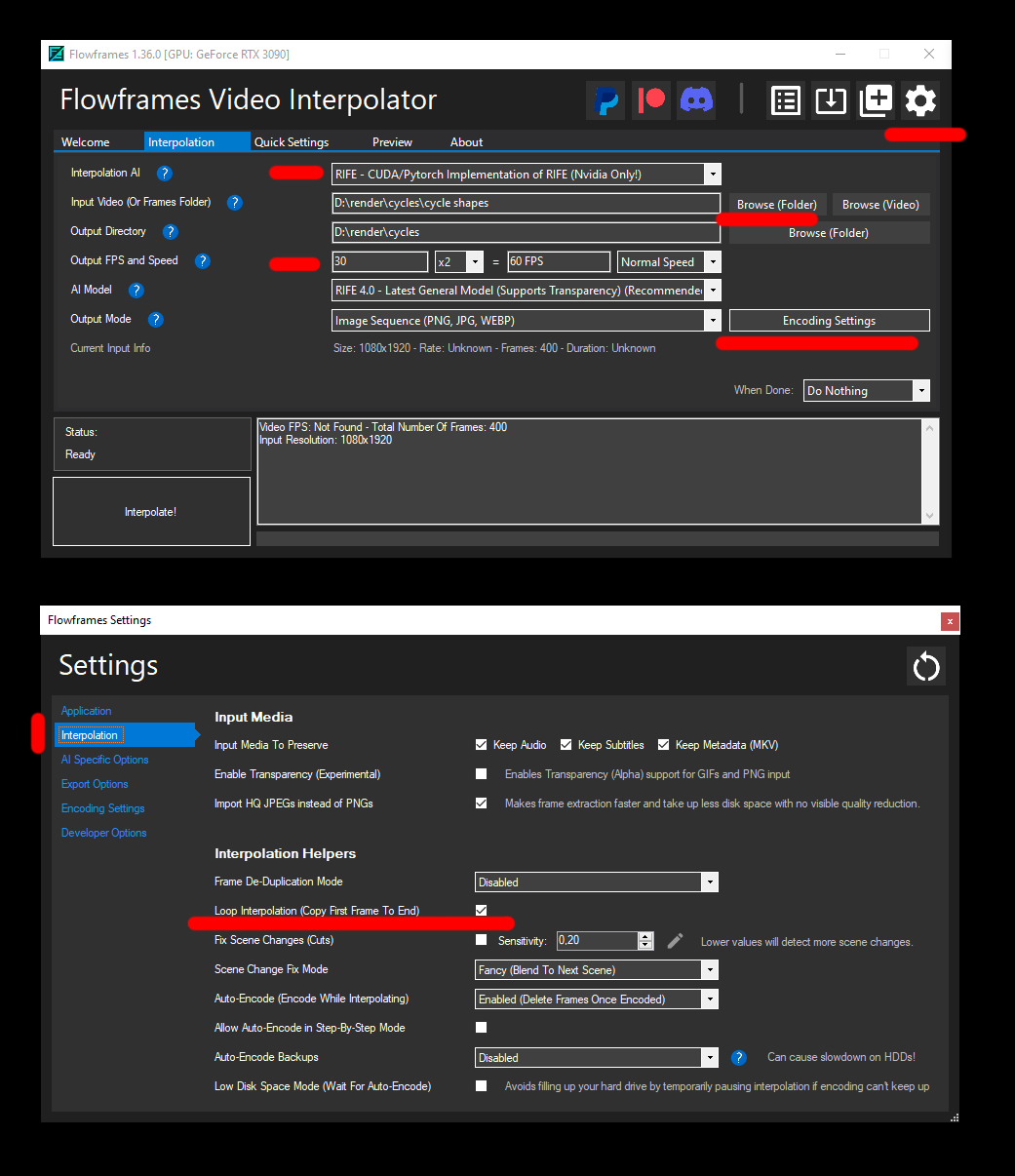
I have this stage design and I want to render great realistic lights and shadow effects from my 3d software but I don't have a lot of time for rendering because it is just a few hours before the show starts and I have todo everything on my laptop.... It happens too often and this is what I do to speed things up:1) optimize render settings in your GPU renderer. less samples, more noisy and faster. find a balance and then use a built-in DENOISER in your renderer and render out PNG sequences.2) render every 2nd frame of your animation and interpolate (slow down) later3) render at half resolution and AI upsacle4) convert PNG sequence with Alleythis way you can do it many times faster which is a gamechanger ! you can also spice up your old renderings and make it slower and higher resolution.TOOLS
I used Flowframes and Waifu2x but I am switching to VIDEO2X which can do both upscaling and interpolating with a clean interface.
VIDEO2X https://github.com/k4yt3x/video2xFLOWFRAMES https://nmkd.itch.io/flowframes
outdatedWAIFU2X https://github.com/AaronFeng753/Waifu2x-Extension-GUII also tested Topaz Video AI for real video recordings and it worked great. it can do upscaling and interpolation at the same time.
Files