Home
Home

 Creators
 Search
 Recent
 Random
 Posts
Posts
 DMs
DMs
 Tags
Tags
 Random
 Importer
 Import
 FAQ
FAQ
 Account
 Register
 Login
Login
 Favorites
 Keys
Keys
 Logout
 Telegram

Tutorial Outline Animations Illustrator to 3D (Patreon)
Content
there are two ways to create outlines.
1) After Effects plugin SABER. it is free and you can use your vector as an input.https://www.youtube.com/watch?v=reSXGxkyr0k
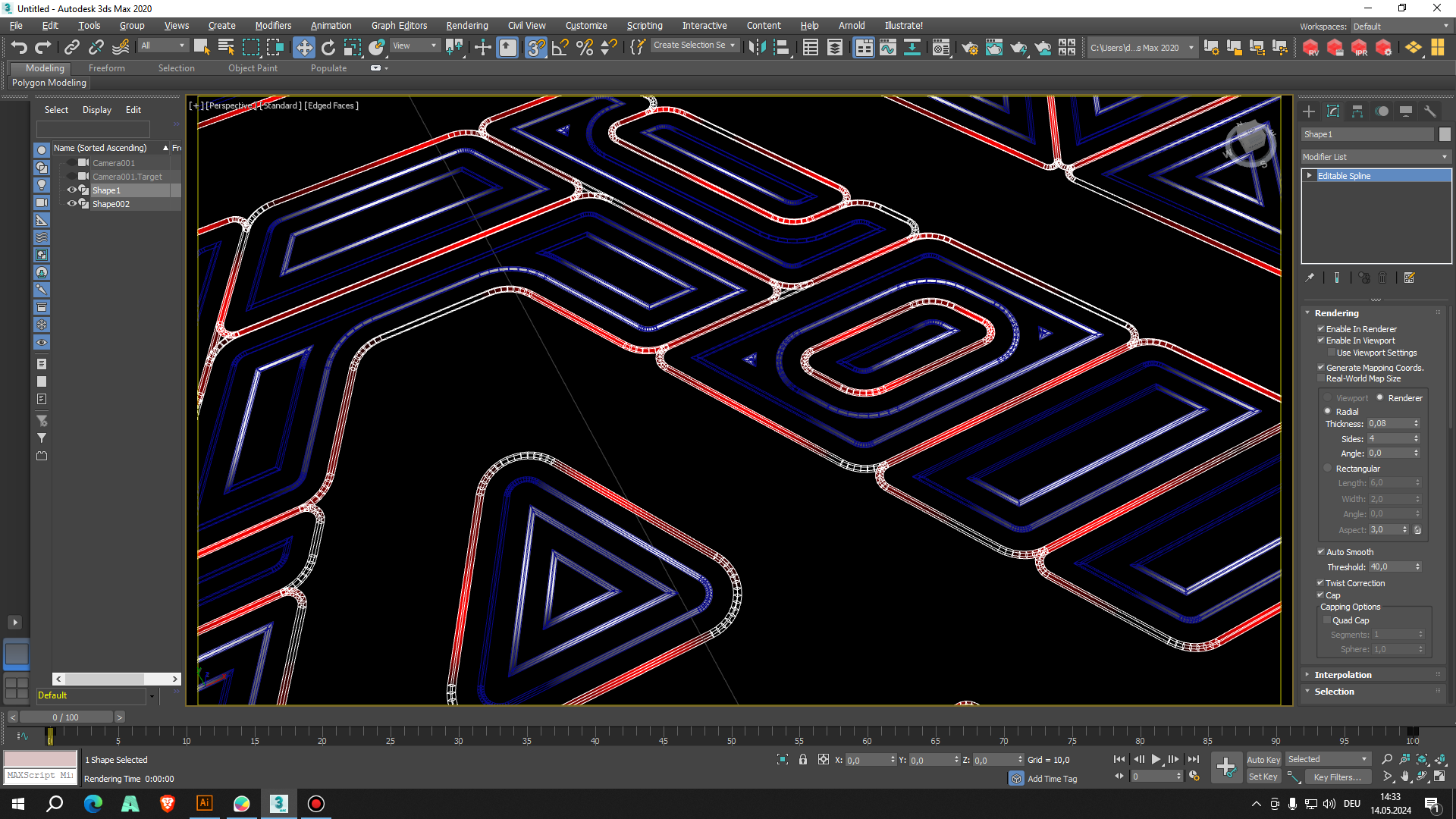
2) In my opinion better and faster is Illustrator and 3d software. I made a 2 videos with 3dsmax and Blender to illustrate the workflow. it should be similar in C4d. I also attached a blender project files with material and a geometry node.
download blender and 3ds max project files here:
https://drive.google.com/file/d/18Z9vzB7G1QTsfOKtJ_QifG_1EiVoDjbS/view?usp=sharing
WORKFLOW
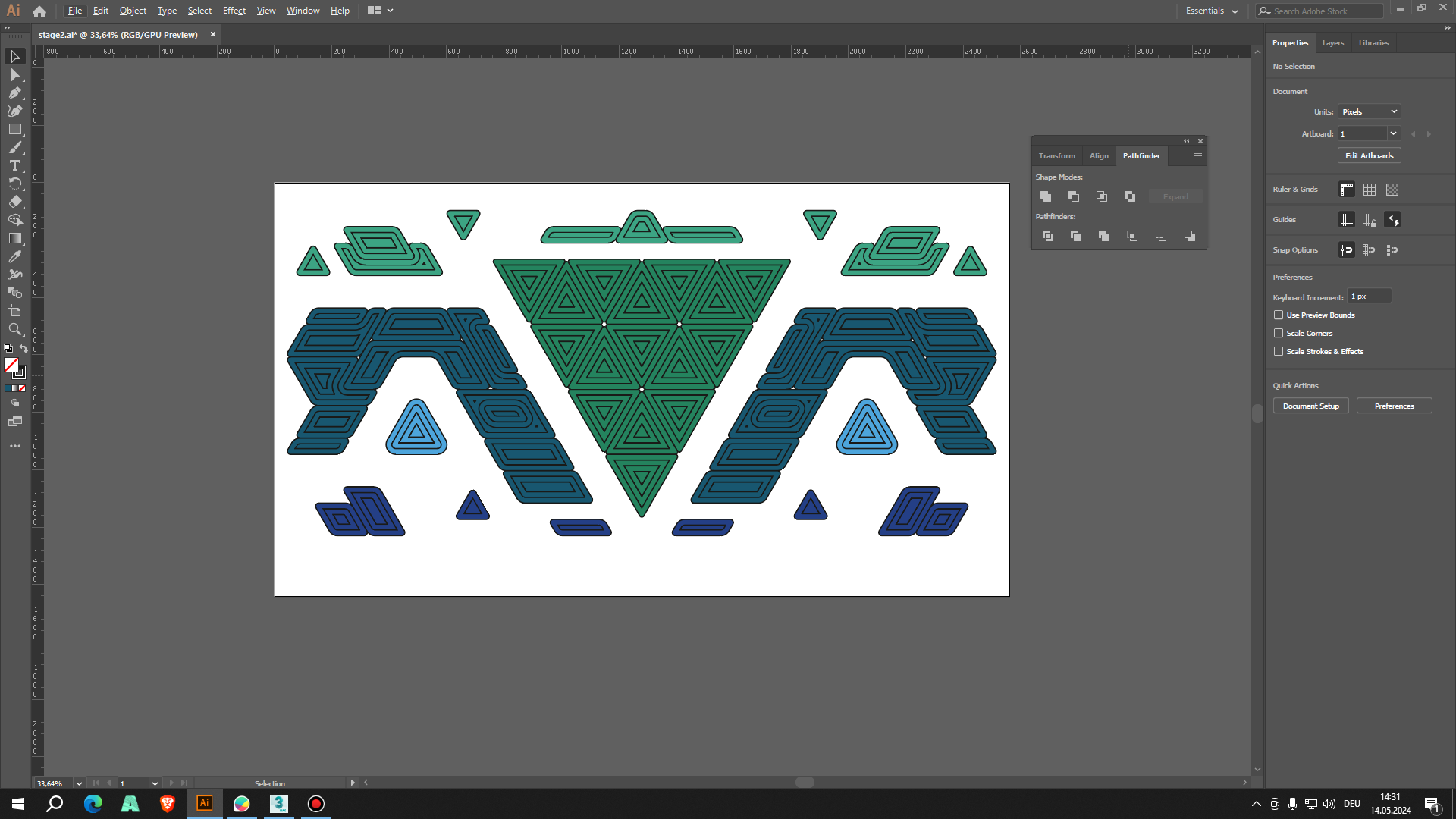
in Illustrator draw a rectangle around your artboard (this is helpful to match with 3d camera
export .ai or .svg (for blender)
import vector and setup/match your camera and delete the frame.
add width to your splines.
create a material. I recommend to set the diffusion map to full color and a black and white gradient on the opacity map. this way it will always look clean even if multiple splines are overlapping !
orient the gradient along the spline and animate on one axis to get a movement.
usually I select half of the stage design splines and then I reverse the UV mapping which gives you a symmetrical motion on the whole stage.
render
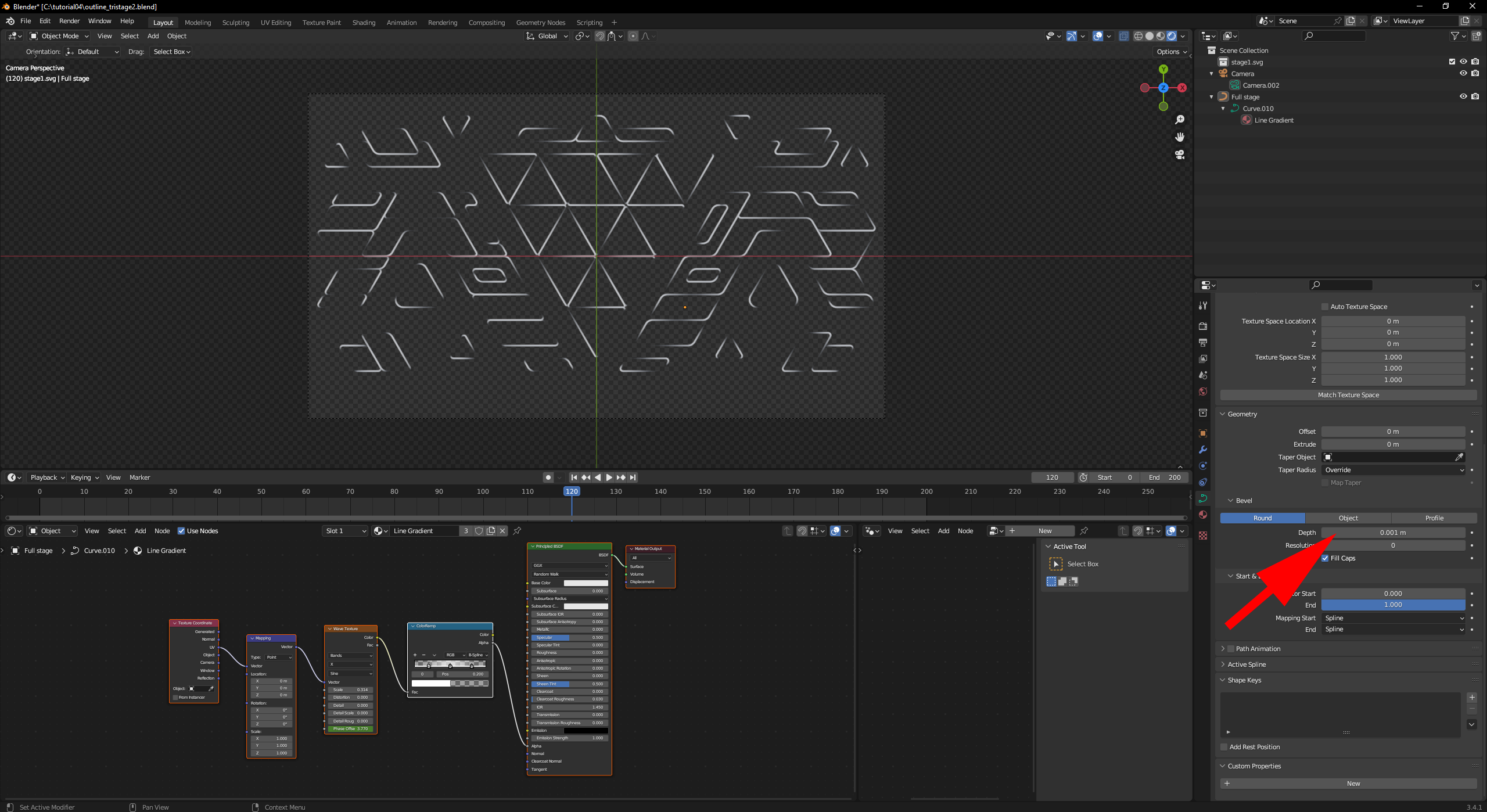
BLENDER: Import vector from Illustator, center and match with camera.
add Bevel Depth (see screenshot blender-outline.png)
combine splines to one
assign Material
check out for material: outline_tristage.blend
BLENDER Splines with Geometry Nodes
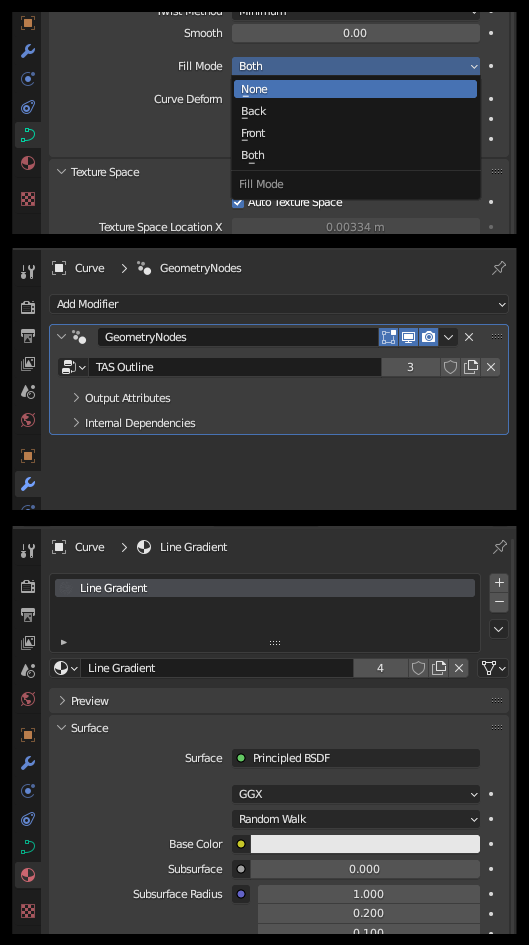
you can also create an outline effect with geometry nodes. check out:
outline_tristage with geometry nodes.blend
1) import your new .svg into my blender scene 2) set Fill mode to None3) Add Modifier - Geometry Nodes select TAS Outline4) Material select Line Gradient
Files